Extensions
  • Home
  • Add-ons
  • Themes
  • Approval Queue
  • About
  • Upload Extension
  • Sign in
  • BLENDER.ORG

    • Download

      Get the latest Blender, older versions, or experimental builds.

    • What's New

      Stay up-to-date with the new features in the latest Blender releases.

    DEVELOPMENT

    • Roadmap

      See which projects are currently being worked on and what's next.

    • Documentation

      Guidelines, release notes and development docs.

    LEARNING & RESOURCES

    • Blender Studio

      Access production assets and knowledge from the open movies.

    • Manual

      Documentation on the usage and features in Blender.

    • Benchmark

      A platform to collect and share results of the Blender Benchmark.

    • Blender Conference

      The yearly event that brings the community together.

    DONATE

    • Development Fund

      Support core development with a monthly contribution.

    • One-time Donations

      Perform a single donation with more payment options available.

All Add-ons

Add-on 3D Viewport Pie Menus
3D Viewport Pie Menus

Various pie menus to speed up your workflow.
Add-on by Community
About What's New Permissions Reviews Version History
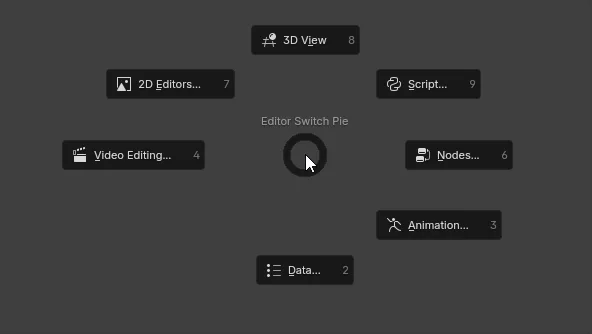
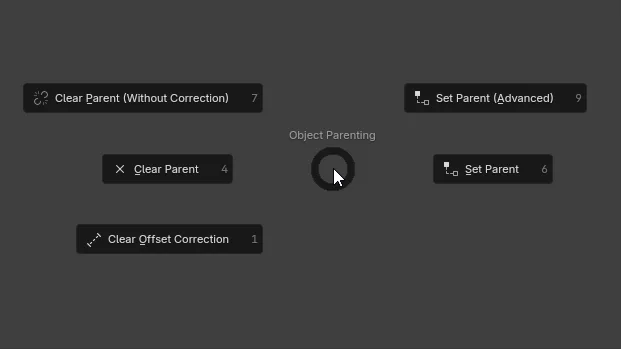
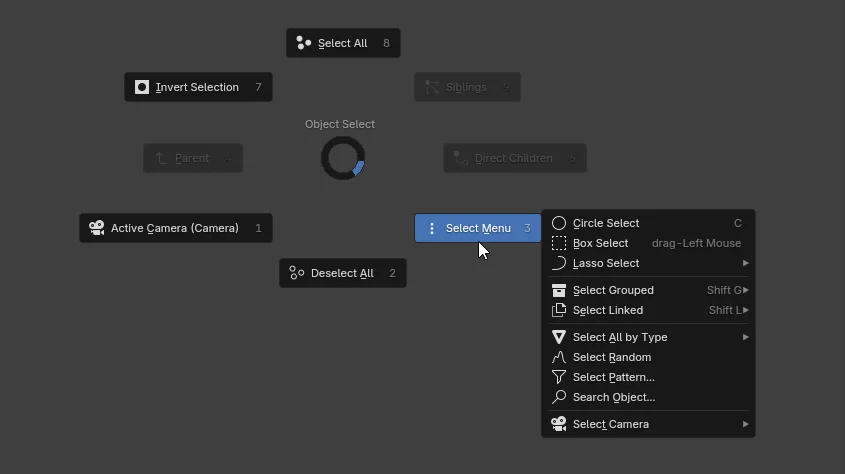
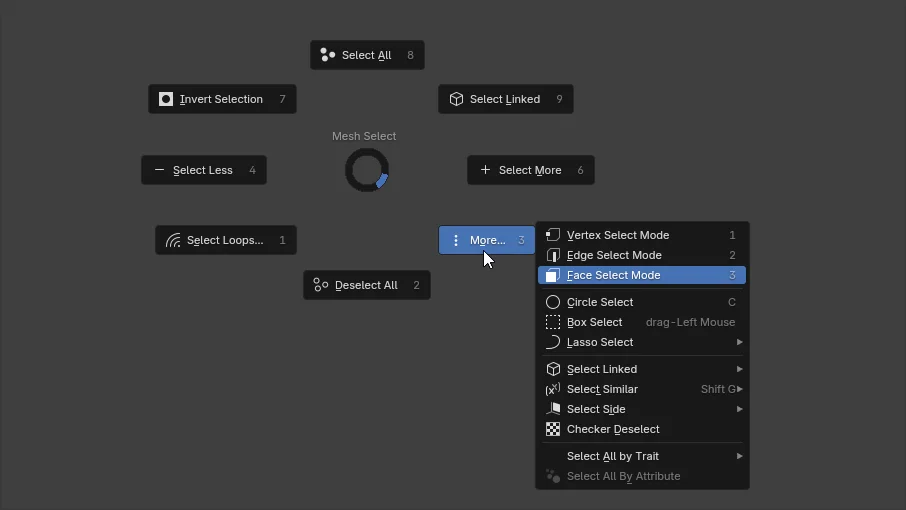
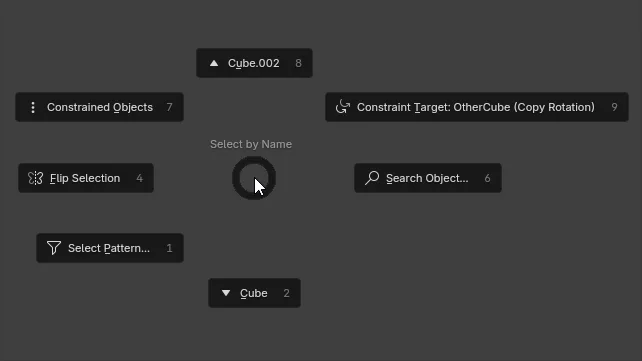
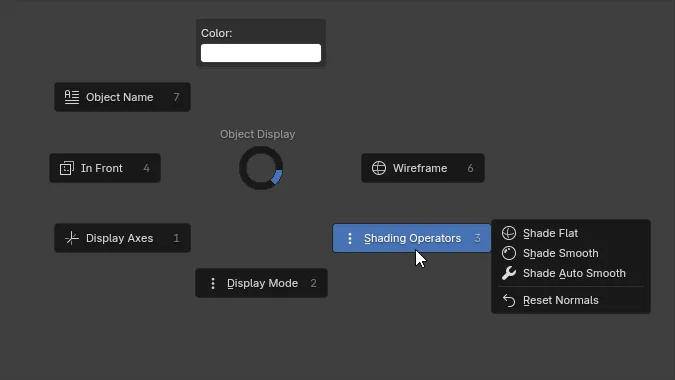
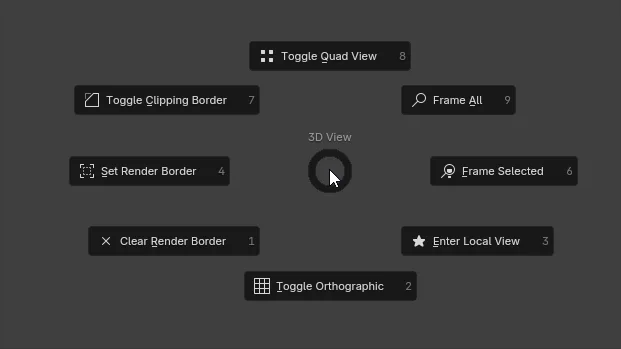
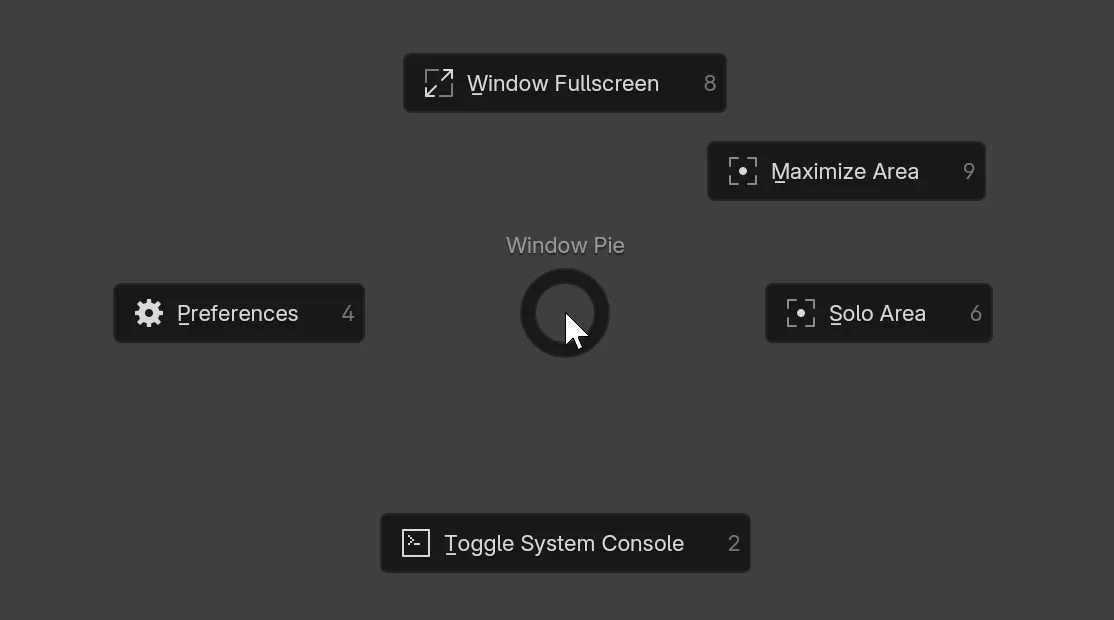
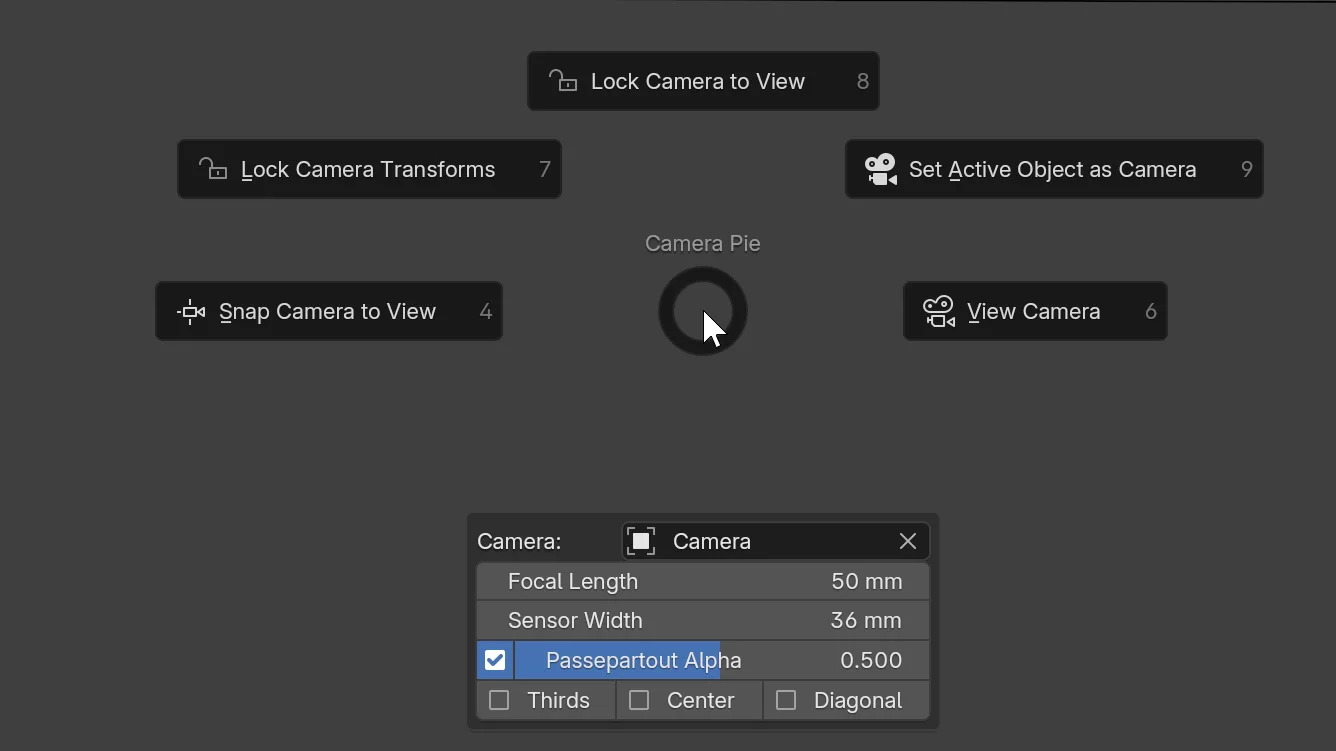
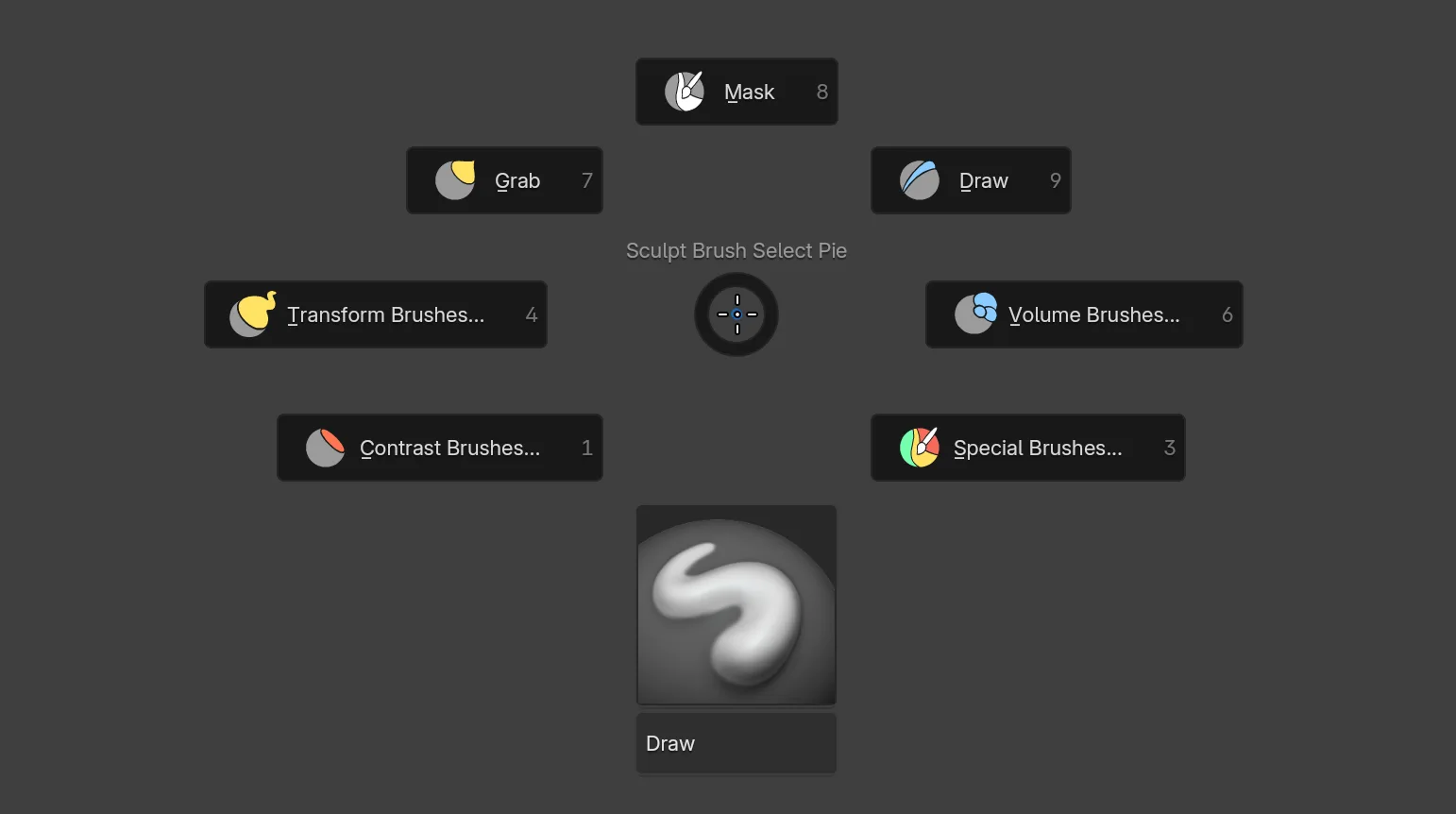
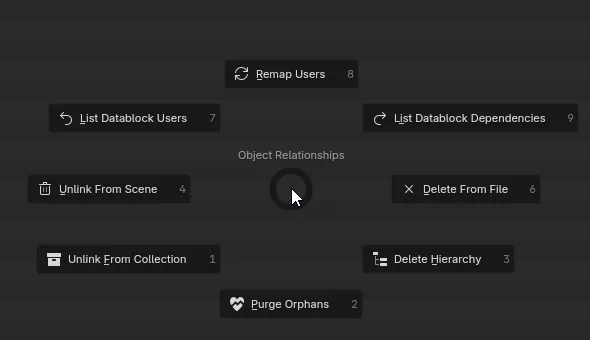
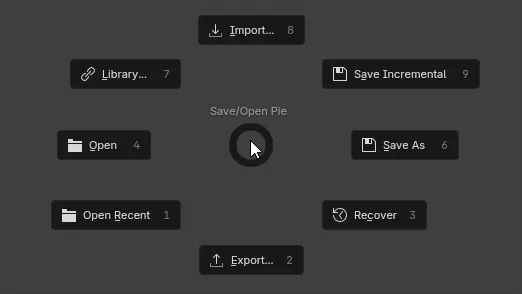
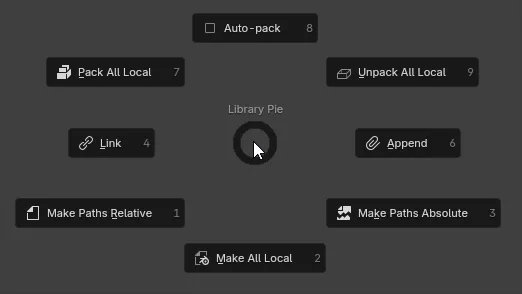
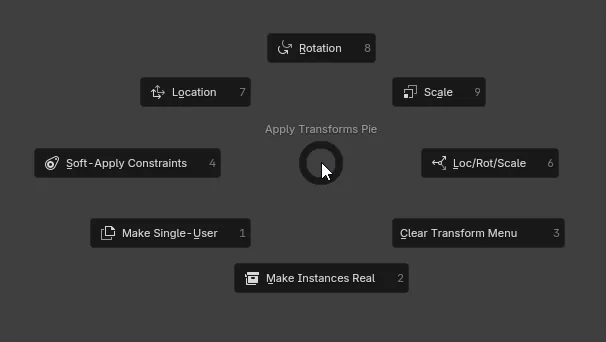
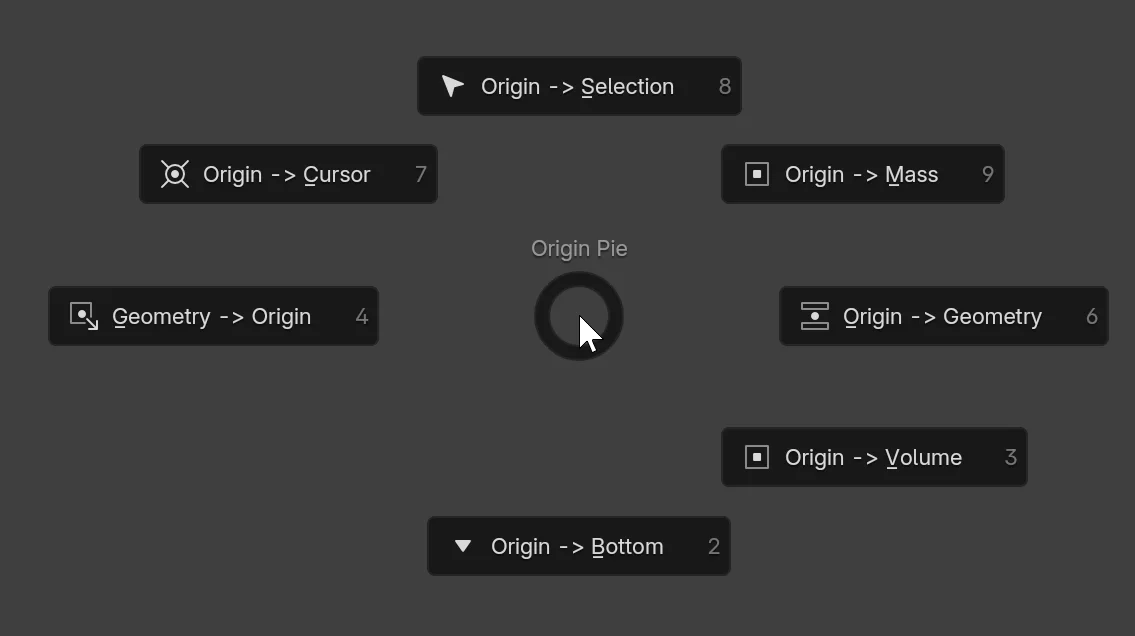
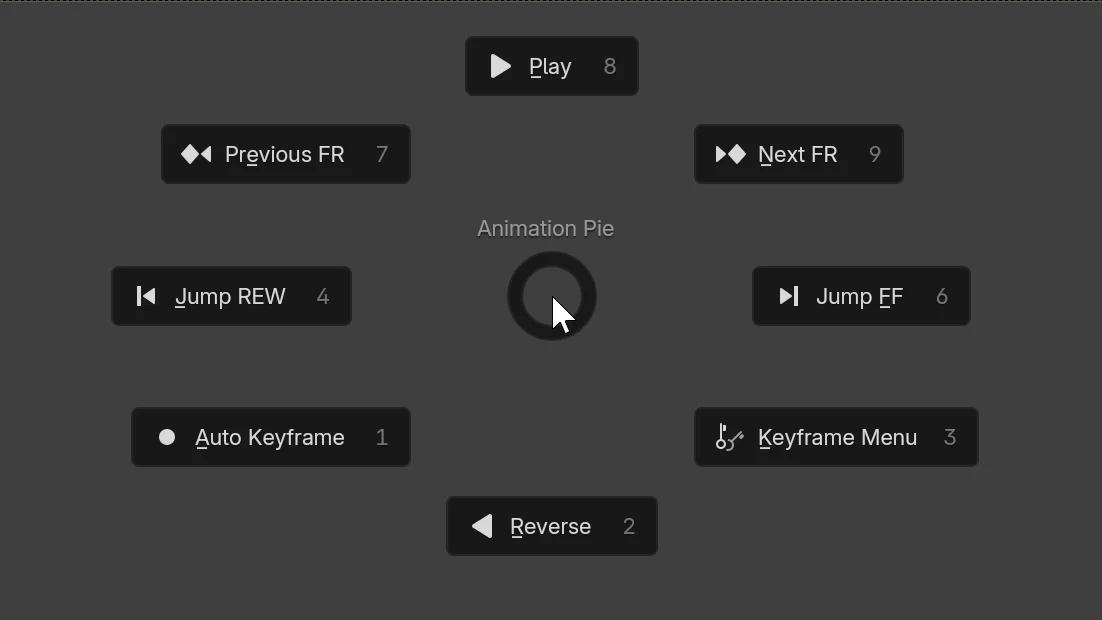
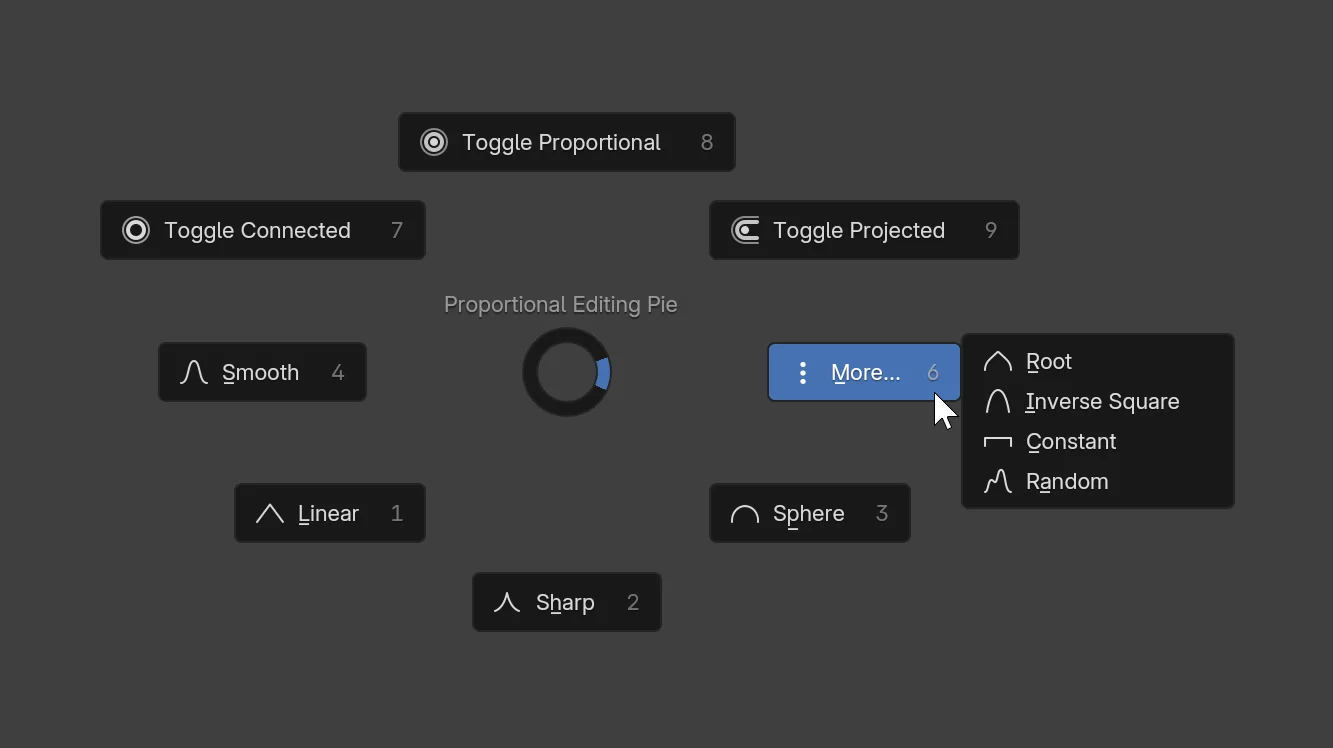
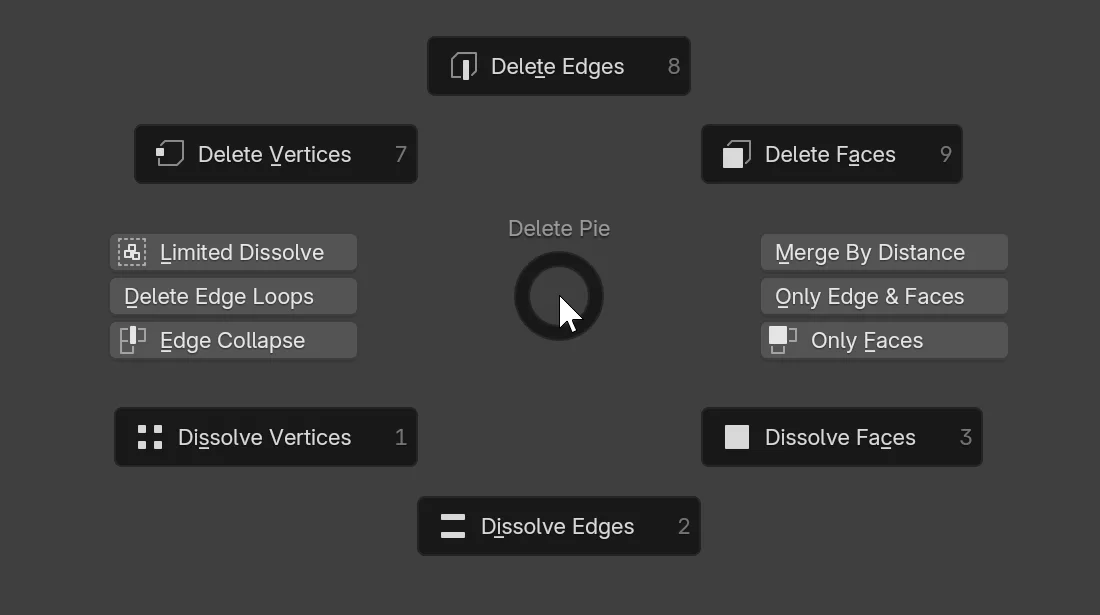
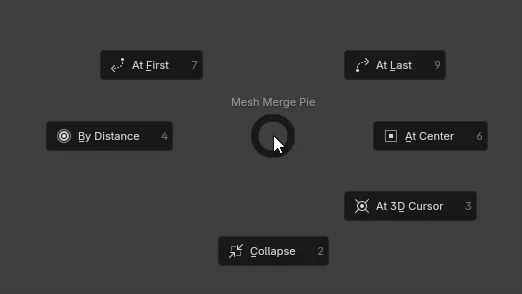
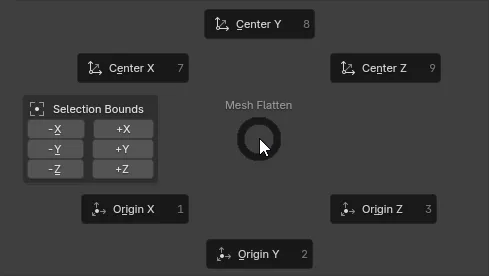
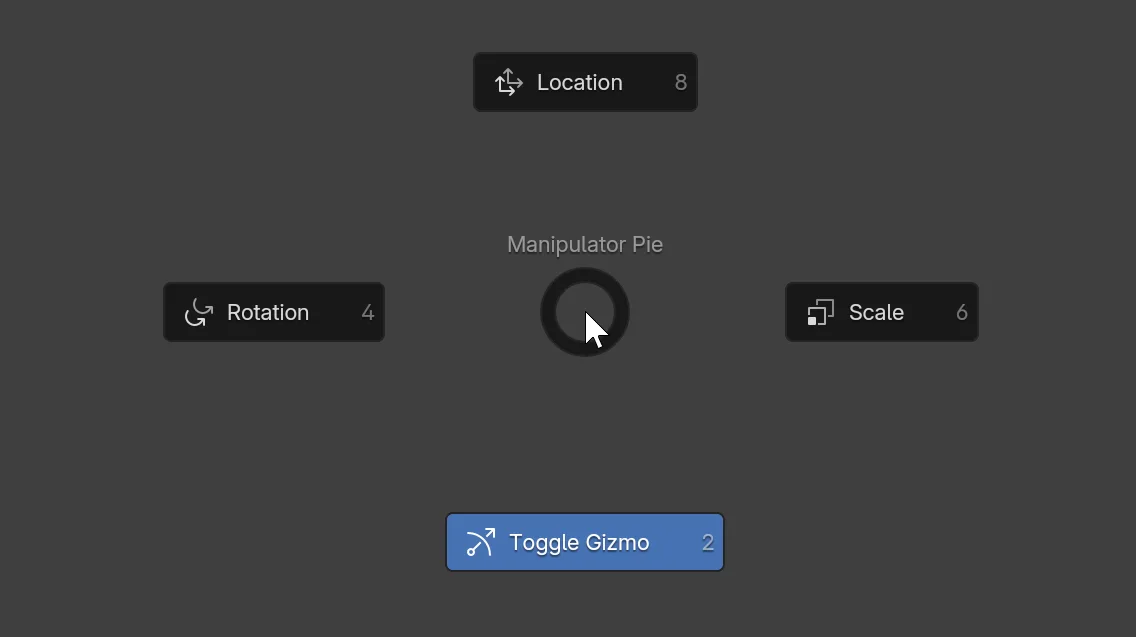
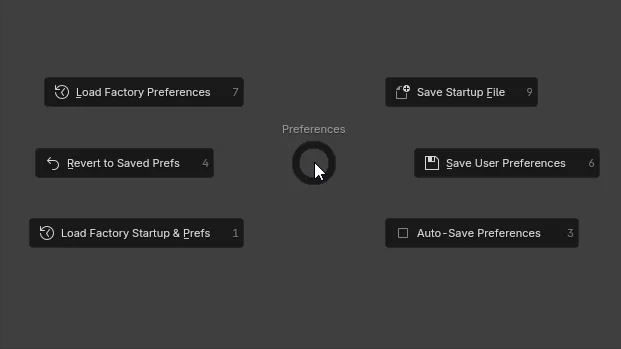
Preferences Editor Switch (Ctrl + Alt + S) Object Parenting (P) Object Selection (A) Mesh Selection (A) Object Select By Name (Ctrl + F) Object Display/Shading (Shift + W) 3D View (Shift + C + Drag) Window (Ctrl + Space + drag) Camera (Alt + C) Sculpt Brush Select (W) Relationships/Delete (X) Save/Load, Import/Export (Ctrl + S + drag) Libraries (Ctrl + S + drag Top-Left) Apply Transforms (Ctrl + A) Set Origin (Ctrl + Alt + X) Animation (Shift + Space + drag) Proportional Editing (O + Drag) Mesh Delete (X) Mesh Merge (M) Mesh Flatten (Alt + X) Manipulator (Alt + Space) Preferences (Ctrl + U)

This extension aims to increase the efficiency and enjoyability of various workflows using the gesture-based actions of carefully designed Pie Menus. Some pie menus also add various useful new operators. Just check out the documentation!

Reporting Issues

Please report bugs here, and not through Reviews!

Known Issues

  • When creating a Custom Keymap Configuration, you must first disable the add-on, and any other add-ons which create hotkeys, as these hotkeys will get duplicated and stuck, breaking everything.

What's New

1.7.4 May 25th, 2026

This update adds a lot of new pie menus, while fixing any issues reported in the last 6 months. Thank you to everyone who submitted suggestions, bug reports, pull requests. Feedback welcome.

New Pie Menus

  • Curve Edit Mode: Curve Delete Pie (X + Drag) - Same 3 options, but grayed out when they wouldn't do anything.

  • Animation Editors: Keyframing Pies:
    • R -> Keyframe Type pie (Dopesheet only!)
    • V -> Handle Type pie
    • T -> Interpolation Mode pie
    • Shift+E -> Extrapolation Mode pie

  • Object/Pose Modes: Copy Pie (Ctrl + C)
    • Inspired by Copy Attributes add-on, which has gone unmaintained for many years (I was the last one to touch its cold corpse years ago)
    • Mesh data copying functions are omitted for now. If anyone wants these, please say so.
    • Copy selected modifiers/constraints/custom properties between objects and bones, along with their drivers, geonode inputs, physics and baking properties.
    • Copy objects or pose to clipboard.
    • Copy collection assignments, viewport display settings, and various groups of properties.
  • Mesh Edit Mode: Mesh Edge Pie (Shift + E + Drag)
  • Object/Mesh(Vert/Edge/Face)/Pose/Armature Edit modes: Select Similar Pie (Shift + G + Drag)

Improvements

  • You can now hold Shift when executing "Delete from File" (X pie) to get a pop-up displaying users of the datablocks you are about to delete.
  • "Delete" and "Unlink" buttons (X pie) now work for Library Override datablocks; They will delete or unlink the whole override hierarchy.
  • Add Depth of Field toggle and F-Stop slider to Camera Pie (Alt+C)
  • Changes to Apply Transforms (Ctrl+A) pie:
    • "Make Instances Real" on the bottom left replaced with "Apply Modifiers & Shape Keys", at user request.
    • "Clear Transforms" drop-down menu in the bottom right expanded with more options and re-labelled to simply "More..."

Fixes

  • Fix #163: Use new operators for loop and ring selection in 5.1 onwards contributed by @Dvorakir, thank you.
  • Fix pie_menu_on_drag operator appearing in "Repeat History" contributed by @Bastian, thank you.
  • Fix #167: "Unlink From Scene" in Outliner not doing what it says

Also updated documentation with some pie menus that were missing, as well as all the new and modified ones.

See all versions


Permissions

This extension requests the following permission:

  • Files

    To load brush icons from disk

Team
Community
Rating
(119)
Version
1.7.4
Updated
3 w
Published
May 14th, 2024
Downloads
166109
Size
125.2 KB
Compatibility
Blender 5.0
Unsupported
6.0 and above
Website
projects.blender.org/extensions/space_view3d_pie_menus
Report Issues
projects.blender.org/extensions/space_view3d_pie_menus/issues
License
GNU General Public License v3.0 or later
User Interface
...or download and Install from Disk
  • 125.2 KB

Reviews

See all
  • psychoboy852
  • v1.7.4
  • 1 w

Great addon! Thanks for developing it. It would be amazing to have "Snapping" pie in there as well with all options available in snap dropdown.

  • 肖锡霞
  • v1.7.4
  • 2 w

很好用

  • Aeit
  • v1.7.4
  • 3 w

Quite essential at this point. Not gonna lie should be implemented by default in blender.

5.0

119 reviews
5
4
3
2
1
Rate this Add-on Report an issue
  • About
  • Privacy Policy
  • Terms of Service
About
  • Blender Foundation
  • Blender Institute
  • Blender Studio
  • License
  • Logo & Trademark
  • Credits
  • Privacy Policy
  • Code of Conduct
Organization
  • People
  • Jobs
Blender Network
Download
  • Latest Blender
  • Blender LTS
  • Previous Versions
  • Experimental Builds
  • Source Code
  • Requirements
  • Benchmark
  • Flamenco
Extensions
  • Add-ons
  • Themes
Developers
  • Get Started
  • Roadmap
  • Projects
  • Docs
  • Blog
  • Forum
  • YouTube
  • Python API
Blender Studio
  • Films
  • Training
  • Tools & Pipeline
Support
  • Manual
  • Community
  • FAQ
Get Involved
  • Documentation
  • Education
News
  • Press Releases
  • User Stories
Blender Conference
Follow Blender
Support Blender
  • Donate
  • One-time Donation
Artistic freedom starts with Blender The Free and Open Source 3D Creation Suite