 Sequenced Bake
Sequenced Bake
Overview
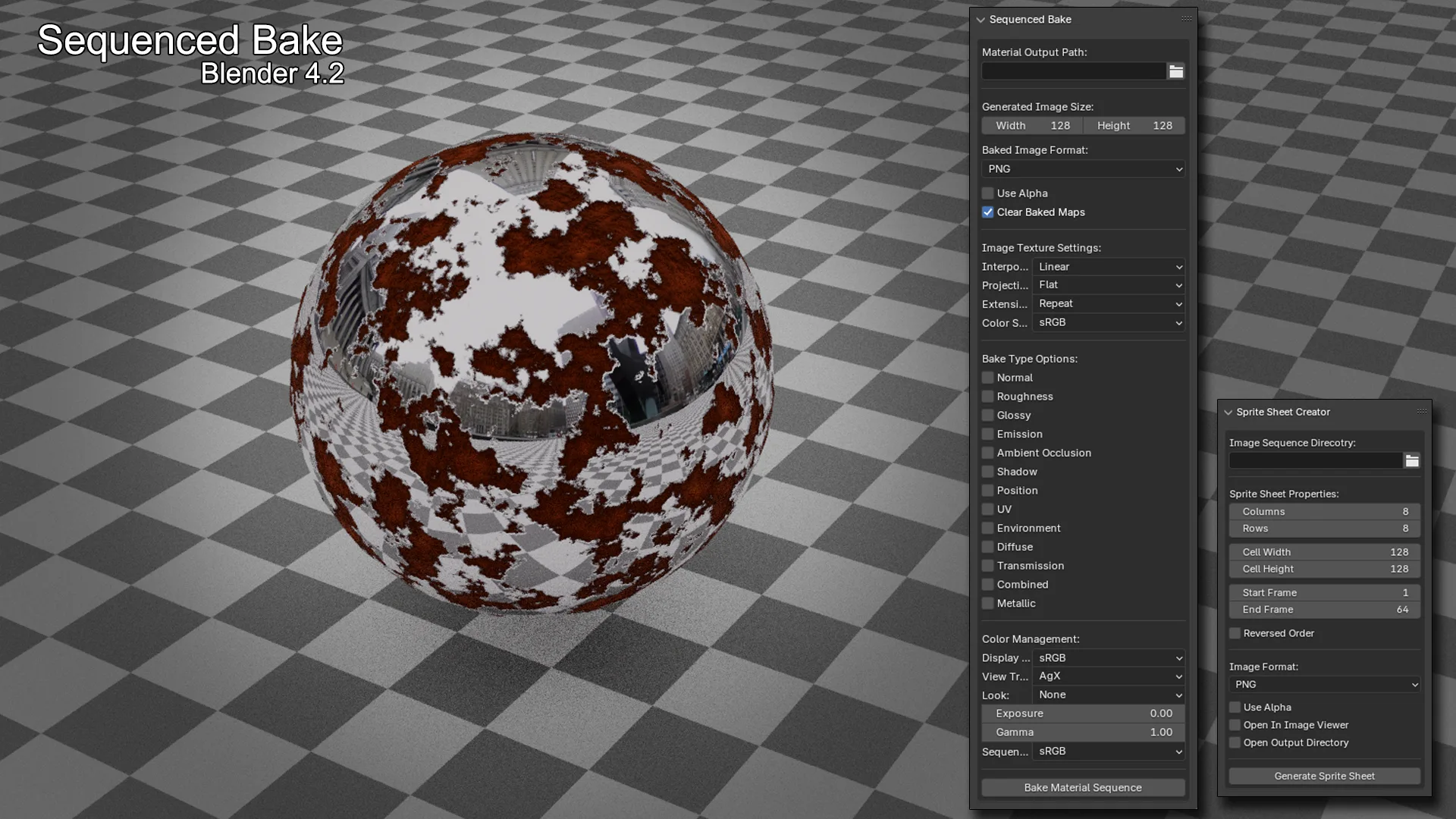
Sequenced Bake is a Blender add-on module designed for high-throughput, frame-by-frame material baking across animated sequences.
It provides a non-blocking, task-driven baking pipeline that processes materials, bake passes, and frame ranges in a structured queue—allowing complex baking operations to run while maintaining full UI responsiveness.
The system integrates directly with Blender’s material node workflows, supports advanced bake configurations, and includes real-time diagnostics such as progress tracking, FPS, and estimated completion time.
Architecture
The Sequenced Bake module is structured into a modular pipeline:
operator.py— Modal task scheduler and execution engineprocessing.py— Core baking logic and node manipulation utilitiesproperties.py— Full configuration system and user-defined bake settingsui.py— UI panels and node-based interface
This separation allows for clean extensibility and isolates bake logic from UI and state management.
Core Features
Sequenced Bake Engine
- Modal, timer-driven execution (non-blocking)
- Task queue built from:
- Materials (active or all)
- Enabled bake types
- Frame range
- Per-task execution model:
(material, bake_type, frame) - Total tasks = Materials × Bake Types × Frames
- Maintains UI responsiveness during long bake operations
Multi-Material & Batch Baking
- Bake:
- Active material only
- All materials on an object
- Automatically iterates through material slots
- Organizes output per material and bake type
Frame Sequencing
- Uses scene frame range (
frame_start → frame_end) - Automatically steps and evaluates scene per frame
- Supports animated shaders, drivers, and keyframed node values
Supported Bake Types
Includes all major Cycles bake passes plus extended workflows:
- Normal (with full swizzle + space control)
- Roughness
- Glossy
- Diffuse (with lighting contribution control)
- Transmission
- Emission
- Ambient Occlusion
- Shadow
- Position
- UV
- Environment
- Combined (configurable contributions)
- Metallic (custom node routing)
- ORM (Occlusion / Roughness / Metallic packed output)
- Sculpt (beta — UV -> Object-space position bake)
Advanced Node Injection (Non-Destructive)
Sequenced Bake dynamically modifies material node trees when required:
Metallic Bake
- Temporarily reroutes Metallic → Material Output
ORM Bake
- Constructs a temporary node graph:
- AO → Red
- Roughness → Green
- Metallic → Blue
- Injects a temporary Principled BSDF for emission-based baking
- Preserves:
- Alpha connections
- Normal inputs
- Constructs a temporary node graph:
Sculpt Bake (Beta in v1.1.6)
The Sculpt Bake system generates a normalized object-space position map by projecting mesh geometry into UV space and encoding vertex positions into an image.
This bake is designed for stable, frame-consistent output across animated sequences.
How It Works
Mesh Density Recommended Sculpt Map size in pixels.
- Very low (≤10 tris) mesh -> 16×16 pixels
- Low (10–100 tris) mesh -> 16×16 to 32x32 pixels
- Medium (100–2k tris) mesh -> 32×32 to 64x64 pixels
- High (2k–10k tris) mesh -> 64×64 to 128x128 pixels
- Very high (10k+) mesh -> 128×128 pixels (Secondlife Max Sculpt Resolution)
Meshes can also have for example a 32x128 pixel sculpt map if the mesh is subdivided more along one axis vs another for long meshes or meshes like a railing or something like that.
1. Evaluated Mesh Sampling
- Uses Blender’s evaluated mesh (including modifiers and animation)
- Converts mesh into a BMesh for efficient UV access
2. UV-Space Projection
Each pixel represents a UV coordinate:
- The mesh is divided into triangles in UV space
- Each pixel is tested against UV triangles
- If the pixel lies inside a triangle:
- Barycentric coordinates are computed
- Vertex positions are interpolated
3. Position Encoding
- Interpolated 3D position is normalized using mesh bounds
- Bounds are calculated once from the evaluated mesh
- Prevents frame-to-frame scaling differences
Final output:
- R = X
- G = Y
- B = Z
Key Features
- Frame-stable normalization (no per-frame drift)
- UV-based rasterization for accurate surface mapping
- Supports animated meshes and modifiers
- Direct object-space position encoding
- Fully compatible with sequenced baking workflows
Output
- Image-based position map (RGB)
- Values normalized to 0–1 range
- Suitable for:
- Displacement reconstruction
- Procedural mesh workflows
- Animation baking pipelines
Limitations
- Requires clean UVs for best results
- Overlapping UVs may produce conflicts
- Best performance with non-overlapping topology
Image Generation Pipeline
- Generates a new image per task (material × bake type × frame)
- Creates image textures dynamically during execution
- Configurable:
- Resolution (1–8192)
- Bit depth (8-bit / 32-bit float)
- Alpha support
- Color space
- Automatically assigns and activates bake targets
- Cleans up unused image datablocks after completion (optional)
Selected-to-Active Baking
- Full support for projection baking workflows:
- Cage object support
- Ray distance control
- Extrusion settings
Color Management Control
Per-bake override of Blender color pipeline:
- Display Device
- View Transform
- Look
- Exposure / Gamma
- Sequencer color space
Ensures consistent output for pipelines requiring strict color fidelity.
Real-Time Diagnostics
Live bake feedback includes:
- Progress (0.0 → 1.0)
- Current material
- Current bake type
- Frame index tracking
- Effective FPS (throughput)
- Estimated time remaining (ETA)
Performance Model
- Incremental processing via Blender modal timer
- Avoids UI freezing during large batch jobs
- Tracks per-task execution time for accurate ETA prediction
User Interface
3D View Panel (N-Panel)
Located under:
View3D → Sidebar → Sequenced Bake
Includes:
- Material Manager (slot-based workflow)
- Frame range controls
- Image settings
- Bake type selection
- Color management
- Bake controls
- Real-time diagnostics panel (progress, FPS, ETA, current task)
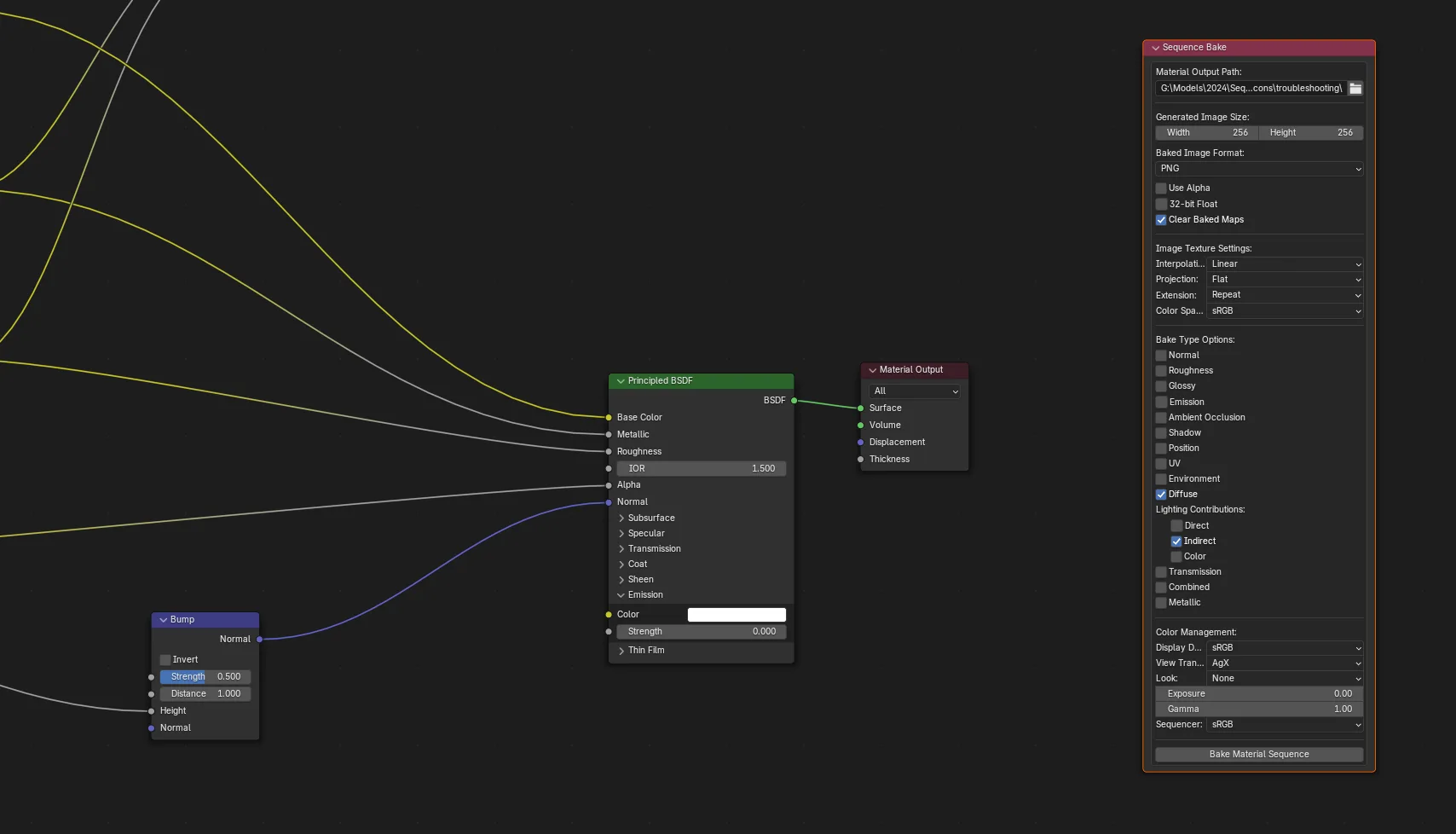
Shader Editor Node
A fully functional Sequenced Bake Node is available:
- Mirrors panel functionality
- Allows node-based workflow integration
- Useful for material-centric pipelines
Usage
Basic Workflow
- Select an object with a material
- Ensure Cycles is the active render engine
- Open the Sequenced Bake panel or node
- Configure:
- Output directory
- Frame range
- Image settings
- Bake types
- Click “Bake Material Sequence”
The system will:
- Build a task queue
- Process each bake incrementally
- Save outputs per material / type / frame
Output Structure
Baked images are organized as:
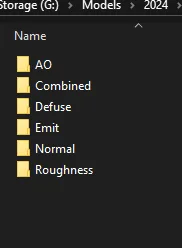
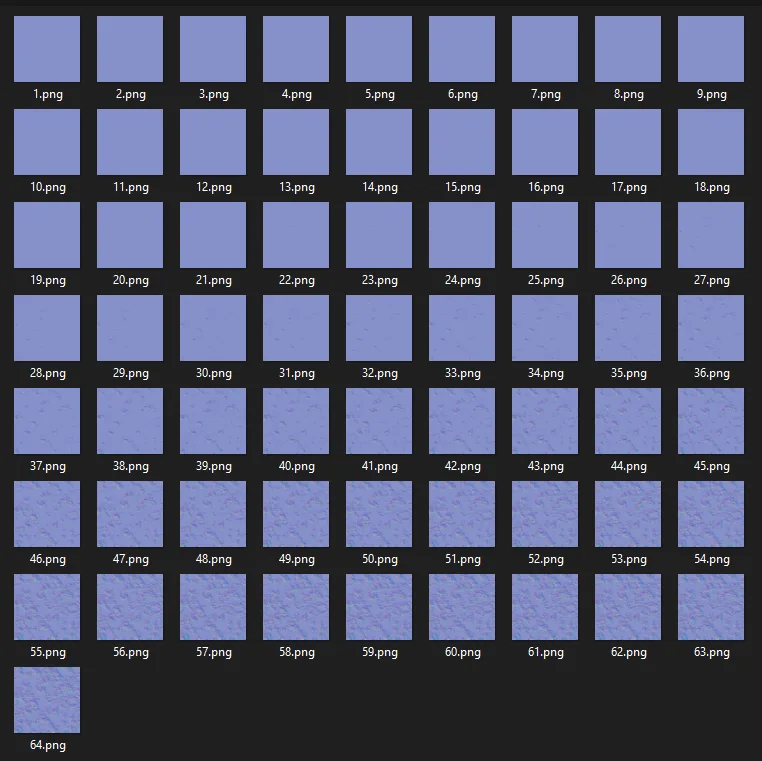
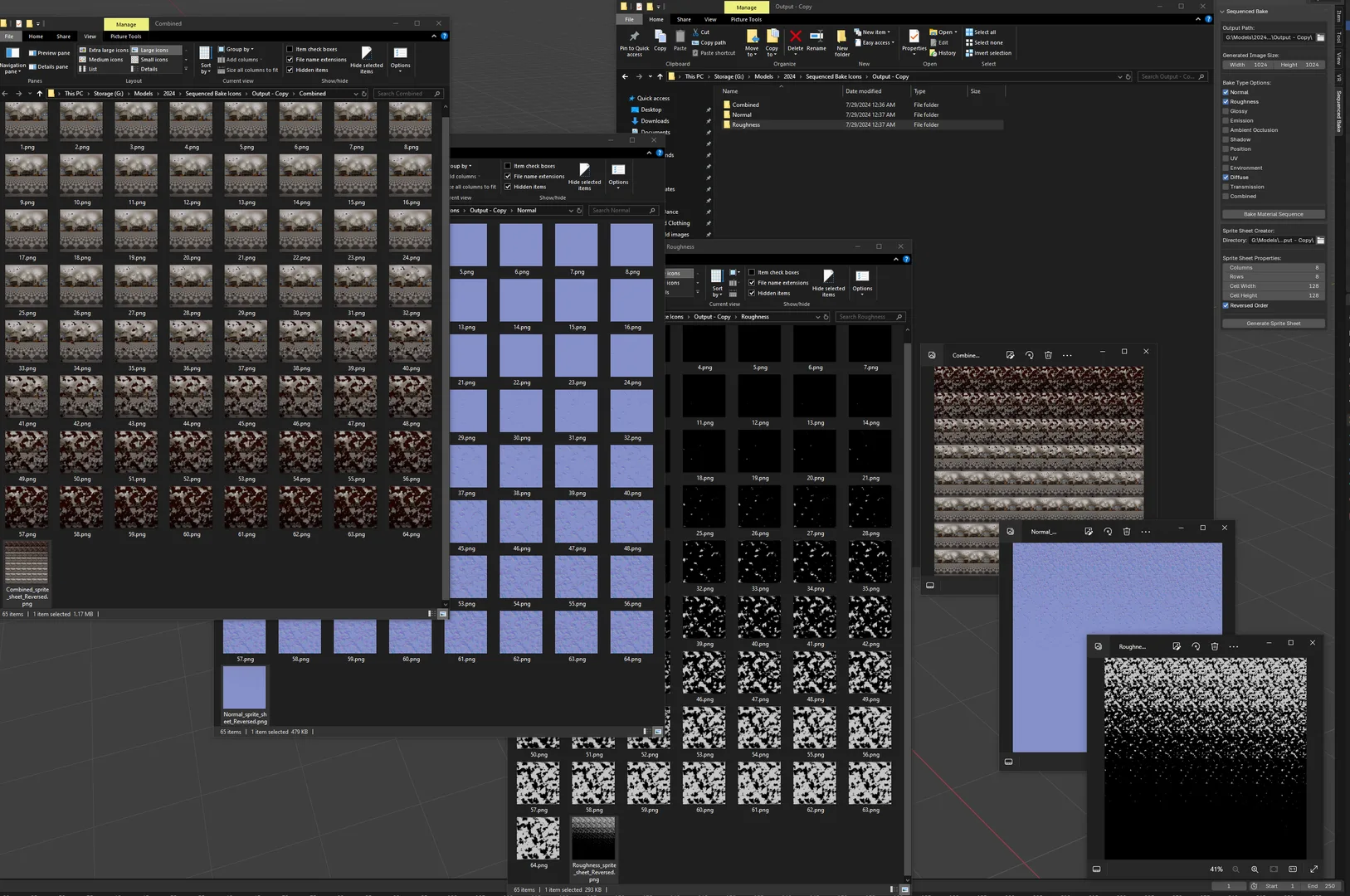
<output_path>/ <Object><Material><BakeType>/ 1.png 2.png 3.png
Configuration Highlights
- Resolution up to 8K
- Multiple image formats (PNG, EXR, TIFF, etc.)
- Normal map presets:
- OpenGL
- DirectX
- Unity / Unreal / Substance
- Texture sampling:
- Interpolation
- Projection
- Extension modes
- Optional automatic cleanup of generated textures
Requirements
- Blender (Cycles render engine required)
Notes
- Designed for animation baking pipelines, not single-frame baking
- Optimized for:
- Game asset workflows
- Shader-driven animation
- Procedural material baking
- Node graph modifications are fully reversible and non-destructive
Pipeline / Use Cases
Game Development (Real-Time Engines)
Sequenced Bake supports asset pipelines targeting Unity, Unreal Engine, and custom runtimes.
- Bake shader-driven animation into image sequences
- Generate full PBR map sets across frames
- Replace runtime shader cost with pre-baked textures
Shader-to-Texture Conversion
- Convert procedural materials into static or animated textures
- Preserve lighting contributions and emission data
- Useful for asset export and lookdev finalization
VFX and Motion Graphics
- Bake animated effects (dissolves, energy flows, scans)
- Generate frame-accurate image sequences for compositing and sprites
Procedural Material Caching
- Cache time-dependent shaders into textures
- Eliminate runtime evaluation cost
- Enable deterministic playback
High-Volume Batch Processing
Designed to handle:
- Hundreds of frames
- Multiple materials
- Multiple bake passes per material
Pipeline Integration
- Deterministic output structure
- Consistent naming conventions
- Color management control for pipeline compliance
Sprite Sheet Creator
Overview
Sprite Sheet Creator is a Blender add-on module designed to convert frame-based image data into structured, production-ready sprite sheets.
This module is designed as the second stage of the pipeline:
Bake → Image Sequence → Sprite Sheet
It supports multiple input sources—including image directories, the Video Sequence Editor (VSE), and Compositor outputs—and assembles them into optimized sprite sheets.
Supports both immediate and modal (non-blocking) execution, depending on the source type.
Architecture
operators.py— Execution logic and batch processingprocessing.py— Image loading and sprite assemblyproperties.py— Configuration systemui.py— Unified interface
Core Features
Multi-Source Frame Input
Image Sequence (Directory)
- Load frames from a folder
- Detect subdirectories for batch processing
- Sorting and frame range control
Video Sequence Editor (VSE)
- Renders frames from the VSE timeline
- Supports single or multiple channels
Compositor Output
- Renders frames through compositor nodes
- Uses defined resolution per sprite cell
Batch Processing Engine (Directory Mode)
- Modal, timer-driven execution
- Processes subdirectories automatically
- One sprite sheet per directory
Sprite Sheet Assembly
- Grid layout (Columns × Rows)
- Frame placement:
- Left-to-right
- Top-to-bottom
- Source frames are resampled to match cell size
- Stops when grid capacity is reached
Image Processing Pipeline
- NumPy-backed pixel processing for efficient bulk image manipulation
- Per-frame:
- Load
- Rescale
- Write to atlas
Output System
- Multiple formats (PNG, EXR, etc.)
- Auto naming and overwrite control
- Flexible output paths
Output Structure
Single Output
- <output_path>/<SpriteSheetName>.png
Batch Directory Output
<root_directory>/ Sequence_A/ Sequence_A.png
Sequence_B/ Sequence_B.png
Usage
- Select source (Directory / VSE / Compositor)
- Set frame range
- Configure grid layout
- Define output settings
- Generate sprite sheet
Notes
- Designed to pair directly with Sequenced Bake
- Optimized for:
- Flipbook textures
- Sprite animation
- Real-time pipelines
Pipeline / Use Cases
Game Development
- Flipbook textures
- Particle atlases
- Engine-ready sprite sheets
Sequenced Bake Integration
- Direct pipeline:
- Bake → Image Sequence → Sprite Sheet
Batch Processing
- Process entire animation libraries
- One folder = one sprite sheet
Community / Support
- Discord: https://discord.gg/uZw54mGKZH
What's New
1.1.6 May 9th, 2026
Sculpt Map Generation Rewrite
Completely rebuilt the sculpt map baking system.
Removed the previous shader-driven sculpt generation workflow.
Removed offset and bounding box controls from the UI.
Improved sculpt map stability during animated playback.
Added cached sculpt bounds mode for stable sequence baking.
Reduced deformation artifacts caused by changing mesh bounds between frames.
Objects must have a UV tha'ts fully unwrapped and square to the UV grid like a plane unwrapped to the UV bounds. The UV grid and vertex position must be 1:1 for accuracy.
This addon is great!... Although, I would like to be able to save to all the available file formats in Blender (like WebP) and not just a subset of them; as well as being able to set the compression/quality of the format I choose.
Brilliant!
So Darn Good