Extensions
  • Home
  • Add-ons
  • Themes
  • Approval Queue
  • About
  • Upload Extension
  • Sign in
  • BLENDER.ORG

    • Download

      Get the latest Blender, older versions, or experimental builds.

    • What's New

      Stay up-to-date with the new features in the latest Blender releases.

    DEVELOPMENT

    • Roadmap

      See which projects are currently being worked on and what's next.

    • Documentation

      Guidelines, release notes and development docs.

    LEARNING & RESOURCES

    • Blender Studio

      Access production assets and knowledge from the open movies.

    • Manual

      Documentation on the usage and features in Blender.

    • Benchmark

      A platform to collect and share results of the Blender Benchmark.

    • Blender Conference

      The yearly event that brings the community together.

    DONATE

    • Development Fund

      Support core development with a monthly contribution.

    • One-time Donations

      Perform a single donation with more payment options available.

All Add-ons

Add-on Browser Scroll Resize
Browser Scroll Resize

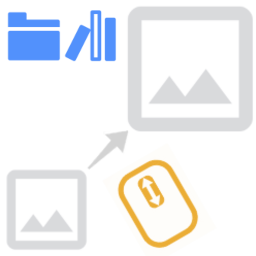
Resize File Size Thumbnail on Browsers with Mouse Wheel.
Add-on by Barrunterio
About What's New Reviews Version History

5 Reviews

  • 3DDinosaur
  • v1.0.2
  • 1 mo

Now I see the shortcut issue. For it to work seamlessly you should also register the operands in the 2d view keymap. Maybe to avoid conflict change them to ctrl+shift wheel... who uses ctrl wheel to navigate anything horizontally when default everywhere is shift... come on Blender! : D

Persistency is still an issue. Addon prefs are not getting saved between Blender sessions. A quick run through Claude below. Hope it helps. : )

Here's a summary of what needs to be fixed: Main fix: Move all properties from TBY_FBSR_prop (Scene-level) into AddonPreferences directly, so they persist in Blender's user preferences instead of per-scene data. 3 steps: Add all props as fields of TBY_BSR_Preferences_Panel and remove the TBY_FBSR_prop class entirely. In every operator, replace context.scene.tby_bsr_tool with context.preferences.addons[name].preferences. In unregister(), change bpy.types.Scene.tby_bsr_tool to del bpy.types.Scene.tby_bsr_tool. Remove undo and registration to avoid flooding info editor list with every mouse wheel flick.

bl_info = { "name": "Browser_Scroll_Resizer (BSR)", "author": "Barrunterio", "version": (1, 0, 2), "blender": (5, 2, 0), "location": "Add Shortcut Operation", "description": "Custom operation to resize content in the file browser using Alt + Scroll Mouse", "wiki_url": "", "category": "Interface"}

import bpy, rna_keymap_ui from bpy.types import AddonPreferences

---------------------------------------------------------------------------
Helper to get preferences from anywhere
---------------------------------------------------------------------------

def get_prefs(context): return context.preferences.addons[name].preferences

---------------------------------------------------------------------------
Display-type helpers
---------------------------------------------------------------------------

def display_type_to_thumbnail(context): prefs = get_prefs(context) context.space_data.params.display_type = 'THUMBNAIL' context.space_data.params.display_size = prefs.tby_bsr_min_thumbnail_display

def display_type_to_list_horizontal(context): context.space_data.params.display_type = 'LIST_HORIZONTAL'

def display_type_to_list_vertical(context): context.space_data.params.display_type = 'LIST_VERTICAL'

---------------------------------------------------------------------------
Preferences (persistent – stored in userpref.blend)
---------------------------------------------------------------------------

class TBY_BSR_Preferences_Panel(AddonPreferences): bl_idname = name

---------------------------------------------------------------------------
OPERATORS
---------------------------------------------------------------------------

class tby_interaction_increase(bpy.types.Operator): """Increase the size of Thumbnails on Asset and File Explorer""" bl_idname = "tbycontext.thumbnailsizeincrease" bl_label = "Increase file explorer size" bl_options = set()

class tby_interaction_decrease(bpy.types.Operator): """Decrease the size of file Viewer""" bl_idname = "tbycontext.thumbnailsizedecrease" bl_label = "Decrease file explorer size" bl_options = set()

class tby_interaction_increase_alt(bpy.types.Operator): """Increase the Column size of the Horizontal List in Asset Browser""" bl_idname = "tbycontext.hlist_thumbnailsizeincrease" bl_label = "Increase column size for Asset Browser" bl_options = set()

class tby_interaction_decrease_alt(bpy.types.Operator): """Decrease the Column size of Horizontal List in Asset Browser""" bl_idname = "tbycontext.hlist_thumbnailsizedecrease" bl_label = "Decrease column size for Asset Browser" bl_options = set()

---------------------------------------------------------------------------
Registration
---------------------------------------------------------------------------

classes = ( TBY_BSR_Preferences_Panel, tby_interaction_decrease, tby_interaction_increase, tby_interaction_increase_alt, tby_interaction_decrease_alt, )

addon_keymaps = []

def key(active, km, kmi): kmi.active = active addon_keymaps.append((km, kmi))

def register(): for cls in classes: bpy.utils.register_class(cls)

def unregister(): for km, kmi in addon_keymaps: km.keymap_items.remove(kmi) addon_keymaps.clear()

if name == "main": register()

  • Barrunterio replied
  • 1 mo

Hi 3D Dinnosaur, new version is out v1.0.6. I added some settings in the properties to better set defaults and quick change to a working solution, main alt for scrolling. Feel free to try it, and let me know your thoughts! :)

  • mejla
  • v1.0.1
  • 1 y

Great! I love it! Very useful feature, thank you!

  • khan-lala
  • v1.0.1
  • 1 y

Bro add the same feature for (pose library) and (file browser)

  • Barrunterio replied
  • 1 y
  • I want to expand that behavior on all shelfs (Pose library, sculpt shelf, brush paint shelf, asset shel etc.) W.I.P.

  • For File browser it should behave the same as asset browser. It only resize the thumbnails by default.

[People wanted Ctrl shortcut as default and this conflicts with internal blender shortcut for horizontal pane on 2D areas.] I don't want to mess and override personal keymaps. For this reason I strongly suggest to change on the preferences of the addon the shortcut to use Alt instead of Ctrl and toogle the option to enable cycling between Display Modes: Vertical List <-> Horizontal List <-> Thumbail.

If you are unable to use it inside the file explorer then it's an issue. Could you please write it down on the issues on the project and describe it a little bit more in depth? Thanks :)

  • byebyeLAN
  • v1.0.0
  • 1 y

A VERY handy add-on, kinda sucks that you can't use Ctrl+scroll like any other file explorer app, but it is what it is.

  • Barrunterio replied
  • 1 y

You can override the default shortcut to use the one you prefer, but that may conflict with blender internals. I'm working on a new version, and I will add some functionality to quickly override it to Ctrl. Thanks for yout review :)

  • Slowwkidd
  • v1.0.0
  • 2 y

Hey, great add-on, super useful! Wanted to give some feedback: If I change the keymap from alt-wheel to ctrl-wheel (to mimic how it works in windows), if by scrolling too much I change the display mode (thumbnails, list. etc.) then I cannot scroll back to change it. -I say this also because it would be super cool if this worked also with the same behavior of resizing the size of other editors, where by holding ctrl and scrool-wheel and then dragging to the left or to the right it smoothly resizes the window.

Thank!

  • Barrunterio replied
  • 2 y

Hey, thanks for reaching out! Sadly that's why Alt shortcut was choose instead common Ctrl. As you saw if applied there is a conflict between current shortcuts for file manager using Ctrl.

  • Easy workarround is remapping your keymaps to avoid Ctrl being called for two operators. "view2d.scroll_right"

I thought auto deactivate the shortcut or adding a bool option to deactivate the shortcut, but at the end I don't wan't the add-on to interfere and change your user settings without you realizing it, and modify user's workflow on other 2D areas.

Maybe adding a warning when trying to change for control, and then an option to remap the default conflicting keymapcan be a solution or just writing down the work-arrounds can be a good start to address this issue. Rigth now I don't see a cleaner way to implement this.

Definitely implementing support for "Ctrl + Mouse direction" is a nice addition. I will work on that.

5 reviews

5.0

5 reviews
5
4
3
2
1
Rate this Add-on Report an issue
  • About
  • Privacy Policy
  • Terms of Service
About
  • Blender Foundation
  • Blender Institute
  • Blender Studio
  • License
  • Logo & Trademark
  • Credits
  • Privacy Policy
  • Code of Conduct
Organization
  • People
  • Jobs
Blender Network
Download
  • Latest Blender
  • Blender LTS
  • Previous Versions
  • Experimental Builds
  • Source Code
  • Requirements
  • Benchmark
  • Flamenco
Extensions
  • Add-ons
  • Themes
Developers
  • Get Started
  • Roadmap
  • Projects
  • Docs
  • Blog
  • Forum
  • YouTube
  • Python API
Blender Studio
  • Films
  • Training
  • Tools & Pipeline
Support
  • Manual
  • Community
  • FAQ
Get Involved
  • Documentation
  • Education
News
  • Press Releases
  • User Stories
Blender Conference
Follow Blender
Support Blender
  • Donate
  • One-time Donation
Artistic freedom starts with Blender The Free and Open Source 3D Creation Suite