Extensions
  • Home
  • Add-ons
  • Themes
  • Approval Queue
  • About
  • Upload Extension
  • Sign in
  • BLENDER.ORG

    • Download

      Get the latest Blender, older versions, or experimental builds.

    • What's New

      Stay up-to-date with the new features in the latest Blender releases.

    DEVELOPMENT

    • Roadmap

      See which projects are currently being worked on and what's next.

    • Documentation

      Guidelines, release notes and development docs.

    LEARNING & RESOURCES

    • Blender Studio

      Access production assets and knowledge from the open movies.

    • Manual

      Documentation on the usage and features in Blender.

    • Benchmark

      A platform to collect and share results of the Blender Benchmark.

    • Blender Conference

      The yearly event that brings the community together.

    DONATE

    • Development Fund

      Support core development with a monthly contribution.

    • One-time Donations

      Perform a single donation with more payment options available.

All Add-ons

Add-on Thomas Rig Legacy
Thomas Rig Legacy

Addon for this rig.
Add-on by BlueEvilGFX
About What's New Permissions Reviews Version History

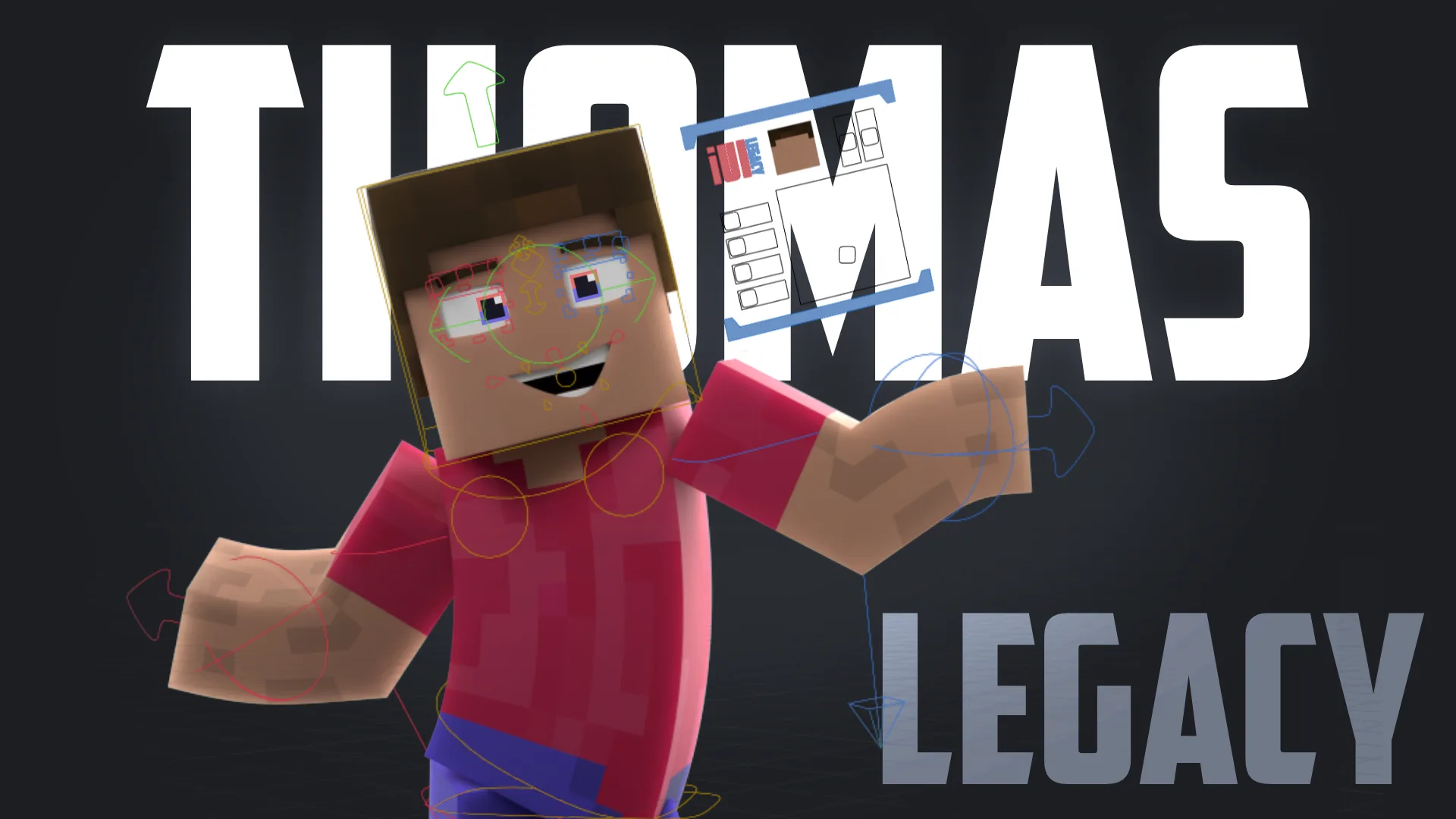
Player Rig for Blender (Minecraft)

Elevate your Minecraft animations with this versatile and user-friendly Minecraft Player Rig for Blender! Perfect for both novice and experienced animators, this rig is packed with features to enhance your creative projects:

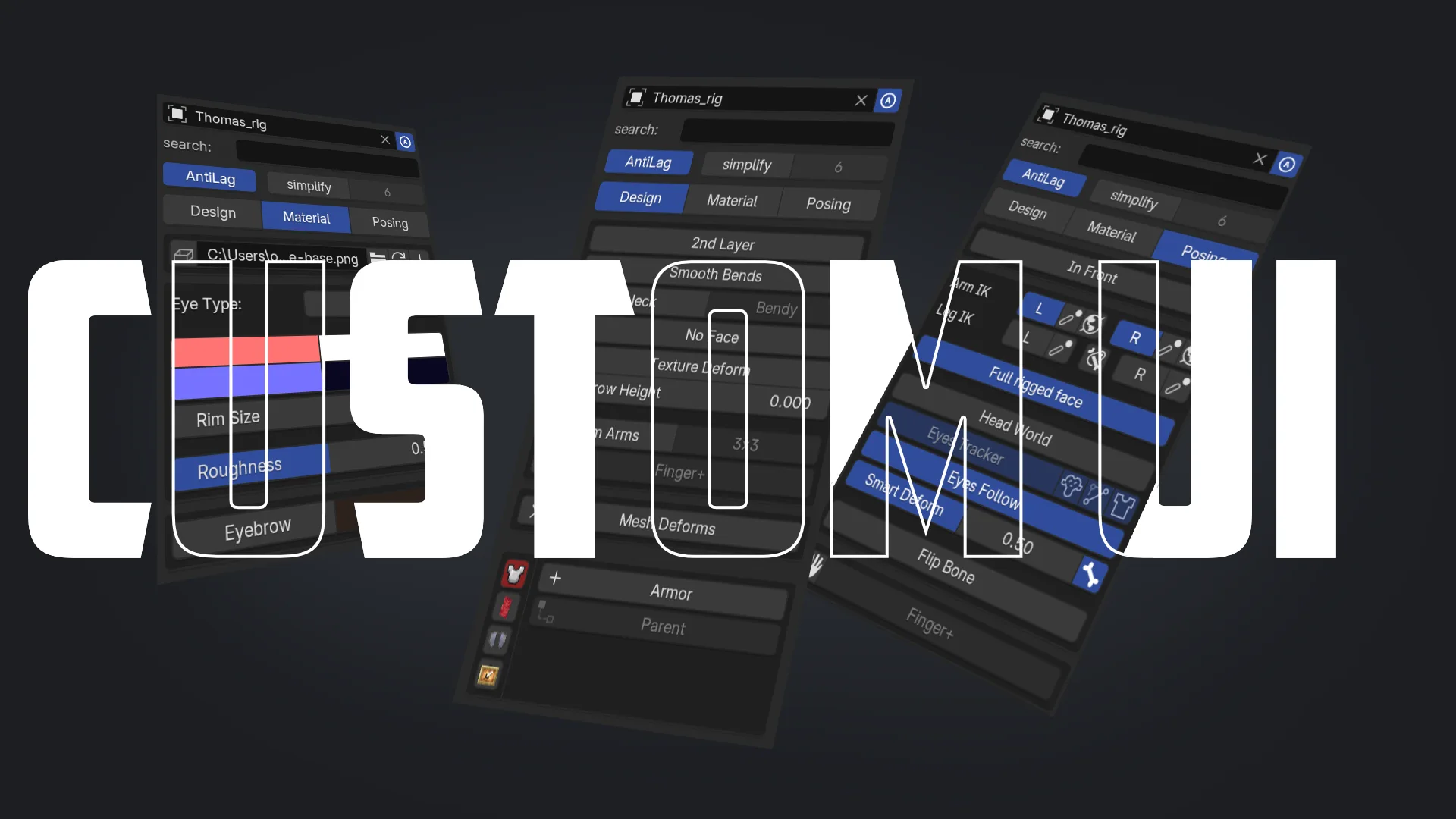
  • Custom UI: custom UI to simplify animating and creating presets
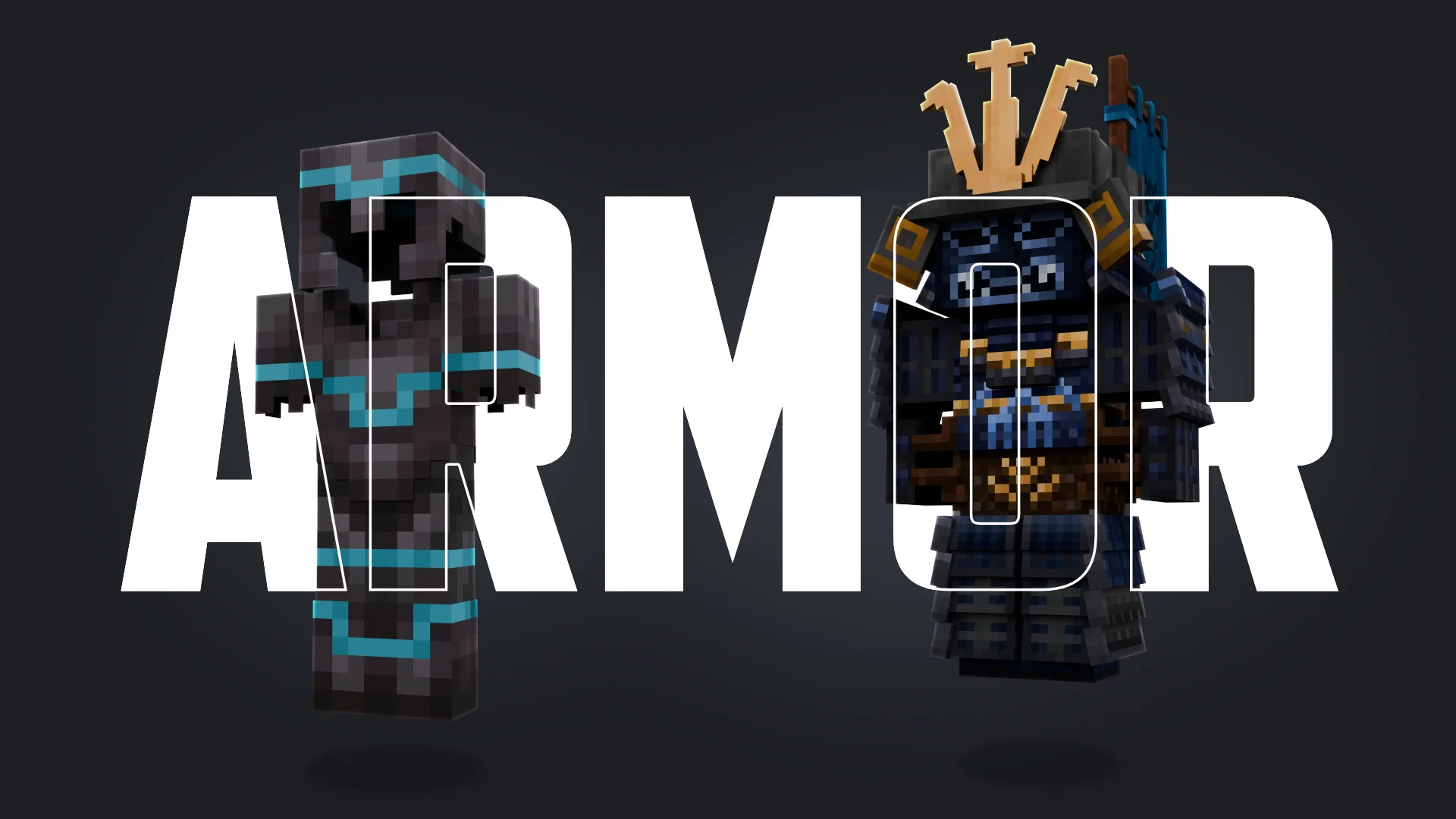
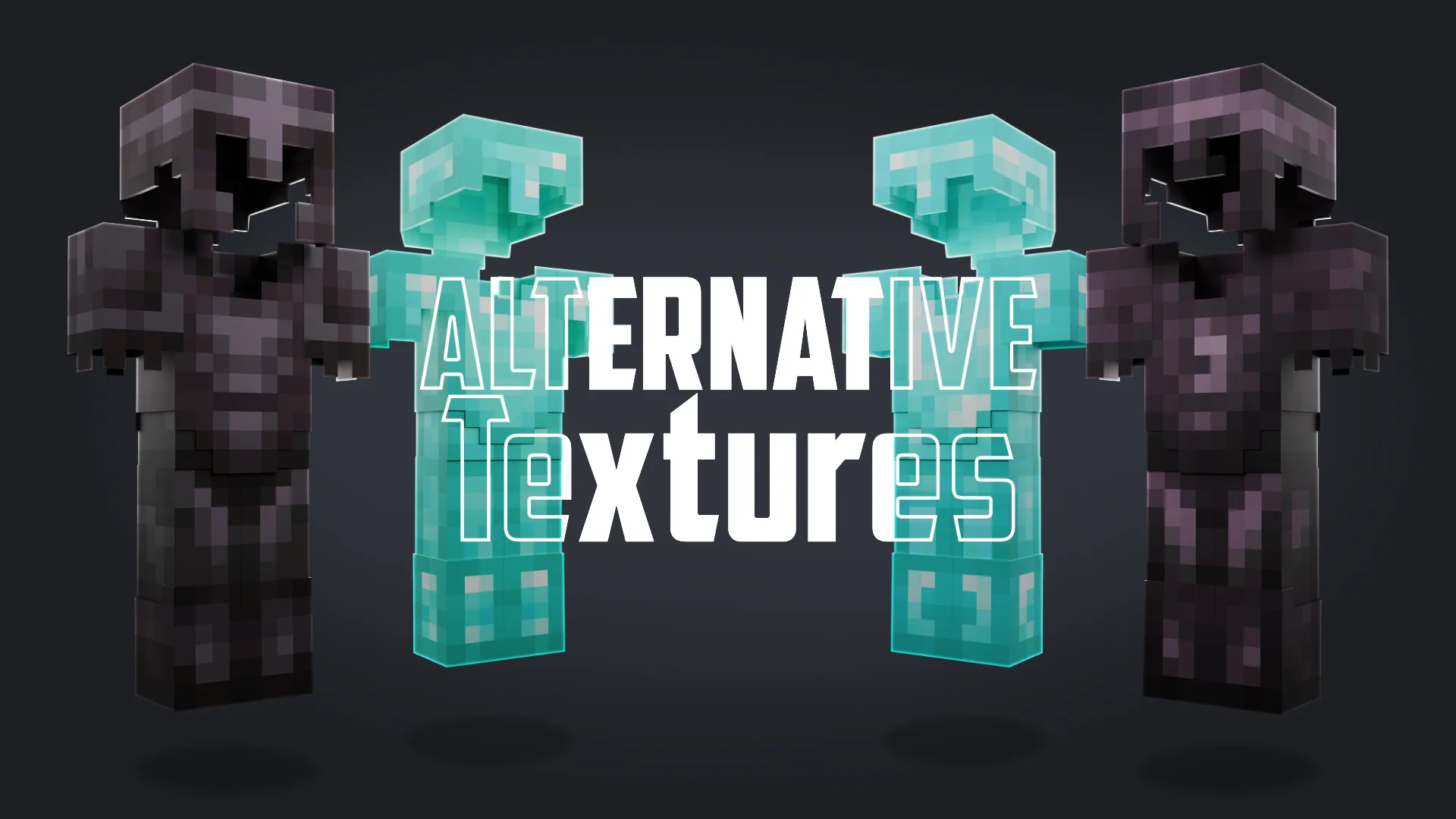
  • Custom Armor: Includes default armor with every possible trim combination, plus unique custom-made armors.
  • Customizable Skins: Easily replace the default skin with your own using the built-in skin downloader.
  • Advanced Facial Controls: Create expressive facial animations with detailed controls for the mouth, eyes, and eyebrows.
  • Finger Controls: Simplified finger rigging for more detailed and realistic hand movements.
  • Easy Appending: Use the custom append operator in the add menu (shift-a) for seamless integration of the rig into your projects.
  • Assets: an Elytra and Cape Rig is included (and more)
  • Improved Performance: armor gets appended to save on performance and file size

Download now and start animating!

Notes:

  • This rig is an advanced edit of the Thomas Rig by Thomas Animation, used with permission.
  • To use the original Minecraft textures, you must have a legal copy of Minecraft installed on your device (min. ver. 1.21.11). While fallback textures are available, they do not cover all textures.
  • The rig should only be moved in pose mode.

Join our Discord

What's New

1.2.7 June 7th, 2026

code optimization

See all versions


Permissions

This extension requests the following permissions:

  • Files

    To save the skin to Blender-tmp & read MC textures

  • Network

    To download a skin with the Minecraft/Mojang API

Developer
BlueEvilGFX
Rating
(17)
Version
1.2.7
Updated
3 d
Published
Sept. 17th, 2024
Downloads
39322
Size
10.1 MB
Compatibility
Blender 4.2 LTS and newer
Report Issues
discord.com/invite/3mybvgB6wE
License
GNU General Public License v3.0 or later
Animation Rigging
...or download and Install from Disk
  • 10.1 MB

Reviews

See all
  • SLCD_WTR
  • v1.1.9
  • 4 mo

Feature-packed, works perfectly.

  • Сааков-Тит-Маркович
  • v1.1.9
  • 5 mo

.

  • Lamhuy
  • v1.1.8
  • 6 mo

Pardon, i really don't know how to parent object. For example, i have pair of shoes and i wanna attach it to character's feet. I don't see deform bones in the bone collection in order to deform with automatic weight. When i use thomas blue evil, it can be solved easily right in the add on ( the plus icon next to posing). But thomas legacy doesn't have that. Pls guide me how to do automatic weight with this rig

  • BlueEvilGFX replied
  • 6 mo

Hello Lamhuy, for the feet you can use the vertex groups Bone.037 for the right shoe and Bone.027 for the left shoe. Alternatively if the shoe isnt too big you can also use the lattice parenting method with the target being either Lattice_Leg.R or Lattice_Leg.L.

I hope this helps. Otherwise i recommend joining my discord server so that I can help your more easily.

5.0

17 reviews
5
4
3
2
1
Rate this Add-on Report an issue
  • About
  • Privacy Policy
  • Terms of Service
About
  • Blender Foundation
  • Blender Institute
  • Blender Studio
  • License
  • Logo & Trademark
  • Credits
  • Privacy Policy
  • Code of Conduct
Organization
  • People
  • Jobs
Blender Network
Download
  • Latest Blender
  • Blender LTS
  • Previous Versions
  • Experimental Builds
  • Source Code
  • Requirements
  • Benchmark
  • Flamenco
Extensions
  • Add-ons
  • Themes
Developers
  • Get Started
  • Roadmap
  • Projects
  • Docs
  • Blog
  • Forum
  • YouTube
  • Python API
Blender Studio
  • Films
  • Training
  • Tools & Pipeline
Support
  • Manual
  • Community
  • FAQ
Get Involved
  • Documentation
  • Education
News
  • Press Releases
  • User Stories
Blender Conference
Follow Blender
Support Blender
  • Donate
  • One-time Donation
Artistic freedom starts with Blender The Free and Open Source 3D Creation Suite