Extensions
  • Home
  • Add-ons
  • Themes
  • Approval Queue
  • About
  • Upload Extension
  • Sign in
  • BLENDER.ORG

    • Download

      Get the latest Blender, older versions, or experimental builds.

    • What's New

      Stay up-to-date with the new features in the latest Blender releases.

    DEVELOPMENT

    • Roadmap

      See which projects are currently being worked on and what's next.

    • Documentation

      Guidelines, release notes and development docs.

    LEARNING & RESOURCES

    • Blender Studio

      Access production assets and knowledge from the open movies.

    • Manual

      Documentation on the usage and features in Blender.

    • Benchmark

      A platform to collect and share results of the Blender Benchmark.

    • Blender Conference

      The yearly event that brings the community together.

    DONATE

    • Development Fund

      Support core development with a monthly contribution.

    • One-time Donations

      Perform a single donation with more payment options available.

All Add-ons

Add-on Node Group Presets
Node Group Presets
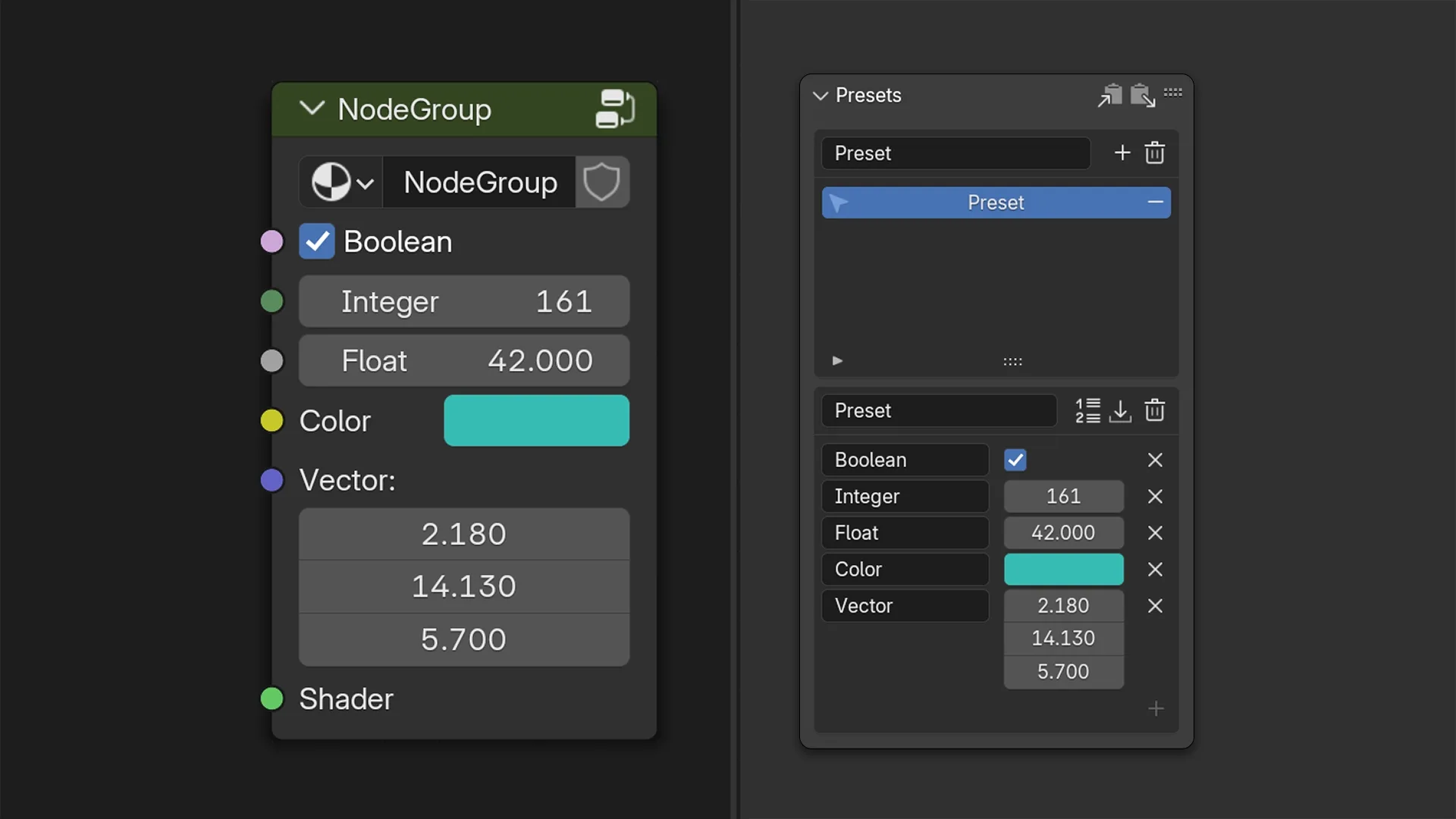
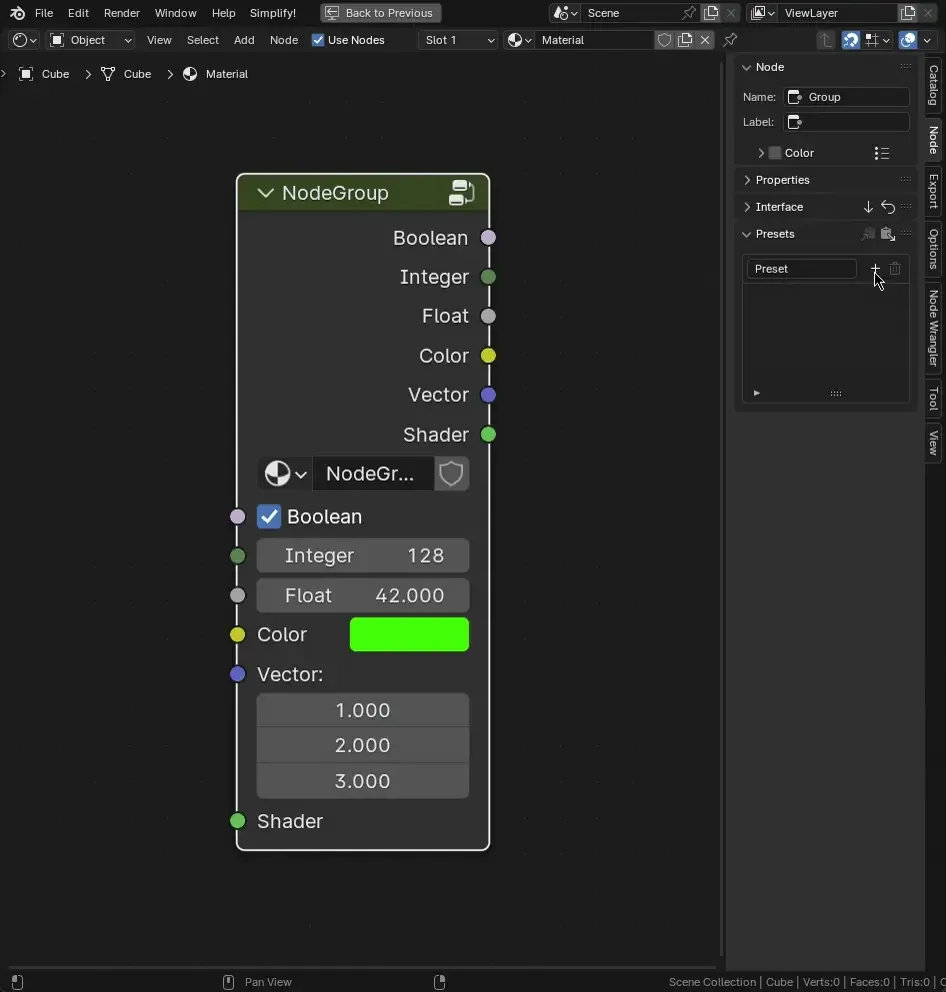
Save Node Group values as presets.
Add-on by juaum
About What's New Permissions Reviews Version History
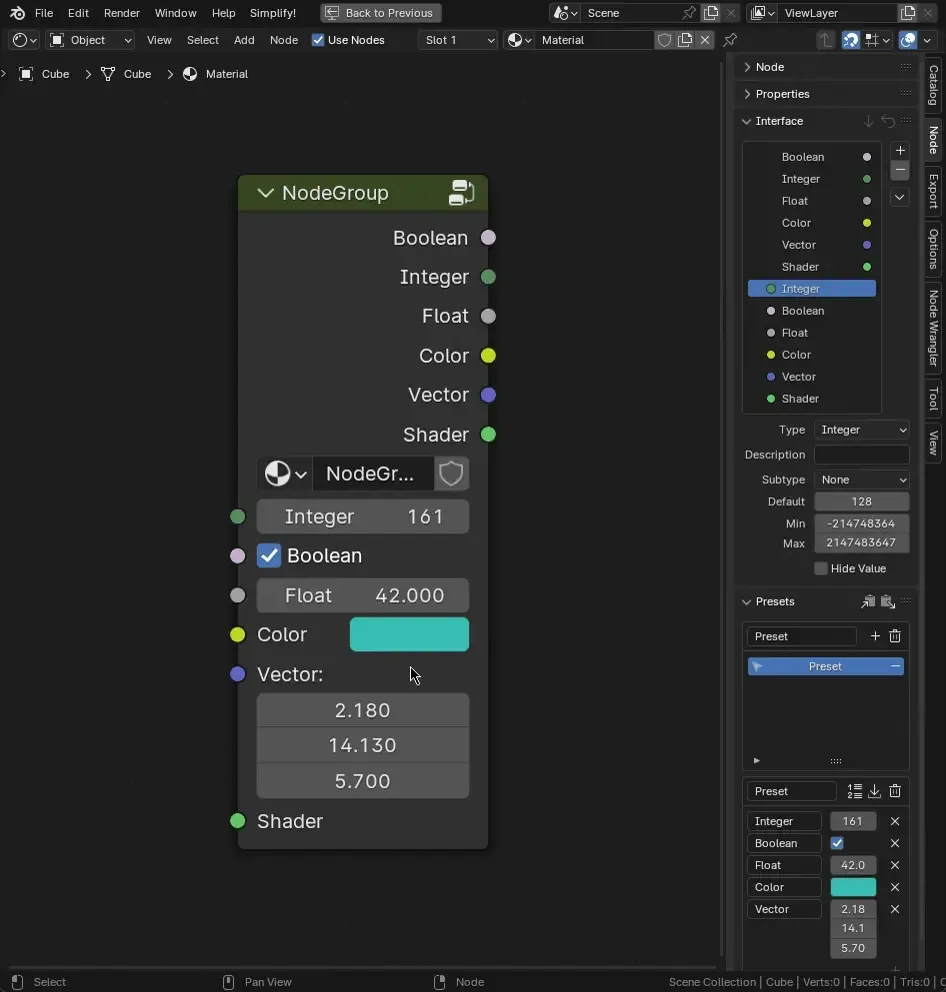
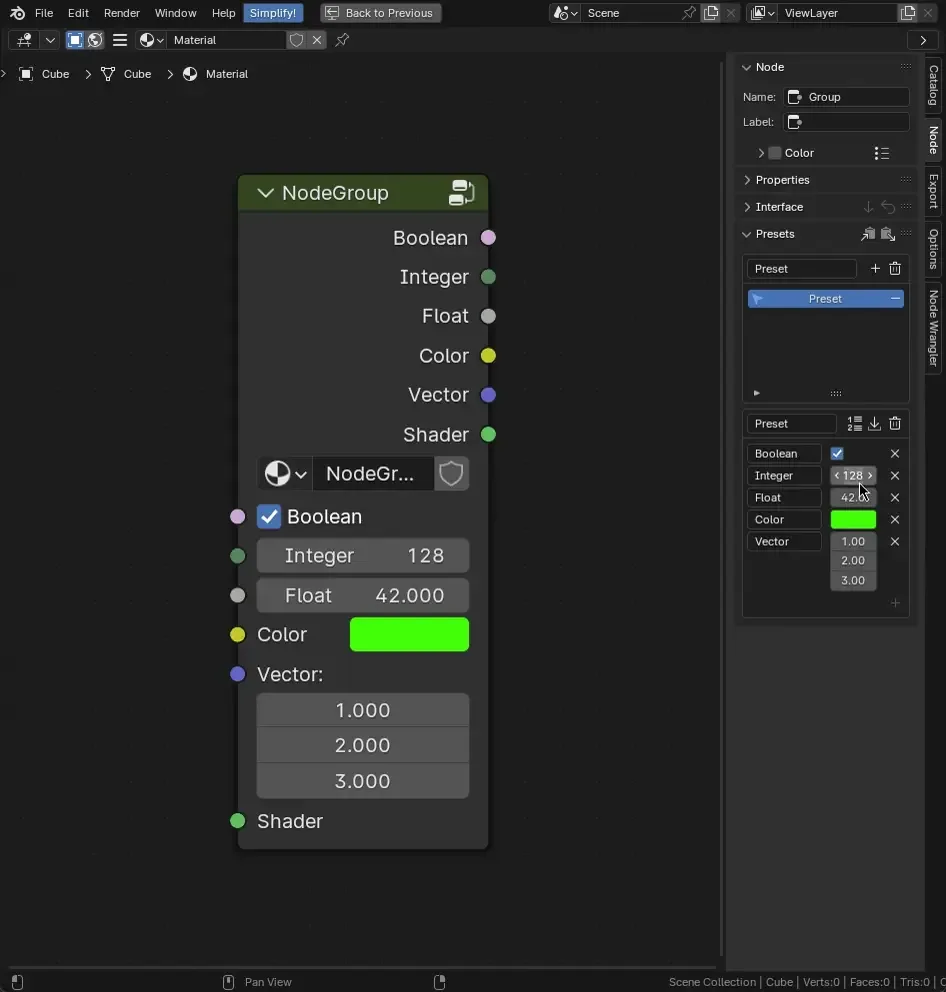
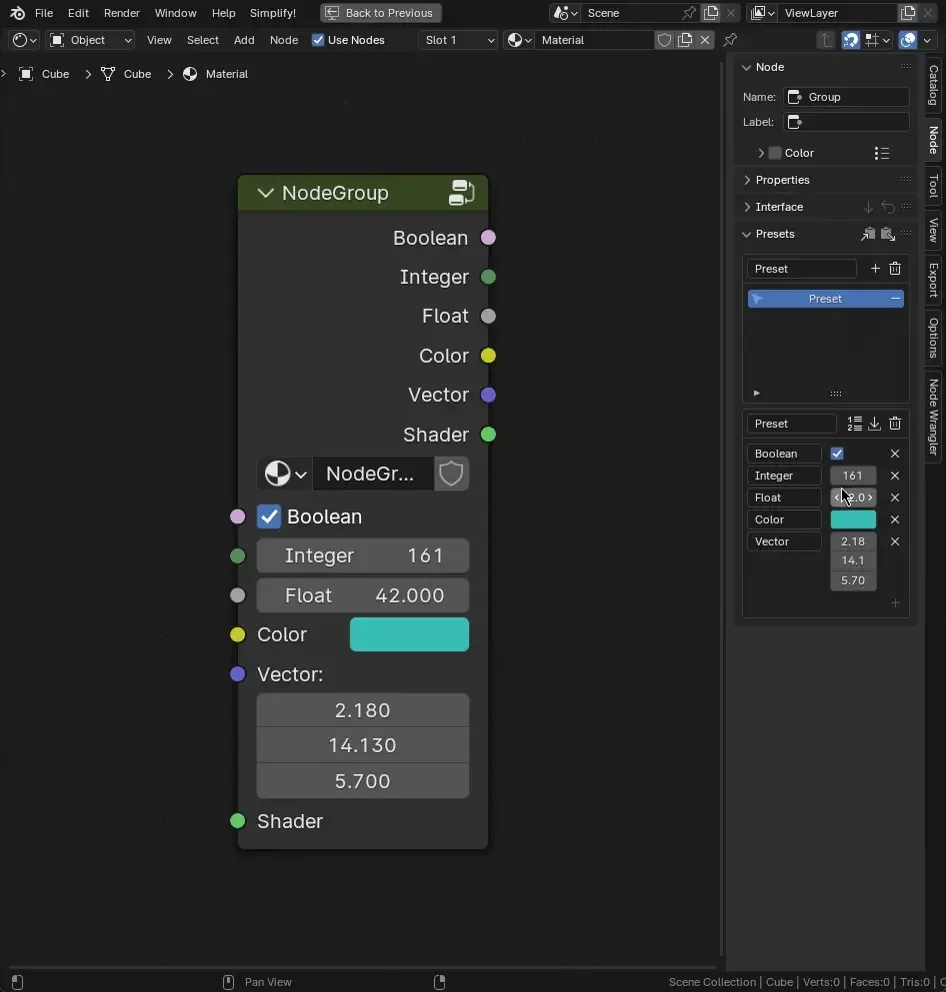
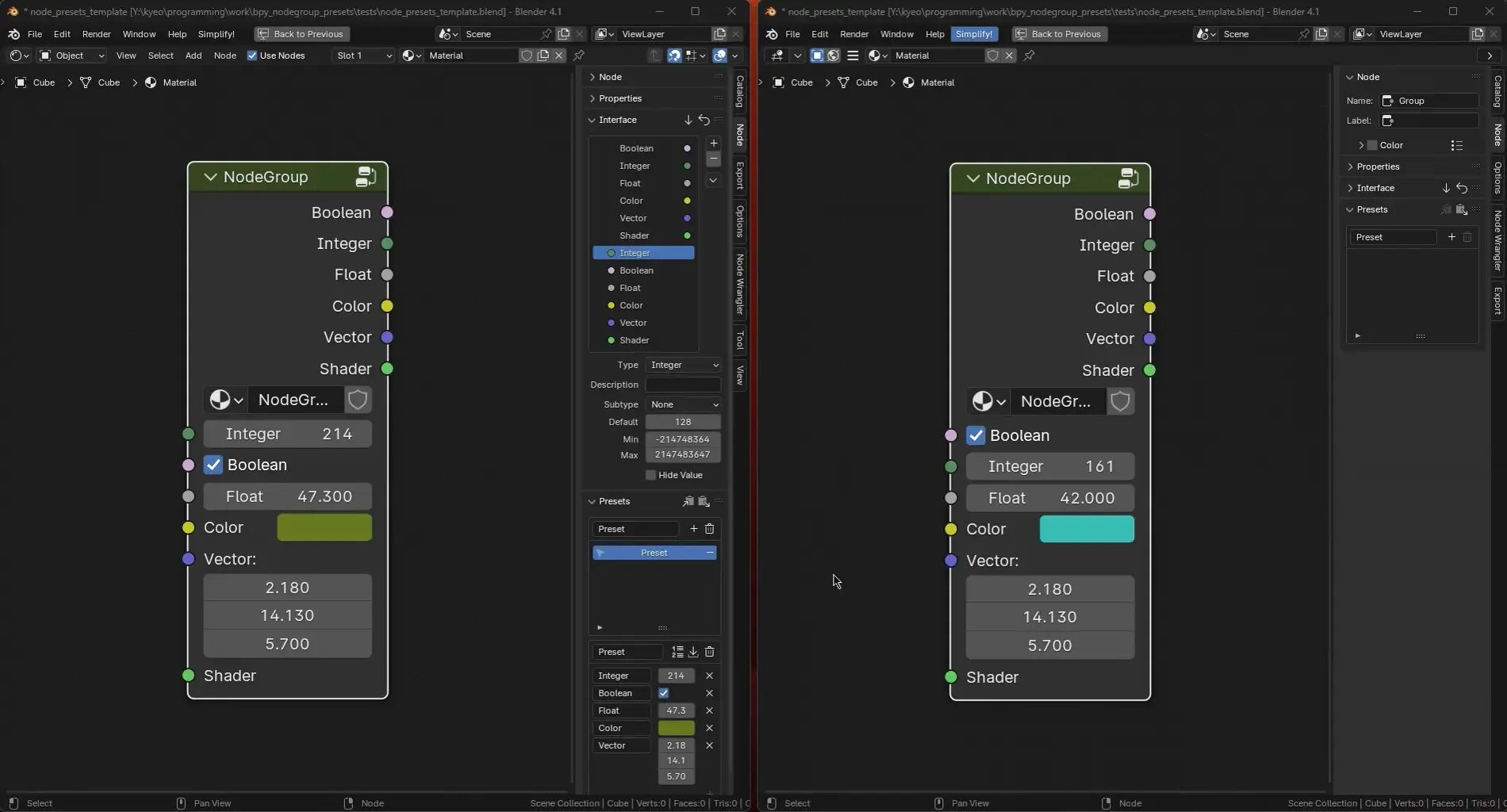
NodeGroupPresets Save/Apply Preset: Saves supported sockets values/subtype/max&min limits. Update Preset: Update values with the node’s current values Edit Preset: Change socket values, name from the active preset Edit Preset: Add or remove sockets from the active preset. Adding has the same Non-shift`Shift` behaviour when saving presets Copy/Paste: You can copy/paste presets from different nodegroups, even if they are in different files! Under the hood it copies a JSON dictionary to the clipboard.

What is NodeGroupPresets?

NodeGroupPresets is an addon that saves the current values of a given nodegroup into a applyable/editable/copyable preset. Quite useful when building a verstaile node library taking away the bothersome workflow of either copy/pasting multiple values from different instances of a nodegroup or "hardcoding" presets into it's own nodegroups.

Features

The main features of this addon are:

  • Save/Apply presets
  • Update presets with current status
  • Edit presets, add/removing sockets or changing its name/value
  • Copy/Past presets from different nodes or files

Save/Apply Preset

Saves supported sockets values/subtype/max&min limits.

  • Single click: Full save
  • Shiift + Click: Partial save

Update Preset

Update values with the node's current values If socket order changes, you can update the preset order with it

Edit Preset

Change values

Change socket values, name from the active preset

Add/Remove sockets

Add or remove sockets from the active preset. Adding has the same Non-shift`Shift` behaviour when saving presets

Copy/Paste Preset to/from clipboard

You can copy/paste presets from different nodegroups, even if they are in different files! Under the hood it copies a JSON dictionary to the clipboard.

Caveats

Unique Path [panel name + socket name]

It will only work properly if all socket paths (panel name + socket name) are unique. Meaning, sockets can have the same name as long as they are not in the same panel (base level included).

Same socket type

If socket name changes to a non convertable type, it will ignore it. To make it work again, remove said socket and add it back (update not resolving it automatically seems like a safer option)

Supported Sockets:

  • Bool
  • Color
  • Float
  • Int
  • Rotation
  • String
  • Vector

What's New

0.8.0 January 16th, 2026

Commit History: https://codeberg.org/juaum/bpy_nodegroup_presets/compare/0.7.1...0.8.1

Notable Changes:

  • Add support for Vector2D and Vector4D sockets

See all versions


Permissions

This extension requests the following permission:

  • Clipboard

    Copy/paste presets between nodedroups and across files

Developer
juaum
Rating
(2)
Version
0.8.0
Updated
5 mo
Published
May 31st, 2024
Downloads
22885
Size
27.0 KB
Compatibility
Blender 4.2 LTS and newer
Website
codeberg.org/juaum/bpy_nodegroup_presets
Report Issues
blenderartists.org/t/1530937
License
GNU General Public License v3.0 or later
Material Node Geometry Nodes
...or download and Install from Disk
  • 27.0 KB

Reviews

See all
  • Moportfolio
  • v0.7.1
  • 9 mo

I really like this extension and it adds a feature to Blender, which I think should be integrated by default! I'd like to suggest adding the option to save presets in another way than inside the data-block. Maybe even saving them as a separate .txt/.xml-file or whatever. Because in my case: I provide a library of node-groups using Blenders Asset Browser. This extension fundamentally works well with this, as the list of presets will load when adding the node-groups. So it is great from a creator-perspective! But as the perspective of an user, who wants to create and manage their own custom presets, there is currently no flawless solution to save them, as the asset browser will by default just append them and not write changes into the file. Of course the asset browser can be set to link assets instead of appending them, or users could create them in the .blend of the asset library source. But when updating an asset library, the .blend-file will usually be overwritten, which would then also overwrite all custom presets made by the user, even if the update doesn't affect all node-groups.

  • juaum replied
  • 9 mo

Hi Moportfolio,

Thanks for the comment. Regarding the suggestion, it currently is possible copying the presets between files (or to a regular text file) with the header buttons, but you are right it can be made easier. I'm uncertain when will I have the time to work on this, but hopefully soon.

Cheers!

  • Darren-Seo
  • v0.6.2
  • 1 y

Simply awesome!!! Is it possible to apply a preset to multiple node groups at once? When multiple node groups selected, the preset only applies to an active node group.

  • juaum replied
  • 1 y

Hey Darren, thanks for the encouring comment, and good catch, hadn't thought of that yet.

I've added the feature: use the Alt key when clicking the preset (as opposed to when you click okay). Please tell me if it works for you,

Cheers

5.0

2 reviews
5
4
3
2
1
Rate this Add-on Report an issue
  • About
  • Privacy Policy
  • Terms of Service
About
  • Blender Foundation
  • Blender Institute
  • Blender Studio
  • License
  • Logo & Trademark
  • Credits
  • Privacy Policy
  • Code of Conduct
Organization
  • People
  • Jobs
Blender Network
Download
  • Latest Blender
  • Blender LTS
  • Previous Versions
  • Experimental Builds
  • Source Code
  • Requirements
  • Benchmark
  • Flamenco
Extensions
  • Add-ons
  • Themes
Developers
  • Get Started
  • Roadmap
  • Projects
  • Docs
  • Blog
  • Forum
  • YouTube
  • Python API
Blender Studio
  • Films
  • Training
  • Tools & Pipeline
Support
  • Manual
  • Community
  • FAQ
Get Involved
  • Documentation
  • Education
News
  • Press Releases
  • User Stories
Blender Conference
Follow Blender
Support Blender
  • Donate
  • One-time Donation
Artistic freedom starts with Blender The Free and Open Source 3D Creation Suite