Extensions
  • Home
  • Add-ons
  • Themes
  • Approval Queue
  • About
  • Upload Extension
  • Sign in
  • BLENDER.ORG

    • Download

      Get the latest Blender, older versions, or experimental builds.

    • What's New

      Stay up-to-date with the new features in the latest Blender releases.

    DEVELOPMENT

    • Roadmap

      See which projects are currently being worked on and what's next.

    • Documentation

      Guidelines, release notes and development docs.

    LEARNING & RESOURCES

    • Blender Studio

      Access production assets and knowledge from the open movies.

    • Manual

      Documentation on the usage and features in Blender.

    • Benchmark

      A platform to collect and share results of the Blender Benchmark.

    • Blender Conference

      The yearly event that brings the community together.

    DONATE

    • Development Fund

      Support core development with a monthly contribution.

    • One-time Donations

      Perform a single donation with more payment options available.

All Add-ons

Add-on Keymesh
Keymesh

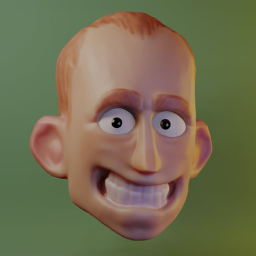
Create stop-motion animations by sculpting frame-by-frame.
Add-on by nickberckley
About What's New Permissions Reviews Version History

5 Reviews

  • yoij
  • v2.3.1
  • 7 mo

为什么我在渲染的时候常常会出现崩溃和物体之间帧不同步的错误 What causes frequent render crashes and object frame misalignment when use keymesh?

  • Ml_0taid
  • v2.3.1
  • 7 mo

I initially gave this 4 stars mostly because of how tricky Bake behavior was. I resolved my issue and while I'd still welcome a tweening option, I understand this tool wasn't made with that in mind anyways. The tool works as intended and besides a couple glitches when using undo (have to move back and forth between keyframes to work around this), its honestly a really well-made and easy-to-use addon.

My props to Nika, hope he keeps working on it sky's the limit really. Absolute must-have!

  • cristianffalla
  • v2.3.0
  • 1 y

Is perfect

  • kalem
  • v2.2.1
  • 1 y

It works fine but I really really wish there was a way to blend / smooth between frames and not just be 100% this or that frame.

This is honestly no different to setting up a macro to create new shape key @ 100% and set it as key'd when you click off it or make new keyshape.

It also destroys all existing keyshapes which is not good at all if you just wanted to use it for a single part of your model. especially if that single part is the face.

It works but only technically as advertised. Which if that's what you want and nothing else, have fun!

  • Mot-Emanc
  • v2.2.0
  • 2 y

If you want to emulate frame by frame animation in 3D THIS is the addon

5 reviews

5.0

5 reviews
5
4
3
2
1
Rate this Add-on Report an issue
  • About
  • Privacy Policy
  • Terms of Service
About
  • Blender Foundation
  • Blender Institute
  • Blender Studio
  • License
  • Logo & Trademark
  • Credits
  • Privacy Policy
  • Code of Conduct
Organization
  • People
  • Jobs
Blender Network
Download
  • Latest Blender
  • Blender LTS
  • Previous Versions
  • Experimental Builds
  • Source Code
  • Requirements
  • Benchmark
  • Flamenco
Extensions
  • Add-ons
  • Themes
Developers
  • Get Started
  • Roadmap
  • Projects
  • Docs
  • Blog
  • Forum
  • YouTube
  • Python API
Blender Studio
  • Films
  • Training
  • Tools & Pipeline
Support
  • Manual
  • Community
  • FAQ
Get Involved
  • Documentation
  • Education
News
  • Press Releases
  • User Stories
Blender Conference
Follow Blender
Support Blender
  • Donate
  • One-time Donation
Artistic freedom starts with Blender The Free and Open Source 3D Creation Suite