 Keymesh
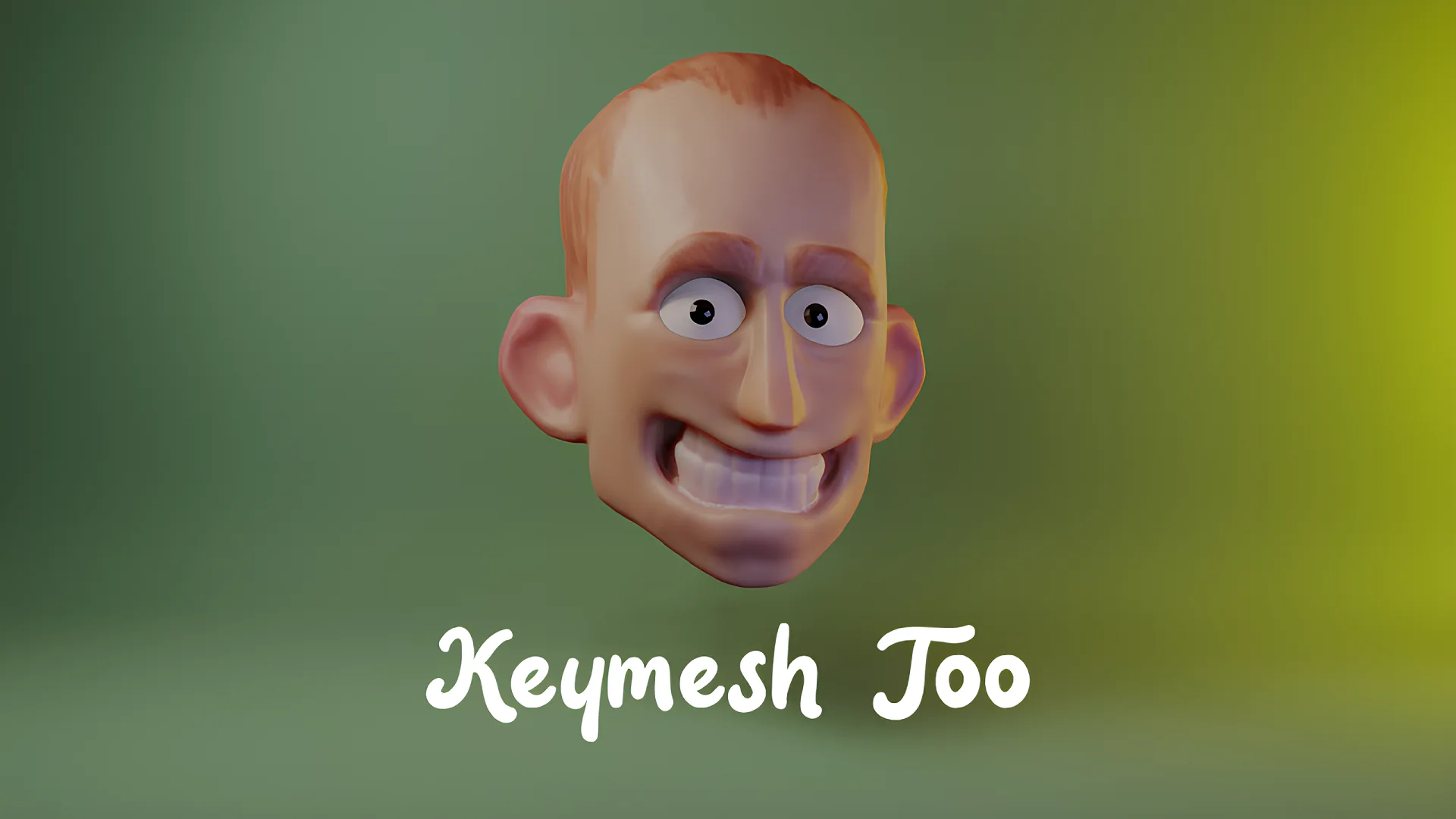
- Complete rewrite and revival of iconic Keymesh add-on by Pablo Dobarro, one of the creators of modern sculpt mode. Add-on also includes updates from Aldrin Mathew. Original testing and images/videos by Daniel Martinez Lara
With Keymesh, you can create stop-motion-like animations inside Blender in a very traditional way. Keymesh makes it possible to swap object data between frames for almost every type of object. That means you can sculpt, model, groom, or paint frame-by-frame to craft beautiful (additive, destructive) animations!
This version of Keymesh has been updated to work on all types of objects so that you can animate flowing hair curves, floating volumes, text changing between frames, or vesimes (mouth-shapes, replacement parts) from curves so that you can animate stop-motion style lip-syncs in a matter of seconds! This implementation also intends to make Keymesh usable in a production environment, both for 3D and actual stop-motion studios.
Features of the add-on include:
- Frame Picker
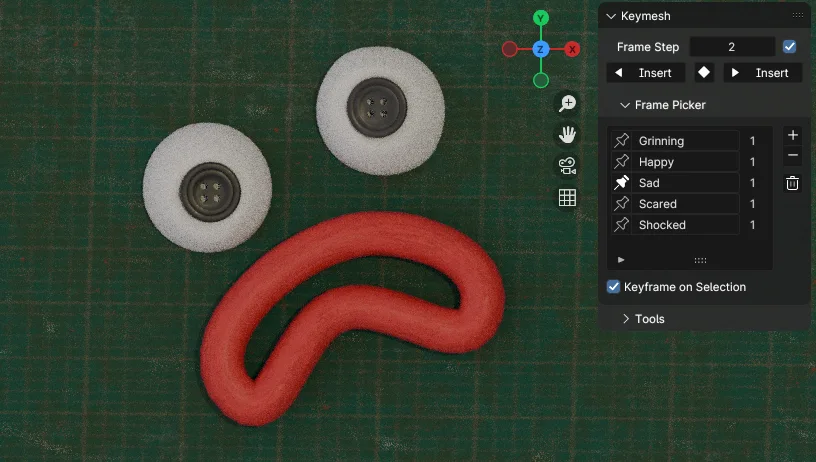
Keymesh has a Frame Picker UI that lists all versions (blocks) of objects you've made with Keymesh, lets you organize them and insert new keyframes for them easily, without having to duplicate keyframes in Dope Sheet. UI also displays how many times each block is used in the animation.
(Keymesh can also work as an object versioning add-on, so it is useful for modelers and sculptors too. Internally it works by saving multiple versions of the object data (e.g. Mesh, Curve), meaning you can save, for example, different layers of your sculpting, and different variants of the model you can't decide between. And you can put them on the timeline, scrub, and see all versions of your object in succession!)
- Append, Link, and Library Overrides!
Keymesh objects can be appended or linked in your scene files. On linked objects all operators except previewing are disabled, but you can make library override, assign it a new local action, and create new animations by placing existing blocks in the timeline. You can't change Keymesh blocks, or create new ones in the scene file, but in the original file you can, and when you refresh your scene file new blocks will be available for linked & overridden objects in Frame Picker, ready to be animated!
This allows you to have “replacement parts workflow”, in which you create all the frames/blocks you’re gonna need beforehand in the object file, and in your scene file you arrange those blocks to animate switching between them. Exactly how the replacement parts method works in real stop-motion productions.
(IMPORTANT: Don't forget to disable "Instance Object Data" option in File Browser when you're appending or linking Keymesh object)
- Render Farm Support
You can bake your Keymesh animation so that it can be sent to the render farm where Keymesh isn't installed. For every Keymesh block, "Convert to Separate Objects" operator (set to Rendering workflow) creates a new object and animates its visibility, so in the end animation looks exactly the same, but instead of Keymesh blocks it shows separate objects. Operator isn't destructive, so you can just delete the collection and run the operator again when you make changes to your animation.
- 3D Printing Replacement Parts
Operator that turns Keymesh animation into separate objects. A new object will be created for each animated frame and lined up in your scene, ready to be exported and printed. This tool is for people who want to use Keymesh for real-life stop-motion productions by 3D printing animated parts for each frame and using them as replacement parts. Operator can also delete duplicates, so that you never print same thing twice.
(See this Blender Conference presentation about how this feature is used in stop-motion production)
- Shape Keys to Keymesh
Destructive operator that lets you convert shape key animations into Keymesh. Shape keys are removed and instead sculpted animation is baked into Keymesh frames. That means you can combine 3D animation workflow with traditional stop-motion, by doing "Keymesh passes" after you're done with shape keys, and want sculpt details on individual frames.
- And many more on the way!
-- PageUp and PageDown (with and without Ctrl) are default shortcuts for inserting new keyframes and jumping in timeline. -- You can customize your UI and workflow by changing preferences and even enable experimental features if you're feeling risky.
This version of the add-on is being developed for a stop-motion animation studio and will receive future updates with new features and improvements. If you want to help out, suggest new features, or report bugs you can reach out at Blender Artists or Github links provided.
We encourage you to share the work that you make with Keymesh with us! You can help by spreading information about the add-on. If you want to make a video tutorial using/about Keymesh you can do so without having to ask, but feel free to contact if you need any help.
What's New
2.3.2 November 17th, 2025
Important: This version does not contain the "Automatic Lip Sync" feature showcased at the BCON 2025. The version containing it will come out in the near future, once all distribution topics are resolved.
Converting:
This version sees the complete rewrite of the "Convert to Separate Objects" operator. The current operator is not an enhancement of the old one; both the UI and the implementation have been completely rewritten and simplified. Lots of new features have been added as well, some of which were showcased at the Keymesh presentation at BCON 2025.
The main purpose of the operator is to faithfully recreate the Keymesh animation without requiring the add-on to be installed. This makes it possible to translate Keymesh animation into something that render farms can read, to create a swappable-parts rig for animators in seconds, or whatever you can come up with.
The operator comes with two modes and three conversion methods. Both modes will create a new, clean object for each Keymesh block and offer a way of managing their visibility. In the "Animated" workflow mode, visibility of those objects will also be animated (based on the chosen conversion method) so that it perfectly recreates the Keymesh animation.
Conversion Methods:
- "Simple" method will just create objects, and in the "Animated" mode, also keyframe their viewport & render visibility.
- "Driver" method will create a custom integer property on the chosen object, and will drive viewport & render visibility of objects created from Keymesh blocks with it. In the "Animated" mode, the custom property will be keyframed to recreate the animation.
- "Geometry Nodes" method will create a duplicate of the original object with an empty data-block and without Keymesh properties, and add a Geometry Nodes modifier on it. New objects created from Keymesh blocks will be put in the collection and excluded from the view layer. Those objects instead will be referenced in the Geometry Nodes modifier with Object Info nodes, and their visibility will be managed by the Index Switch node. The index will be exposed as an input of the modifier, so that the visibility of objects can be controlled in the same way, with the same values, as Keymesh blocks. In the "Animated" mode, modifier input will also be keyframed to recreate the animation. This is the most faithful method of recreating Keymesh animation.
Other Changes:
- Updated to Blender 5.0.
- Frame Picker UI list is now library-overridable.
- Removing the last Keymesh block from the list will restore the object to the "normal" state, instead of deleting it.
- Default sidebar category changed from "Animate" to "Animation".
- Versioning for old versions of the add-on (before the extensions platform) has been dropped.
- Preferences for default scene properties have been removed.
- 5 bug fixes.
I initially gave this 4 stars mostly because of how tricky Bake behavior was. I resolved my issue and while I'd still welcome a tweening option, I understand this tool wasn't made with that in mind anyways. The tool works as intended and besides a couple glitches when using undo (have to move back and forth between keyframes to work around this), its honestly a really well-made and easy-to-use addon.
My props to Nika, hope he keeps working on it sky's the limit really. Absolute must-have!
Is perfect
为什么我在渲染的时候常常会出现崩溃和物体之间帧不同步的错误 What causes frequent render crashes and object frame misalignment when use keymesh?