Extensions
  • Home
  • Add-ons
  • Themes
  • Approval Queue
  • About
  • Upload Extension
  • Sign in
  • BLENDER.ORG

    • Download

      Get the latest Blender, older versions, or experimental builds.

    • What's New

      Stay up-to-date with the new features in the latest Blender releases.

    DEVELOPMENT

    • Roadmap

      See which projects are currently being worked on and what's next.

    • Documentation

      Guidelines, release notes and development docs.

    LEARNING & RESOURCES

    • Blender Studio

      Access production assets and knowledge from the open movies.

    • Manual

      Documentation on the usage and features in Blender.

    • Benchmark

      A platform to collect and share results of the Blender Benchmark.

    • Blender Conference

      The yearly event that brings the community together.

    DONATE

    • Development Fund

      Support core development with a monthly contribution.

    • One-time Donations

      Perform a single donation with more payment options available.

All Add-ons

Add-on Favorite Objects
Favorite Objects
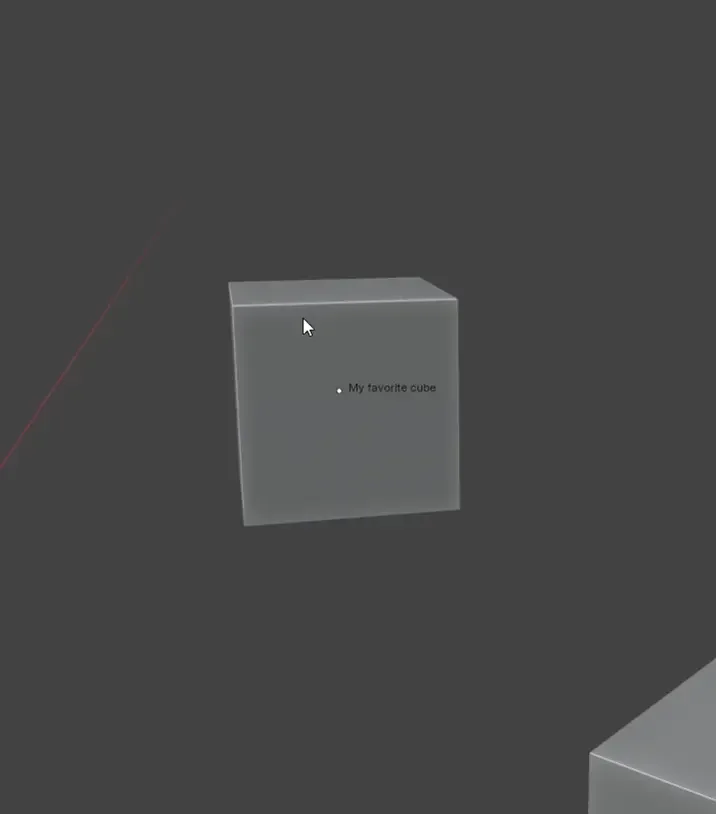
Mark your favorite objects and select them from the Viewport.
Add-on by 1P2D
About What's New Reviews Version History
Demo

Quickly mark objects in your scene as favorites and select them instantly, without relying on the Outliner—ideal for fullscreen or maximized workflows.

Notes: to keep things simple and efficient, up to 8 favorite objects can be stored per scene

How to use (Object Mode):

  • RMB: Add to/Remove from Favorites Objects
  • CTRL + ALT + LMB (can be changed in the add-on settings): Open Favorite Objects Menu

What's New

1.0.5 December 26th, 2025
  • No more 8-item limit: When you have more than 8 objects, the first 7 appear in the pie and a "More" submenu appears in the 8th slot.
  • Pie Menu default shortcut now set to "Click". Set it back to "Press" if you want it to show only when pressing your mouse
  • Added 2 new shortcuts: Ctrl+Alt+RMB (Add selected object(s) to favorites) and Ctrl+Alt+RMB double-click (Remove selected object(s) from favorites)
  • The Pie Menu now shows icons
  • New "Frame Selected Favorite" option

See all versions


Permissions

This extension does not require special permissions.

Developer
1P2D
Rating
(2)
Version
1.0.5
Updated
5 mo
Published
Feb. 11th, 2025
Downloads
4023
Size
5.8 KB
Compatibility
Blender 4.2 LTS and newer
Website
extensions.blender.org/add-ons/favoriteobjects
Report Issues
discord.gg/mACGGXuayS
License
GNU General Public License v3.0 or later
Modeling
...or download and Install from Disk
  • 5.8 KB

Reviews

See all
  • mcolinpp
  • v1.0.4
  • 9 mo

I had an initial expected outcome that is obviously not the case. I assumed this would allow me add specific objects that could be added o any scene just like a primitive, except something of your own choice. Meaning it would save them somewhere in the user data preferences, and allow to add like the objects in the add menu.

If it is only to select or focus on items within the current file, that seems more like a viewport camera issue.

  • 1P2D replied
  • 5 mo

Sorry this didn’t meet your expectations. I’ve refined the description to avoid any confusion.

  • henrikcederblad
  • v1.0.4
  • 1 y

It has potential but I think it can be improved in some ways.

  1. The pie-menu operates a bit odd: I'd prefer to hit hotkey and then it stays open until you either hover away or hit escape key.

  2. I think it should 'go to' (i.e. frame) the selected favorite by default. There's still uses cases for just selecting the object, but in most cases I believe you actually want to 'go' to the object for further editing.

  3. It would be great if the viewport camera position was (re)stored as well.

  4. I also think there's a missed opportunity not defaulting to CTR + ALT + RMB for adding objects.

  • 1P2D replied
  • 1 y

Man, that is one good feedback! Thanks for this, I'll update the addon as soon as possible.

2.5

2 reviews
5
4
3
2
1
Rate this Add-on Report an issue
  • About
  • Privacy Policy
  • Terms of Service
About
  • Blender Foundation
  • Blender Institute
  • Blender Studio
  • License
  • Logo & Trademark
  • Credits
  • Privacy Policy
  • Code of Conduct
Organization
  • People
  • Jobs
Blender Network
Download
  • Latest Blender
  • Blender LTS
  • Previous Versions
  • Experimental Builds
  • Source Code
  • Requirements
  • Benchmark
  • Flamenco
Extensions
  • Add-ons
  • Themes
Developers
  • Get Started
  • Roadmap
  • Projects
  • Docs
  • Blog
  • Forum
  • YouTube
  • Python API
Blender Studio
  • Films
  • Training
  • Tools & Pipeline
Support
  • Manual
  • Community
  • FAQ
Get Involved
  • Documentation
  • Education
News
  • Press Releases
  • User Stories
Blender Conference
Follow Blender
Support Blender
  • Donate
  • One-time Donation
Artistic freedom starts with Blender The Free and Open Source 3D Creation Suite