Extensions
  • Home
  • Add-ons
  • Themes
  • Approval Queue
  • About
  • Upload Extension
  • Sign in
  • BLENDER.ORG

    • Download

      Get the latest Blender, older versions, or experimental builds.

    • What's New

      Stay up-to-date with the new features in the latest Blender releases.

    DEVELOPMENT

    • Roadmap

      See which projects are currently being worked on and what's next.

    • Documentation

      Guidelines, release notes and development docs.

    LEARNING & RESOURCES

    • Blender Studio

      Access production assets and knowledge from the open movies.

    • Manual

      Documentation on the usage and features in Blender.

    • Benchmark

      A platform to collect and share results of the Blender Benchmark.

    • Blender Conference

      The yearly event that brings the community together.

    DONATE

    • Development Fund

      Support core development with a monthly contribution.

    • One-time Donations

      Perform a single donation with more payment options available.

All Add-ons

Add-on Shading +
Shading +

Shading pie for designers and artists.
Add-on by 1P2D
About What's New Reviews Version History
Pie Menu Preferences Shading + Demo Hard-surface friendly presets Other presets

Only interested in the Alias Matcaps?

  • Download and install the extension.
  • Navigate to the Add-on preferences.
  • Click on "Install/Update Matcaps".
  • A confirmation message will appear in the status bar once the installation is successful.
  • Disable (checkbox) the Pie Menu or uninstall the Shading + extension (but you won't be notified of new Matcap releases)

Main features

  • Seamlessly integrate your favorite Alias shaders into Blender Matcaps
  • Model with Toon-like Matcap presets
  • Switch from Cycles to EEVEE in a click
  • Switch from built-in to Custom HDRI with ease
  • Sync your built-in HDRI to your Scene's World instantly
  • Render your Scene with your Solid Shading presets using Workbench

Consider downloading the HDRI Rotator as well — it pairs really well with Shading + and can significantly improve your workflow.

Pie Menu shortcuts

  • Rendered: Workbench (CTRL + click to set only)
  • Rendered: EEVEE (CTRL + click to set only)
  • Rendered: Cycles (CTRL + click to set only, ALT+click to Pause/Resume Cycles)
  • Wireframe
  • Material Preview
  • Solid (+ Solid Shading presets, read more below)
  • HDRI Presets (read more below)
  • Extra Toggles (read more below)

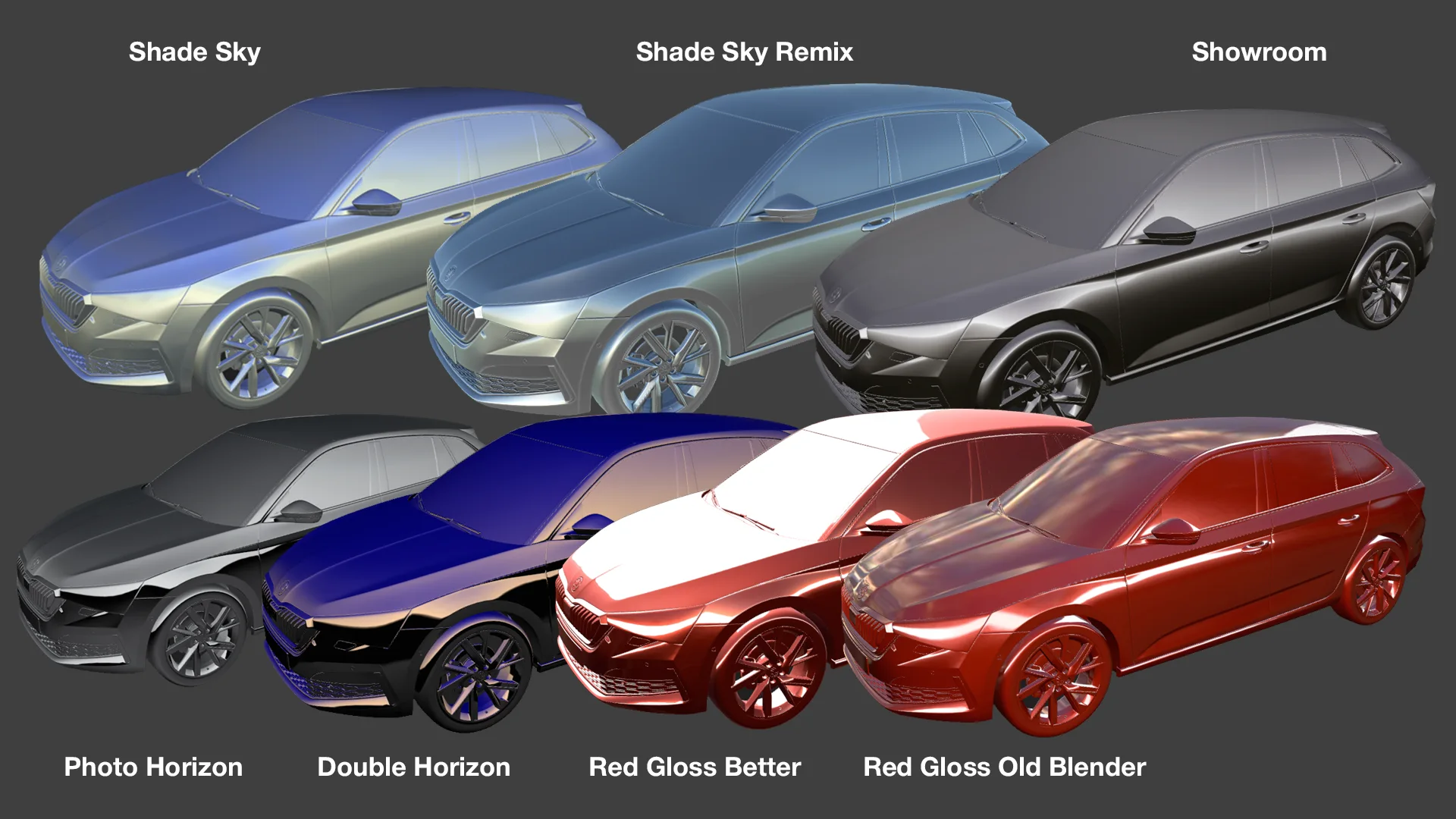
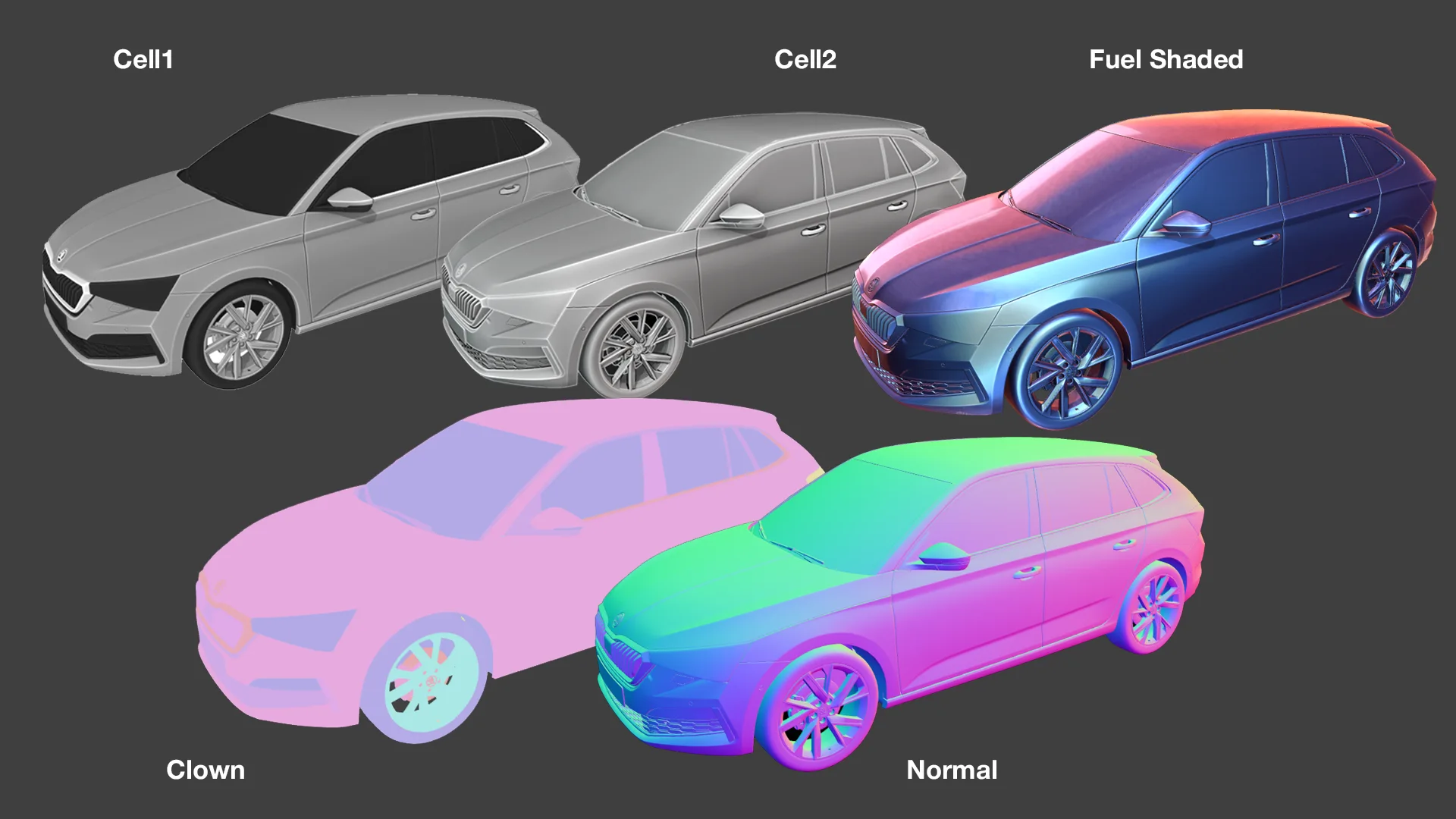
Solid Shading presets

  • Default: Blender's default Viewport Shading settings
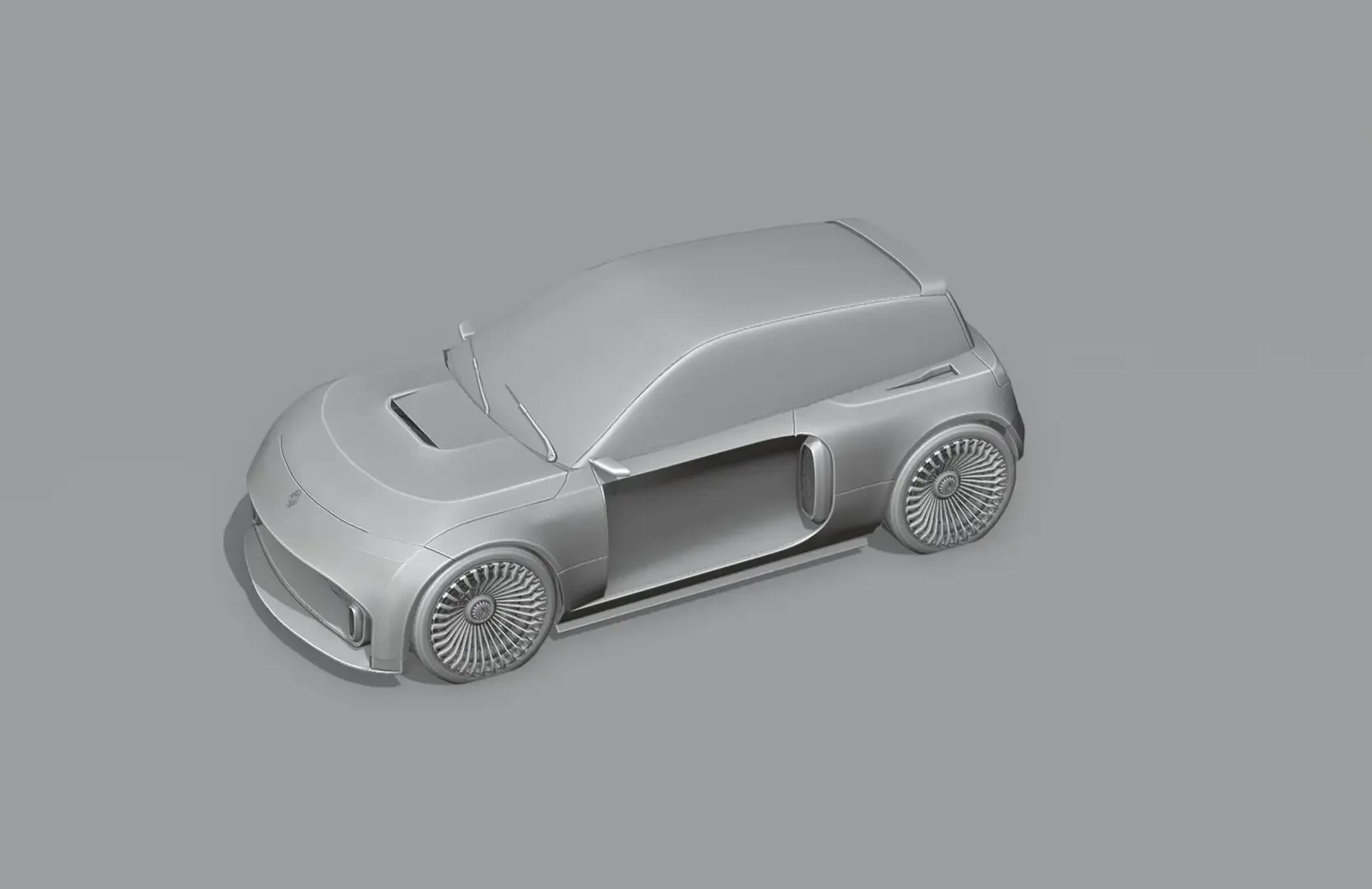
  • Cell 1/2: flat colors set to material so it detects your materials viewport colours with shadows enabled - very powerful in Workbench Rendered with the compositor enabled.
  • Alias Shade Sky
  • Alias Showroom
  • Alias Photo Horizon
  • Alias Double Horizon
  • Red Matcap 1
  • Red Matcap 2
  • Fuel Shaded
  • Metal
  • Clown
  • Normal
  • Collection
  • User Preset 1

HDRI Presets

  • Built-in/World: switch from Blender's built-in HDRIs to your World's HDRI
  • Sync Built-in toggle: enable this to set the selected built-in preset as World HDRI

Extra Toggles

  • Compositor
  • Transparency
  • Normals
  • Wireframe
  • Shadows
  • Subdivision
  • Camera Background only

Settings

  • Import Matcaps: click on this button to import new Matcaps once the add-on installed
  • Customize Pie Menu via the toggles in the add-on preferences

Default Keymap

  • Z: Can be changed via the add-on settings or in the main keymap menu.

What's New

1.1.4 May 24th, 2026
  • [NEW] Ctrl+Click Cycles, EEVEE, or Workbench to switch render engine without changing shading mode. An icon has been added to indicate which Engine is selected.
  • [NEW] When World is selected (Sync off), browse and assign your scene World directly from the pie menu
  • [IMPROVED] Clearer World Sync labels and icons (⇆ prefix when sync is active)
  • [IMPROVED] Cycles button shows a pause indicator when viewport preview is paused
  • [IMPROVED] Render Hardware/Backend no longer shown in Pie button labels but only descriptions

See all versions


Permissions

This extension does not require special permissions.

Developer
1P2D
Rating
(7)
Version
1.1.4
Updated
4 w
Published
Nov. 8th, 2024
Downloads
22797
Size
48.1 MB
Compatibility
Blender 4.2 LTS and newer
Website
extensions.blender.org/add-ons/shadingplus
Report Issues
discord.gg/mACGGXuayS
License
GNU General Public License v3.0 or later
User Interface
...or download and Install from Disk
  • 48.1 MB

Reviews

See all
  • fjunk
  • v1.1.4
  • 1 w

Maybe I'm asking too much. Don't, didn't get it. Tired of trying.

  • 1P2D replied
  • 1 w

Well you didn't ask anything, that might be why. You can contact me by email or via discord if you have any issues with the addon, what's going on?

  • azlan-brown
  • v1.1.3
  • 2 mo

amazing addon. creator even implemented my feedback.

  • 1P2D replied
  • 2 mo

Thanks mate!

  • shingfu
  • v1.1.2
  • 5 mo

Amazing works perfect with hard surface modeling

  • 1P2D replied
  • 5 mo

Cheers for that!

5.0

7 reviews
5
4
3
2
1
Rate this Add-on Report an issue
  • About
  • Privacy Policy
  • Terms of Service
About
  • Blender Foundation
  • Blender Institute
  • Blender Studio
  • License
  • Logo & Trademark
  • Credits
  • Privacy Policy
  • Code of Conduct
Organization
  • People
  • Jobs
Blender Network
Download
  • Latest Blender
  • Blender LTS
  • Previous Versions
  • Experimental Builds
  • Source Code
  • Requirements
  • Benchmark
  • Flamenco
Extensions
  • Add-ons
  • Themes
Developers
  • Get Started
  • Roadmap
  • Projects
  • Docs
  • Blog
  • Forum
  • YouTube
  • Python API
Blender Studio
  • Films
  • Training
  • Tools & Pipeline
Support
  • Manual
  • Community
  • FAQ
Get Involved
  • Documentation
  • Education
News
  • Press Releases
  • User Stories
Blender Conference
Follow Blender
Support Blender
  • Donate
  • One-time Donation
Artistic freedom starts with Blender The Free and Open Source 3D Creation Suite