 QuickMenu
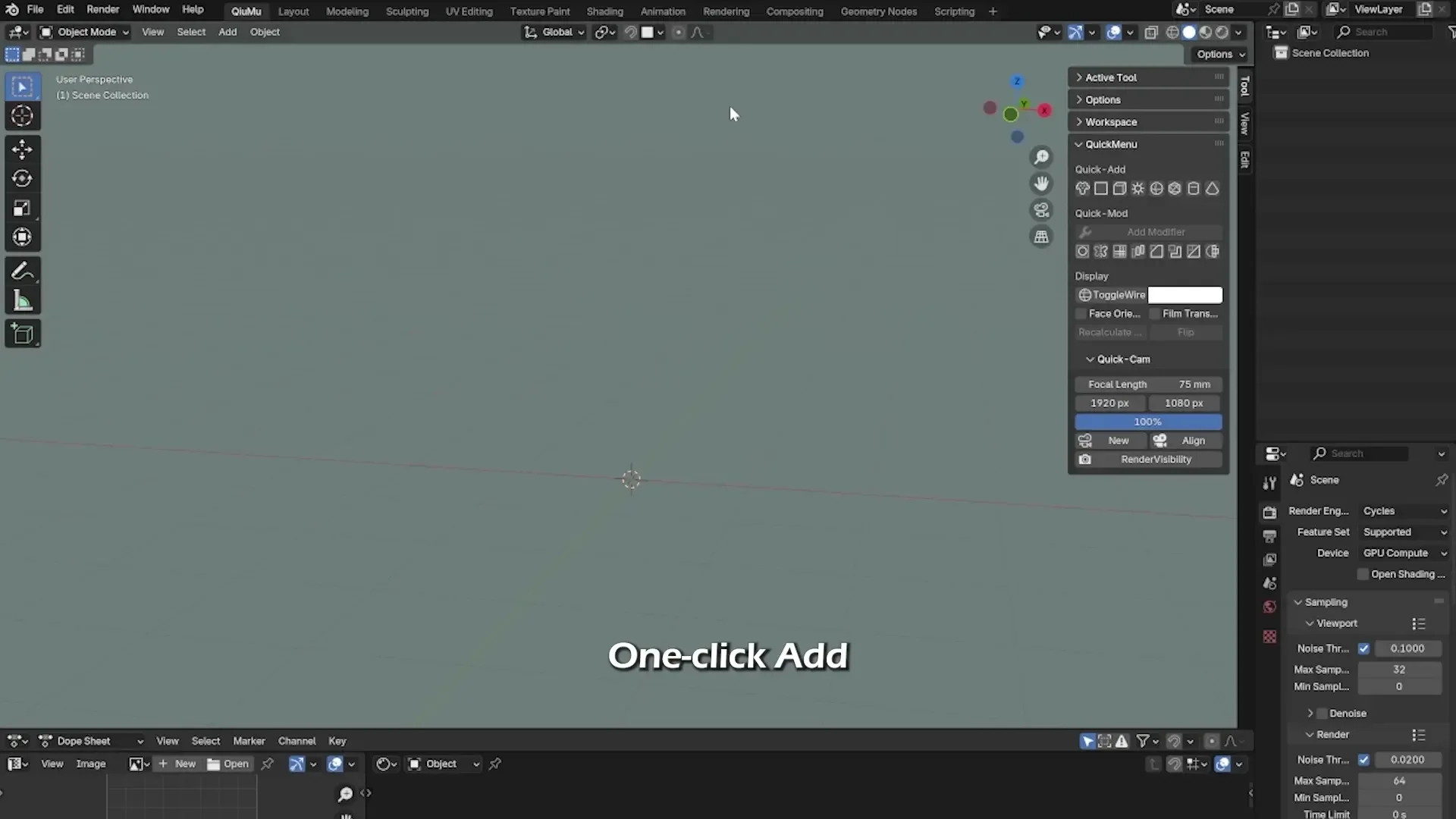
Quick Menu
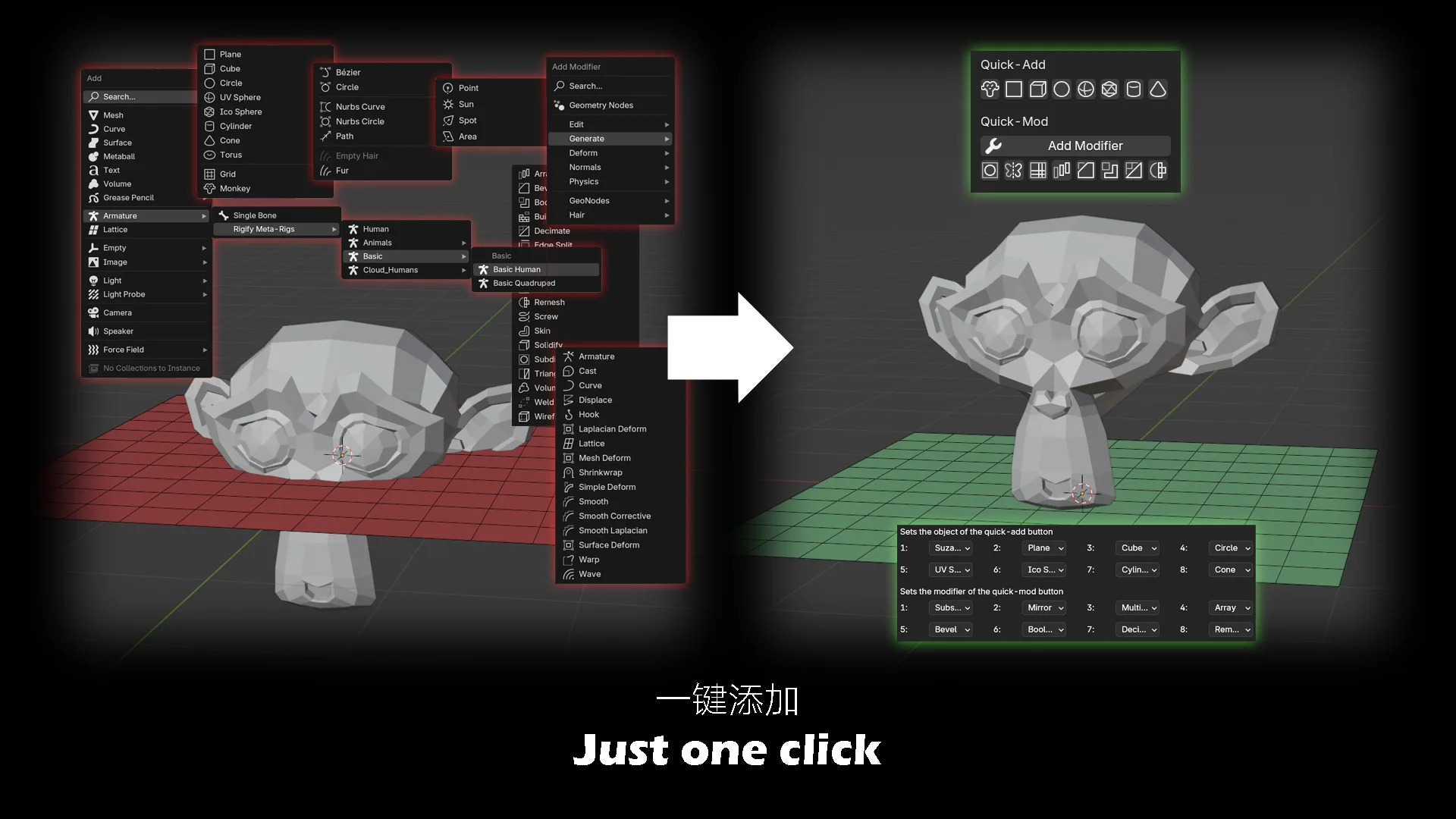
This is a plugin that saves you time in creating new objects or modifiers, view display, cameras, rendering—with optimized context checks for better stability.
Quick-Add & Quick-Mod
Quick-Add (8 buttons for common objects/modifiers) & Quick-Mod:
- Newly added objects now align their position and rotation with the 3D Cursor (replacing the previous ground-aligned behavior).
- GPencil has been removed from Quick-Add options.
Quick Origin Setup
New feature: A shortcut to quickly set an object's origin—supports both Object Mode and Edit Mode.
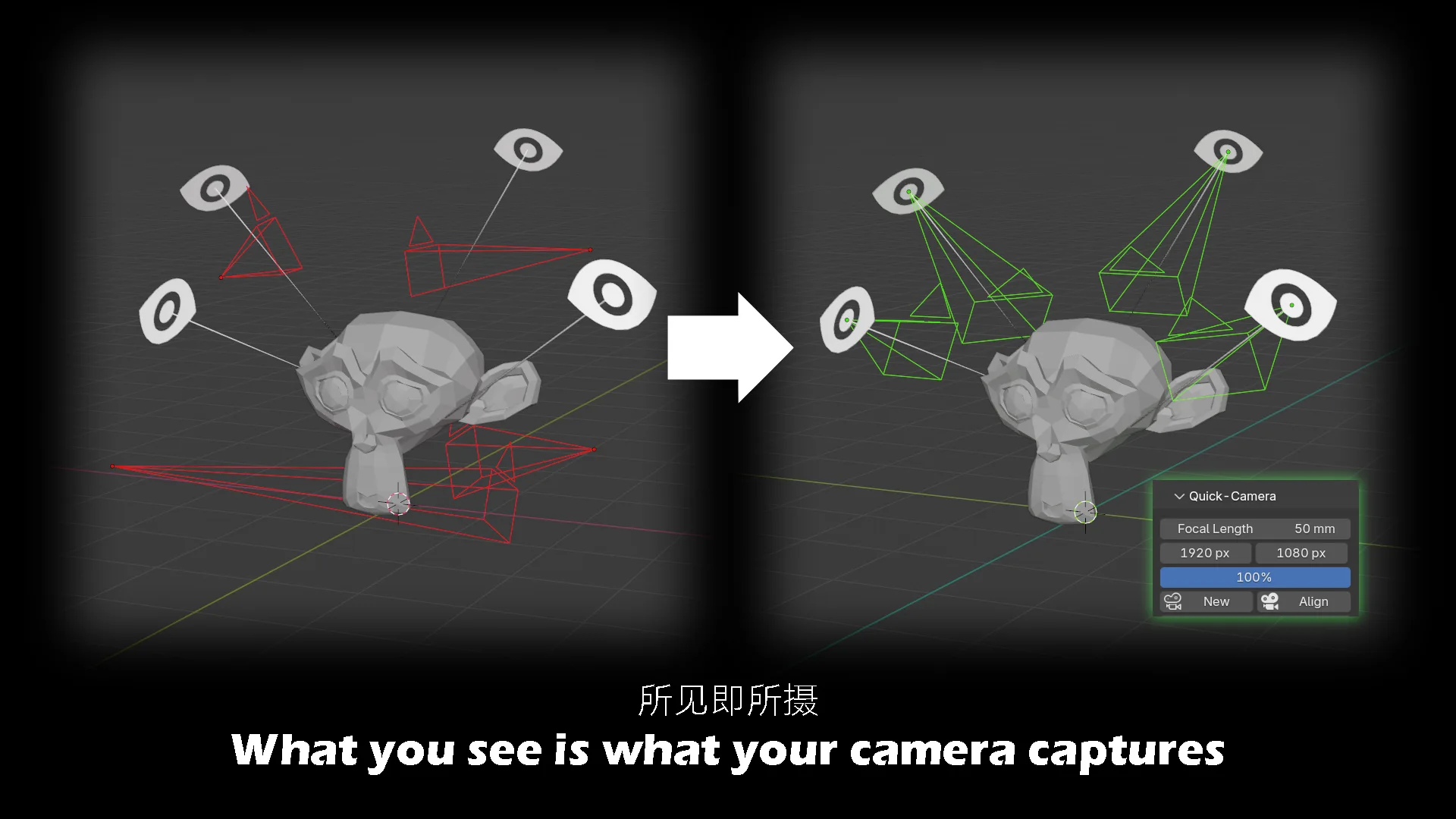
Quick-Cam
The goal of the quick camera is "what you see is what you get":
- Both new creation and alignment will adsorb the camera to the current perspective (including focal length and resolution).
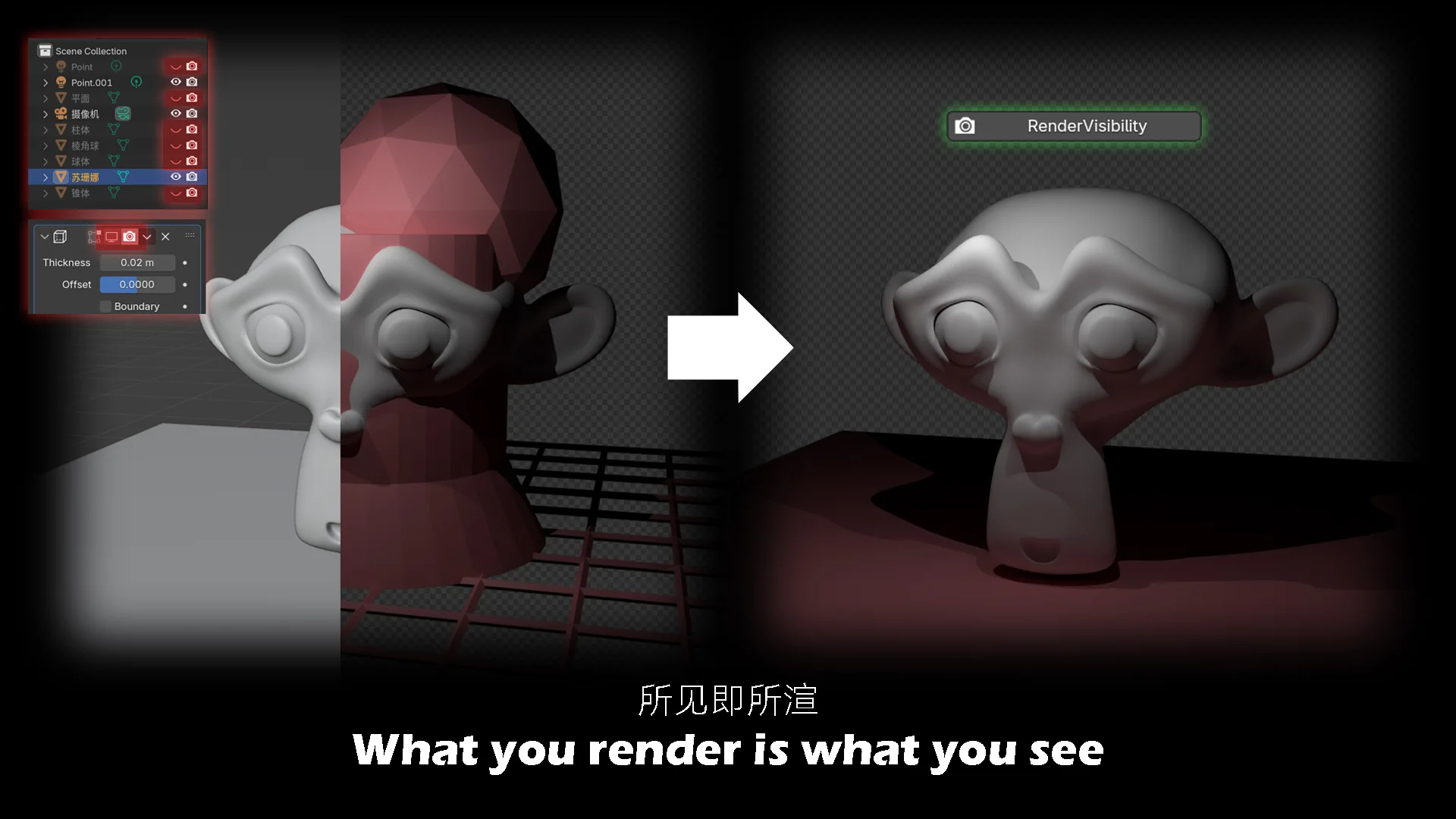
Render Visibility Button
One-click to synchronize the rendering visibility of all objects and modifiers, ensuring rendering results match the view display content.
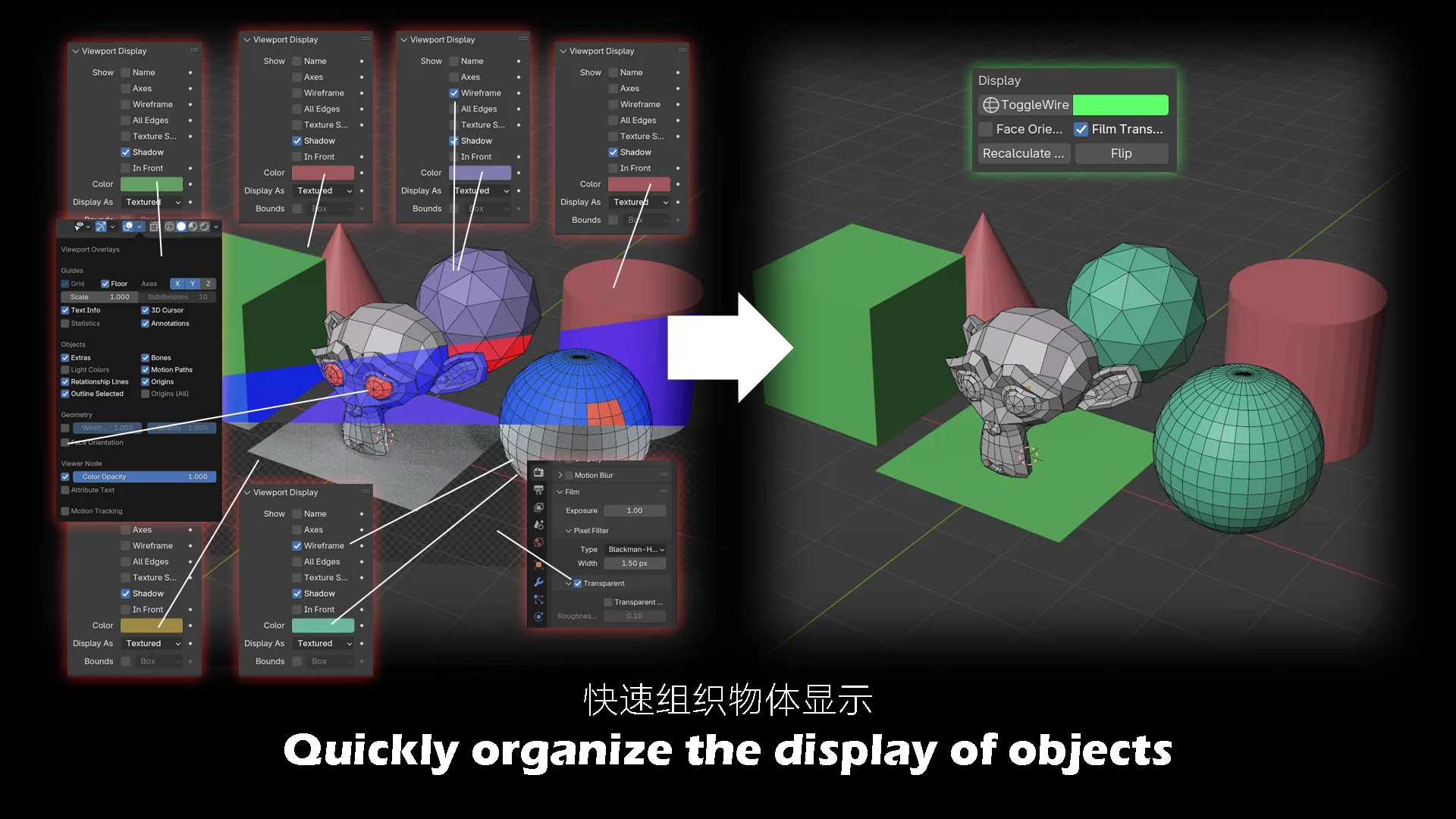
Display
- Quickly adjust object Wireframe display and color.
- Common model-adjustment functions (face orientation, film transparency, reset flip normal) are placed in this panel for convenience.
Currently supports: Simplified Chinese, Traditional Chinese, Japanese, Korean, French
快速菜单
这是一个在「新建物体/修改器、视图显示、摄像机、渲染」等场景下节省操作时间的插件,同时优化了上下文检查逻辑以提升功能稳定性。
快速添加 & 快速修改器
快速添加(含8个按钮,用于添加常用物体/修改器)与快速修改器:
- 新增物体的位置与旋转将对齐到3D游标(替代原“对齐地面”的行为)。
- 快速添加选项中已移除GPencil。
快速原点设置
新增功能:支持快速设置物体原点的快捷操作,同时兼容物体模式与编辑模式。
快速摄像机
快速摄像机的核心是“所见即所得”:
- 新建/对齐摄像机时,会吸附到当前视角(包含焦距、分辨率参数)。
渲染可见性按钮
一键同步所有物体与修改器的渲染可见性,确保渲染结果与视图显示内容完全一致。
显示
- 快速调整物体的网格显示样式与颜色。
- 面朝向、胶片透明、重置翻转法线等模型调整常用功能,已整合到当前面板中。
目前支持语言:中文简体、中文繁体、日语、韩语、法语
What's New
2.0.0 December 5th, 2025
New Features
- Added Quick Origin Setup: Support quickly adjusting an object's origin in both Object Mode and Edit Mode.
Function Adjustments
- Updated Quick-Add object behavior: Newly added objects now align their position and rotation with the 3D Cursor (replacing the previous ground-aligned default).
- Streamlined Quick-Add options: Removed Grease Pencil (GP) related entries.
Experience Optimizations
- Optimized context check logic to improve the stability of feature triggers across scenarios.
新增功能
- 新增「快速原点设置」:支持在物体模式与编辑模式下快速调整物体原点。
功能调整
- 优化Quick-Add物体行为:新增物体的位置与旋转将自动对齐3D游标(替代原“对齐地面”的默认逻辑)。
- 精简Quick-Add选项:移除了Grease Pencil(GP)相关内容。
体验优化
- 优化上下文检查逻辑,提升不同场景下功能触发的稳定性。
First, thank you for this addon. I don't know if it is still being maintained, but in Blender 5, I have noticed that when adding new 2d object like the plane or circle, these appear (as per my user settings) aligned with the 3d cursor's position and rotation. However, 3d objects (cube, sphere. cylinder, etc), while respecting the rotation of the 3d cursor, are created at the world origin.
Would love a fix.
This plugin is great! Unfortunately with 5.1.1 the menu itself is filled with "Operator Not Found"