 omUlete
omUlette
A quick and easy, lightly-featured exporter for the .egg file format used by the Panda3D game engine/framework. Using this add-on does not require installation of Panda3D.
Usage
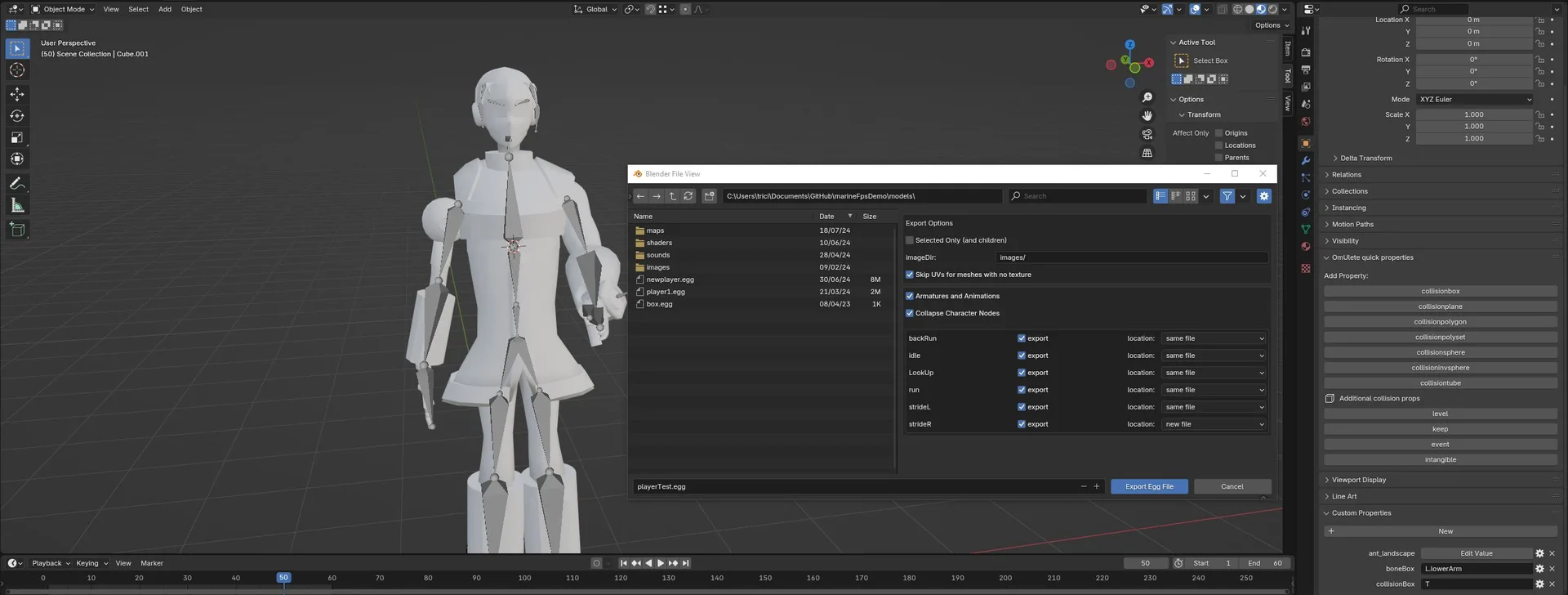
Once you have enabled the add-on, just select "egg (panda3d)" from file-export. Before exporting, be sure to adjust the imageDir variable. this should be the directory your textures will be in relative to the model directory as specified in your config file. All geometry will be exported. In the future, I might make it so this is more intelligent.
Multi-texturing is not yet supported. The only texture applied to exported geometry is the first one specified per node-based material.
##CollisionShapes and other custom-property enabled nodes omUlete now has support for exporting collision shapes, and I have plans to at least add support for sequence nodes in the future. you can make an object and it's children a collision shape by adding a custom property with one of the following names (with any capitalization): 'collisionbox' 'collisionplane' 'collisionpolygon' 'collisionpolyset' 'collisionsphere' 'collisioninvsphere' 'collisiontube'
Notes
I'm trying to export just an armature and it's animations, by using the setting to only export selected objects. however, I get an error.
omUlete is built in a way that can only generated animated objects in an egg file by first iterating through non-armature objects, and saving those that have a armature deformation for later. I'd love to fix this so an armature without geometry could be exported, but that would require that the whole plugin be more or less rewritten from scratch.
Why are some exported meshes randomly inside-out?
I swear this is blender's fault. Normally blender stores loops in a counterclockwise order, which is what we need and expect. however, sometimes it just... doesn't. Ultimately fixing this would involve way more time and bloat. For now, try (scaling by -1 if your mesh is symmetrical and) applying all scale transformations before recalculating the normals. You can also/try instead recalculating the normals in the opposite direction. However, note that this is just a hacky way to swap the vertex order. Lighting will be the opposite of what it's supposed to be! *gulp* If all fails, don't forget that you're dealing with egg files and that you can manually edit the exported product. However, this means you'll have to make the edit on every export, so be careful.
I'm exporting an animated character with the "Collapse Character Nodes" not ticked, but the final animation looks distorted!
This is because a panda3d character (That's the name of the class responsible for animation behind the actor class) expects that the origin of all geometry distorted by a skeleton to be the same as that of the skeleton itself. (note: the origin of a skeleton in an egg file is really just the offset of all the top-level bones).
I considered making it so that the origin of deformed mesh is auto-adjusted to match that of any armature deforming it, but I realized that it's important for some modelers to know specifically where that origin is, so I didn't add that feature.
In fact, all you have to do to ensure that animation is in-fact getting exported correctly is to find the top of the animated character in the exported egg file and change <Dart> {Structured} to <Dart> {1} and the animation should look entirely as intended!
My textures won't load after exporting!
- Is your image directory underneath your model directory as defined in your config file?
- If that doesn't work, try appending the file extension to the texture's name in blender.
- If you're still having issues, please contact me through here or the panda3d discord.
What's New
0.98.8 March 21st, 2026
0.98.8: Fixes wrong coordinate system when animation is saved in different file
Thank you for making this! I have needed a way to get blender models into Panda3d for a while now, this sped up the process a ton!
An excellent and efficient export plugin! It’s incredibly easy to use and delivers great results. The developer is exceptionally helpful, responds quickly, and remains kind and supportive when addressing any issues. Highly recommended!