 Camera Viewer
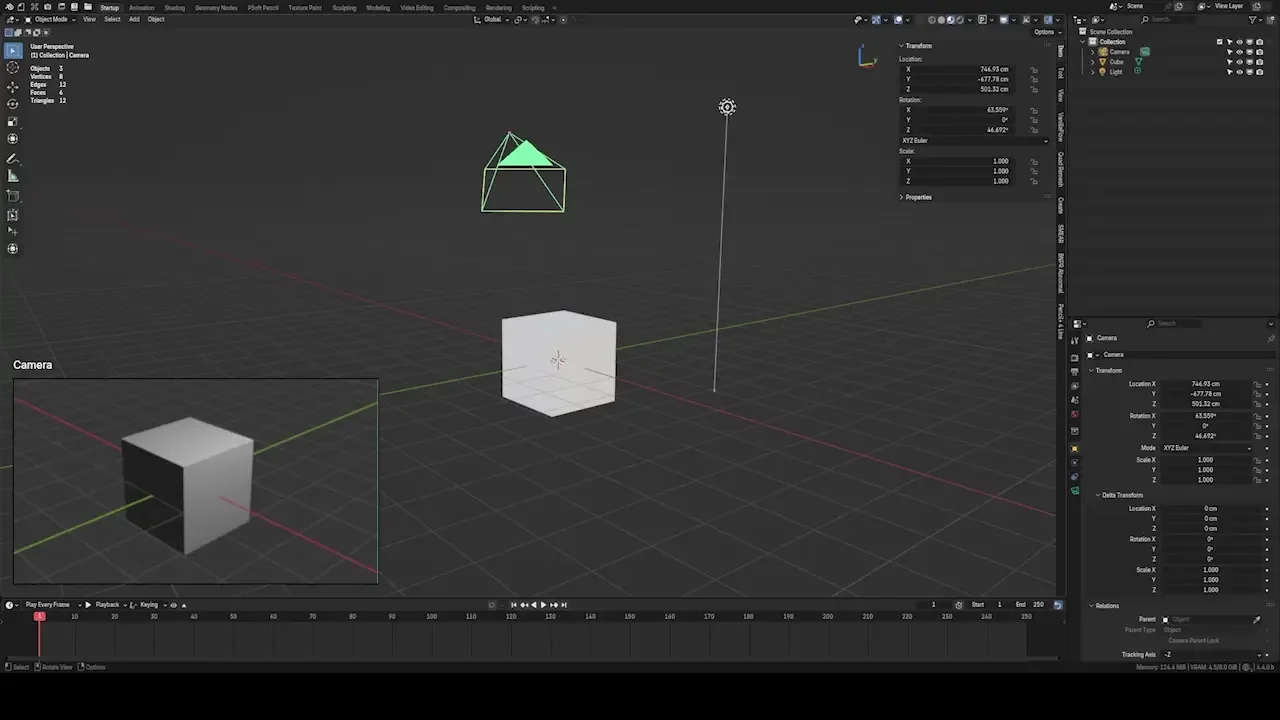
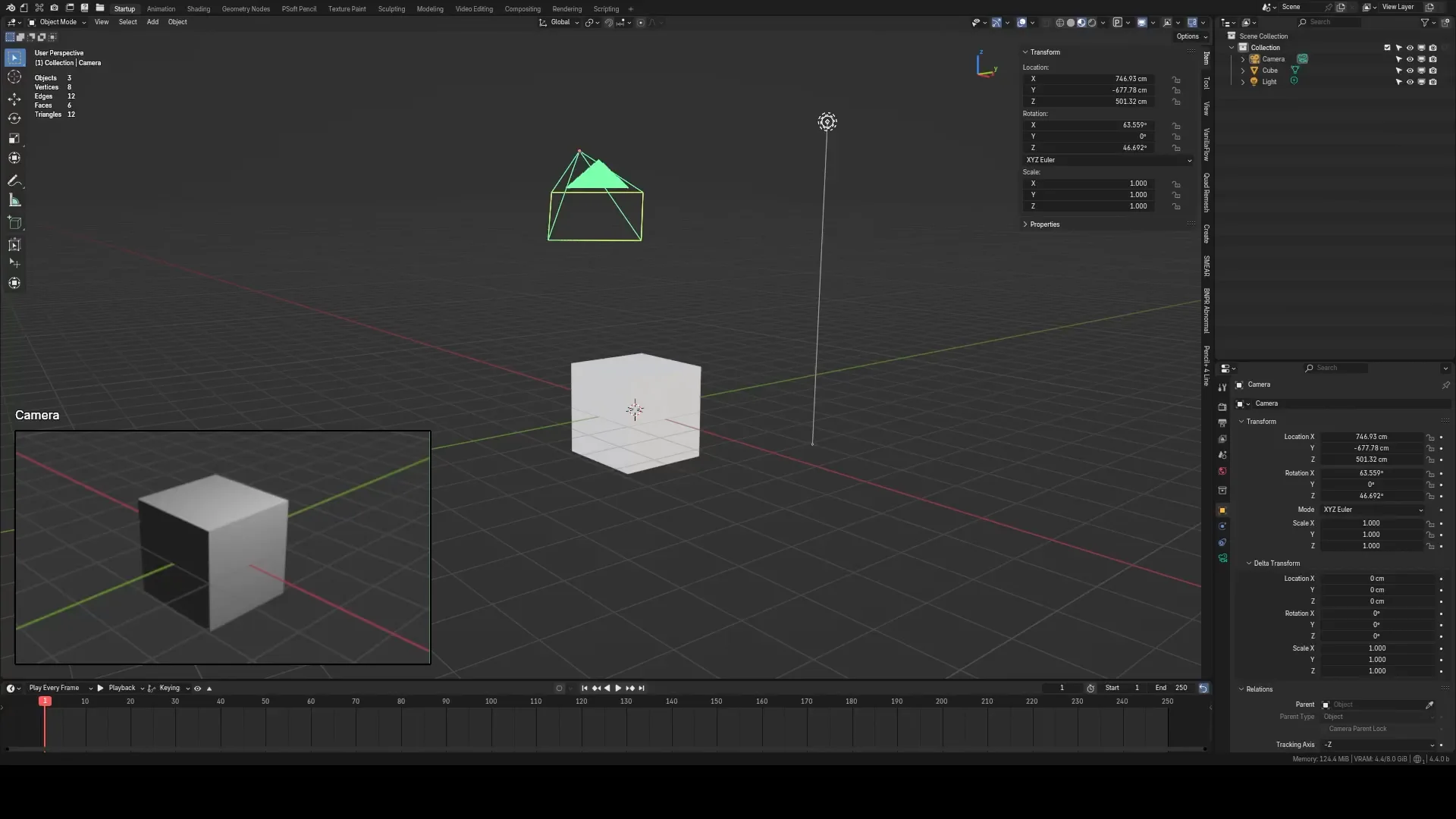
Camera Viewer
You can preview the camera view directly in the 3D viewport.
Features
- Lock Camera.
- Preview Position.
- Allow transformations of the preview.
- Independent Overlay settings.
- Support Color Management.
- Navigation node in the viewer
- UI buttons for Overlay settings
Location
- View 3D > Header

Camera Viewer Hotkey
- Toggle Camera Viewer - 'Alt + F1'
- Modify Camera Viewer - 'F1'
Modify Viewer Hotkey

- Confirm - 'Left-Click'
- Cancel - 'Esc', 'Right-Click'
- Scale Up - 'Mouse Move Up'
- Scale Down -'Mouse Move Down'
- Higher Quality - 'Scroll Up'
- Reduce Quality - 'Scroll Down'
- Reset Quality - 'R'
- Reset Size - 'S'
- Snap position to corner - 'Shift + Move to corner'
- Solid Mode - '1'
- Material Mode -'2'
- Rendered Mode - '3'
Click the viewer to get into navigation mode

- Confirm - 'Left-Click'
- Cancel - 'Esc', 'Right-Click'
- Move - 'W, A, S, D'
- Up/Down - 'E, Q'
- Pan - "Shift" + "Mouse Moving"
- Increase lens focal length - "Scroll up"
- Decrease lens focal length - "Scroll down"
- Reset focal length - 'Middle Mouse'
- Solid Mode - '1'
- Material Mode -'2'
- Rendered Mode - '3'
Camera Viewer Settings

Notice
- Cycles rendering is not supported.
- Background image in the camera is not supported.
- It is suggested that 1 viewport sample in EEVEE be used to achieve better performance.
What's New
1.1.5 July 16th, 2026
- Add Specular Lighting Option
- Add toggle viewport outline option
default hot keys dont work. who binds anything to f1? thats global for "help" lol. works if u set ur own hotkeys. headsup though... if u install it it forces an annoying green border around ur view whenever ur in camera mode, theres no way to change the colour of it, or do anything about it, to disable it u have to disable the add-on. sincerely: someone that spent 2 hours trying to remove a UI feature has no option to disable and is entirely unnecessary. reset my defaults 3 times, had to redo all my hotkeys and add-on preferences just to figure out why i have this annoying border in camera view that i never turned on or asked for. went through each theme option lol, it only goes away if u turn on the camera preview and then go into camera mode, otherwise when ur not using the software it imposes the green border in camera perspective on u. other than that, it does what its supposed to do. 3 stars, minus 2 for making me redo all my preferences. it might be a minor thing to YOU to just add a UI element, but its NOT. UI MEANS something, i meticulously set up my blender workspaces, so do NOT impose UI that is functionally useless and cant be toggled off. not cool
In properties on the second property called the Render properties in which you can switch render engin and stuff you have the performance tab right below film in viewport you can change the pixel size to 2x, 4x, 8x,
and I wonda if you could Implement this upon le addon because the quality slider still slows my computer down
Awesome addon, hope it can support multiple camera previews in the future.