 BoltFactory

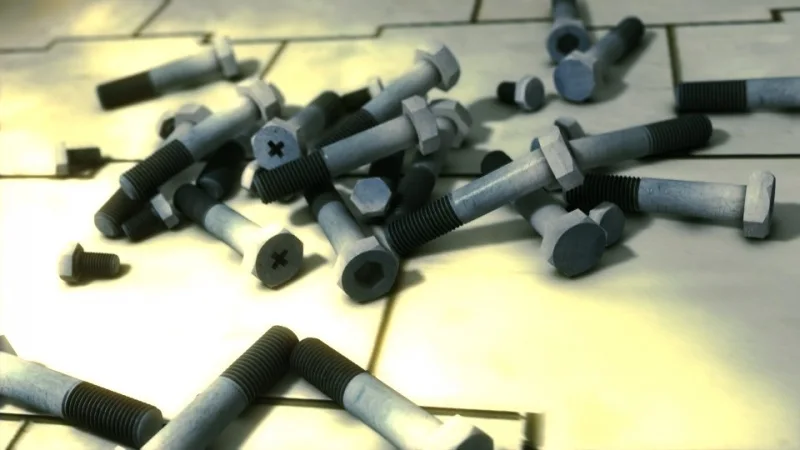
This Add-on creates bolts and nuts with numerous options for the bolt or nut thread, bit type and head design.
Using:
The BoltFactory has a limited selection of metric presets included. The correctness of these should be verified before using in a production environment, for example the thread pitch. The GUI panel provides dropdown selection for the type e.g. nut or bolt along with numerical inputs to manipulate the various dimensions.
Once an object has been created later it can be modified using the context menu and selecting 'Change Bolt'. The original creation parameters are reloaded - if any manual edits had been made to the mesh these will be removed as the object is freshly generated.
Creating a Bolt:
- Before adding a bolt, make sure that large objects are not obstructing world origin and/or
3D cursor. Bolts are very small and will not be visible behind larger objects.
- From menu select 'Add' -> 'Mesh' -> 'Bolt'.
- The Scene Collection will have a new item called "Bolt".
- An orange dot is now visible in the middle of the screen.
- Zoom in, this bolt is only 8mm tall. Use
Numpad .to centre directly on the new object.
Scene Scale:
Starting from version 0.5.0 (2024), BoltFactory generates bolts at real-world dimensions. This means that regardless of your project's "Unit Scale" setting, bolts will always be created at their actual physical size. For example, in a default Blender setup where a 2-meter cube is standard, the default M3 bolt will be 8 mm (0.008 meters), not 8 meters tall. Users working with a Unit Scale of 0.001 for high-precision modeling will also see bolts created at appropriate real-world sizes.
History:
The BoltFactory Add-on was part of Blender 4.1 bundled add-ons within the Add Mesh category. From Blender 4.2 onwards Add-ons are now hosted on the Extensions platform.
The BoltFactory was written before Blender had real-world scale units for a scene. The preset files use Millimeters as the unit of linear measurement to define the nuts and bolts.
From 2019 the ability to change a bolt was introduced. A useful feature when an adjustment is required to the parameters. Care should be exercised when updating nut or bolt objects from older files. If modifying a bolt with a different version of the BoltFactory the mesh generation code may have changed. Older versions are still available on the extensions platform if required.
Despite several minor updates and fixes to BoltFactory the version number was reported as 0.4.0 for all Blender versions between 2.8 and 4.1 inclusive.
A full of changes is on the developer website, and summarised in the Change Log file.
Support:
This Add-on is offered as it is and maintained by the community, no support expected.
Information for Developers:
The repository of the source code is hosted on projects.blender.org in the extensions repository. Even if you don't have coding skills contributing to testing is very valuable. Reviewing proposed changes from others in the community and providing feedback is an important part of maintaining a reliable extension.
To build a new version of the extension:
<path_to_blender> -c extension build --source-dir=./source
For more information about building extensions refer to the documentation.
What's New
0.7.1 January 5th, 2026
Version 0.7.1
Fixes:
- Menu crash, due to variable re-use when installed from fedoraproject.org. #67
holaa necesito ayuda instale el complemento como debe ser y cuando pongo un tornillo no aparece fisicamente el sistema lo toma como si existiera pero no se ve aun teniendo la visualizacion activada necesito su ayuda
Very good.