Extensions
  • Home
  • Add-ons
  • Themes
  • Approval Queue
  • About
  • Upload Extension
  • Sign in
  • BLENDER.ORG

    • Download

      Get the latest Blender, older versions, or experimental builds.

    • What's New

      Stay up-to-date with the new features in the latest Blender releases.

    LEARNING & RESOURCES

    • Blender Studio

      Access production assets and knowledge from the open movies.

    • Manual

      Documentation on the usage and features in Blender.

    DEVELOPMENT

    • Developers Blog

      Latest development updates, by Blender developers.

    • Documentation

      Guidelines, release notes and development docs.

    • Benchmark

      A platform to collect and share results of the Blender Benchmark.

    • Blender Conference

      The yearly event that brings the community together.

    DONATE

    • Development Fund

      Support core development with a monthly contribution.

    • One-time Donations

      Perform a single donation with more payment options available.

All Themes

Theme Deep Dark Sea
Deep Dark Sea

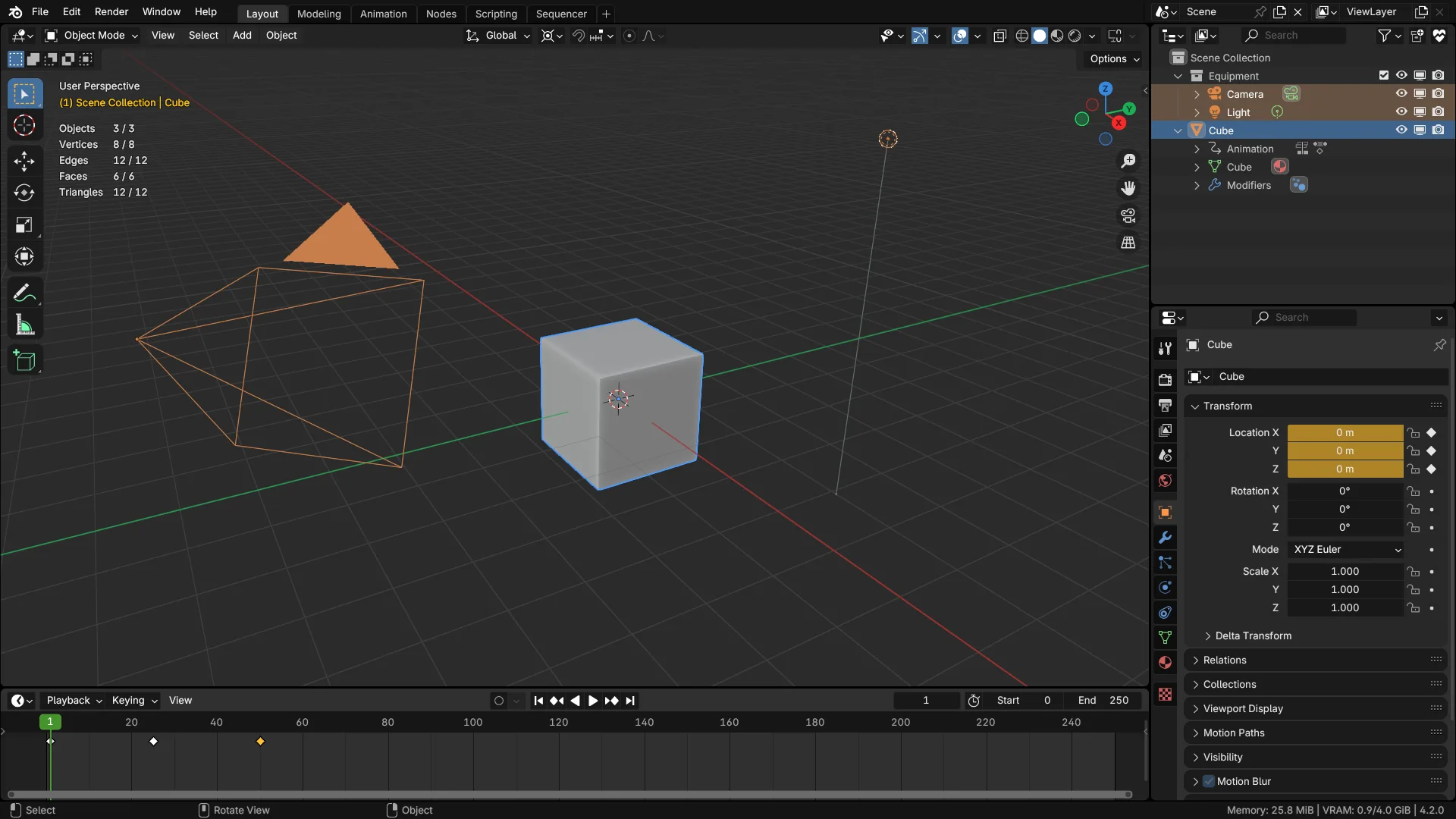
Darker than the default dark.
Theme by nickberckley
About What's New Reviews Version History
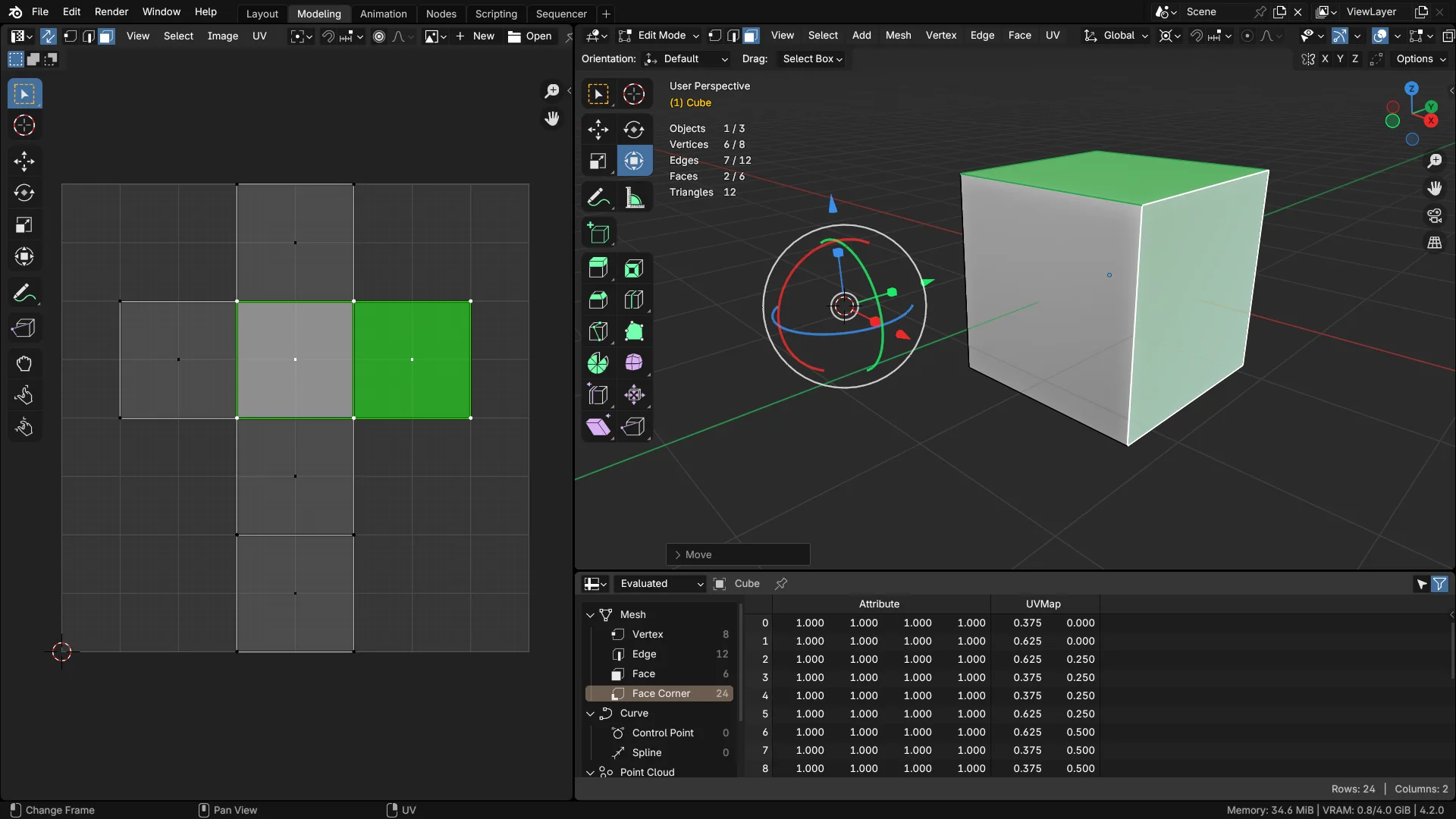
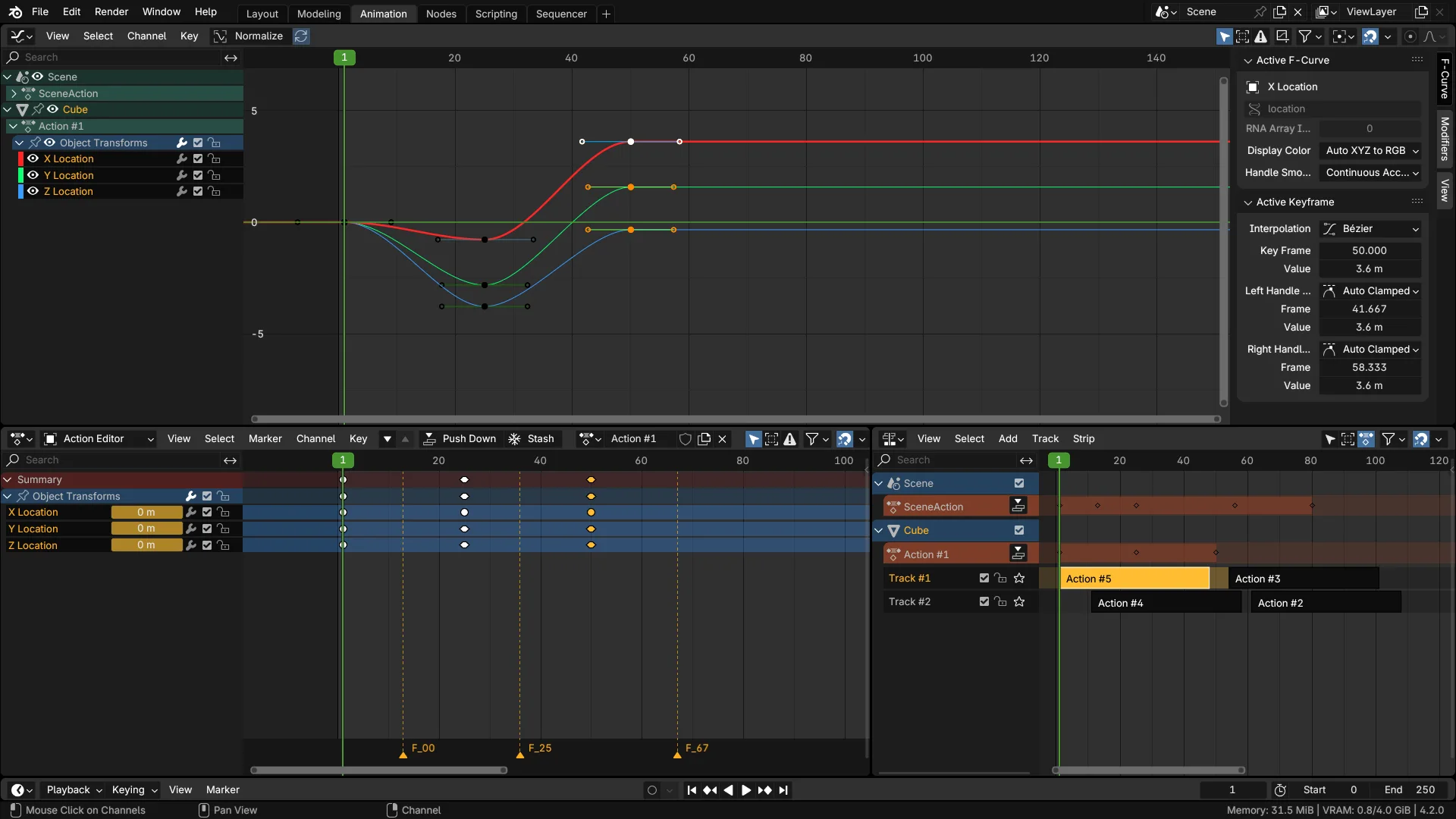
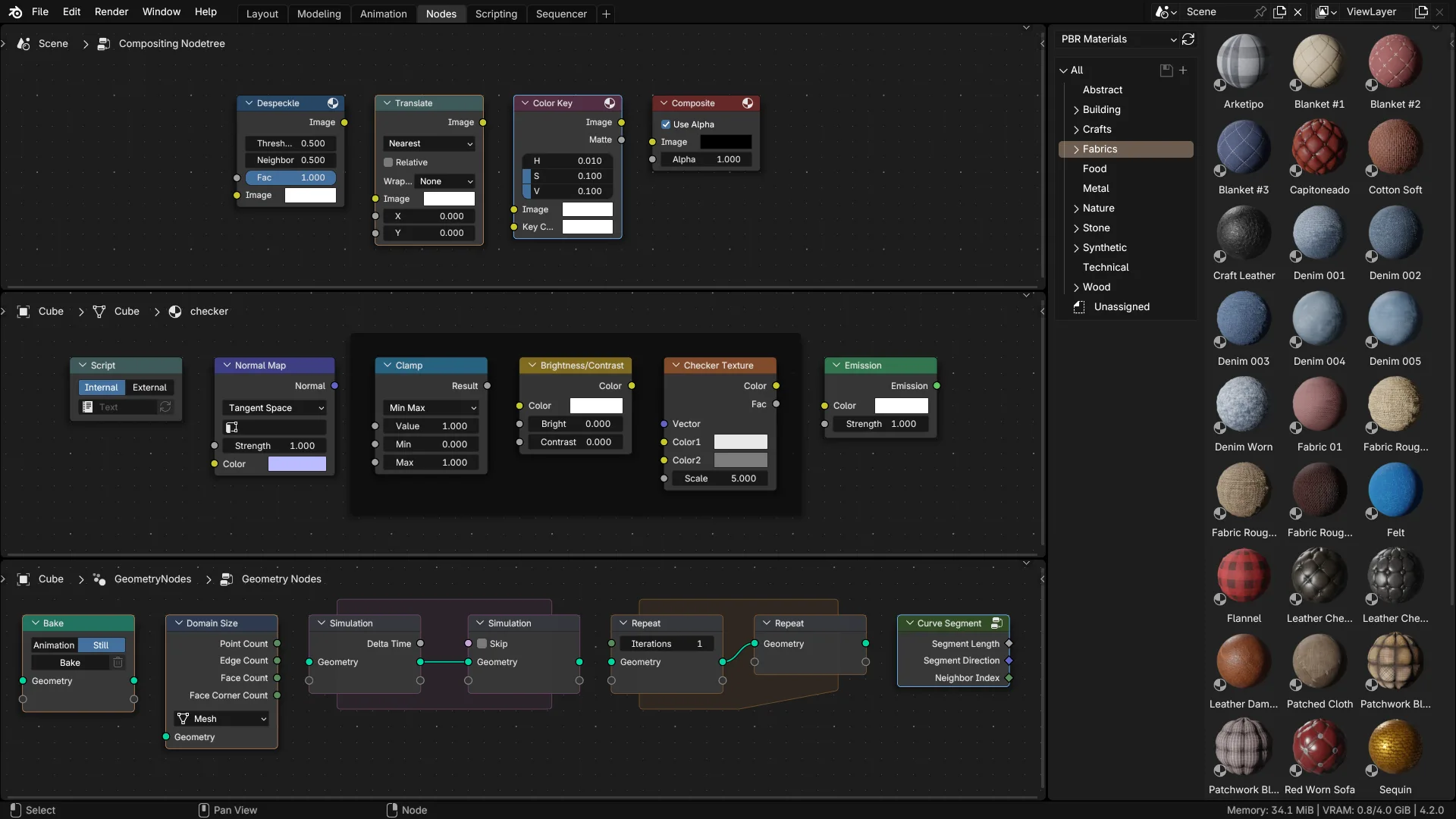
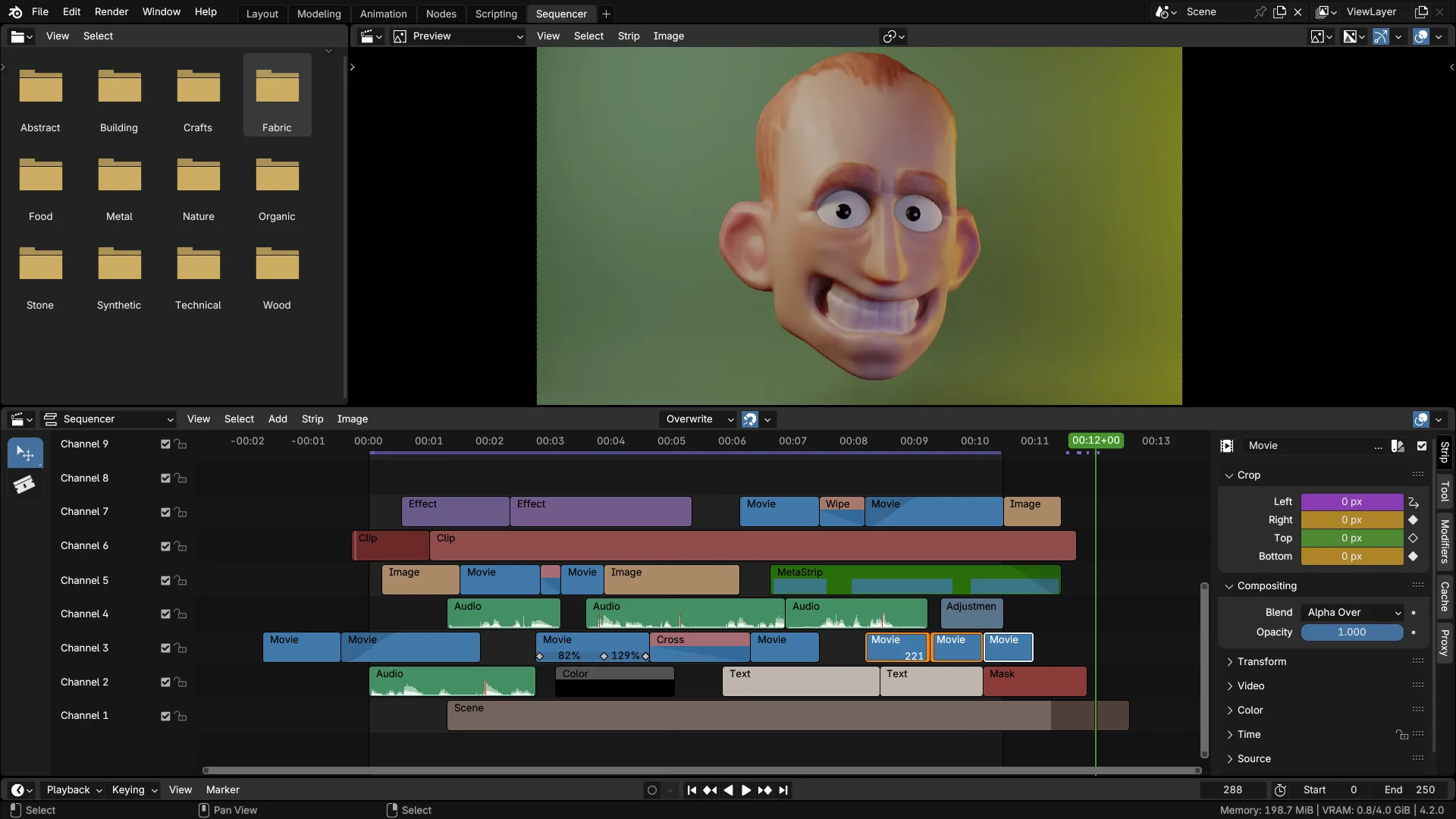
Main Layout Edit Mode Overlays Animation Node Editors & Assets Video Editing

Darker than Blenders default dark theme with higher contrast and better colour coding. UI areas are better distinguished visually and improves readability. Text whites are also whiter than default, and a lot of areas of Blender are color-coded properly:

  • Edit Mode overlays (Vertex, Edge, Face, Point) are green, to match the colour of Blenders object data icons. Green is for edit mode!
  • Curve handle colours are unified across all editors, as well as other animation-related coloured overlays.
  • 'Face Orientation Front' is gone. You can't see the blue overlay when you enable it from 3D viewport overlays. You can always have it turned on and you'll only see incorrect faces with red overlay. No need to keep switching it on and off!
  • Vertices, edges, f-curve points... they're all thicker. Why do we keep stressing our eyes looking for them?
  • Active widgets (number fields, sliders, text inputs) get white like many other software. Better readability when writing. Also makes them pop more from the endless list of properties.
  • many more...

What's New

3.0.0 November 18th, 2025

Updated to Blender 5.0

General

  • Slightly more vibrant Y-axis color
  • The background of vertical sidebar categories is transparent
  • Unselected markers are dimmer
  • New colors for auto-clamped Bézier curve handles
  • A little more reddish color for Repeat zones, to distinguish from Closure zoness

Panels

  • Panels in sidebars are no longer transparent
  • Panels in sidebars and in the Properties editor have a slight outline
  • The background of the Properties editor is darker to make lighter panels stand out more

Outlines

  • Active tabs have a lighter background
  • Hovered items in the pie menu have a blue outline
  • Selected list items have a dark outline

See all versions

Developer
nickberckley
Rating
(14)
Version
3.0.0
Updated
2 w
Published
Feb. 22nd, 2024
Downloads
13201
Size
6.1 KB
Compatibility
Blender 5.0 and newer
License
GNU General Public License v3.0 or later
Dark High Contrast
...or download and Install from Disk
  • 6.1 KB

Reviews

See all
  • Saul-Alexander-Reynoso-Farnes
  • v2.0.0
  • 6 d

Awesome theme!

  • Joshi-Minh
  • v1.3.0
  • 2 mo

Looks good

  • Jose-Rene-Huerta-Perez
  • v1.3.0
  • 3 mo

The best theme so far, an improvement over the default dark theme.

5.0

14 reviews
5
4
3
2
1
Rate this Add-on
  • About
  • Privacy Policy
  • Terms of Service
Download
  • Latest Blender
  • Blender LTS
  • Blender Benchmark
  • Previous Versions
  • Experimental Builds
  • Source Code
  • Release Notes
  • Requirements
Organization
  • People
  • Jobs
About
  • Blender Foundation
  • Blender Institute
  • Blender Studio
  • License
  • Logo & Trademark
  • Credits
  • Privacy Policy
Articles
  • News
  • Press Releases
  • User Stories
Get Involved
  • Dashboard
  • Development
  • Documentation
  • Education
Blender Studio
  • Films
  • Training
Support
  • Manual
  • Community
  • FAQ
Developers
  • Get Started
  • Projects
  • Docs
  • Blog
  • Forum
  • YouTube
  • Python API
Blender Conference
Follow Blender
Support Blender
  • Donate
  • One-time Donation
Artistic freedom starts with Blender The Free and Open Source 3D Creation Suite