Extensions
  • Home
  • Add-ons
  • Themes
  • Approval Queue
  • About
  • Upload Extension
  • Sign in
  • BLENDER.ORG

    • Download

      Get the latest Blender, older versions, or experimental builds.

    • What's New

      Stay up-to-date with the new features in the latest Blender releases.

    DEVELOPMENT

    • Roadmap

      See which projects are currently being worked on and what's next.

    • Documentation

      Guidelines, release notes and development docs.

    LEARNING & RESOURCES

    • Blender Studio

      Access production assets and knowledge from the open movies.

    • Manual

      Documentation on the usage and features in Blender.

    • Benchmark

      A platform to collect and share results of the Blender Benchmark.

    • Blender Conference

      The yearly event that brings the community together.

    DONATE

    • Development Fund

      Support core development with a monthly contribution.

    • One-time Donations

      Perform a single donation with more payment options available.

All Add-ons

Add-on UV Snapper
UV Snapper
Snap selected UVs to a custom atlas.
Add-on by Duncan-Readle
About What's New Reviews Version History
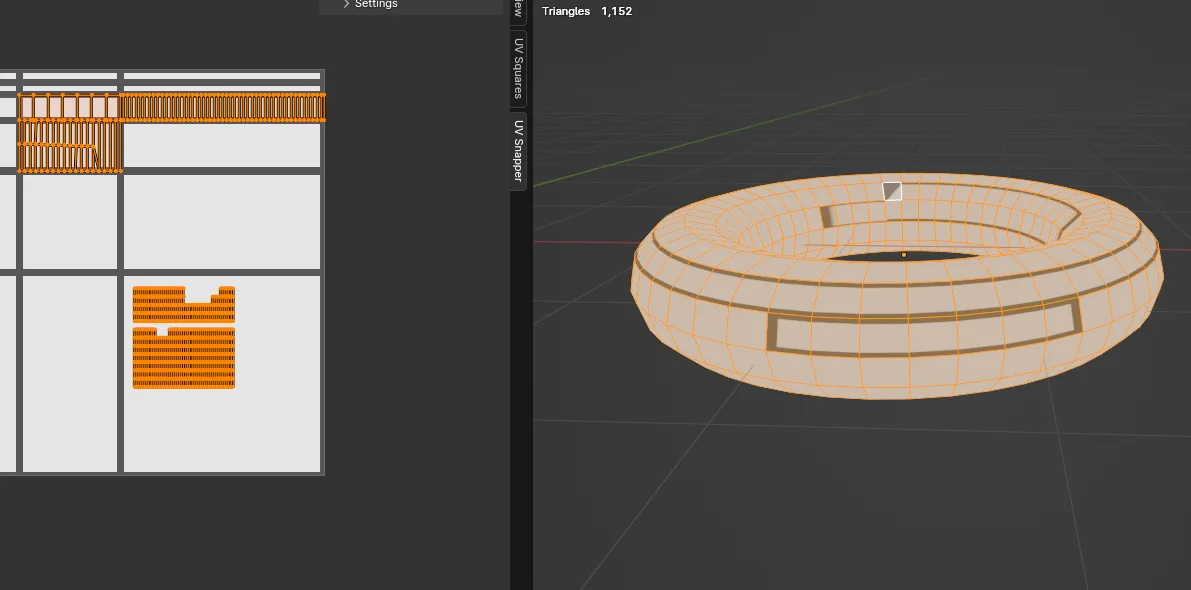
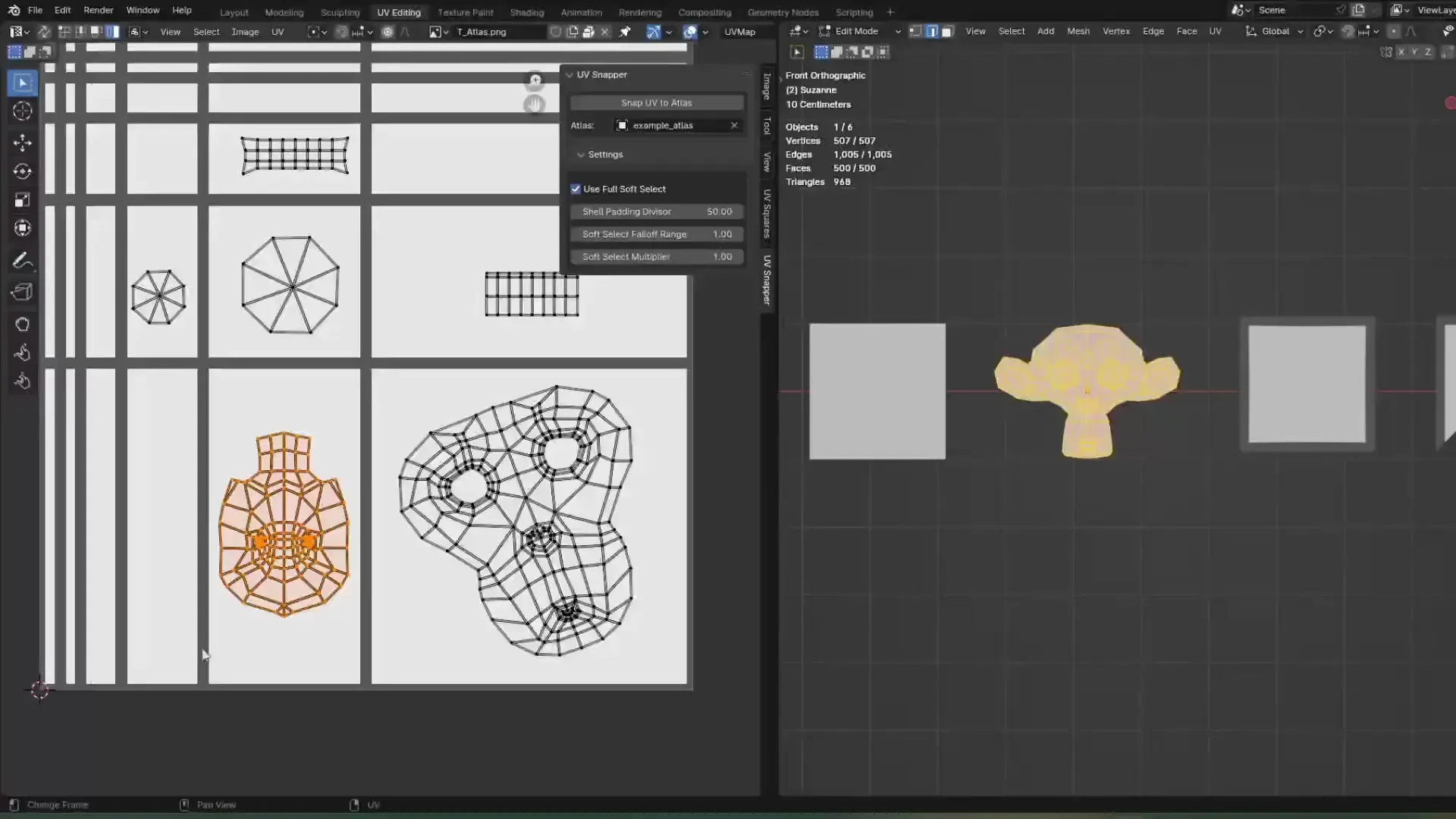
Demo Video with atlas texture Example of an atlas object A taurus with several faces atlased using the add-on Quick start video

Snap UV's to user defined custom grid with a single button!

  • The custom grid is defined with an atlas object (a plane with cuts in it where each edge represents a grid line).
  • Supports all UV selection methods.
  • Tweakable soft select helps to smooth out snapped UVs.

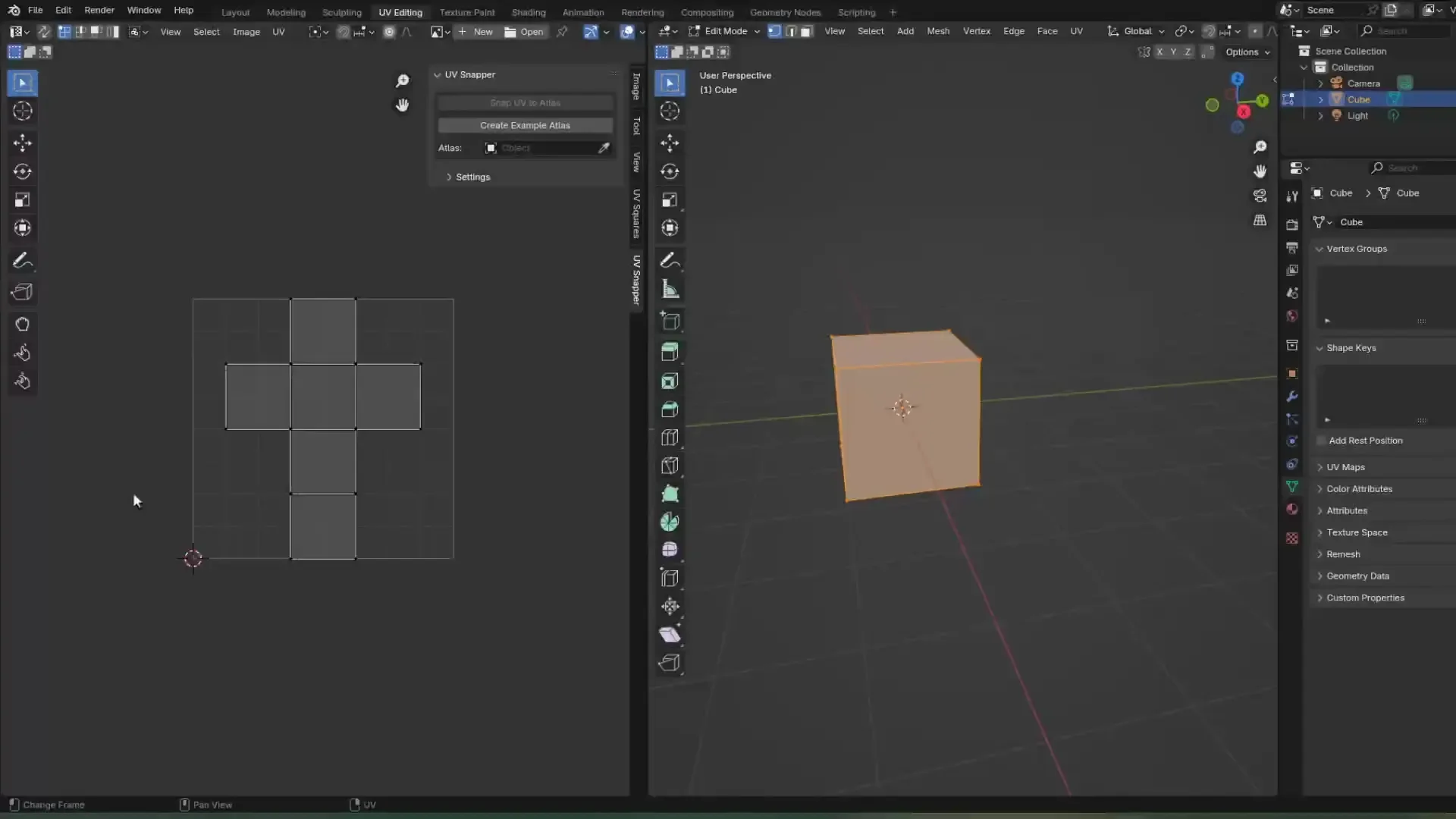
Quick start (see video for walkthrough)

  • Open the UV Snapper panel in the UV Editor
  • Click "Create Example Atlas" or select your own using the eyedropper/drop down menu
  • Select a mesh with UVs, go into edit mode
  • Select all the UVs of one or more faces (only faces with all UVs selected will be snapped)
  • Click "Snap UV to Atlas"

Note: the operator picks the corners of the UV selection based on the UVs closest to the boundaries of the atlas box they lie within. If you're getting strange results, try moving the four UVs you want to act as the corners during snapping closer to the corners of the atlas box they're in.

Making Atlases

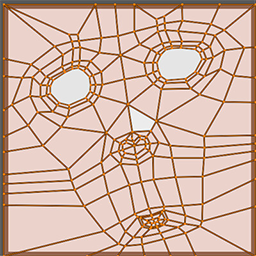
The UV workflow that this add-on supports is based on atlas textures, grid based textures that can be used to add edge details to objects. The intention is that the edges of a face, or group of faces, should match up to the grid lines on the atlas, which is where snapping comes in handy. The texture itself can be made however you like, but the mesh version has some requirements:

  • The atlas object should be a plane mesh with subdivisions placed so that they match up with the grid lines on the texture
  • The add-on reads the UVs of the atlas object to determine where the grid lines are, so ensure that the UV edges match the texture
  • Atlases that are not square, have edges that aren't aligned to either axis (diagonal edges) or exist outwith the UV 0-1 space are not (deliberately anyway) supported

See the images on this page for an example of what an atlas might look like. An example atlas with a matching texture can be added to the scene using the "Create Example Atlas" button.


What's New

1.1.1 October 14th, 2024
  • "Create Example Atlas" now imports a packaged texture to go with the mesh atlas, and assigns it to the image editor's active image slot
  • Fixed a couple outstanding errors

Permissions

This extension does not require special permissions.

Developer
Duncan-Readle
Rating
(1)
Version
1.1.1
Updated
1 y
Published
Sept. 13th, 2024
Downloads
19865
Size
230.5 KB
Compatibility
Blender 4.2 LTS and newer
Report Issues
github.com/Falking3/UV-Snapper
License
GNU General Public License v3.0 or later
UV
...or download and Install from Disk
  • 230.5 KB

Reviews

See all
  • Cloud-Guy
  • v1.1.1
  • 1 y

It has its issues, but It's still SOOO nice Will def be using it a lot

Thank you for sharing! 🤍

5.0

1 review
5
4
3
2
1
Rate this Add-on Report an issue
  • About
  • Privacy Policy
  • Terms of Service
About
  • Blender Foundation
  • Blender Institute
  • Blender Studio
  • License
  • Logo & Trademark
  • Credits
  • Privacy Policy
  • Code of Conduct
Organization
  • People
  • Jobs
Blender Network
Download
  • Latest Blender
  • Blender LTS
  • Previous Versions
  • Experimental Builds
  • Source Code
  • Requirements
  • Benchmark
  • Flamenco
Extensions
  • Add-ons
  • Themes
Developers
  • Get Started
  • Roadmap
  • Projects
  • Docs
  • Blog
  • Forum
  • YouTube
  • Python API
Blender Studio
  • Films
  • Training
  • Tools & Pipeline
Support
  • Manual
  • Community
  • FAQ
Get Involved
  • Documentation
  • Education
News
  • Press Releases
  • User Stories
Blender Conference
Follow Blender
Support Blender
  • Donate
  • One-time Donation
Artistic freedom starts with Blender The Free and Open Source 3D Creation Suite