 Universal Multi Importer


Key Features
This addon is made to facilitate the import of data in Blender !
You can :
- Import multiple files of different formats from the same import dialog.
- You can scan for files to import in a folder hierarchy.
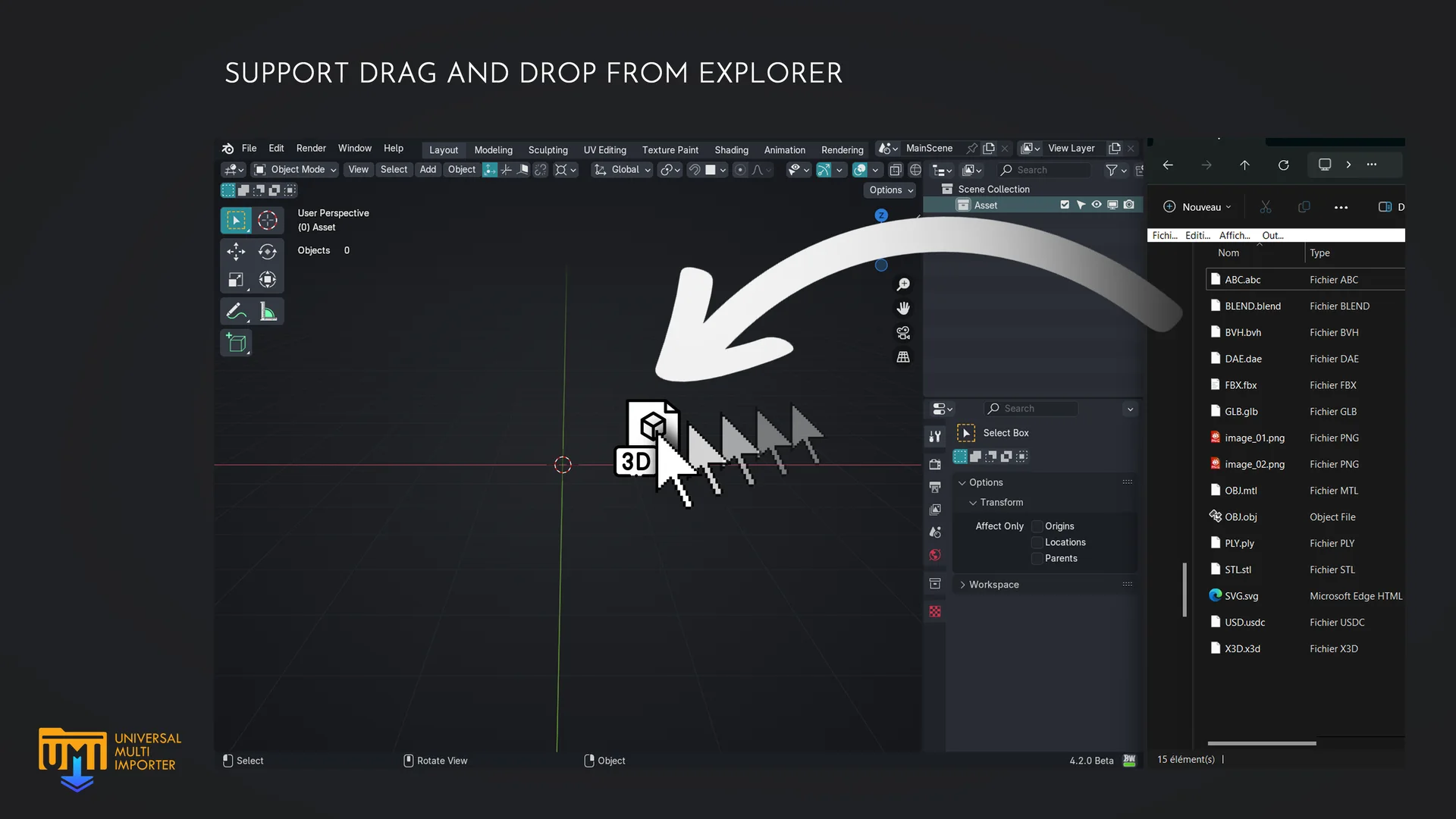
- (Blender 4.1+ only) Drag and drop any file to import them.
- The viewport stays interactive durring the import process, you can setup autosaves durring import.
Credits
This addon is adding batch import features to existing importers for blender. The credits for the importers goes to each importer developers and to the blender team themself. You can click on the link below to know more about the author of each importers.
| Mesh Formats | Image Formats | Video Formats | Animation Formats | Audio Formats | Volume Formats |
|---|---|---|---|---|---|
| blend | jpg | mov | bvh | wav | vdb |
| obj | jpeg | mp4 | flac | ||
| fbx | gif | mkv | mp2 | ||
| glb | png | mpg | mp3 | ||
| gltf | tif | mpeg | aac | ||
| x3d | tiff | dvd | ogg | ||
| wrl | bmp | dvd | pcm | ||
| stl | cin | vob | opus | ||
| ply | dpx | avi | l16 | ||
| abc | jp2 | dv | aiff | ||
| dae | j2c | flv | au | ||
| svg | sig | webm | |||
| usd | rgb | ||||
| usda | bw | ||||
| usdc | exr | ||||
| usdz | hdr | ||||
| max | webp | ||||
| pdb | |||||
| xyz | |||||
| dxf | |||||
| 3ds |
Import Folder
Recursion Depth
( Folder mode only ) Determine how many subfolders will be scaned for compatible files to import. 0 will grab all files in current folder, 1 will grab everything in current folder and all dirrect subfolders, 2 will grab all files in the current folder, the dirrect subfolders and the subfolders of each direct subfolders etc ...
File Count
Max Simultaneously
Determine the max number of file to import simultaneously. Each group of files to be imported simultaneously is called a "Batch". Importing multiple file at the same time allow to reduce the import time for small file, but can cause screen freezing or memory issue for biger file. To smartly ballance this, you can check Max batch size and Minimize batch number
Max batch size
Determine the max batch file size to Import. If a file is a candidate to be include in the current batch, but his filesize would make the batch bigger than Max batch size, then the file will be included in the next batch
Minimize batch number
The importer will smartly group files in batches in order to be as close as possible to Max batch size for each batch without exceeding it and without exceeding Max Import Simultaneously
Refresh Viewport After time (s)
The viewport will refresh after the X seconds. It help to control viewport interactivity. A value of 0 will disable it, and the viewport will refresh after each batch`
Options
Create collection per file
Each imported file will be placed in a new collection named like the file
Skip already imported files
if a file have already been imported, the import is skipped for this file, this option is only available if "Create collection per file" is Enable
Log Display
Show Log on 3D View
Display the Log and Progress of the Importing files in the 3D viewport while importing
Auto Hide Log When Finished
Automatic hide the log once the Import is Completed
Wait Before Hiding (s)
How much time to wait before Hiding the Log
Refresh viewport after each Import
Force refresh the viewport after each imported files. It imporoves interactivity, but will slow down the global import time
Backup
Save file after import
At the end of the imprort process, save the current file
Backup file after each import
A backup file is saved after each "Backup Step" file is imported
Backup Step
The number of file that is imported before saving a backup
What's New
2.4.2 July 10th, 2026
- Remove Command Batcher
- Bump GLTF version number
good!