 SmartScene Toolkit


🪄SmartScene ToolKit is an efficient toolkit collection provides easier parenting, selecting, hierarchy creating, duplicating, collecting, and mirroring, for efficient scene organization.
1. 🗃️Table of Functions
| Name | Description |
|---|---|
———————— 1.1 ———————— |
———— 1.1 SMARTER - Parenting Operations ———— |
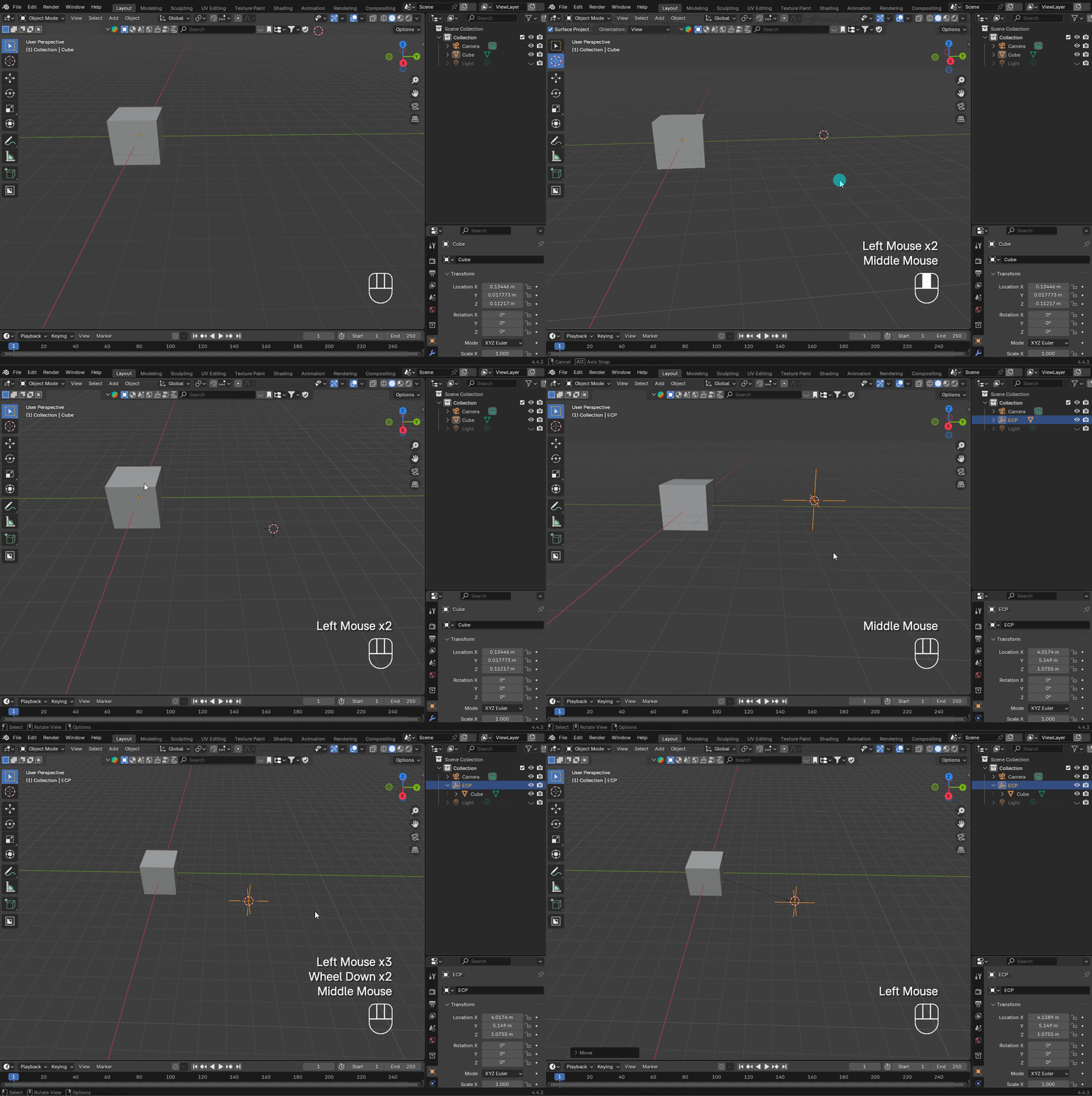
| 🏠 Parent to Cursor | Create an empty coordinate at the cursor and parent the selected hierarchy. |
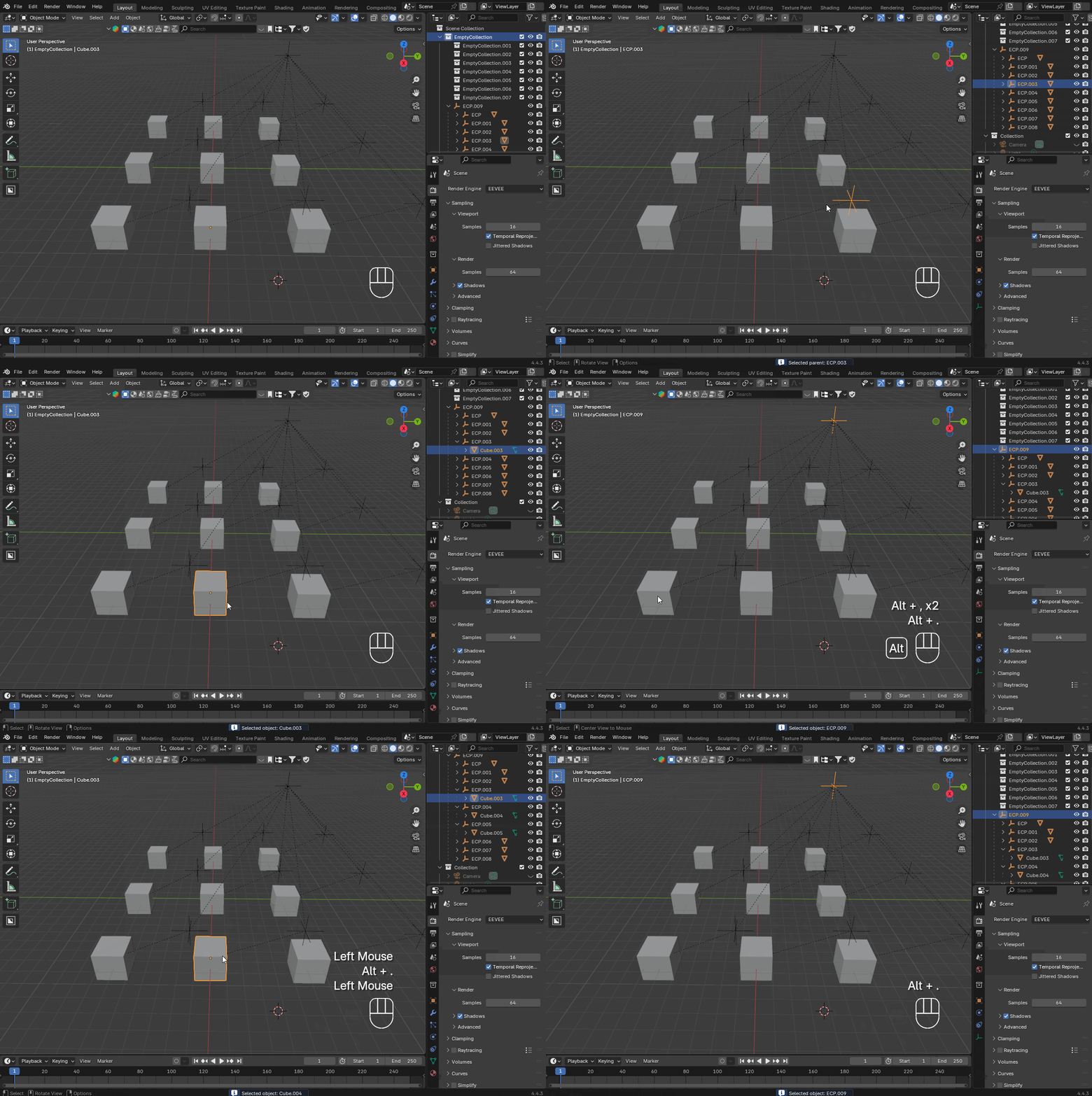
| 👆🏻 Powerful Select | Directly select object or object parent in scene with auto Outliner highlight. |
———————— 1.2 ———————— |
———— 1.2 SMARTER - Hierarchy Operations ———— |
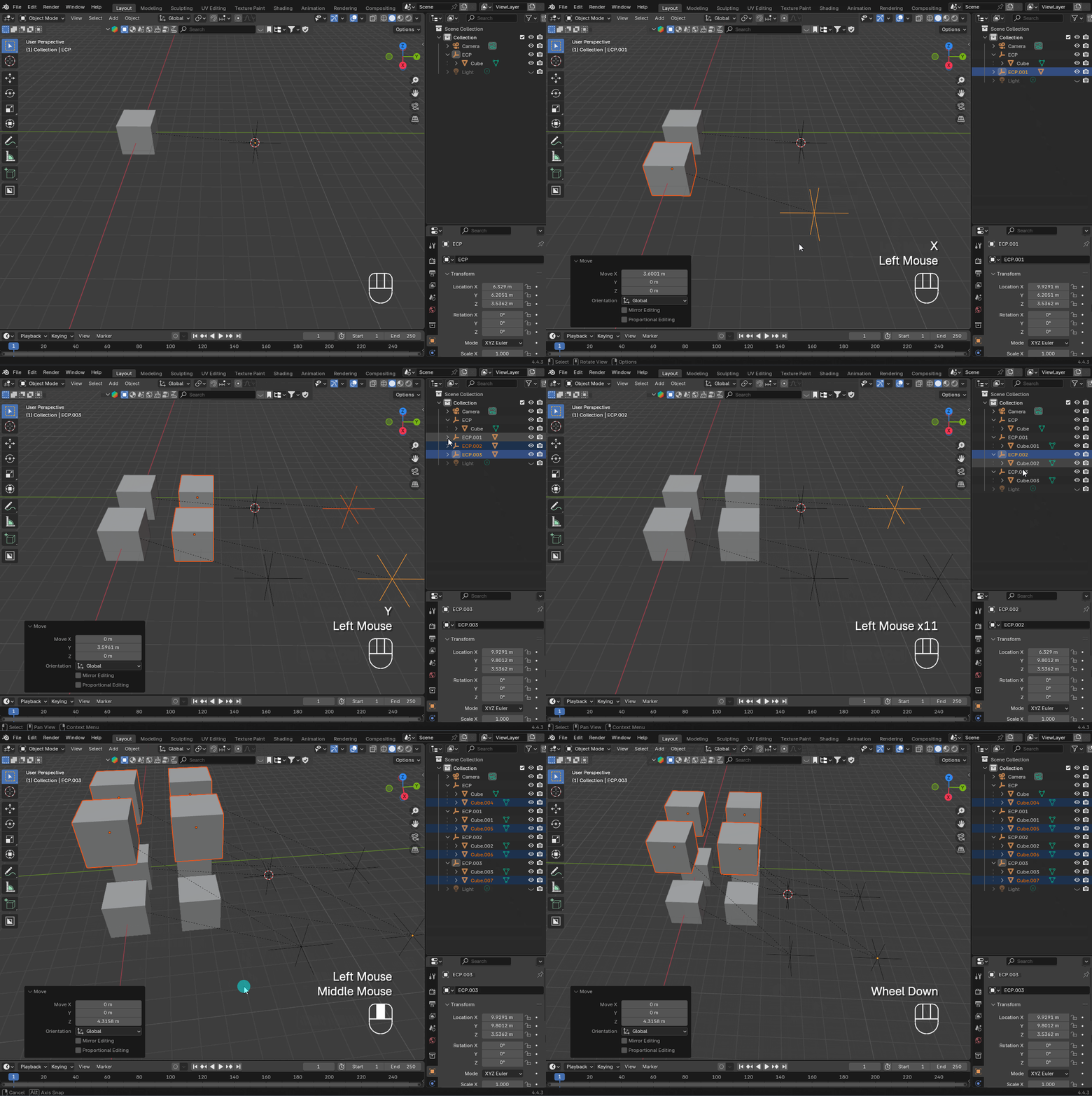
| 🧬Hierarchy Duplicate | Duplicate complex hierarchies with preserved ourliner's structure. |
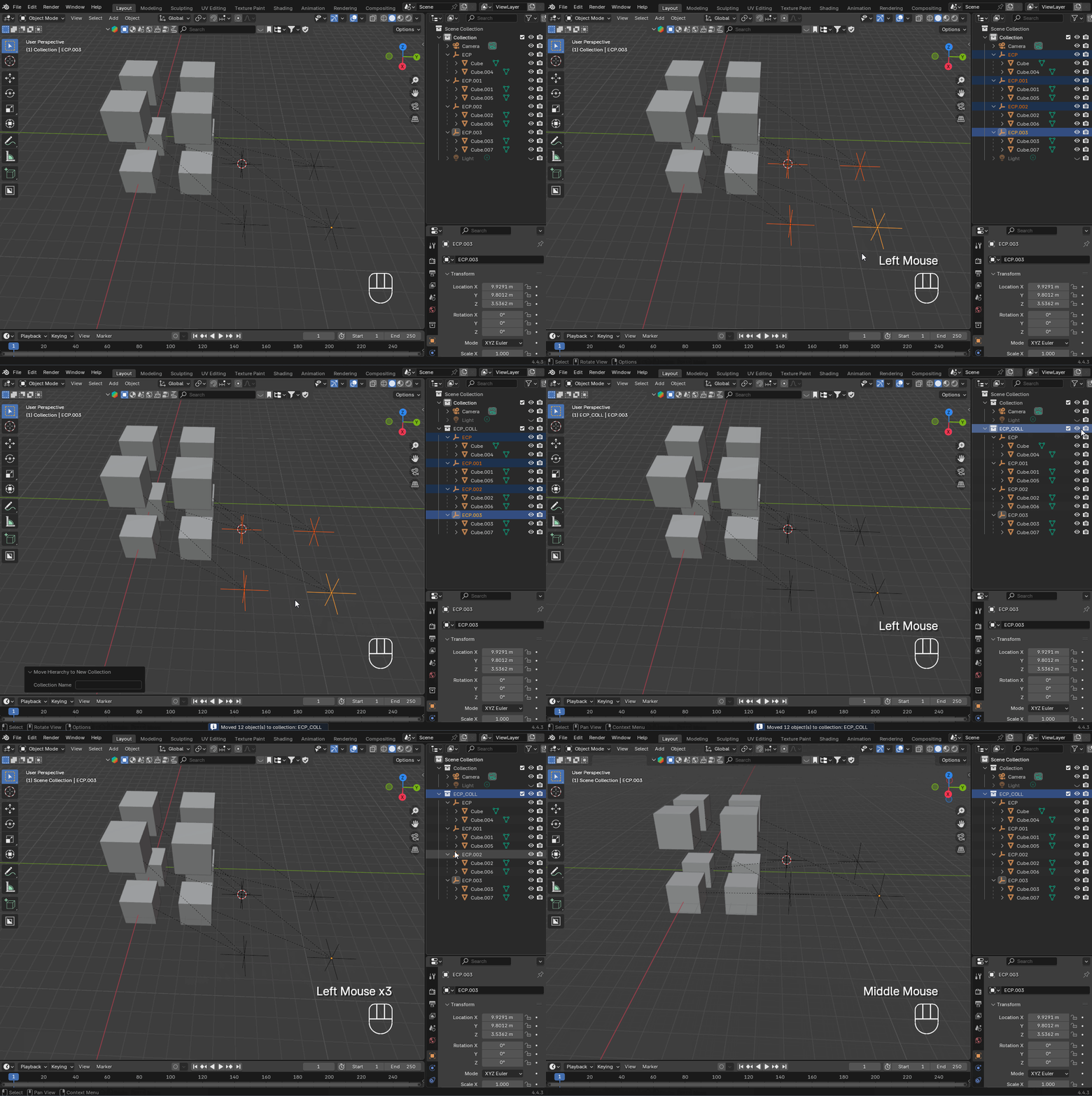
| 📦 Move Hierarchy to New Collection | Move selected hierarchies into a new collection. |
———————— 1.3 ———————— |
———— 1.3 SMARTER - Mirroring Operations ———— |
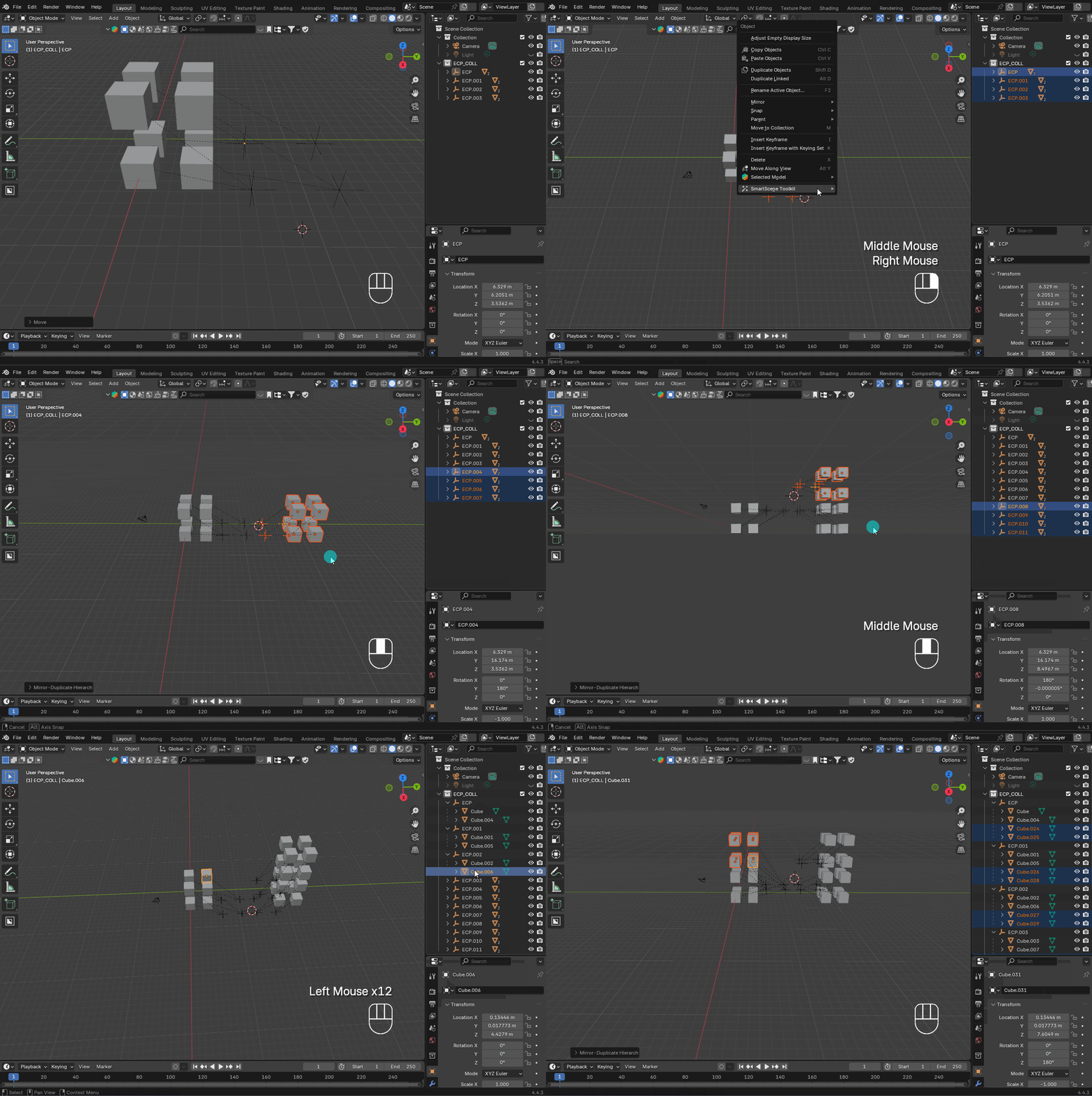
| 🪞 Mirror to Cursor | Mirror-duplicate selected hierarchies across a plane at the 3D cursor. |
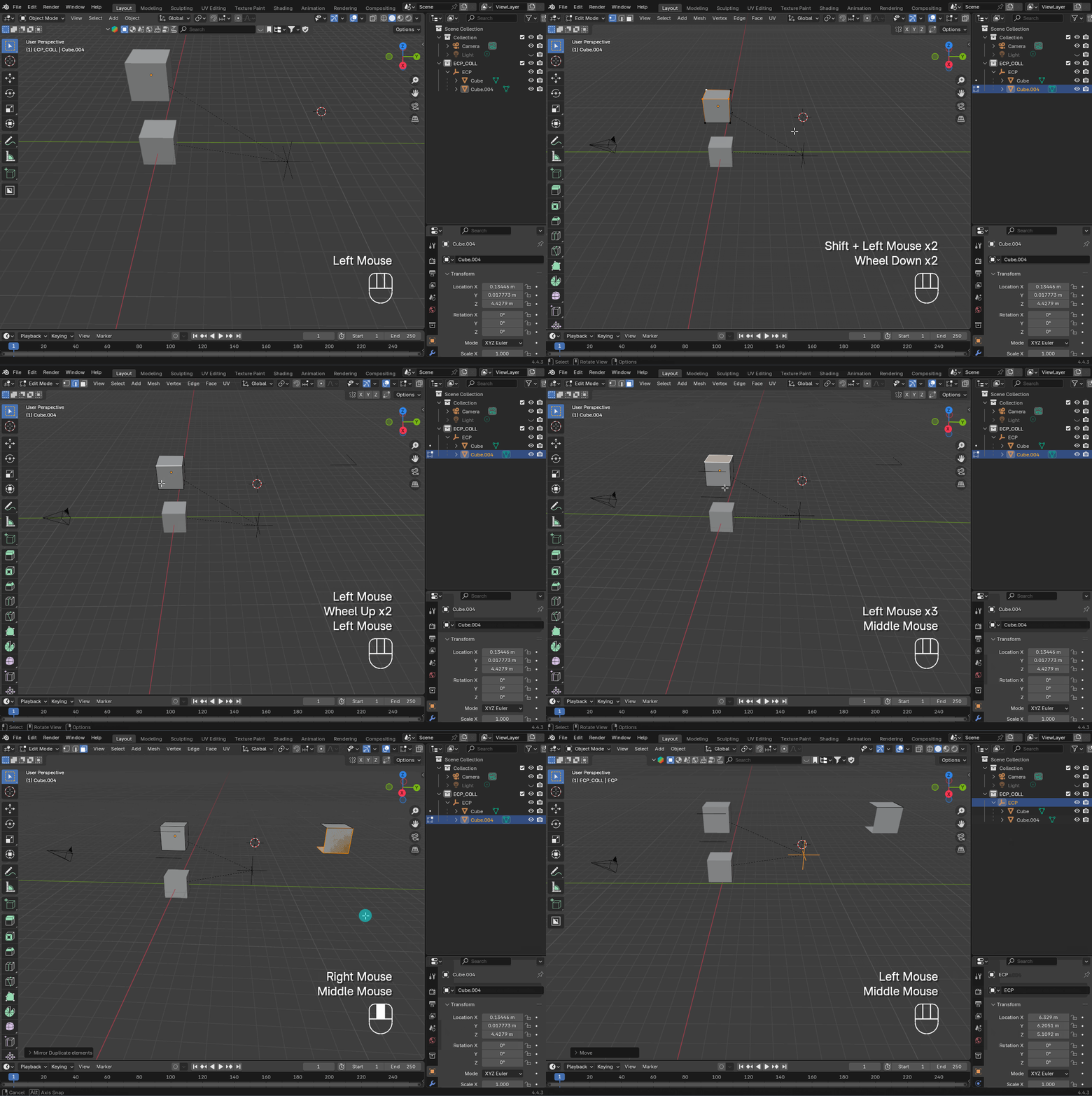
| 🪞 Mirror to Cursor Edit | In edit mode, mirror-duplicate selected geometry (vertices/ lines/ faces) across a plane at the 3D cursor. |
2. 🎥Demonstration
2.1 Smarter - Parenting Operations
🏠 Parent to Cursor
👆🏻 Powerful Select
2.2 Smarter - Hierarchy Operations
🧬 Duplicate Hierarchy
📦 Move Hierarchy to New Collection
2.3 Smarter - Mirroring Operations
🪞 Mirror to Cursor
🪞 Mirror to Cursor Edit
... More are on the way!
3. 🔧Installation
For Community or Premium (see in Section 5) Editions:
- Download the
.zipfile(s) you want. - Open Blender → Edit > Preferences > Add-ons > Install
- Select the
.zipfile, then enable it in the list.
Community Edition only:
We provide you flexibility to import individual functionality; however, you might need to organize your menu/UX design personally:
- Download the
.pyfile(s) you want.- Open Blender → Edit > Preferences > Add-ons > Install
- Select the
.pyfile, then enable it in the list.
4. 📋Usage
Each add-on adds its feature to the right-click menu (object context menu) in Object Mode or Edit Mode.
For example:
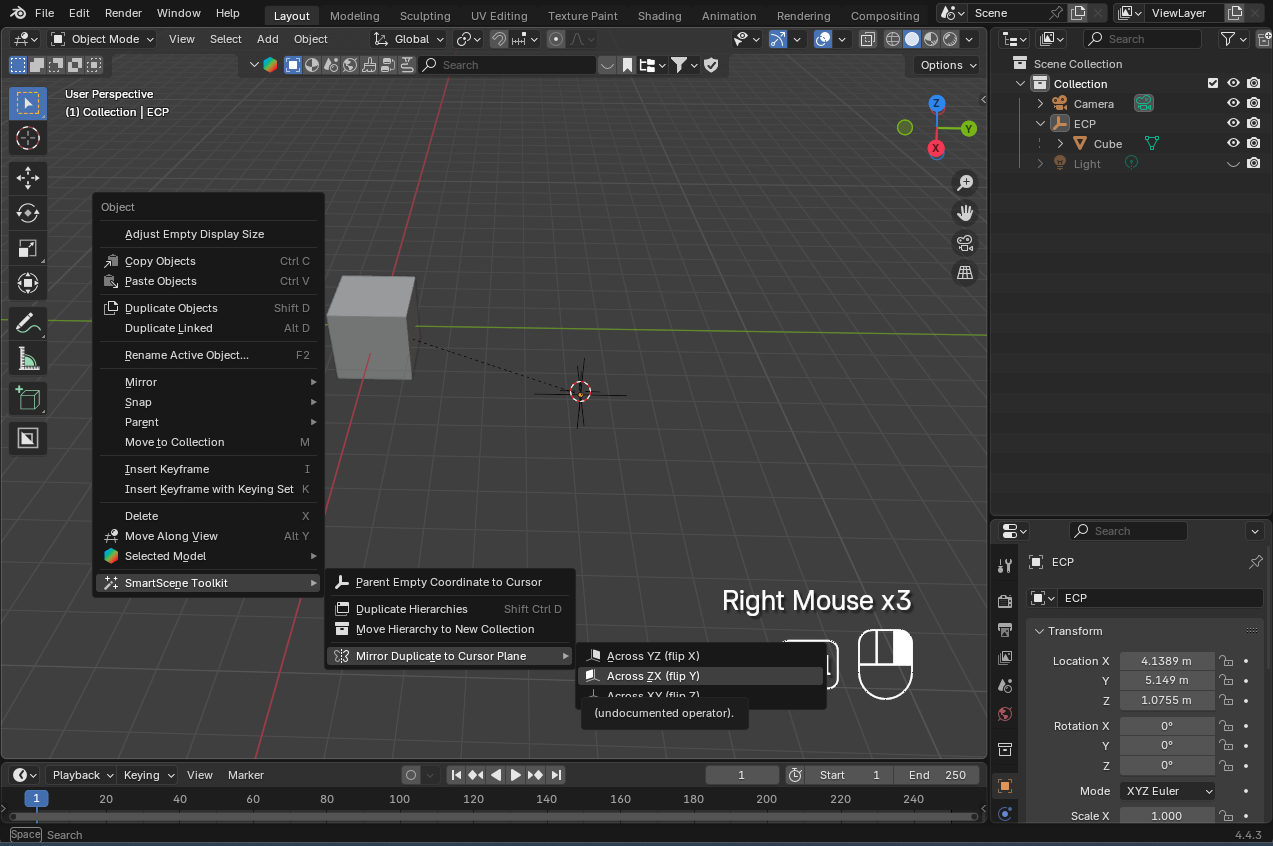
- Mirror to Cursor: Right-click → Mirror Duplicate to Cursor Plane
- Mirror to Cursor Edit: Tab to edit mode → Right-click → Mirror Duplicate to Cursor Plane (Edit Mode)
- Move Hierarchy to New Collection: Right-click → Move Hierarchy to New Collection
You can also use keyboard shortcuts for functions to speed up your workflow:
| Function | Default Shortcut |
|---|---|
| 🏠 Parent to Cursor | Ctrl + Shift + P |
| 👆🏻 Powerful Select - Select Parent | Alt + , |
| 👆🏻 Powerful Select - Select Object | Alt + . |
| 🧬 Hierarchy Duplicate | Ctrl + Shift + D |
| 📦 Move Hierarchy to New Collection | Ctrl + Shift + C |
| 🪞 Mirror to Cursor - Default y-z plane | Ctrl + Shift + M |
| 🪞 Mirror to Cursor Edit | Ctrl + Shift + M |
5. 💡Pro / Premium Edition
In the Community Edition, each function is provided as an individual .py file. This gives you the flexibility to import only the tools you need, without extra overhead — perfect for users who prefer a modular workflow.
However, if you're looking for an all-in-one solution with enhanced usability, the Premium Edition is for you! Think of it as a little “buy me a coffee” ☕ to support continued development ❤️.
With the Premium Edition, you'll get:
- A complete all-in-one add-on with all features bundled together.
- Seamless integration into the top menu and right-click menu (some tools support shortcuts).
- Optimized performance for handling large scenes.
- Refined UX and UI polish.
- Early and seamless interaction, rapid feedback, and continuous maintenance.
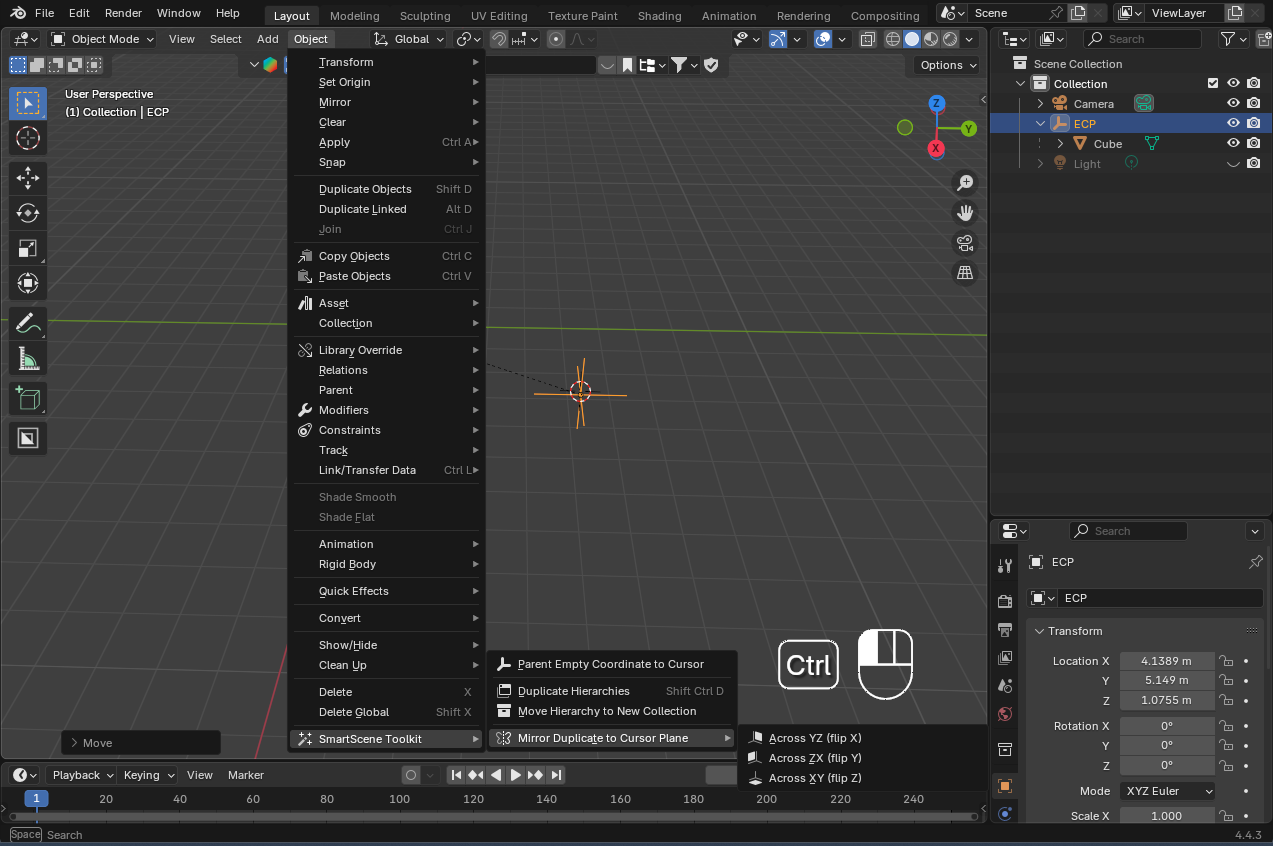
Take a peek at what the menu system looks like in the Premium Edition below:
- Right-click menu organizations:
- Top-bar menu organizations:
👇🏻 Check out the options below and unlock the FULL POWER of SmartScene Toolkits!
- on Superhive Market
- on Gumroad
6. 📜License
This Community Edition is released under the GPL-3.0-or-later License. Giving credit to the author is appreciated as part of the open-source spirit.
What's New
1.4.0 July 7th, 2025
👾 Bug Fix
- Fix the issue that powerful select doesn't show up on the right-click menu
I'm not used to blender's workflow with collections, so using empties as groups helped me a lot. This addon was perfect to keep things organized