Extensions
  • Home
  • Add-ons
  • Themes
  • Approval Queue
  • About
  • Upload Extension
  • Sign in
  • BLENDER.ORG

    • Download

      Get the latest Blender, older versions, or experimental builds.

    • What's New

      Stay up-to-date with the new features in the latest Blender releases.

    DEVELOPMENT

    • Roadmap

      See which projects are currently being worked on and what's next.

    • Documentation

      Guidelines, release notes and development docs.

    LEARNING & RESOURCES

    • Blender Studio

      Access production assets and knowledge from the open movies.

    • Manual

      Documentation on the usage and features in Blender.

    • Benchmark

      A platform to collect and share results of the Blender Benchmark.

    • Blender Conference

      The yearly event that brings the community together.

    DONATE

    • Development Fund

      Support core development with a monthly contribution.

    • One-time Donations

      Perform a single donation with more payment options available.

All Add-ons

Add-on Show Collection/Object/Data Users in Viewport
Show Collection/Object/Data Users in Viewport

Show Collection/Object/Data Users in the Viewport.
Add-on by 1P2D
About What's New Reviews Version History
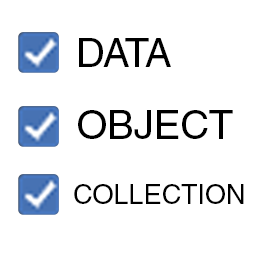
Data Users Link Copying Scene (note the *) All info

Optimize your file!

Display the number of users for the selected object in the viewport, right next to its name

Reminder about Blender's Collection and User Logic

  • a Blender file is nothing more than a container of Scenes
  • a Scene is a container of Collections
  • a Collection is a container of Objects
  • an Object is a container of Data Block

Usage

To enable, go to: Object Properties > Viewport Display > Show, then choose one of:

  • Data Name

  • Data Users (Objects) (on by default)

  • Data User Names

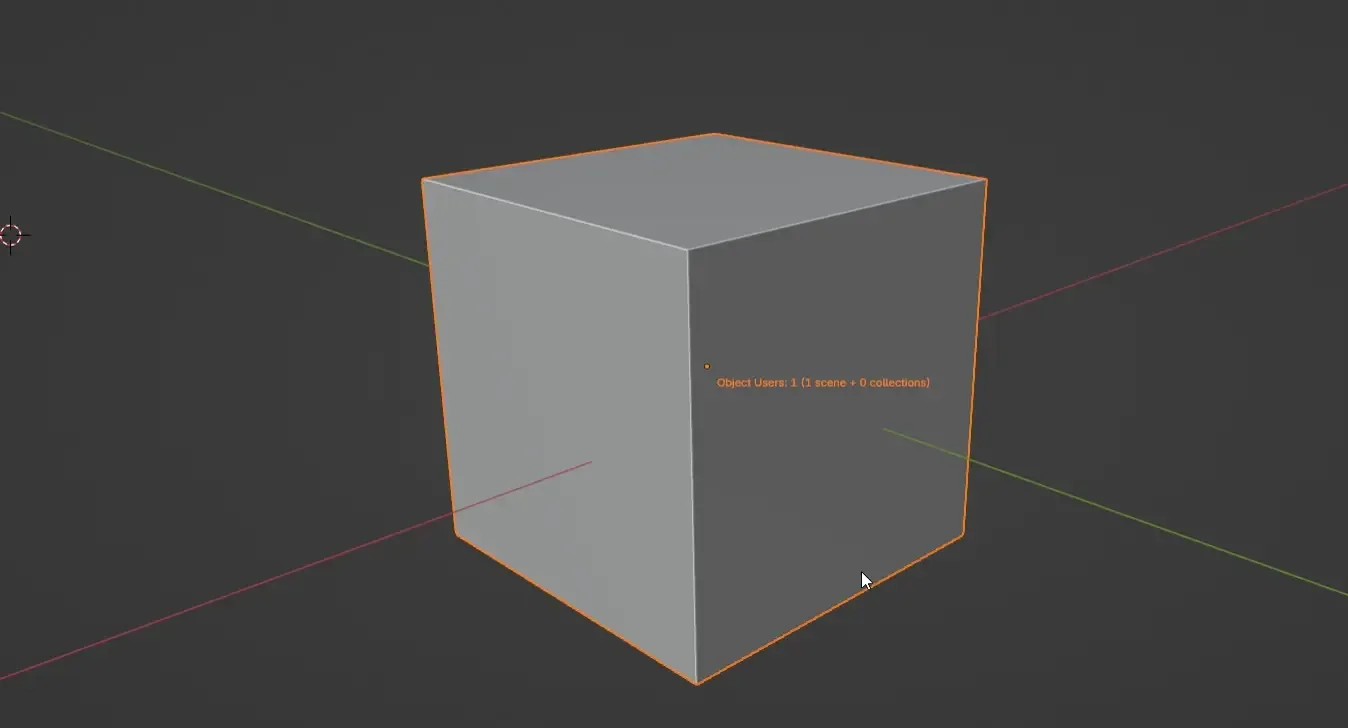
  • Object Users (on by default)

  • Object User Names

  • To enable or disable these functions on multiple objects at once, highlight your objects and press ALT + CLICK on the checkbox of your choice.

Image


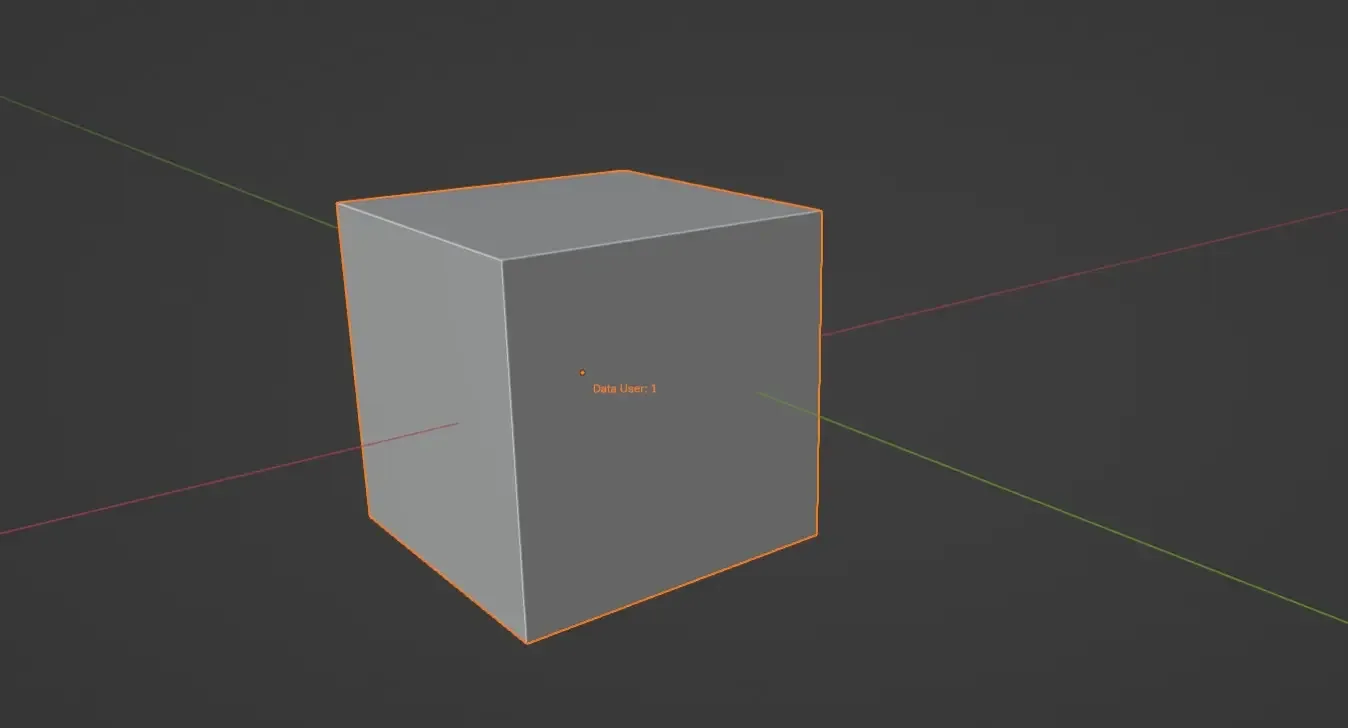
Data

  • Data Name: Shows the name of the data block.
  • Data Users (Objects): Shows the count of object sharing the data block. This can also be found under Properties > Data (number displayed next to the data name).
  • Data User Names: Shows the name of the object sharing the data block.

Image

Object Users

  • Shows the object's user count (Scenes + Collections)
  • A * symbol will appear if temporary users have been detected (typically after Link Copying a Scene).

Image

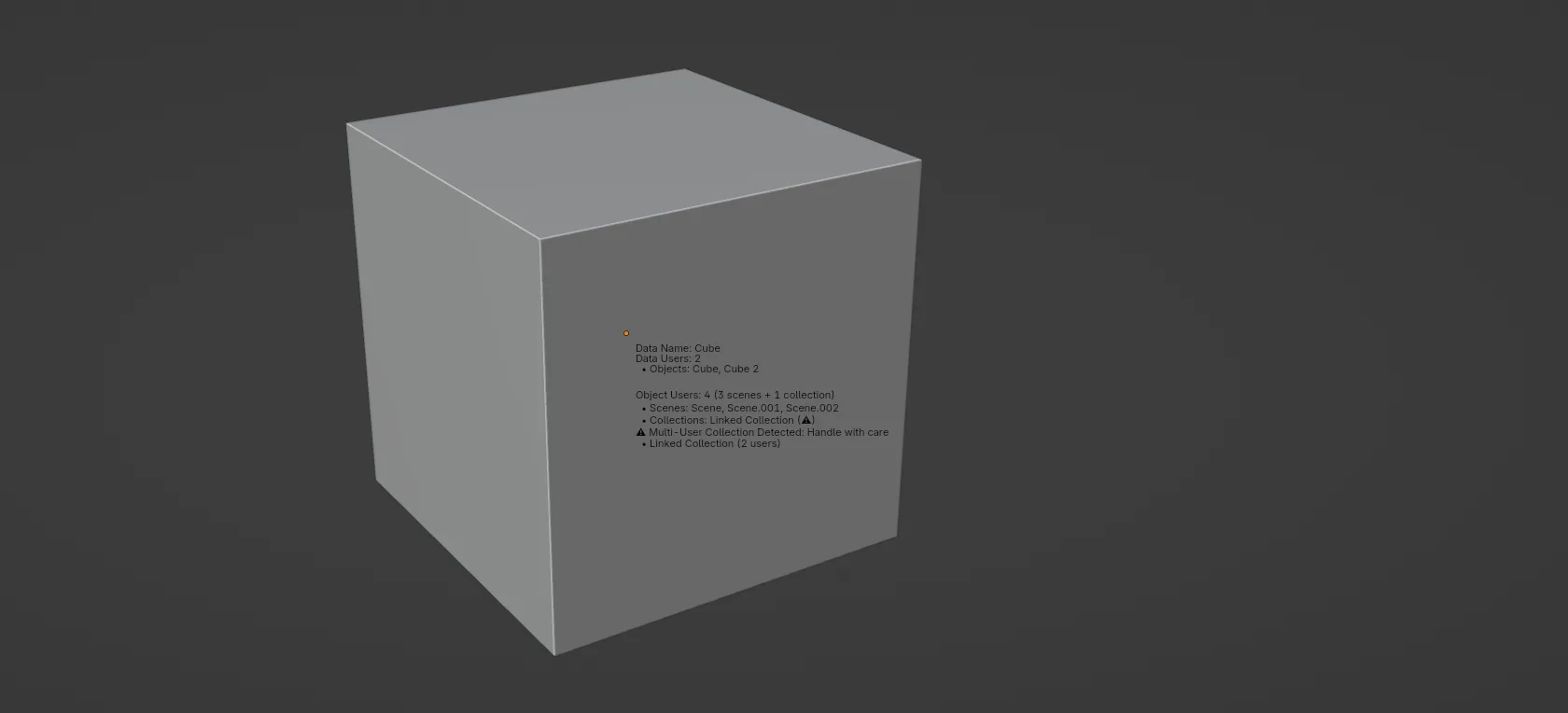
Object User Names

Although an object user is always a Collection, its User Names are separated in two categories for clarity sake:

  • Scenes (= Scene Collections): list of the Scenes which use the object directly via their Scene Collection
  • Collections: list of the user-made Collections that the object belongs to

This list is also available under Object Properties > Collections. However it is not as precise and won't show the exact name of the Scenes (it will just show 'Scene Collection').

Image

About Multi-User Collections

  • When a Collection is linked across other scenes, it is considered as a Multi-User Collection.
  • An object located in a Multi-User Collection behaves differently, as it is influenced by actions from other users (Scenes) using that Linked Collection, sometimes leading to unexpected consequences.
  • Example: Cube 1 is located in Collection 1, linked to Scene 1 and 2. Deleting Cube 1 from Scene 1 will delete it from Scene 2 since it is controlled by its Multi-User Collection
  • If the object is in a Multi-User Collection, a ⚠ symbol is shown

Image


Limitation

  • Text color: may not match the transform color during modal transform operations.

What's New

1.0.6 November 21st, 2024
  • Changed default state to disabled

See all versions


Permissions

This extension does not require special permissions.

Developer
1P2D
Rating
(1)
Version
1.0.6
Updated
1 y
Published
Oct. 16th, 2024
Downloads
5697
Size
4.2 KB
Compatibility
Blender 4.2 LTS and newer
Website
1p2d.com/productivity-addons
Report Issues
discord.gg/mACGGXuayS
License
GNU General Public License v3.0 or later
User Interface
...or download and Install from Disk
  • 4.2 KB

Reviews

See all
  • acac2
  • v1.0.6
  • 9 mo

The plugin is great! Can you give the font an option to change the color? Make the font color customizable, or make it follow the color in the color option above it?

5.0

1 review
5
4
3
2
1
Rate this Add-on Report an issue
  • About
  • Privacy Policy
  • Terms of Service
About
  • Blender Foundation
  • Blender Institute
  • Blender Studio
  • License
  • Logo & Trademark
  • Credits
  • Privacy Policy
  • Code of Conduct
Organization
  • People
  • Jobs
Blender Network
Download
  • Latest Blender
  • Blender LTS
  • Previous Versions
  • Experimental Builds
  • Source Code
  • Requirements
  • Benchmark
  • Flamenco
Extensions
  • Add-ons
  • Themes
Developers
  • Get Started
  • Roadmap
  • Projects
  • Docs
  • Blog
  • Forum
  • YouTube
  • Python API
Blender Studio
  • Films
  • Training
  • Tools & Pipeline
Support
  • Manual
  • Community
  • FAQ
Get Involved
  • Documentation
  • Education
News
  • Press Releases
  • User Stories
Blender Conference
Follow Blender
Support Blender
  • Donate
  • One-time Donation
Artistic freedom starts with Blender The Free and Open Source 3D Creation Suite