Extensions
  • Home
  • Add-ons
  • Themes
  • Approval Queue
  • About
  • Upload Extension
  • Sign in
  • BLENDER.ORG

    • Download

      Get the latest Blender, older versions, or experimental builds.

    • What's New

      Stay up-to-date with the new features in the latest Blender releases.

    DEVELOPMENT

    • Roadmap

      See which projects are currently being worked on and what's next.

    • Documentation

      Guidelines, release notes and development docs.

    LEARNING & RESOURCES

    • Blender Studio

      Access production assets and knowledge from the open movies.

    • Manual

      Documentation on the usage and features in Blender.

    • Benchmark

      A platform to collect and share results of the Blender Benchmark.

    • Blender Conference

      The yearly event that brings the community together.

    DONATE

    • Development Fund

      Support core development with a monthly contribution.

    • One-time Donations

      Perform a single donation with more payment options available.

All Add-ons

Add-on Set Vertex Distance
Set Vertex Distance
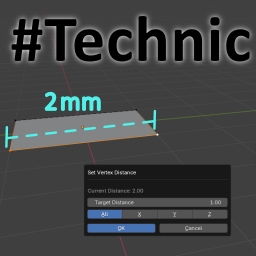
Set distance between two vertices along a specific axis.
Add-on by alicoskun
About Reviews Version History
How to use!

Set Vertex Distance

Author: DeepSeek / ChatGPT / youtube.com/@kup Category: Mesh Blender Version: 4.2+

Description:

Precise modeling just got easier. The Set Vertex Distance add-on allows you to set an exact distance between two selected vertices along a specific axis (X, Y, Z) or across all axes. Whether you're adjusting geometry for 3D printing, technical design, or hard-surface modeling, this tool helps you maintain consistent spacing with accuracy and control.

Key Features:

Works in Edit Mode with any mesh object

Adjusts the distance between exactly two selected vertices

Supports axis-specific control (X, Y, Z) or full vector normalization

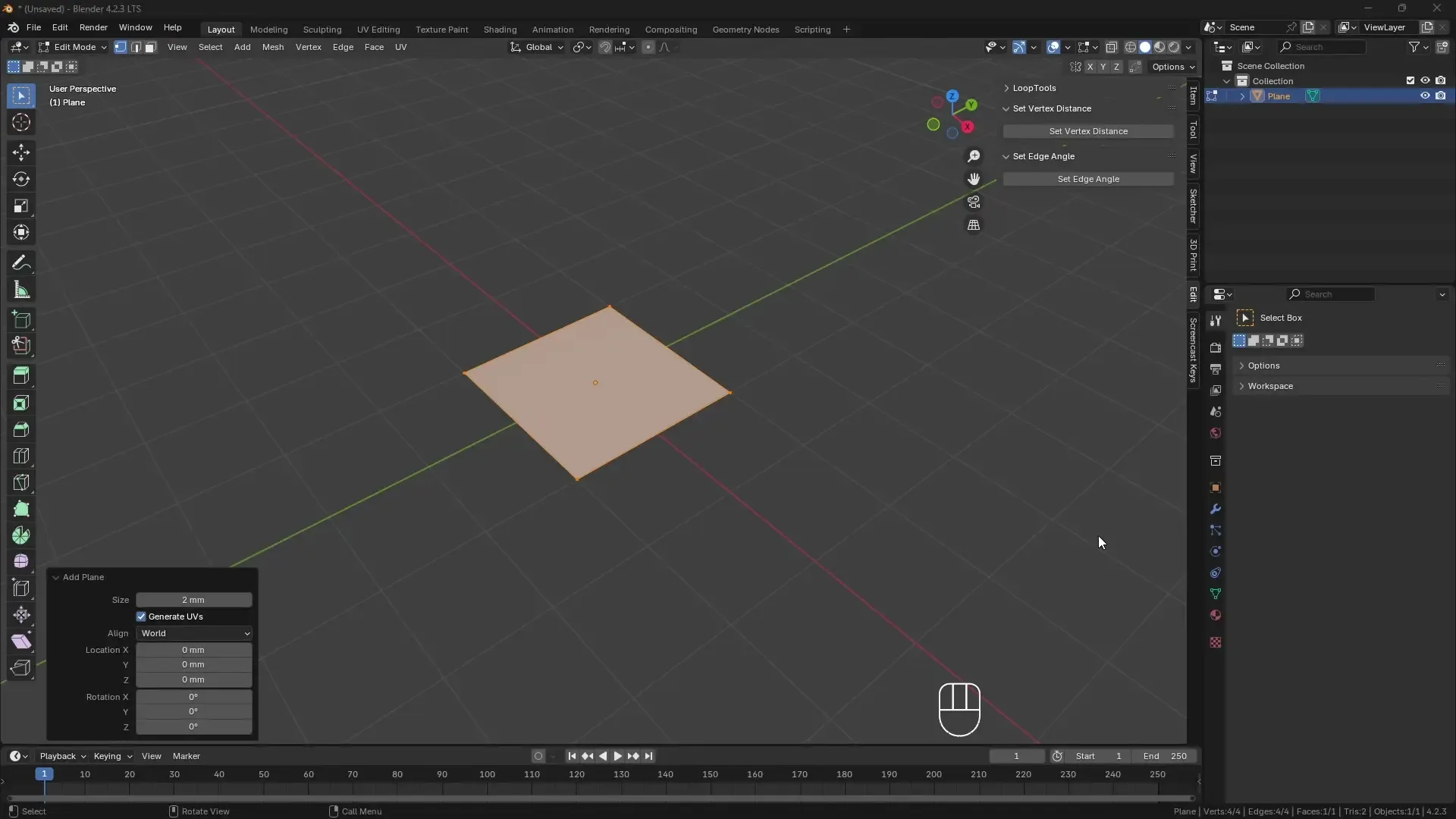
Sidebar integration under the Edit tab

Non-intrusive UI with modal dialog for fine-tuning

Includes a customizable shortcut: Ctrl + Shift + Alt + D

Ideal For:

Precision modeling

Parametric editing workflows

Mechanical parts and equal spacing

Technical and architectural modeling

How To Use:

Enter Edit Mode and select exactly two vertices.

In the Sidebar > Edit tab, click Set Vertex Distance.

Choose your desired axis and input the target distance.

The active vertex will be repositioned accordingly.

This tool helps maintain accuracy in your geometry with minimal clicks. Give it a try and streamline your workflow today!


What's New

No changelog for this release.


Permissions

This extension does not require special permissions.

Developer
alicoskun
Rating
(3)
Version
1.0.0
Updated
1 y
Published
May 19th, 2025
Downloads
4628
Size
2.5 KB
Compatibility
Blender 4.2 LTS and newer
License
GNU General Public License v3.0 or later
...or download and Install from Disk
  • 2.5 KB

Reviews

See all
  • Ralph-Booger
  • v1.0.0
  • 3 mo

this is a good addon, very useful! one thing that would be nice though, if even possible, would be to have the mouse pointer hover over the ok button when the menu is called, that way it would just be a fast double click for multiple uses.

  • Kalpit-3d
  • v1.0.0
  • 8 mo

it would be a good idea to set active vertex as pivot and other (single/multiple) vertex to change their position.

  • Yuuna
  • v1.0.0
  • 10 mo

simple and easy to use! it's effective at what it does :D would be nice if it can also do edges/faces but it's already good! Thanks for the add on

5.0

3 reviews
5
4
3
2
1
Rate this Add-on
  • About
  • Privacy Policy
  • Terms of Service
About
  • Blender Foundation
  • Blender Institute
  • Blender Studio
  • License
  • Logo & Trademark
  • Credits
  • Privacy Policy
  • Code of Conduct
Organization
  • People
  • Jobs
Blender Network
Download
  • Latest Blender
  • Blender LTS
  • Previous Versions
  • Experimental Builds
  • Source Code
  • Requirements
  • Benchmark
  • Flamenco
Extensions
  • Add-ons
  • Themes
Developers
  • Get Started
  • Roadmap
  • Projects
  • Docs
  • Blog
  • Forum
  • YouTube
  • Python API
Blender Studio
  • Films
  • Training
  • Tools & Pipeline
Support
  • Manual
  • Community
  • FAQ
Get Involved
  • Documentation
  • Education
News
  • Press Releases
  • User Stories
Blender Conference
Follow Blender
Support Blender
  • Donate
  • One-time Donation
Artistic freedom starts with Blender The Free and Open Source 3D Creation Suite