 Save with Versioning
Save with Versioning - Blender Extension Link

Description
The "Save with Versioning" Blender add-on provides a convenient way to save your Blender files with automatic versioning and publishing functionality. This add-on helps you keep track of your project's progress and easily share the latest version with your team or clients.
Location
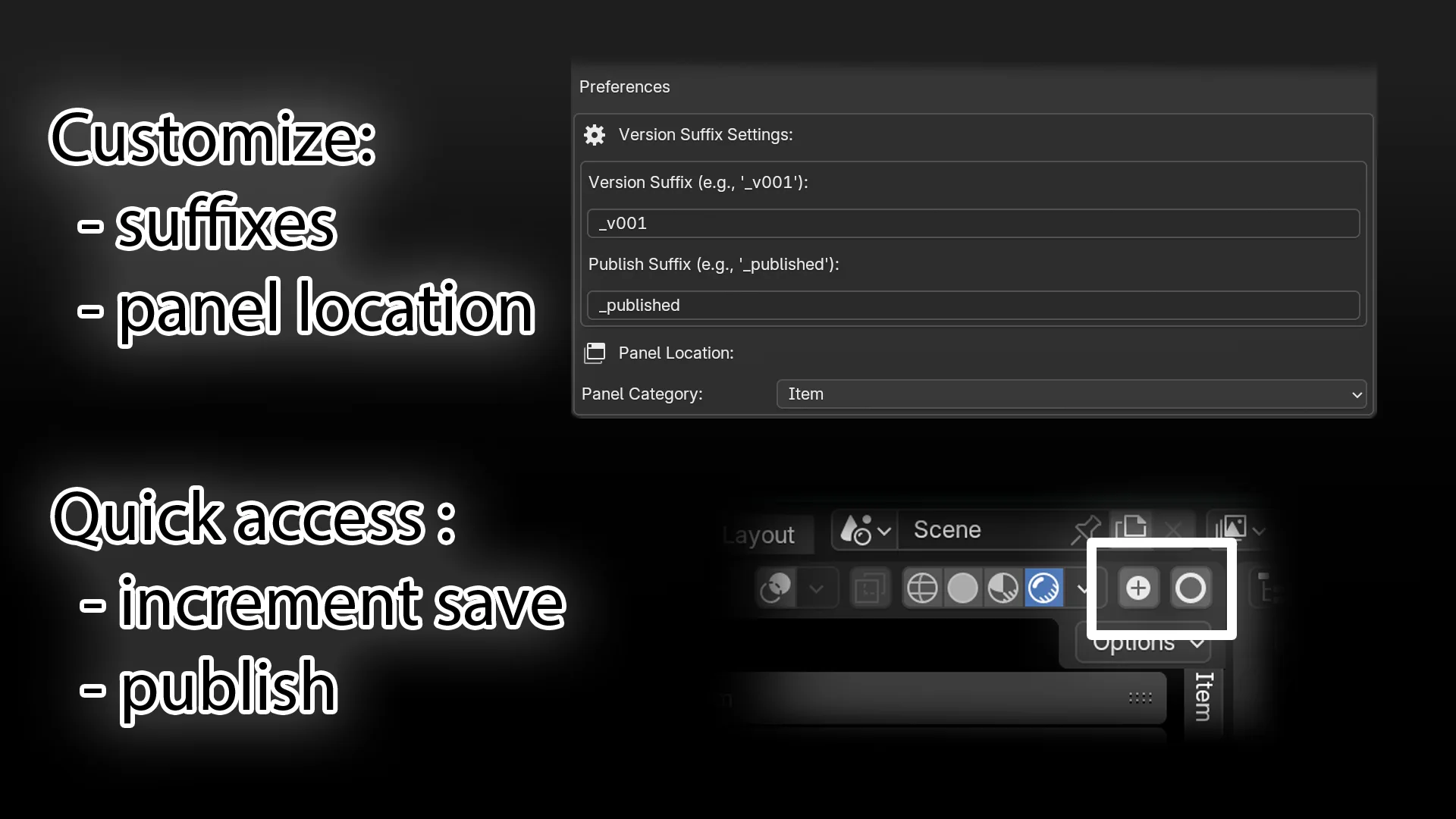
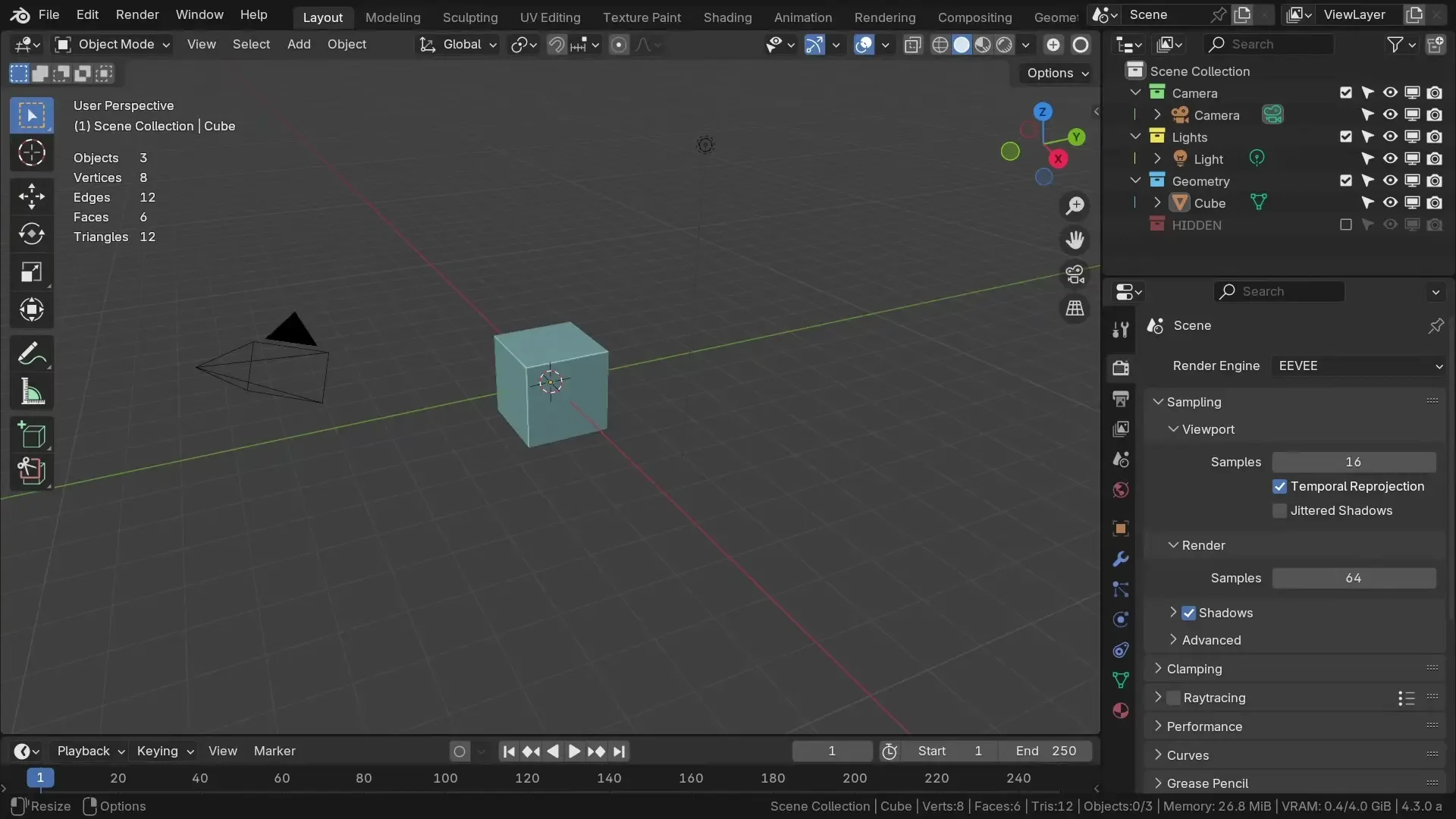
The increment and publish buttons can be found in two locations:
View3D > Header, beside the viewport render modes.View3D > Sidebar > Tool > Save with Versioningpanel.
Key Features
- Automatic Versioning: The add-on automatically increments the version number in the file name when you save your Blender file, making it easy to keep track of changes.
- Publish Functionality: The published version of the file will always be the newest, up-to-date version. This allows you to link assets to the published file, while you can continue working on different incremental versions.
- Automatic Asset Linking: When you publish the current file, all the files that are linked to the published version will automatically get the updated version.
- Customizable Suffixes: You can customize the version suffix and publish suffix in the add-on preferences.
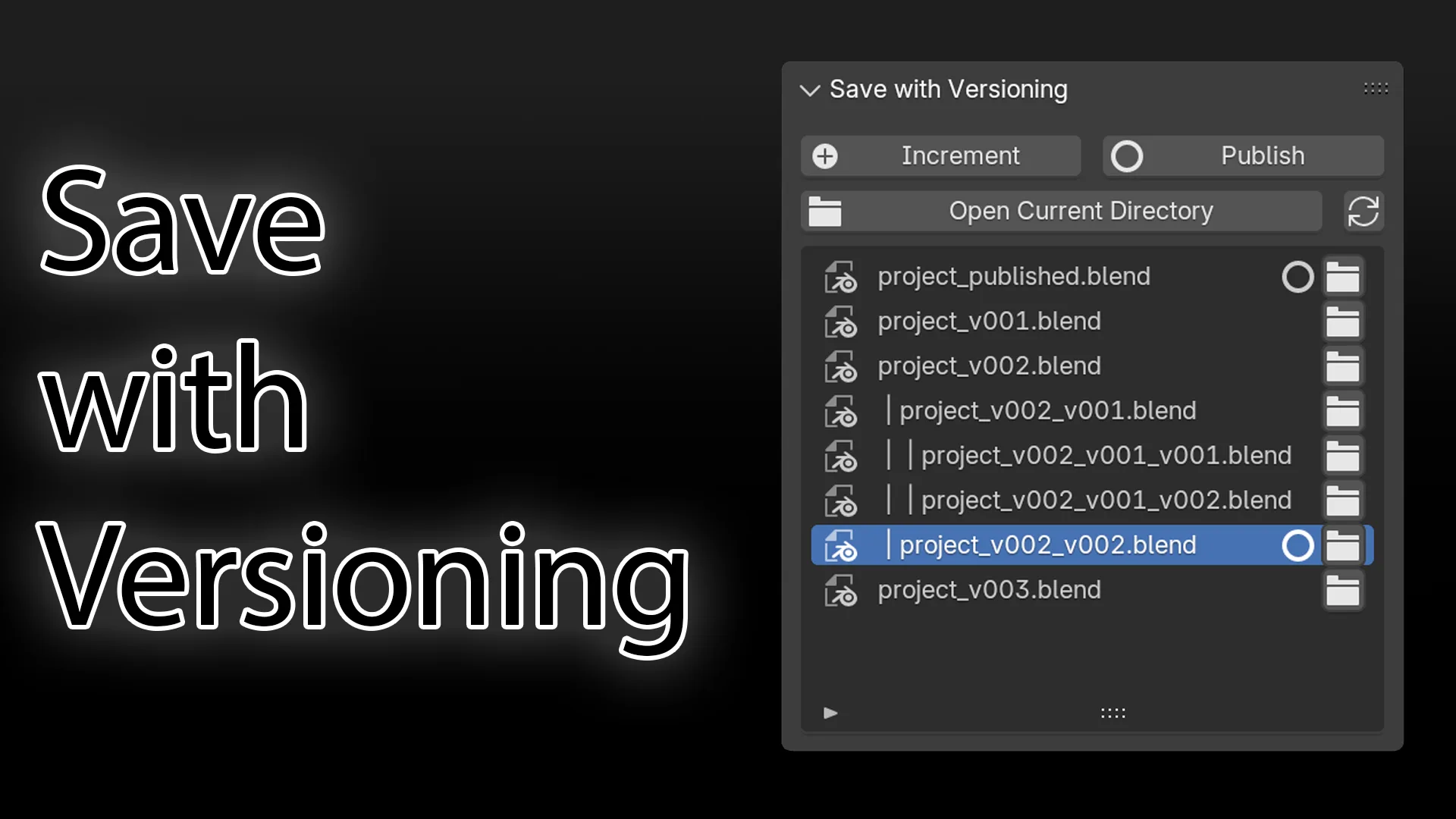
- File List: View a list of all versioned and published files in the current directory.
- Open Files: Easily open any version of your file directly from the file list.
- Open Current Directory: Quickly access the directory of your current file.
- Auto-refresh: The file list automatically updates when you load or save a file.
Extension Preferences
You can customize the add-on's behavior by accessing the "Save with Versioning" preferences:
- Version Suffix: Specify the suffix used for the incremented version numbers (e.g., '_v001').
- Publish Suffix: Specify the suffix used for the published file (e.g., '_published').
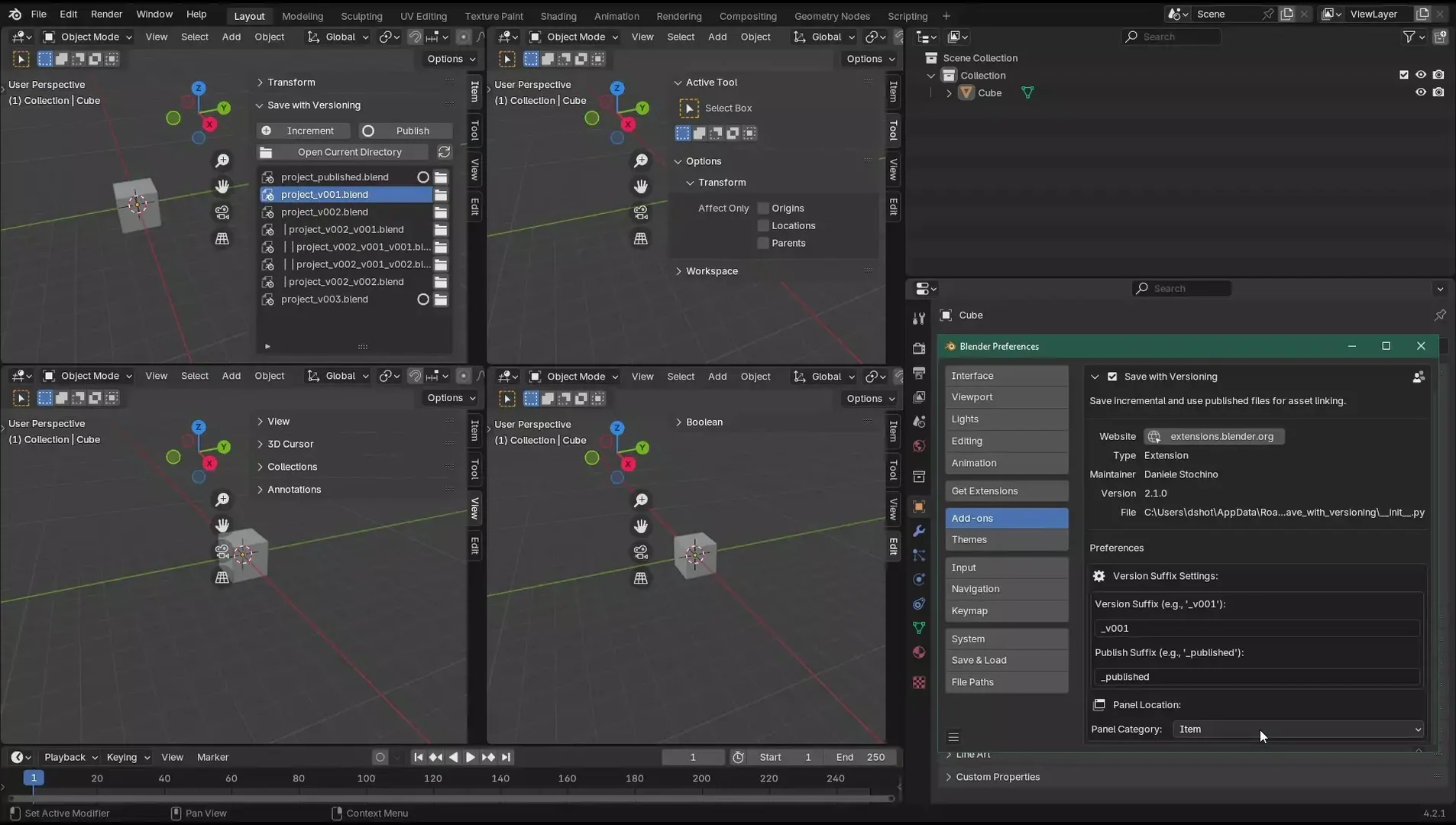
- Panel Category: Choose the category where the "Save with Versioning" panel will appear in the 3D Viewport sidebar. Options include:
- Item
- Tool
- View
- Edit
Usage
- Save Increment: Save the current file with an incremented version number.
- Save Publish: Save the current file as the published version, which will be the newest, up-to-date version. Any files linked to the published version will automatically update.
- View File List: Use the file list in the sidebar to see all versions of your file.
- Open Files: Click the folder icon next to a file in the list to open it.
- Open Current Directory: Use the "Open Current Directory" button to access your file's location.
- Change Panel Location: Adjust the panel's location in the 3D Viewport sidebar by changing the Panel Category in the add-on preferences.
Versioning Example
v001 -> v002 -> v003 -> v004 (Current) -> ... -> v00x
         |
         └─> v002_001 -> v002_002 -> ... -> v002_00x

published (Can be updated from any version)
File naming:
- Main: scene_v001.blend, scene_v002.blend, etc.
- Branch: scene_v002_001.blend, scene_v002_002.blend, etc.
- Published: scene_published.blend
What's New
2.1.0 September 1st, 2024
Save with Versioning 2.1
New Features
- Customizable panel location in 3D Viewport sidebar
- Users can now choose between Item, Tool, View, and Edit categories
Improvements
- Clearer instructions for changing panel location in addon preferences
Fixes
- Resolved potential recursion issues in panel update function
Developer Notes
- Refactored update_panel function for better stability
- Added persistent load handler for consistent panel category updates
Fantastic tool for project management with one massive flaw: Library Assets!
If you set something as an asset, this tool will lead you to having an Asset Library entry for every save version. A work around is not setting the asset mark in the versioned files, opening the published file after pushing it and setting the asset there but then you have to reclassify it each time.
This is very frustrating—and dangerous as it increases human error in a project. I'm not sure of a technical solution other than the already mentioned feature request to be able to publish to a different folder. This could allow for a "published zone" in a project that isn't an Asset Library path and so won't introduce duplication from the working versions.
Some thoughts for improvements:
- It would be nice if there was no suffix required for the published version.
- The ability to branch is not implemented in the UI, and requires you to manually add an extra _v001 to the end.
- I don't know how complex this is would be, but it would be cool to use the Bone Collections style UI for the file list. It has support for a nested/tree list.
A great addition, but as mentioned in previous reviews, it can be tricky to use in the asset library. An option to select publish folder would be great.