
Extensions
  • Home
  • Add-ons
  • Themes
  • Approval Queue
  • About
  • Upload Extension
  • Sign in
  • BLENDER.ORG

    • Download

      Get the latest Blender, older versions, or experimental builds.

    • What's New

      Stay up-to-date with the new features in the latest Blender releases.

    DEVELOPMENT

    • Roadmap

      See which projects are currently being worked on and what's next.

    • Documentation

      Guidelines, release notes and development docs.

    LEARNING & RESOURCES

    • Blender Studio

      Access production assets and knowledge from the open movies.

    • Manual

      Documentation on the usage and features in Blender.

    • Benchmark

      A platform to collect and share results of the Blender Benchmark.

    • Blender Conference

      The yearly event that brings the community together.

    DONATE

    • Development Fund

      Support core development with a monthly contribution.

    • One-time Donations

      Perform a single donation with more payment options available.

All Add-ons

Add-on Passpartout Slider
Passpartout Slider

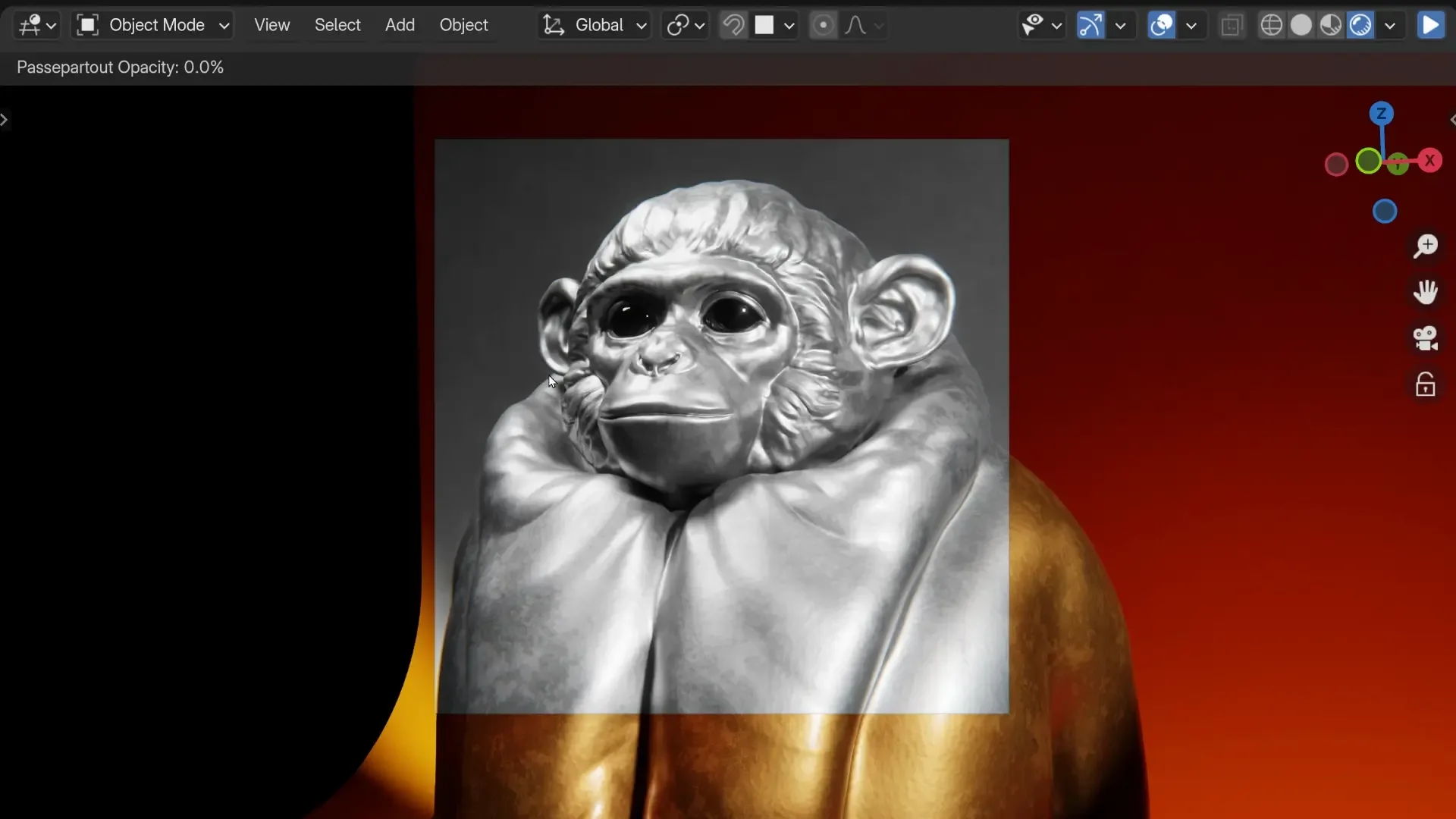
Let's you control active camera Passpartout by pressing P.
Add-on by Costa
About What's New Reviews Version History

Simple addon lets you control the active camera passpartout alpha percentage by holding "P" and toggling it off/on when tapping "P".


What's New

1.0.0 July 19th, 2024

1.0.0 First implementation 🥳

To Do 📝

  • Remapping shortcut
  • Control the sensitivity
  • More functionality (maybe background images)
  • Potentially make some better UI

Permissions

This extension does not require special permissions.

Developer
Costa
Rating
(7)
Version
1.0.0
Updated
1 y
Published
July 19th, 2024
Downloads
14023
Size
1.8 KB
Compatibility
Blender 4.2 LTS and newer
License
GNU General Public License v3.0 or later
Camera
...or download and Install from Disk
  • 1.8 KB

Reviews

See all
  • sergivizcaino
  • v1.0.0
  • 6 mo

Perfect

  • hukabostan
  • v1.0.0
  • 7 mo

its useful, thanks. the shortcut is confliting with parent pie menu (other addon). i changed as P+P instead P in key bindings.

  • Trukas
  • v1.0.0
  • 9 mo

Hi ! Thanks for the amazing addon, it's really convenient. I did find a sort of bug though, where the slider does not work on 3D views where a "Local camera" is set and is not the main camera (3D View > Side panel > View > View > Local Camera). I couldn't find a support/git page so I'm reaching out here. Thanks !

5.0

7 reviews
5
4
3
2
1
Rate this Add-on
  • About
  • Privacy Policy
  • Terms of Service
About
  • Blender Foundation
  • Blender Institute
  • Blender Studio
  • License
  • Logo & Trademark
  • Credits
  • Privacy Policy
  • Code of Conduct
Organization
  • People
  • Jobs
Blender Network
Download
  • Latest Blender
  • Blender LTS
  • Previous Versions
  • Experimental Builds
  • Source Code
  • Requirements
  • Benchmark
  • Flamenco
Extensions
  • Add-ons
  • Themes
Developers
  • Get Started
  • Roadmap
  • Projects
  • Docs
  • Blog
  • Forum
  • YouTube
  • Python API
Blender Studio
  • Films
  • Training
  • Tools & Pipeline
Support
  • Manual
  • Community
  • FAQ
Get Involved
  • Documentation
  • Education
News
  • Press Releases
  • User Stories
Blender Conference
Follow Blender
Support Blender
  • Donate
  • One-time Donation
Artistic freedom starts with Blender The Free and Open Source 3D Creation Suite