 OptiPloy: Rig Spawner

Click for the video!
✨ OptiPloy: The Appending/Linking Upgrade
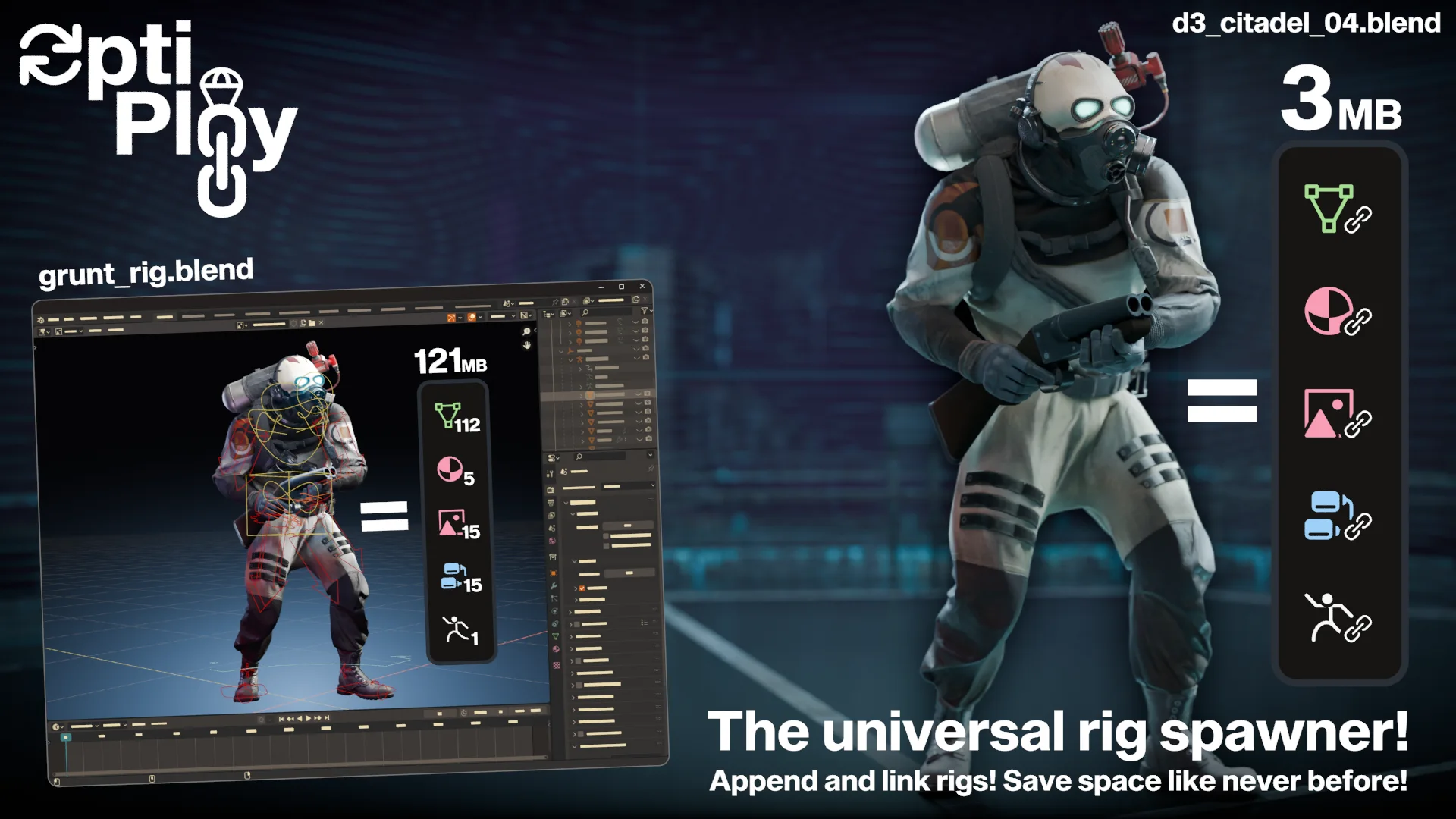
TL;DR: You WILL save GIGABYTES in storage. Less duplication!
OptiPloy introduces a balance between appending and linking, something that has not yet existed as a one-click solution. This is limited to objects and collections.
🚀 Key Features
Hybrid Importing
Choose from 15 data types to localize or to leave linked to the source file. Object and Collection types are enabled by default.Fine‑Grained Control
Save importing preferences globally, per-folder, or per-blend.One‑Click Workflow
Spawn assets directly from the side‑panel without manual linking/appending.No Duplicating Boneshapes
Boneshapes do not duplicate, not even if you choose to localize armatures.Auto-Execute Scripts & Scriptable Hook
OptiPloy will automatically execute data blocks associated with your import. This ensures, for example, that Rigify UI scripts work right off the bat.For your own scripts, access newly spawned objects via
bpy.context.scene['new_spawn']And so much more! Really! Scroll down for the full list!
❔ Why not just append or link?
| Method | Pros | Cons |
|---|---|---|
| Appending⠀ | Instant copy, fully editable | Duplicates file size with each paste |
| Very easy | Easy to start bad habits for new users | |
| Linking | Minimal storage, just recycling | Requires overrides to even slightly edit |
| Able to update data from source file | Can be tedious to do right | |
| OptiPloy | ✔️ Best of both | — |
📥 Quick Start
Install
Blender 4.1-: Edit → Preferences → Add-ons → Install → Select
optiploy.zipBlender 4.2+: Edit → Preferences → Get Extensions → Search "OptiPloy"
or
- Edit → Preferences → Add-ons → Top-right dropdown menu → Install from disk... → Select
optiploy.zip
Prepare .blend, Mark Assets
- Prepare any
.blendfiles you plan to use by marking its Objects or Collections as assets
- Prepare any
Configure Add-on
- Edit → Preferences → Add-ons → OptiPloy.
- Add
.blendfiles individually or by the folder.
(Tip: Shift‑click + to create a category folder.)
- Files will be automatically scanned for assets to spawn.
Spawn Assets
- 3D Viewport → Side-panel → OptiPloy
- Search through
.blendfiles to spawn assets!
⚙️ Detailed Usage
Preferences Panel
- Mounted .blend Files: Manage your search folders and .blend files, and see what assets are added.
- Update Catalogs: Update your .blend files by using the
Scanoperator.
Side-Panel
- Switch between the
.blend,Folder, andToolsview mode- You can set the import options globally in the
Toolsview, or you can set them per-folder or per-blend through the gear icons.
- You can set the import options globally in the
- Browse through the list of assets and spawn them.
- RED-highlighted
.blendMulti-tool: An operator with the icon exists to reload, open, or re-scan the active .blend file.- Hold
CTRLto reload the .blend file as a library - Hold
SHIFTto open the .blend file in a new instance of Blender - Hold
ALTto re-scan the .blend file in OptiPloy
- Hold
Localization Options
In the Tools view mode, you may choose to localize any of the following data types:
bpy.types.Collection
bpy.types.Object
bpy.types.Mesh
bpy.types.Material
bpy.types.SurfaceCurve
bpy.types.Light
bpy.types.Curve
bpy.types.GreasePencil
bpy.types.MetaBall
bpy.types.TextCurve
bpy.types.Volume
bpy.types.Armature
bpy.types.Camera
bpy.types.Image
bpy.types.NodeTree
Setting these options affects imports as a whole, but localization options can also be set per-blend or per-folder.
Asset Browser Integration
OptiPloy has an operator built-in to optimize Collections or Objects linked through the Asset Browser.
- Viewport / Operator Search Menu
Search forOptimize with OptiPloyand execute the operator - Outliner
Select the IDs you wish to localize (collections/objects), right click, and select
Optimize with OptiPloy
Again, for this to work, the assets need to be linked through the asset browser, not appended.
🖥️ For Developers
Scripting Hook
OptiPloy automatically executes any text block associated with an import. You can access the data of the imported object through bpy.context.scene['new_spawn'] to perform further adjustments or optimizations.
Using Key Modifiers
Incorporate key modifiers (CTRL, SHIFT, ALT) into your scripts by accessing
bpy.context.scene['key_ctrl']
bpy.context.scene['key_shift']
bpy.context.scene['key_alt']
Full Features
- Hybrid Importing
Choose from 15 data types to localize or to leave linked to the source file. Object and Collection types are enabled by default. - Fine‑Grained Control
Save importing preferences globally, per-folder, or per-blend. - One‑Click Workflow
Spawn assets directly from the side‑panel without manual linking/appending. - No Duplicating Boneshapes
Boneshapes do not duplicate, not even if you choose to localize armatures. - Auto-Execute Scripts & Scriptable Hook
OptiPloy will automatically execute data blocks associated with your import. This ensures, for example, that Rigify UI scripts work right off the bat. - .blend File Multi-tool
Use CTRL, SHIFT, or ALT on the red Blender icon to reload, open, or re-scan the selected .blend file - Full Driver Functionality
Despite all the localizing that takes place, drivers never lose their targets as they shift from linked to localized. - Hierarchal Localizing
OptiPloy recursively builds a hierarchy of levels that IDs are referenced at, and localizes going down this hierarchy. This ensures no breakage when localizing. - Automatic Library Overrides
Unlocalized IDs are given automatic library overrides to make some wiggle room for what can be edited.
To edit custom properties, make sureLibrary Overridableis enabled in its options. - Fun for Coders
During the script execution stage at the end of the importing process, you can access the new import throughbpy.context.scene['new_spawn'], letting you do further adjustments after it has been deployed.
Scripters can incorporateCTRL,SHIFT, andALTinto their scripts by using:
Attach text blocks to an import by assigning them as a custom property to any ID associated with the import.bpy.context.scene['key_ctrl'] bpy.context.scene['key_shift'] bpy.context.scene['key_alt'] - Asset Library Integration
An operator namedOptimize with OptiPloyexists to optimize assets linked through the asset browser.
Viewport: Object → Optimize with OptiPloy
Outliner: Right-click → Optimize with OptiPloy
Donate
If you find that this addon has saved you time and storage, you may consider supporting my work.
What's New
1.8.2 December 10th, 2025
- Removed "OptiPloy ID Tools", all ID tools can now be found in a separate add-on, ID Tools
cool