Extensions
  • Home
  • Add-ons
  • Themes
  • Approval Queue
  • About
  • Upload Extension
  • Sign in
  • BLENDER.ORG

    • Download

      Get the latest Blender, older versions, or experimental builds.

    • What's New

      Stay up-to-date with the new features in the latest Blender releases.

    DEVELOPMENT

    • Roadmap

      See which projects are currently being worked on and what's next.

    • Documentation

      Guidelines, release notes and development docs.

    LEARNING & RESOURCES

    • Blender Studio

      Access production assets and knowledge from the open movies.

    • Manual

      Documentation on the usage and features in Blender.

    • Benchmark

      A platform to collect and share results of the Blender Benchmark.

    • Blender Conference

      The yearly event that brings the community together.

    DONATE

    • Development Fund

      Support core development with a monthly contribution.

    • One-time Donations

      Perform a single donation with more payment options available.

All Add-ons

Add-on Omniscient
Omniscient

Automated scene setup & Virtual Camera for Omniscient iOS app.
Add-on by Omniscient
About Permissions Reviews Version History

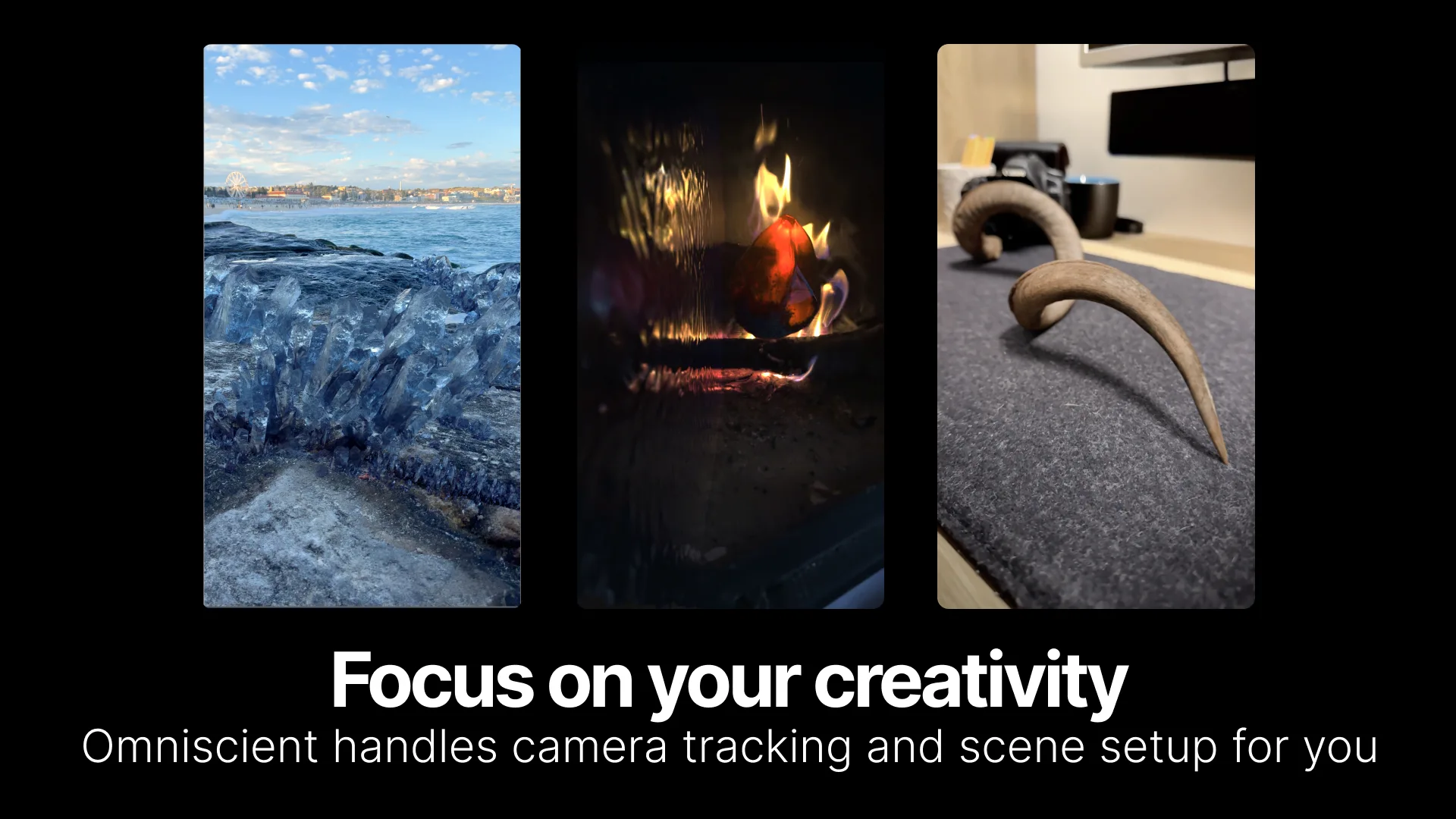
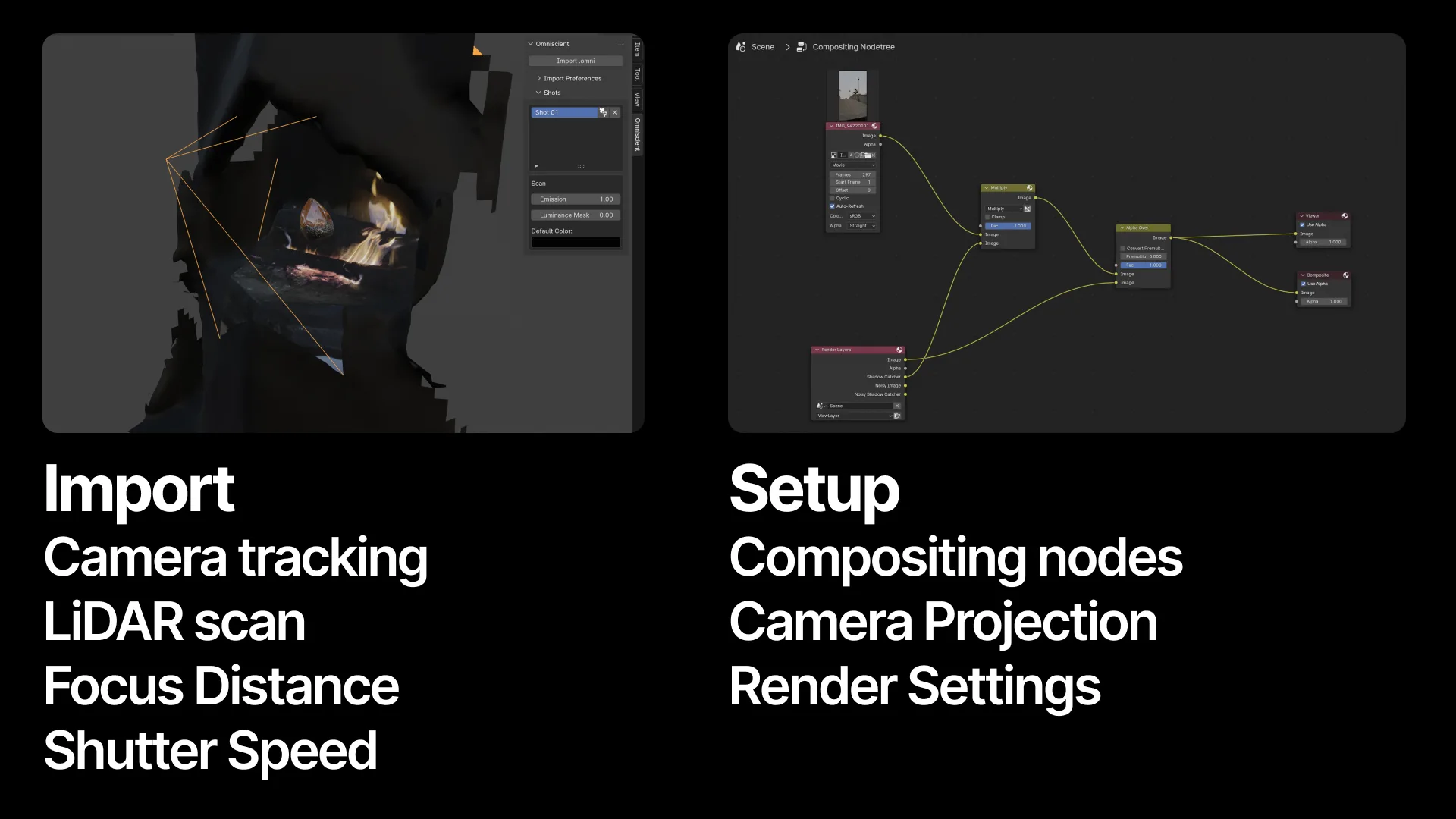
Easily import shots, with their corresponding 3D camera tracking data and LiDAR scans recorded with Omniscient, into Blender. Omniscient is VFX app for iPhone and iPad designed to simplify the process of creating visual effects, and can also be used to capture natural camera movements for 3D animation.

Record with Omniscient

  1. Download the Omniscient iOS app on your iPhone or iPad.
  2. Open the app and accept the required authorizations.
  3. Tap "New Shot" to begin.
  4. Tap the white button, move your device to scan the environment, then tap again to stop scanning.
  5. Tap Record to go to record mode.
  6. Tap the red button to start recording. Tap the red button again to stop.
  7. Go to the Shots page.
  8. Export your shot to your computer.

Import Your Shot into Blender

  1. Install this add-on in Blender.
  2. Drag and drop the .omni file (found in the shot folder exported from the Omniscient app).

Alternative Ways to Import Your Shot:

  • Go to the Sidebar > Omniscient, then click "Import .omni".
  • Go to File > Import > Omniscient (.omni).

Manage Your Imported Shots

Go to the Sidebar > Omniscient to view and manage all your imported shots within Blender. From here, you can adjust the camera projection for each shot and choose your import preferences.


For more details about Omniscient, check out our documentation.

For Blender-specific instructions, visit our Blender tutorial.


What's New

No changelog for this release.

See all versions


Permissions

This extension requests the following permissions:

  • Files

    Import .omni file from disk

  • Network

    Stream viewport data to the Omniscient app

Developer
Omniscient
Rating
(7)
Version
3.0.6
Updated
1 w
Published
July 2nd, 2024
Downloads
12729
Size
40.2 MB
Compatibility
Blender 4.2 LTS and newer
Website
omniscient-app.com
Report Issues
github.com/Stellaxis/omniscient-blender/issues
License
GNU General Public License v3.0 or later
Animation Compositing Import-Export Mesh Scene Camera Tracking
...or download and Install from Disk
  • 40.2 MB

Reviews

See all
  • Samuele-2
  • v3.0.6
  • 1 w

Great stuff! I've been playing around a bit with this addon and the phone app lately, and I'm definitely enjoying it. Can't wait to use it on some project!

  • fredber-hernandez
  • v3.0.2
  • 1 mo

its just getting better! :D

  • Omniscient replied
  • 4 w

Thank you so much for your review! We’re glad you’re enjoying the improvements!

  • TimMorales
  • v2.3.5
  • 3 mo

Fantastic addon I rely on all the time for projects. Things you can't really do with other tracking solutions you can with this. I've recorded through glass, spun around in a circle, very very very long takes. It all works and the track holds. If I had any issue it is that for some reason there is heavy lag when you have certain other addons enabled and then you open the sidepanel (Motion Sounds, Kiri Engine Scatter).

  • Omniscient replied
  • 3 mo

Thanks for your review! Glad Omniscient helps you for those more challenging shots!

Regarding the lag you mentioned when opening the side panel with other add-ons enabled (like Motion Sounds or Kiri Engine Scatter), we tried to reproduce it with both add-ons installed but couldn’t observe any lag on our side.

Could you share a bit more information so we can investigate further? Things like your exact Blender version, whether you’re on Windows / macOS / Linux, and any specific steps that consistently trigger the slowdown would really help us try to reproduce it.

Thanks again for the feedback, it’s very helpful!

5.0

7 reviews
5
4
3
2
1
Rate this Add-on Report an issue
  • About
  • Privacy Policy
  • Terms of Service
About
  • Blender Foundation
  • Blender Institute
  • Blender Studio
  • License
  • Logo & Trademark
  • Credits
  • Privacy Policy
  • Code of Conduct
Organization
  • People
  • Jobs
Blender Network
Download
  • Latest Blender
  • Blender LTS
  • Previous Versions
  • Experimental Builds
  • Source Code
  • Requirements
  • Benchmark
  • Flamenco
Extensions
  • Add-ons
  • Themes
Developers
  • Get Started
  • Roadmap
  • Projects
  • Docs
  • Blog
  • Forum
  • YouTube
  • Python API
Blender Studio
  • Films
  • Training
  • Tools & Pipeline
Support
  • Manual
  • Community
  • FAQ
Get Involved
  • Documentation
  • Education
News
  • Press Releases
  • User Stories
Blender Conference
Follow Blender
Support Blender
  • Donate
  • One-time Donation
Artistic freedom starts with Blender The Free and Open Source 3D Creation Suite