
Extensions
  • Home
  • Add-ons
  • Themes
  • Approval Queue
  • About
  • Upload Extension
  • Sign in
  • BLENDER.ORG

    • Download

      Get the latest Blender, older versions, or experimental builds.

    • What's New

      Stay up-to-date with the new features in the latest Blender releases.

    DEVELOPMENT

    • Roadmap

      See which projects are currently being worked on and what's next.

    • Documentation

      Guidelines, release notes and development docs.

    LEARNING & RESOURCES

    • Blender Studio

      Access production assets and knowledge from the open movies.

    • Manual

      Documentation on the usage and features in Blender.

    • Benchmark

      A platform to collect and share results of the Blender Benchmark.

    • Blender Conference

      The yearly event that brings the community together.

    DONATE

    • Development Fund

      Support core development with a monthly contribution.

    • One-time Donations

      Perform a single donation with more payment options available.

All Add-ons

Add-on Node Quick Maths
Node Quick Maths
A fast way to make long math chains in node editors.
Add-on by Zeptofine
About What's New Reviews Version History
Video of it in action

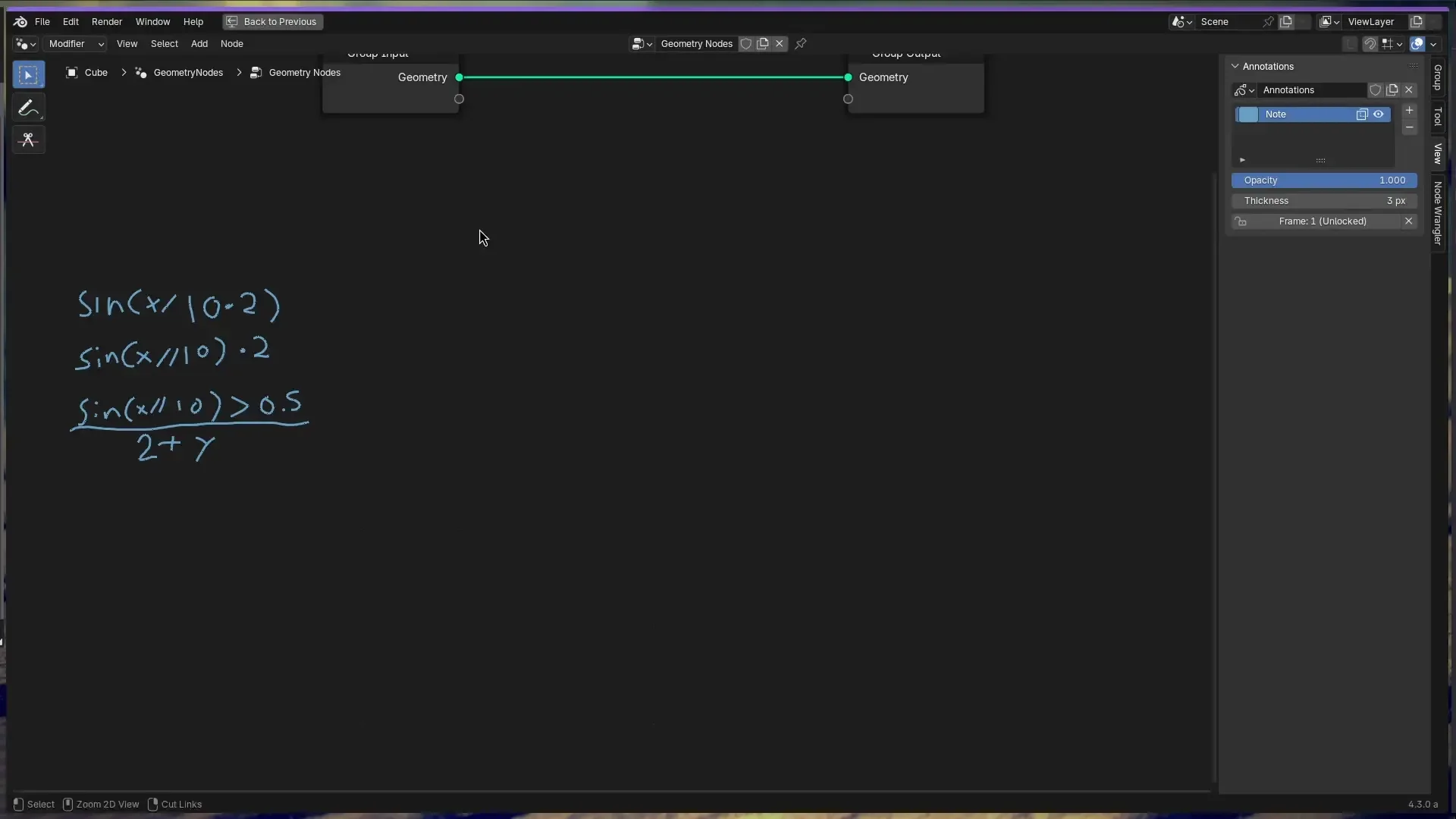
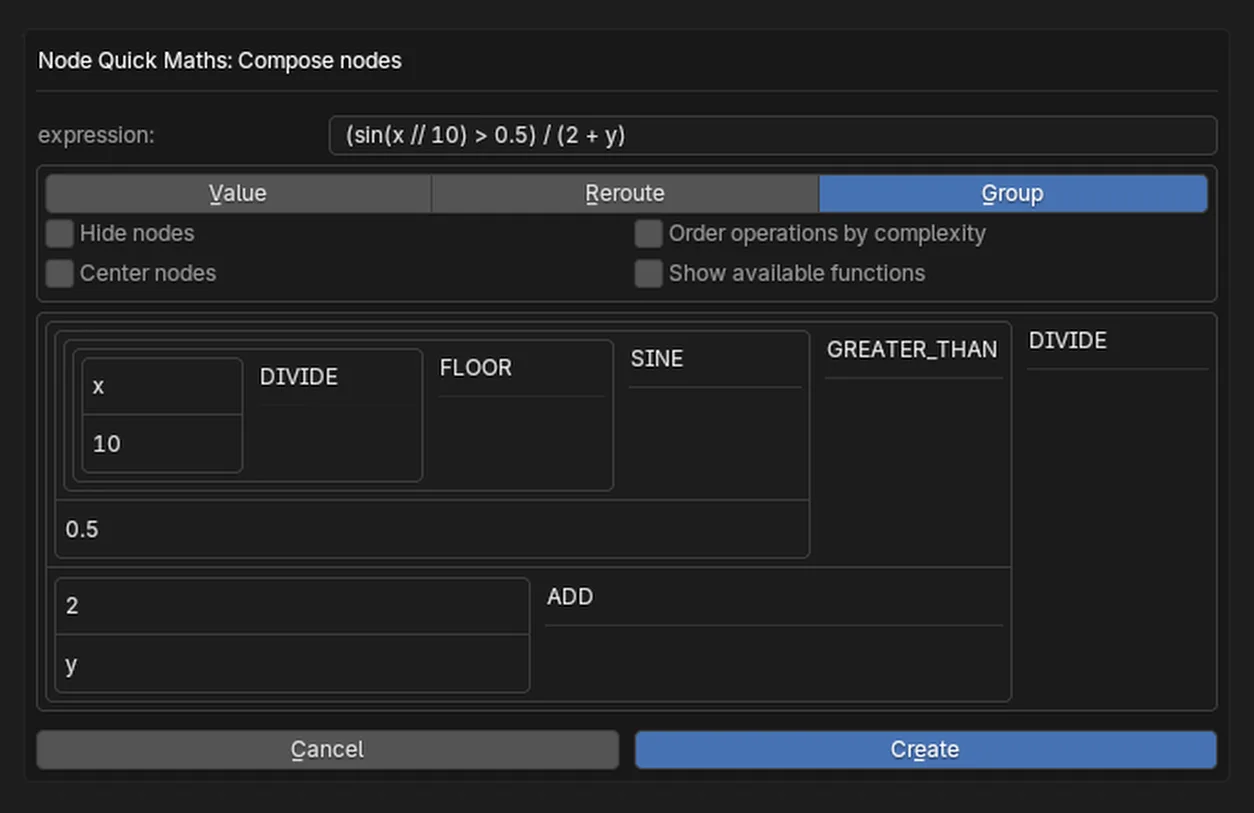
Trivially make long math chains using a simple Python expression.

Check the Math Formula extension out! It supports all of the same features, and much, much more.

https://extensions.blender.org/add-ons/math-formula/

This supports the main builtin node editors in blender: Shader Editor, Geometry Node Editor, Texture Node Editor, Compositor

Usage

Default Keyboard Shortcut - Ctrl + M

In the text box that appears, type in a mathematical expression that you want to evaluate, for example, sin(x + 64) % (y ** 14 + 10). Accept the dialogue and a node tree will be generated with math nodes.

Mathematical operators you would expect to work are supported, including:

  • Addition, Subtraction, Multiplication, Division, Power: + - * / **
  • Less Than, Greater Than: < >
  • Modulo: %

And all other mathematical functions in the Math node is supported.

  • Logarithm: log(x[, base])
  • Square Root: sqrt(x)
  • Abs: abs(x)
  • Exponential: exp(x)

Comparison

  • Min: min(x, y)
  • Max: max(x, y)
  • Compare: cmp(x, y, z)
  • Smooth Min: smin(x, y, z)
  • Smooth Max: smax(x, y, z)

Rounding

  • Round: round(x)
  • Floor: floor(x)
  • Ceil: ceil(x)
  • Truncate: trunc(x) or int(x)
  • Fraction: frac(x)
  • Floored Modulo: fmod(x, y)
  • Wrap: wrap(x, y, z)
  • Snap: snap(x, y)
  • Ping-Pong: pingpong(x, y)

Trig

  • Sin: sin(x)
  • Cos: cos(x)
  • Tan: tan(x)
  • Arcsine: asin(x)
  • Arccosine: acos(x)
  • Arctangent: atan(x)
  • Arctan2: atan2(x)
  • Hyperbolic Sine: sinh(x)
  • Hyperbolic Cosine: cosh(x)
  • Hyperbolic Tangent: tanh(x)

Conversion

  • To Radians: rad(degx)
  • To Degrees: deg(radx)

What's New

1.2.2 July 29th, 2024

Edit preferences lookups as per guidelines

See all versions


Permissions

This extension does not require special permissions.

Developer
Zeptofine
Rating
(16)
Version
1.2.2
Updated
1 y
Published
June 27th, 2024
Downloads
21173
Size
21.9 KB
Compatibility
Blender 4.2 LTS and newer
Website
github.com/zeptofine/node-quick-maths
Report Issues
github.com/zeptofine/node-quick-maths
License
GNU General Public License v3.0 or later
Node Pipeline User Interface
...or download and Install from Disk
  • 21.9 KB

Reviews

See all
  • maulik-shakya
  • v1.2.2
  • 5 mo

great addon, please update it for blender 5.0. very very helpful...

  • Jackson-Zheng
  • v1.2.2
  • 8 mo

Absolutely Amazing! I didn't even know I needed this until I came across this today! Takes away all the tedious work of connecting math nodes. And if you make a mistake, just delete the nodes and regenerate!

  • stib
  • v1.2.2
  • 11 mo

This is a brilliant add-on! Thanks so much. One suggestion: Blender can parse constants like pi and tau, but the add-on treats them like variable names. It would be great if it could parse them and supply them as values in the appropriate fields.

5.0

16 reviews
5
4
3
2
1
Rate this Add-on Report an issue
  • About
  • Privacy Policy
  • Terms of Service
About
  • Blender Foundation
  • Blender Institute
  • Blender Studio
  • License
  • Logo & Trademark
  • Credits
  • Privacy Policy
  • Code of Conduct
Organization
  • People
  • Jobs
Blender Network
Download
  • Latest Blender
  • Blender LTS
  • Previous Versions
  • Experimental Builds
  • Source Code
  • Requirements
  • Benchmark
  • Flamenco
Extensions
  • Add-ons
  • Themes
Developers
  • Get Started
  • Roadmap
  • Projects
  • Docs
  • Blog
  • Forum
  • YouTube
  • Python API
Blender Studio
  • Films
  • Training
  • Tools & Pipeline
Support
  • Manual
  • Community
  • FAQ
Get Involved
  • Documentation
  • Education
News
  • Press Releases
  • User Stories
Blender Conference
Follow Blender
Support Blender
  • Donate
  • One-time Donation
Artistic freedom starts with Blender The Free and Open Source 3D Creation Suite