Extensions
  • Home
  • Add-ons
  • Themes
  • Approval Queue
  • About
  • Upload Extension
  • Sign in
  • BLENDER.ORG

    • Download

      Get the latest Blender, older versions, or experimental builds.

    • What's New

      Stay up-to-date with the new features in the latest Blender releases.

    DEVELOPMENT

    • Roadmap

      See which projects are currently being worked on and what's next.

    • Documentation

      Guidelines, release notes and development docs.

    LEARNING & RESOURCES

    • Blender Studio

      Access production assets and knowledge from the open movies.

    • Manual

      Documentation on the usage and features in Blender.

    • Benchmark

      A platform to collect and share results of the Blender Benchmark.

    • Blender Conference

      The yearly event that brings the community together.

    DONATE

    • Development Fund

      Support core development with a monthly contribution.

    • One-time Donations

      Perform a single donation with more payment options available.

All Add-ons

Add-on Node Editor Switcher
Node Editor Switcher

Pie menu, shortcuts and buttons to switch between node editors.
Add-on by Victor-09
About What's New Reviews Version History
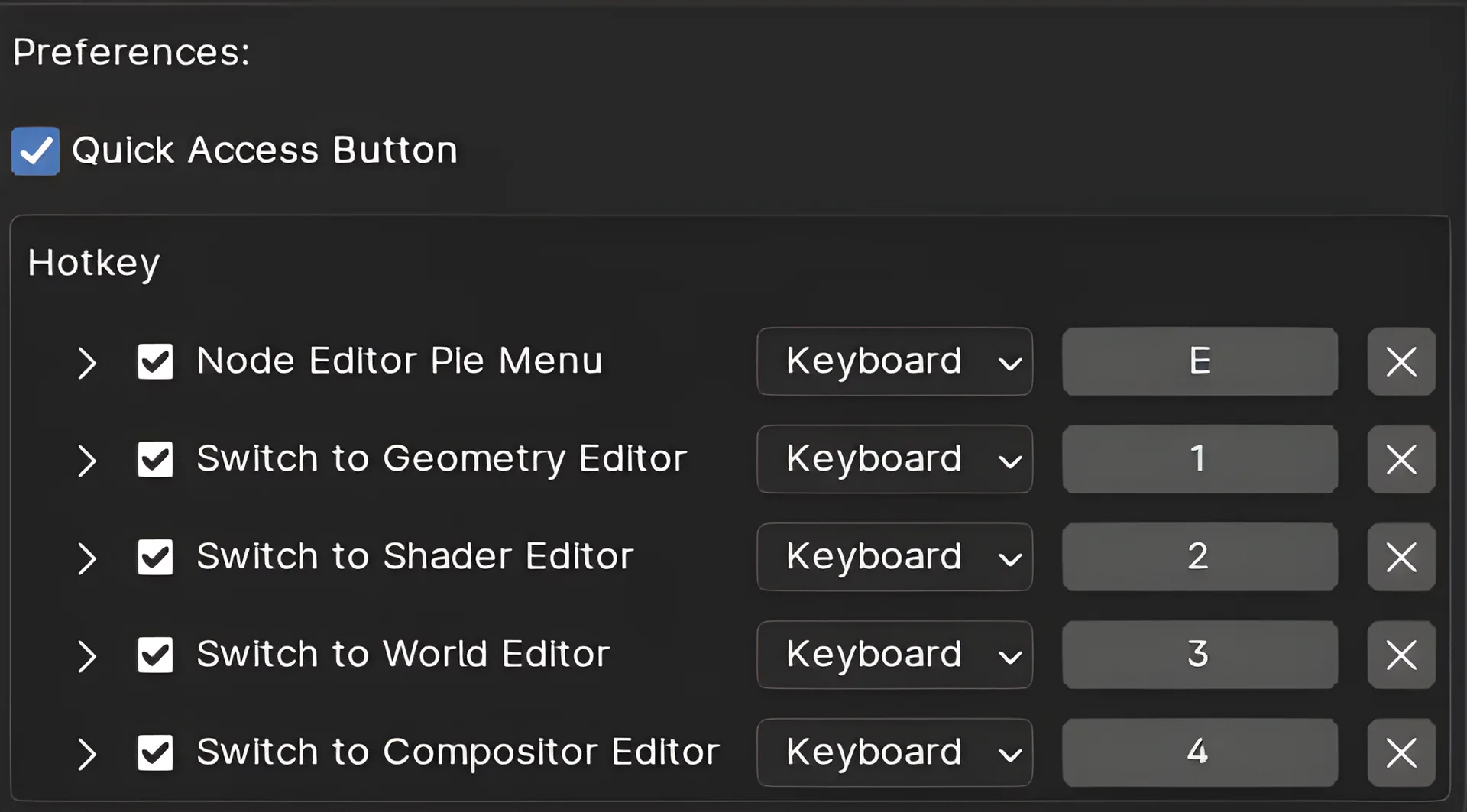
Addon Preferences

Add a pie menu, quick buttons, and shortcuts for switching between the different node editors.

Documentation

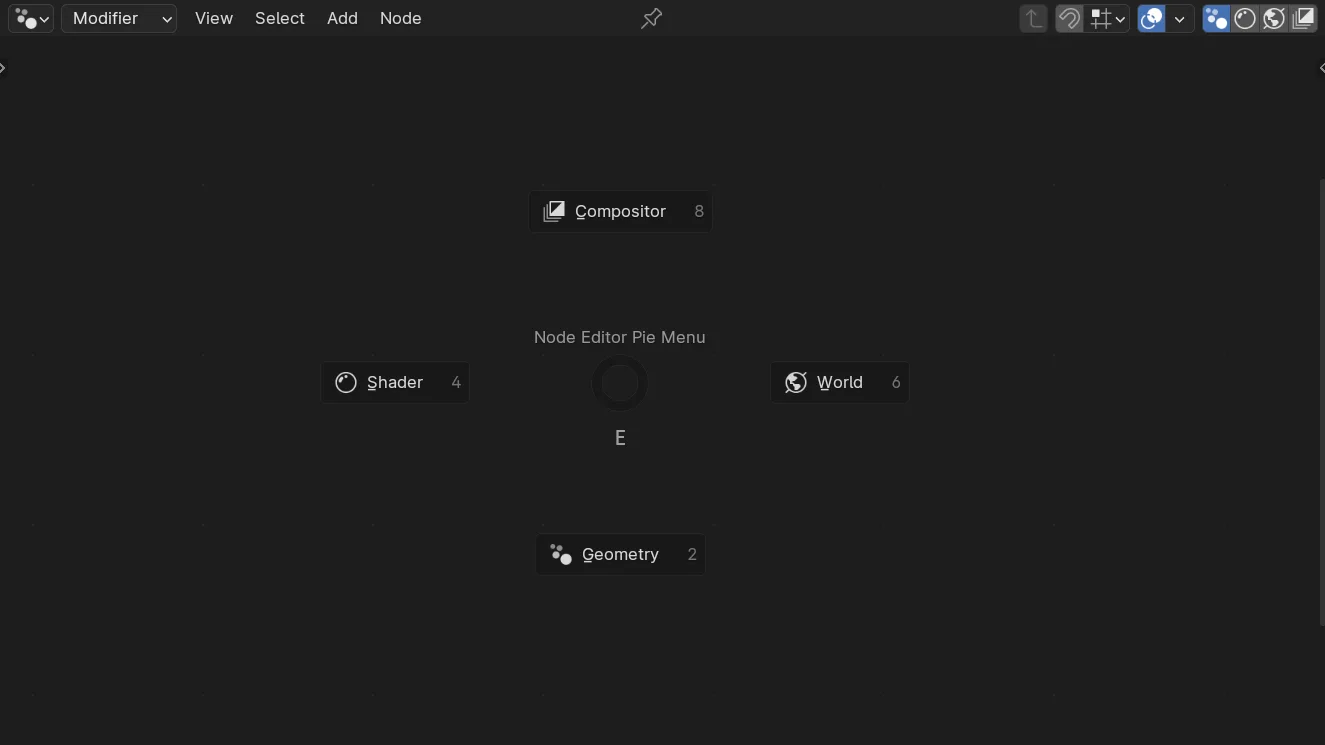
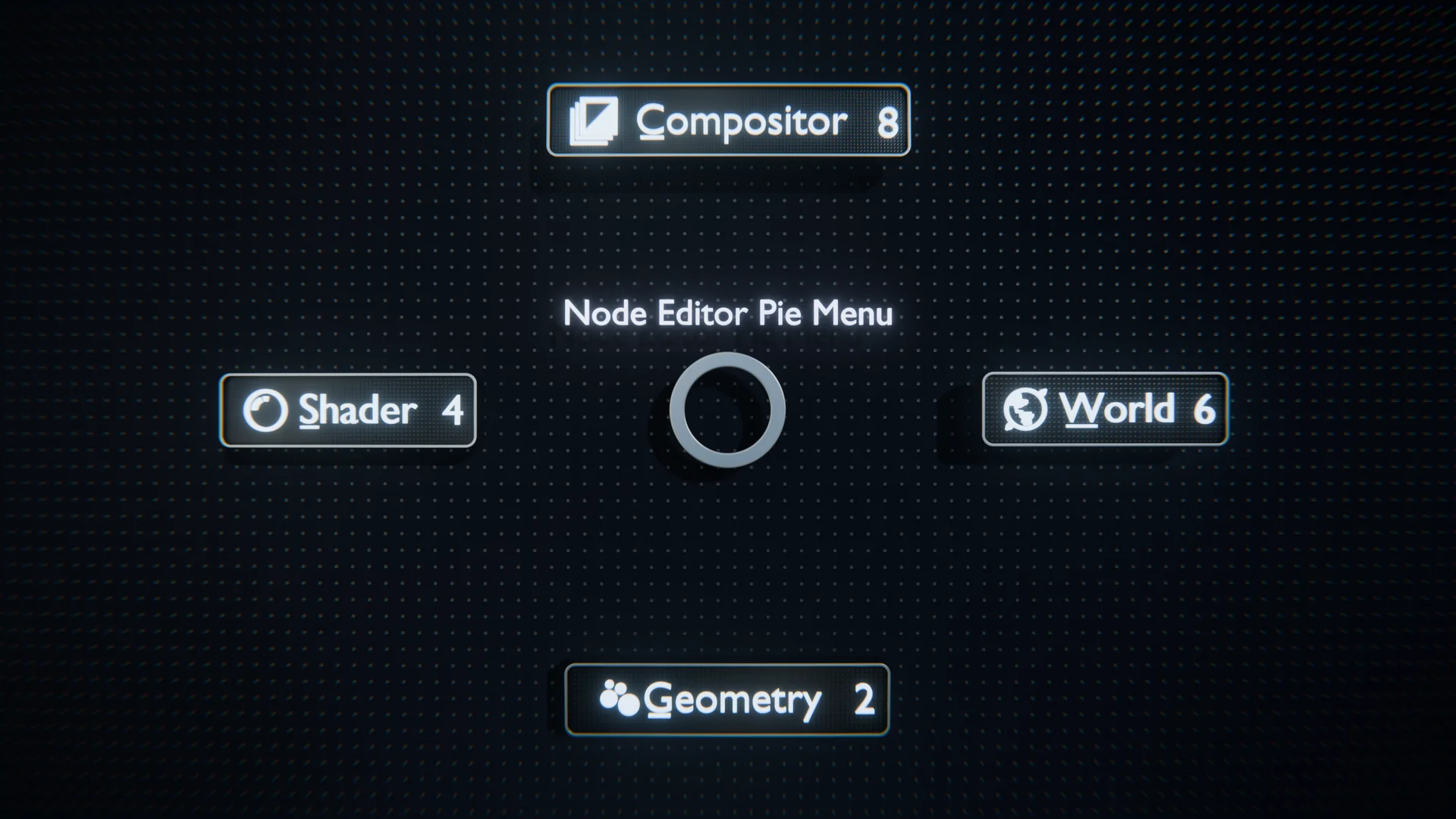
Pie Menu:

Accessible in the Node Editor, the pie menu is an easy way to switch between different node editors with a single click.

  • Default keyboard shortcuts: E
  • You can customize these shortcuts in Blender's keymap settings.

Quick Access Buttons:

The Quick Access Buttons are available at the top right of the Node Editor header and can be enabled in the addon preferences.

Keyboard Shortcuts:

  • Default keyboard shortcuts:
    • 1: Geometry Node Editor
    • 2: Shader Node Editor
    • 3: World Node Editor
    • 4: Compositor Node Editor
  • You can customize these shortcuts in Blender's keymap settings.

What's New

1.1.0 July 29th, 2024
  • Add the possibility of customizing the placement of the quick access button (Left or Right).

See all versions


Permissions

This extension does not require special permissions.

Developer
Victor-09
Rating
(29)
Version
1.1.0
Updated
1 y
Published
March 22nd, 2024
Downloads
17930
Size
2.1 KB
Compatibility
Blender 4.2 LTS and newer
Website
github.com/Victor-IX/NodeEditorSwitcher
Report Issues
github.com/Victor-IX/NodeEditorSwitcher/issues
License
GNU General Public License v3.0 or later
Node Pipeline User Interface
...or download and Install from Disk
  • 2.1 KB

Reviews

See all
  • MetinSeven
  • v1.1.0
  • 6 mo

Very convenient, thank you! 👍

  • rehanz
  • v1.1.0
  • 6 mo

Good addon But i want to replace the GEOMETRY with UV EDITOR possible? if yes then how ? Thanks

  • Victor-09 replied
  • 6 mo

Thanks for the review! This is not possible in this add-on. The main purpose of this extension is to have a simple pie menu and buttons to switch between the node editors in Blender. Because the UV editor is not a node editor, this goes outside the scope of this add-on. You can check Quick Switch or Context Switcher, and probably other extensions that I don't know about that have a bigger scope and are made to be more customizable!

  • Youyooo
  • v1.1.0
  • 7 mo

很好的解决了手动切换问题

5.0

29 reviews
5
4
3
2
1
Rate this Add-on Report an issue
  • About
  • Privacy Policy
  • Terms of Service
About
  • Blender Foundation
  • Blender Institute
  • Blender Studio
  • License
  • Logo & Trademark
  • Credits
  • Privacy Policy
  • Code of Conduct
Organization
  • People
  • Jobs
Blender Network
Download
  • Latest Blender
  • Blender LTS
  • Previous Versions
  • Experimental Builds
  • Source Code
  • Requirements
  • Benchmark
  • Flamenco
Extensions
  • Add-ons
  • Themes
Developers
  • Get Started
  • Roadmap
  • Projects
  • Docs
  • Blog
  • Forum
  • YouTube
  • Python API
Blender Studio
  • Films
  • Training
  • Tools & Pipeline
Support
  • Manual
  • Community
  • FAQ
Get Involved
  • Documentation
  • Education
News
  • Press Releases
  • User Stories
Blender Conference
Follow Blender
Support Blender
  • Donate
  • One-time Donation
Artistic freedom starts with Blender The Free and Open Source 3D Creation Suite