Extensions
  • Home
  • Add-ons
  • Themes
  • Approval Queue
  • About
  • Upload Extension
  • Sign in
  • BLENDER.ORG

    • Download

      Get the latest Blender, older versions, or experimental builds.

    • What's New

      Stay up-to-date with the new features in the latest Blender releases.

    DEVELOPMENT

    • Roadmap

      See which projects are currently being worked on and what's next.

    • Documentation

      Guidelines, release notes and development docs.

    LEARNING & RESOURCES

    • Blender Studio

      Access production assets and knowledge from the open movies.

    • Manual

      Documentation on the usage and features in Blender.

    • Benchmark

      A platform to collect and share results of the Blender Benchmark.

    • Blender Conference

      The yearly event that brings the community together.

    DONATE

    • Development Fund

      Support core development with a monthly contribution.

    • One-time Donations

      Perform a single donation with more payment options available.

All Add-ons

Add-on Merge NLA Strips
Merge NLA Strips

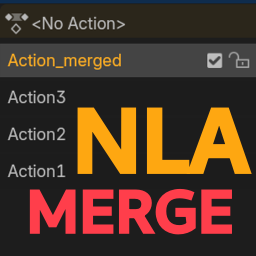
Combine selected NLA strips into one.
Add-on by Likkez
About What's New Reviews Version History

6 Reviews

  • PamelaHampton
  • v1.2.0
  • 2 w

Seems to work fine. You need to be aware of the blending modes chesen for the animation to both have effect. As to "right click" I do find the option when using rght click on my mouse, though it is towrd the bottom of the list.

  • dursunumit
  • v1.2.0
  • 3 mo

animation / animasyon, NLA birleştirme

  • Florian-Fiegl
  • v1.0.0
  • 1 y

hi, i m on 4.4.3. make sure you duplicate the tracks you want to merge. after merging tracks will be without animation data.

i expierienced bugs on a rig, but couldnt replicat...

i guess needs further devolpment.

  • Likkez replied
  • 1 y

Men the animation data isn't missing, It's muted. Press H to unmute the strips! There's a couple bugs that need to be fixed yea. I think its mostly due to vector interpolation in the final strip.

  • seth-13
  • v1.0.0
  • 1 y

I dont understand what you mean by "Right Click Menu" The only option I can find is in the menu opend by the "w" key. Maybe I have different key commands? Anyway, This is baking the NLA strips together and creating keyframes at every single frame. If there is an option that simply copy and pastes existing key frames from several NLA strips into a new strip... I am unable to find that option.

  • Toberger
  • v1.0.0
  • 1 y

I'm maybe doing something wrong but I'm getting baked down key frames on every frame. Reading "Doesn't use built-in baking, just copy-pastes all keyframes from selected strips quickly." I thought that meant you'd end up with the same result as if you copy-pasted your keyframes across NLA strips, and that's not the case here, or? I really really need the ability to merge NLA strips without baking and still work on the curves which I was hoping I could do with this extension.

  • Rei-Toi
  • v1.0.0
  • 1 y

perfect

6 reviews

4.5

6 reviews
5
4
3
2
1
Rate this Add-on Report an issue
  • About
  • Privacy Policy
  • Terms of Service
About
  • Blender Foundation
  • Blender Institute
  • Blender Studio
  • License
  • Logo & Trademark
  • Credits
  • Privacy Policy
  • Code of Conduct
Organization
  • People
  • Jobs
Blender Network
Download
  • Latest Blender
  • Blender LTS
  • Previous Versions
  • Experimental Builds
  • Source Code
  • Requirements
  • Benchmark
  • Flamenco
Extensions
  • Add-ons
  • Themes
Developers
  • Get Started
  • Roadmap
  • Projects
  • Docs
  • Blog
  • Forum
  • YouTube
  • Python API
Blender Studio
  • Films
  • Training
  • Tools & Pipeline
Support
  • Manual
  • Community
  • FAQ
Get Involved
  • Documentation
  • Education
News
  • Press Releases
  • User Stories
Blender Conference
Follow Blender
Support Blender
  • Donate
  • One-time Donation
Artistic freedom starts with Blender The Free and Open Source 3D Creation Suite