 Mio3 UV
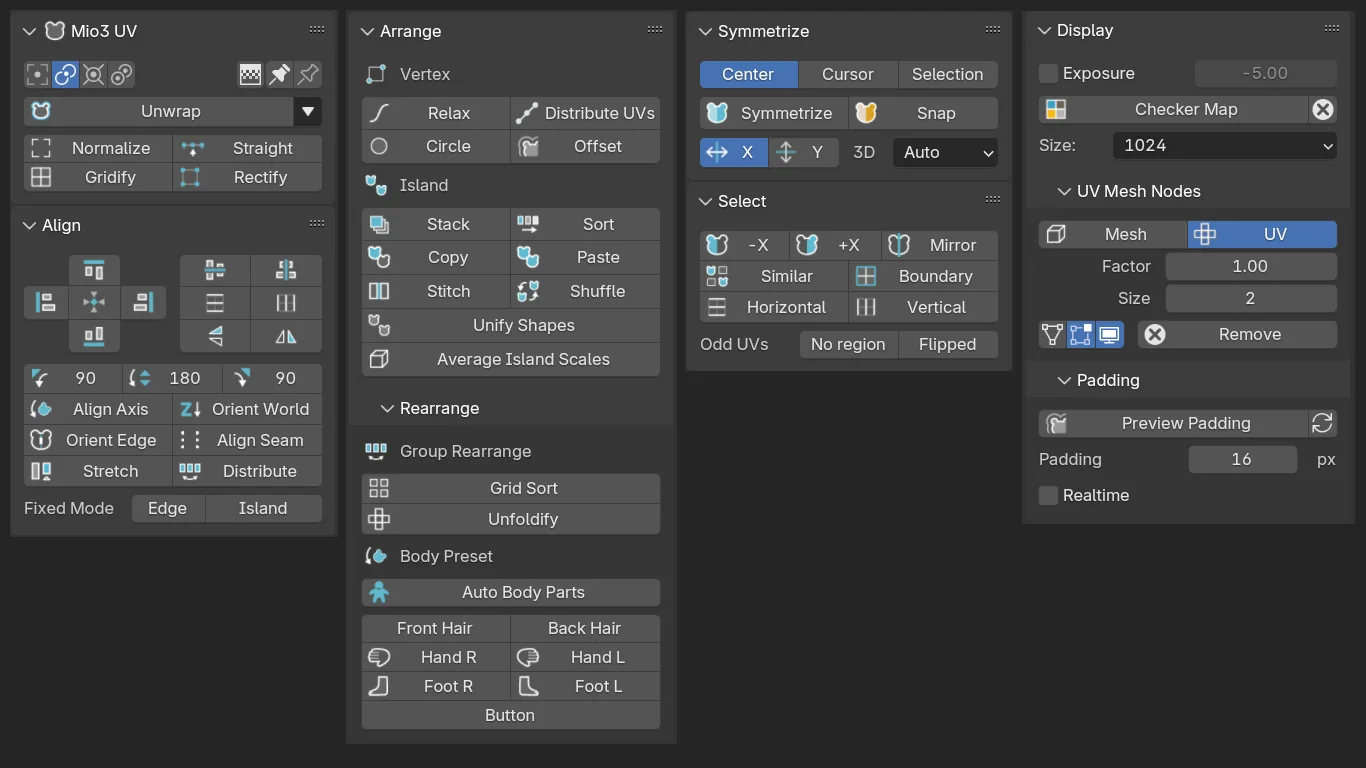
An easy-to-use, user-friendly UV editing support add-on for everyone from beginners to professionals, designed to make UV unwrapping more enjoyable. It includes features particularly suited for character modeling.
To preview all the features currently implemented, please refer to the documentation page.
Documentation English / Japanese
Mio3 UV Ver 2 supports Blender 5 and later. Please use Ver 1.5 with Blender 4.
🐻 Location
UV Image Editor > Sidebar > Mio3
❓️FAQ
The add-on does not appear in the sidebar.
The tool window for this add-on is displayed in the UV Editor, not the 3D Viewport. Please make sure you have selected an object that can be UV edited.
Installation failed / Cannot install the add-on.
There may be a compatibility issue between your version of Blender and the add-on. Please check and ensure you are using the correct versions.
🔧 Features
Unwrap
- Unwrap: Unwrap while maintaining the original position, size, and angle as much as possible
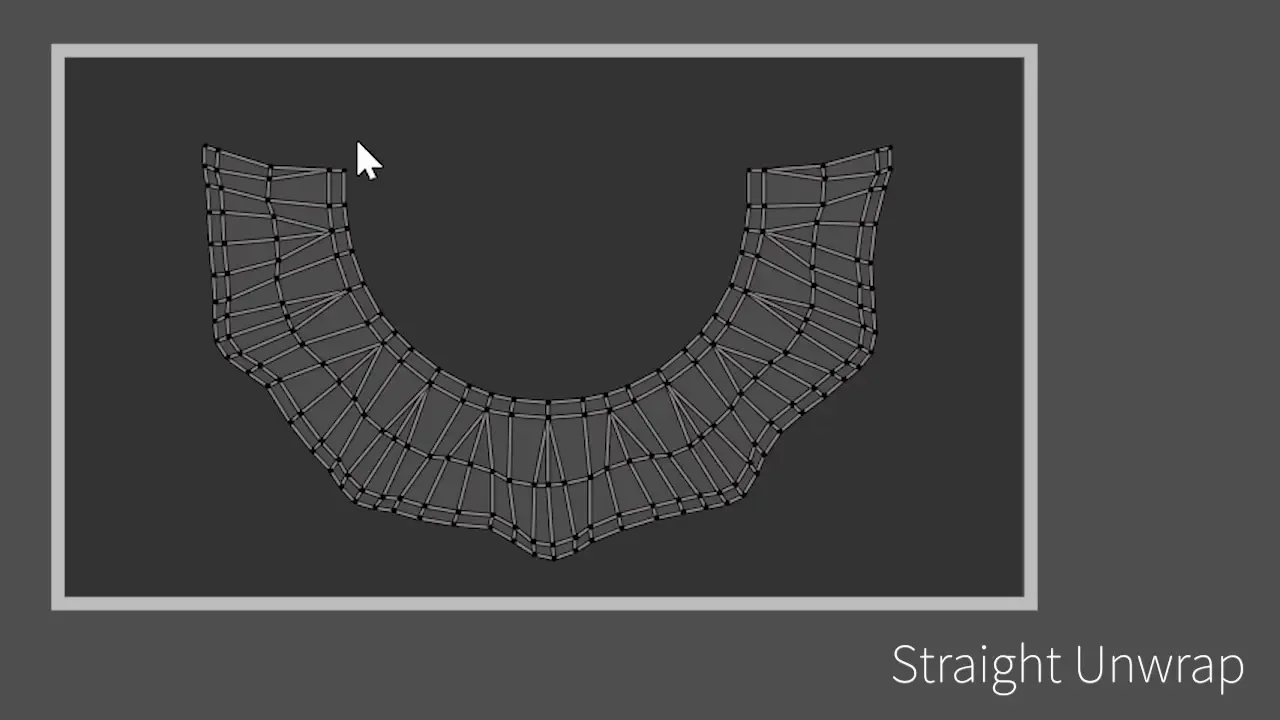
- Straight: Unwrap so that the selected edge loop becomes a straight line
- Normalize: Normalize the size and position of selected UVs
- Gridify: Unwrap so that the selected face becomes a rectangle. Can be used for quadrilateral meshes
- Rectify: Unwrap so that the boundary becomes a rectangle
- Projection Unwrap: Unwrap by projecting from an angle parallel to the normal of the face selected in the 3D view
Align
- Align: Align selected elements to the top, bottom, left, right, or XY center position
- Align Vertical/Horizontal Edges Only: Align edge loops only in vertical or horizontal directions
- Align Axis: Adjust to be vertical to the X or Y axis.
- Orient World: Align the angle of the island to the Z axis
- Sort: Sort islands based on coordinates in 3D space
- Distribute: Distribute islands evenly / Distribute UVs based on geometry/equalize edge length(v1.3)
Vertices
- Relax: Smooth selected vertices
- Stack: Stack similar islands
- Merge: Merge nearby UVs in the selection
- Circle: Adjust to form a clean circle
- Offset Boundary: Expand or shrink the boundary UVs of the island
- Align Seams: Align UV coordinates with the same 3D vertex that are separated by seams
- Stretch: Align the width of islands or UV groups (v1.3)
- Copy & Paste UV Shape: Copy and paste the shape while maintaining the original position
- Shuffle: Randomly rearrange island positions. If two islands are selected, exchange their positions
- Unfoldify: Automatically layout selected islands based on their spatial relationships in 3D space
- Average Island Scales: Adjust size based on the mesh size in 3D space
- Align Body Parts: Identify body parts based on coordinates and align orientation and order for intuitive layout
Islands
- Unfoldify: Automatically layout selected islands based on their spatial relationships in 3D space
- Align Body Parts: Identify body parts based on coordinates and align orientation and order for intuitive layout
Symmetry
- Symmetry: Symmetrize UVs based on 3D space symmetry
- Snap to Symmetry: Snap to the closest symmetrical UV
Selection
- Select One Direction: Select UVs on one side based on coordinates in 3D space
- Mirror Selection: Select symmetrical UVs based on coordinates in 3D space
- Similar: Select similar islands
- Boundary: Select island boundaries
- Select Vertical/Horizontal Edges Only
- No Region: Select UVs that do not have an area
- Flipped UV Faces: Select Flipped UVs
Mark Seams
- Mark Seams Angle-Based
- Mark Seams on Selection Boundary
Utils
- Original Checker Map Use a cute original checkered map. (using Geometry Nodes)
- Padding Overlay Display padding overlay
- UV to Mesh: Set up a modifier for UV to Mesh. (using Geometry Nodes)(v1.2)
- Exposure Adjustment: Adjust the exposure of the texture when the UV mesh is difficult to see.(v1.2)
🐧 Add-ons That Are Convenient to Use Together
Texel Density Checker
https://extensions.blender.org/add-ons/texel-density-checker/
📝 Issue Reporting
If you happen to encounter any issues, we would appreciate it if you could report them via Issues instead of reviews.
What's New
2.2.0 July 9th, 2026
Update
- Added support for Blender 5.2
- Stack: Added an Offset option
Fix
- Fixed an issue where operators using UV Unwrap would inherit the options from the standard Unwrap operation
perfect