Extensions
  • Home
  • Add-ons
  • Themes
  • Approval Queue
  • About
  • Upload Extension
  • Sign in
  • BLENDER.ORG

    • Download

      Get the latest Blender, older versions, or experimental builds.

    • What's New

      Stay up-to-date with the new features in the latest Blender releases.

    DEVELOPMENT

    • Roadmap

      See which projects are currently being worked on and what's next.

    • Documentation

      Guidelines, release notes and development docs.

    LEARNING & RESOURCES

    • Blender Studio

      Access production assets and knowledge from the open movies.

    • Manual

      Documentation on the usage and features in Blender.

    • Benchmark

      A platform to collect and share results of the Blender Benchmark.

    • Blender Conference

      The yearly event that brings the community together.

    DONATE

    • Development Fund

      Support core development with a monthly contribution.

    • One-time Donations

      Perform a single donation with more payment options available.

All Add-ons

Add-on Microscopy Nodes
Microscopy Nodes
Handling microscopy data in Blender, up to 5D volumes.
Add-on by Aafke-Gros
About What's New Permissions Reviews Version History
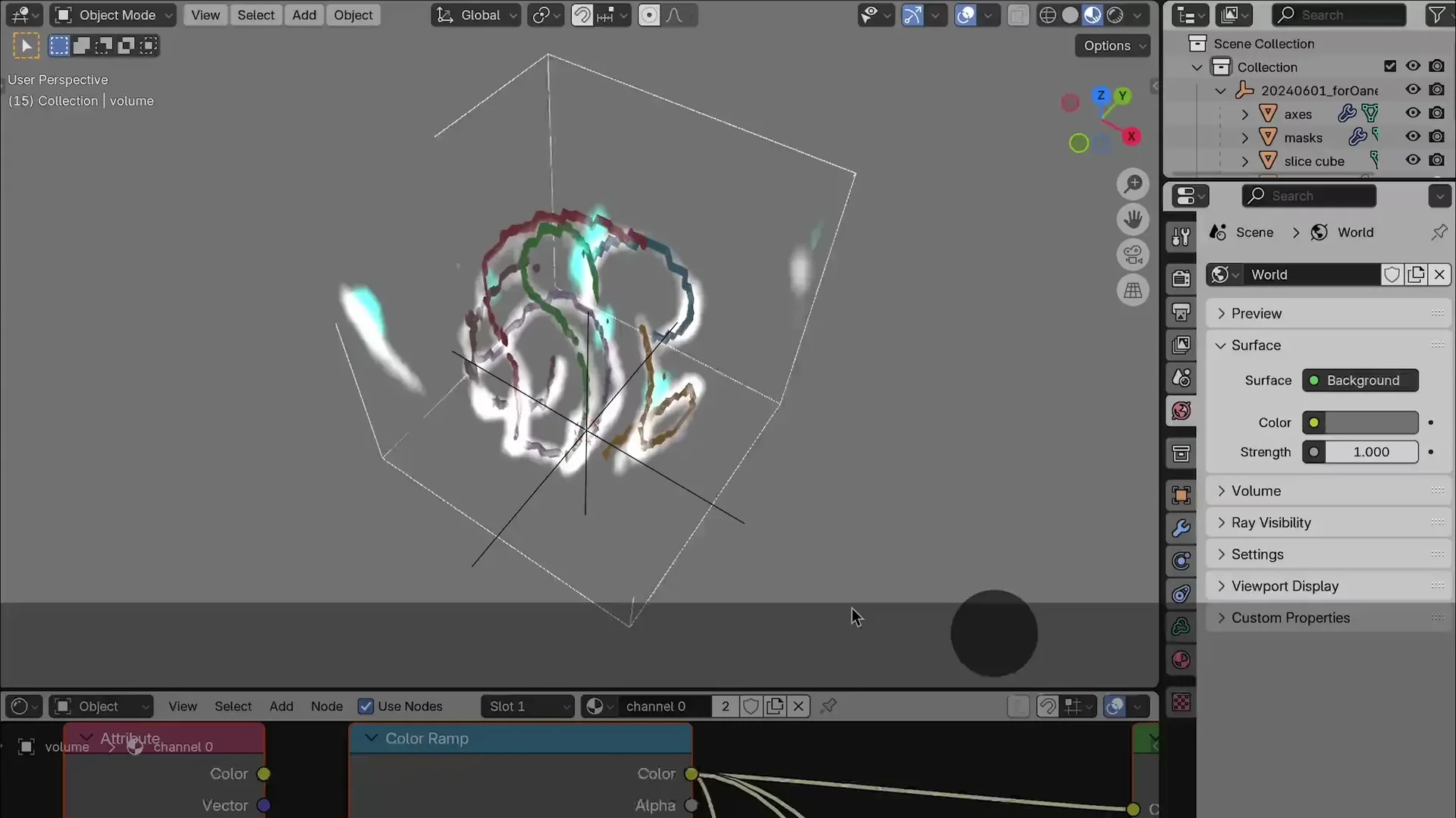
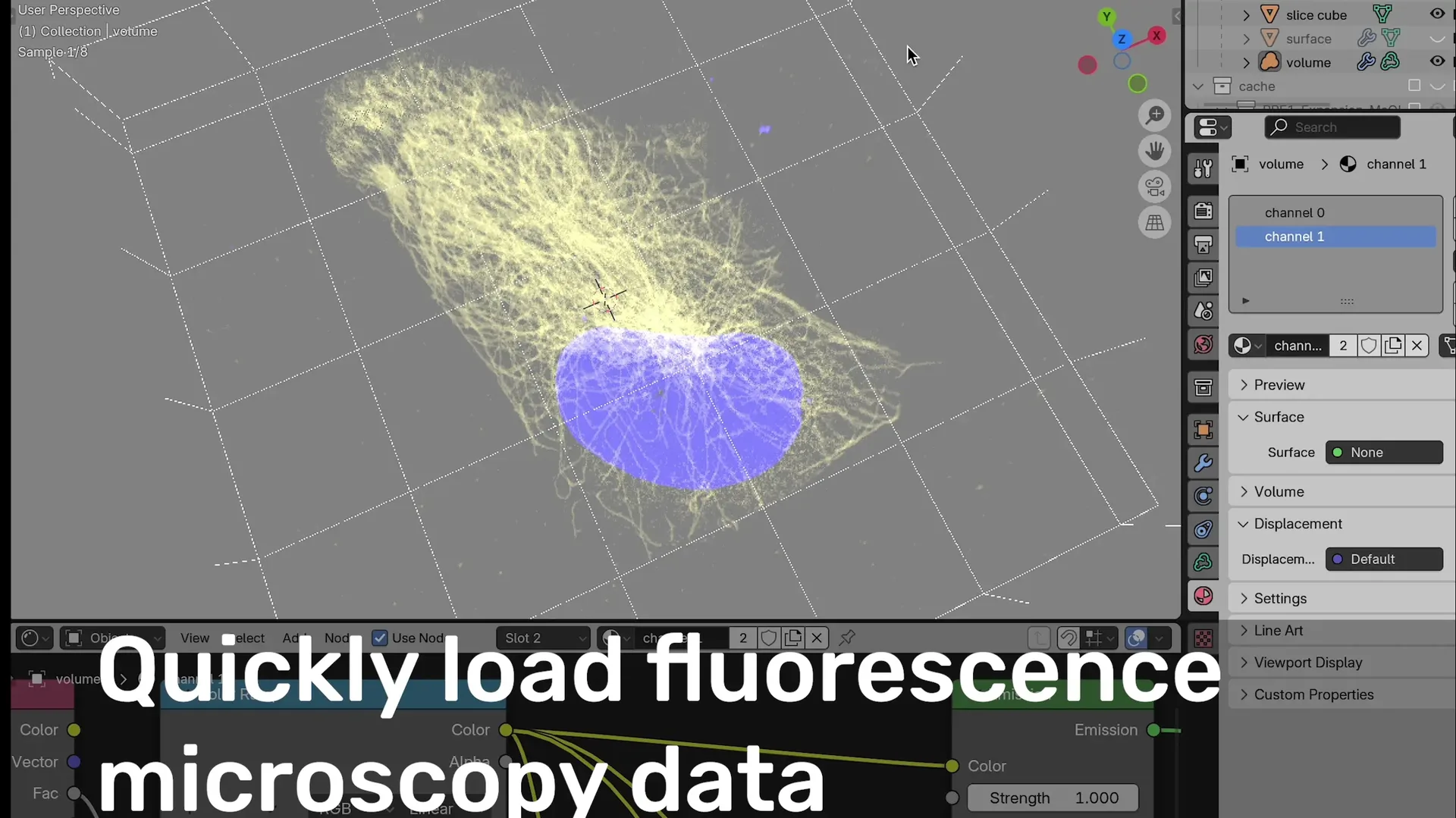
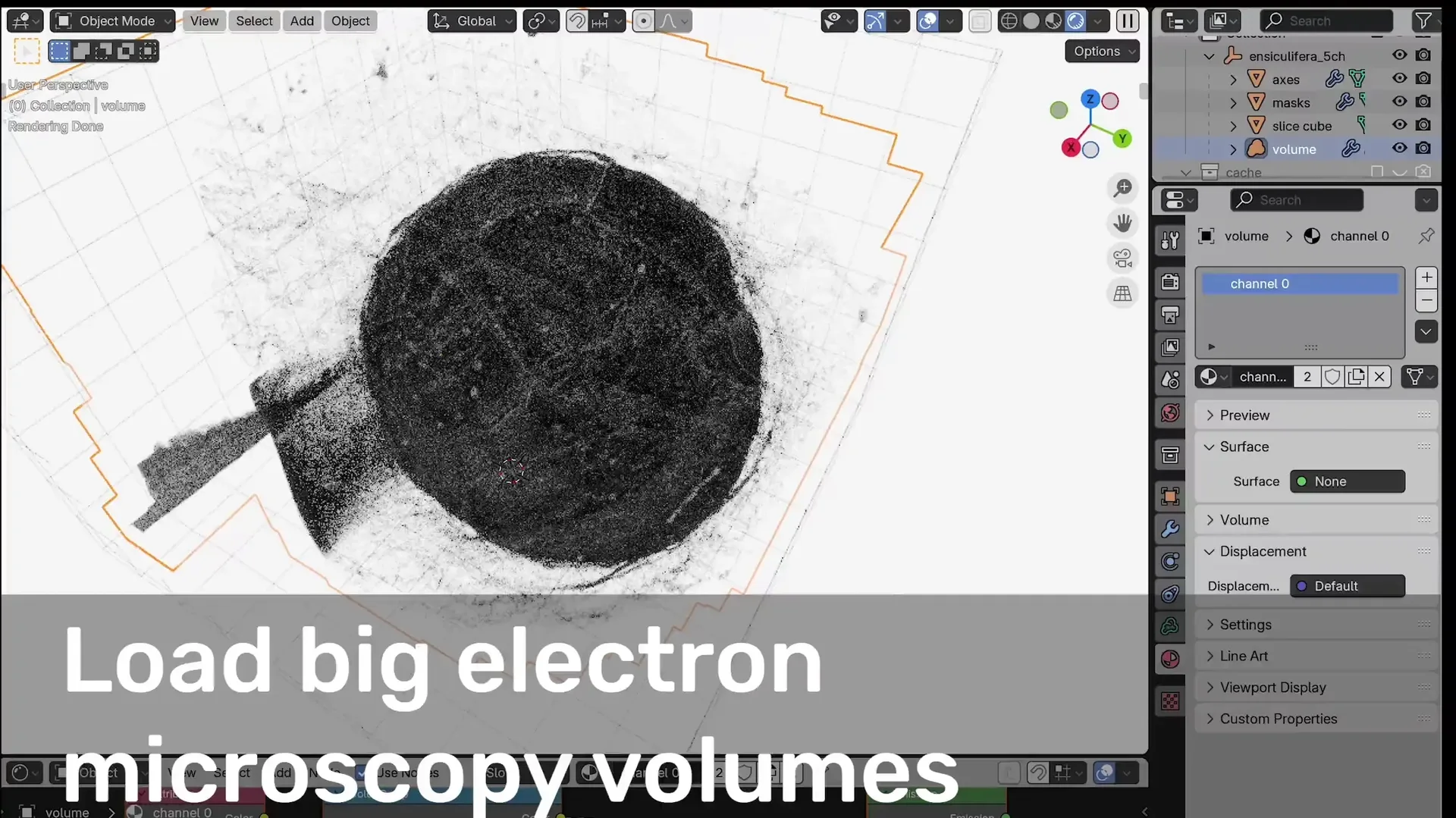
Versatile interaction with fluorescence microscopy data (Data from Granita Lokaj, first published with Blender for Biologists 2023) Load full EM maps with segmentations (data from Mocaer et al. 2023) Visualize 5D time-series data (data provided by Ivana Čavka)

Microscopy in Blender

Microscopy Nodes is a Blender add-on for visualizing high-dimensional microscopy data—designed for scientists, or anyone working with biological images 😊.

For any type of microscopy: fluorescence, electron microscopy, or anything in between! This tool helps you turn complex 3D+ datasets into stunning, accurate, and animatable visualizations.

Usage questions are mainly answered on the image.sc forum

What It Does

Microscopy Nodes supports importing up to 5D microscopy datasets (XYZ + time + channels) from .tif and OME-Zarr files, setting easy and adaptable settings to start with visualizing your data.

Feature Description
5D Support Load .tif and .zarr files with any axis order ('tzcyx' or any subset)
Channel Interface Define how to load each channel: volume, surface, label mask
Colors and LUTs Easy picking of colors per channel or non-linear LUT selection from many colormaps.
Intuitive Slicing Slice any object by moving the Slicing Cube, as you would move any other Blender object
Scales 3D scale grid for accurate representation and physical Blender scales for easy registration.
Large Volumes Build your animation and visualization on a downscaled version, render with your massive dataset!

Video tutorials

Check out the video tutorial playlist on YouTube for quick guides on:

  • Installation
  • Loading data
  • Fluorescence & EM visualization
  • Making presentation-ready renders

Microscopy Nodes Window

First use

  1. Load your file (local path or URL) into the Microscopy Nodes panel in Scene Properties
  2. The metadata will auto-load, and you can define how each channel is visualized
  3. Adjust per-channel options like:
    • Volume or isosurface rendering
    • Label masks
    • Emission, resolution, and colors
  4. Customize dataset settings like:
    • Axis order
    • Physical pixel size
    • Reload behavior & storage location

More detail in the full docs.

Show Off Your Visualizations!

If you create something cool using Microscopy Nodes, share it!
Tag me @aafkegros.bsky.social on Bluesky or use the hashtag #microscopynodes.

If you publish with this add-on, please cite the preprint:

Interface

The Microscopy Nodes panel can be found in Scene Properties:

Microscopy Nodes Window

Load any tif or zarr file by inputting the path or URL in the appropriate window in the Microscopy Nodes panel. This will read out metadata and prompt you to define how you want to load the data.


What's New

3.0.1 May 7th, 2026
  • sets eevee resolution lower on windows to have stable viewing
  • new default colors based on https://trygvrad.github.io/multivariate-colormaps-for-n-dimensions/
  • reworked color and channel viz with the data model
  • Replace LUT > Single Color now gives a list of all cmap.Color names
  • fixes errors if reload object disappeared

See 3.0.0 for full 3.0 notes

See all versions


Permissions

This extension requests the following permissions:

  • Files

    Importing data files from disk, writing to cache folder

  • Network

    Loading OME-zarr files from the internet from a given URL

Developer
Aafke-Gros
Rating
Leave a review
Version
3.0.1
Updated
1 mo
Published
July 22nd, 2024
Downloads
13918
Compatibility
Blender 5.1 and newer
Supported Platforms
  • macOS Apple Silicon
  • Windows
  • Linux
Website
aafkegros.github.io/MicroscopyNodes
Report Issues
github.com/aafkegros/MicroscopyNodes/issues
License
GNU General Public License v3.0 or later
Import-Export
Windows – 50.3 MB
...or download and Install from Disk
macOS - Apple Silicon – 37.4 MB
...or download and Install from Disk
Linux – 78.1 MB
...or download and Install from Disk
  • Windows 50.3 MB
  • macOS Apple Silicon 37.4 MB
  • Linux 78.1 MB

Reviews

See all
Be the first to review.
  • About
  • Privacy Policy
  • Terms of Service
About
  • Blender Foundation
  • Blender Institute
  • Blender Studio
  • License
  • Logo & Trademark
  • Credits
  • Privacy Policy
  • Code of Conduct
Organization
  • People
  • Jobs
Blender Network
Download
  • Latest Blender
  • Blender LTS
  • Previous Versions
  • Experimental Builds
  • Source Code
  • Requirements
  • Benchmark
  • Flamenco
Extensions
  • Add-ons
  • Themes
Developers
  • Get Started
  • Roadmap
  • Projects
  • Docs
  • Blog
  • Forum
  • YouTube
  • Python API
Blender Studio
  • Films
  • Training
  • Tools & Pipeline
Support
  • Manual
  • Community
  • FAQ
Get Involved
  • Documentation
  • Education
News
  • Press Releases
  • User Stories
Blender Conference
Follow Blender
Support Blender
  • Donate
  • One-time Donation
Artistic freedom starts with Blender The Free and Open Source 3D Creation Suite