Extensions
  • Home
  • Add-ons
  • Themes
  • Approval Queue
  • About
  • Upload Extension
  • Sign in
  • BLENDER.ORG

    • Download

      Get the latest Blender, older versions, or experimental builds.

    • What's New

      Stay up-to-date with the new features in the latest Blender releases.

    DEVELOPMENT

    • Roadmap

      See which projects are currently being worked on and what's next.

    • Documentation

      Guidelines, release notes and development docs.

    LEARNING & RESOURCES

    • Blender Studio

      Access production assets and knowledge from the open movies.

    • Manual

      Documentation on the usage and features in Blender.

    • Benchmark

      A platform to collect and share results of the Blender Benchmark.

    • Blender Conference

      The yearly event that brings the community together.

    DONATE

    • Development Fund

      Support core development with a monthly contribution.

    • One-time Donations

      Perform a single donation with more payment options available.

All Add-ons

Add-on Mesh Align Plus
Mesh Align Plus
Move/align mesh parts+objects based on scene geometry/metrics.
Add-on by BitByte
About What's New Reviews Version History
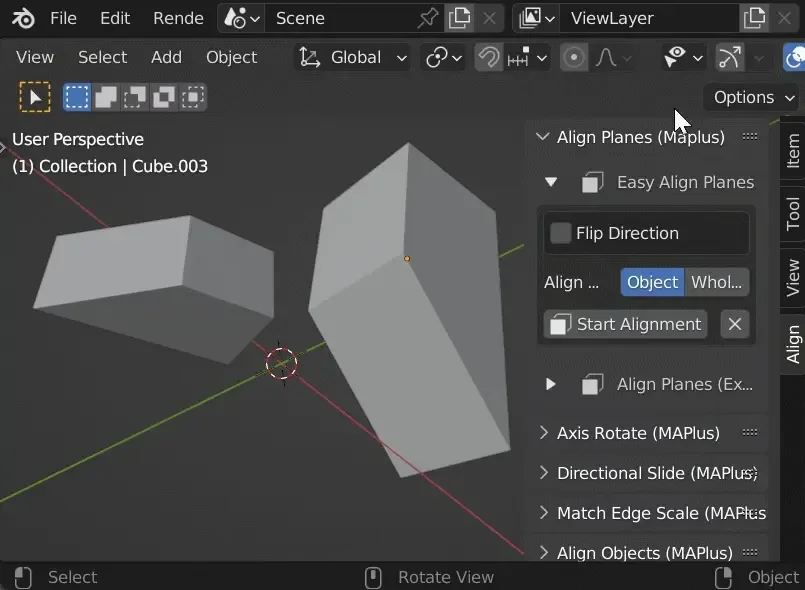
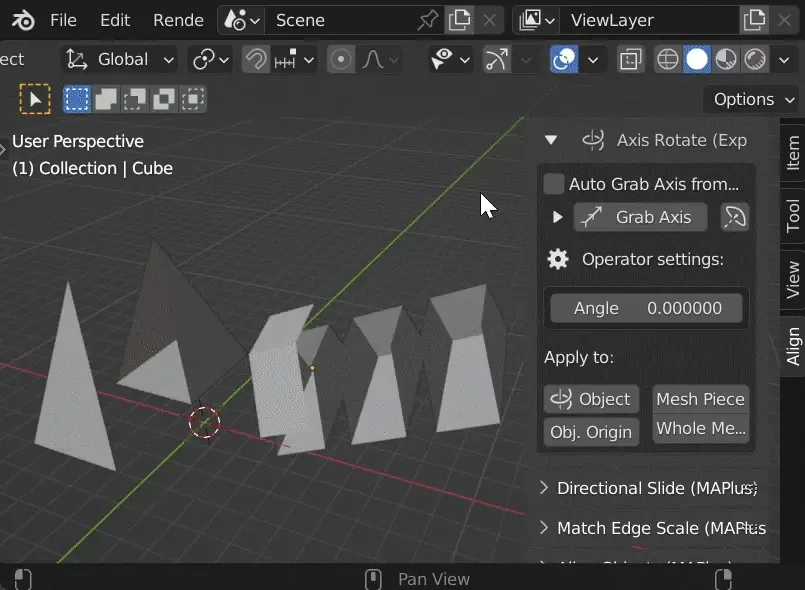
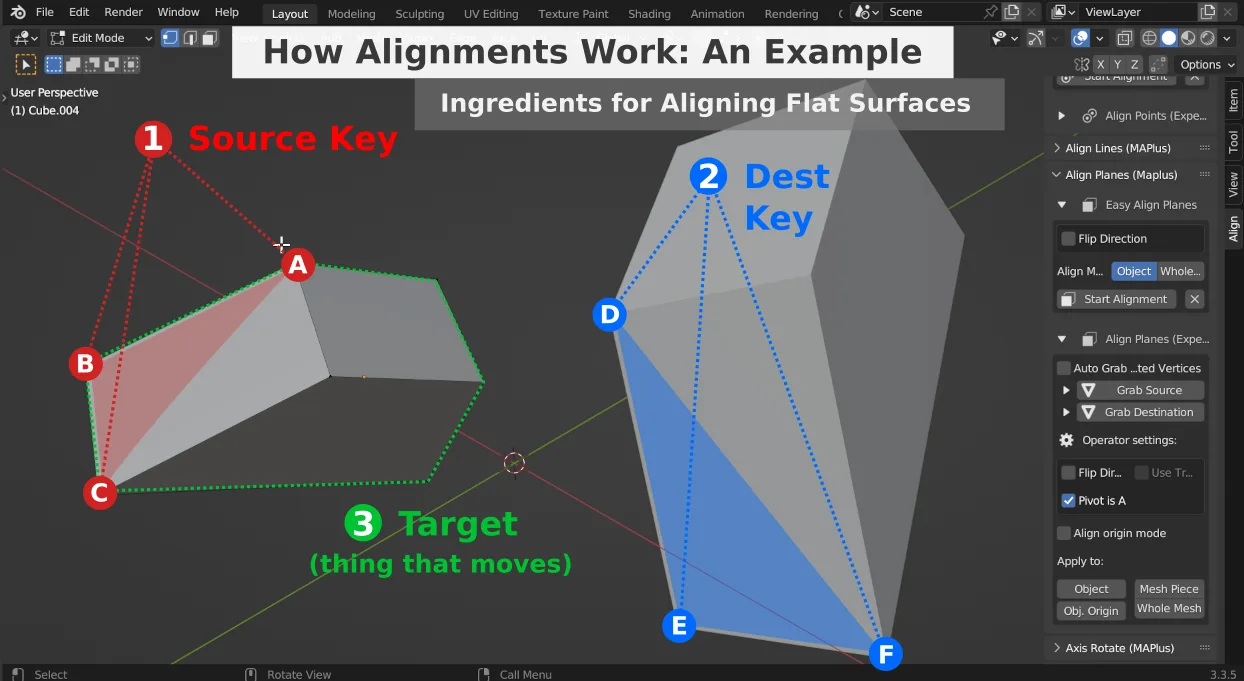
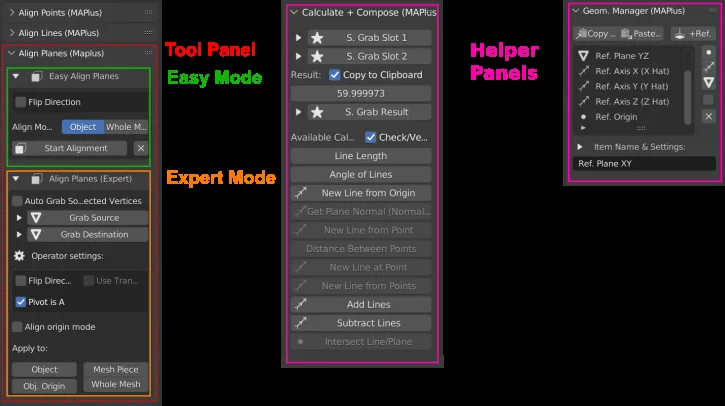
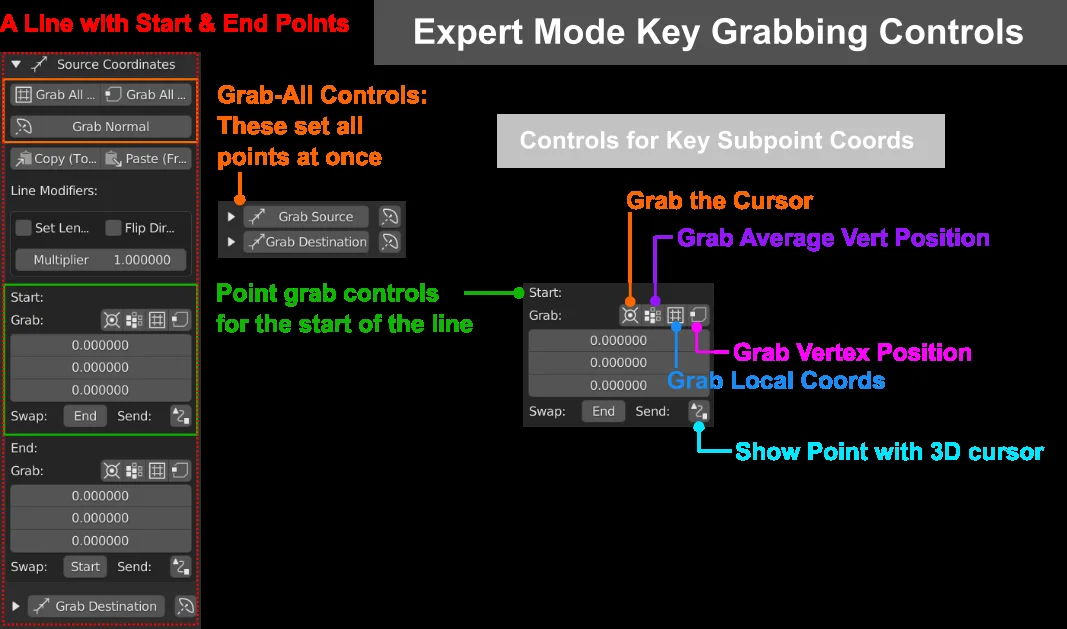
Basic Examples Quick Run! Expert Mode, complex example (Align Lines) Distribute Objects example Easy Mode: Align Planes with Objects Mesh editing basic examples How alignments work Align Planes: Easy Mode and Expert Mode, plus helper panels Expert controls for grabbing alignment keys

Precisely move and align mesh parts and objects based on geometry and measurements from your scene with Mesh Align Plus. Watch clips on YouTube (or GIFs on the wiki) for instructions!

Project Home Page:

https://github.com/egtwobits/mesh_mesh_align_plus/

Wiki:

https://github.com/egtwobits/mesh_mesh_align_plus/wiki


Mesh Align Plus gives you the power to pick features in your scenes (like lines, or flat surfaces: they're called "Alignment Keys"), and align your objects accordingly. You can also edit parts of your mesh using the same basic workflow.

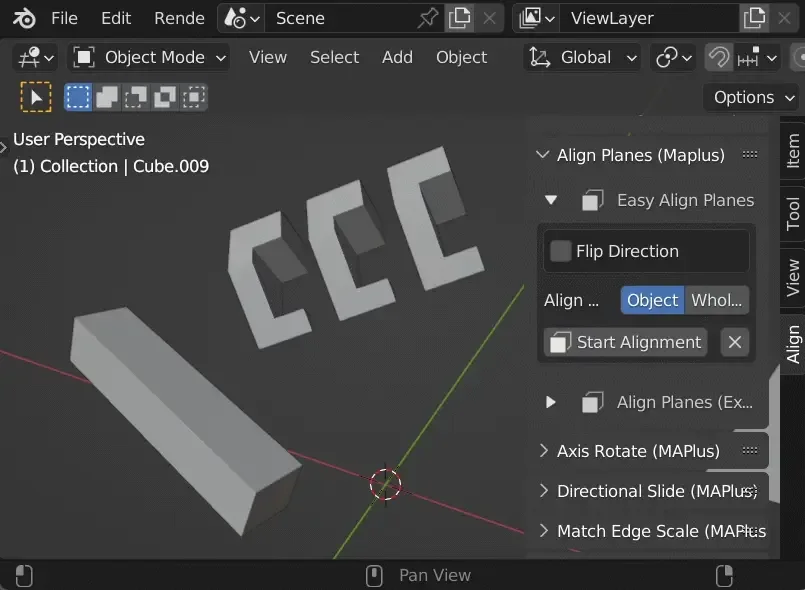
The features you select define how the alignment behaves. To align flat surfaces, for example, you pick a first flat surface in edit mode, then pick a second flat surface, then select something to apply the alignment to: The first surface will move to meet the second surface.

In that example, the flat surfaces you pick can come from any object, and the thing you're moving is also up to you: move one object, or many selected objects, or a mesh fragment while modeling (each workflow follows the same basic steps). You can optionally do weird stuff, like defining a flat surface with 3 verts on 3 different objects (vert selection order matters too!).

Mesh Align Plus can also capture measurements from your scene for your custom transformations. Find a line/plane intersection point, grab face normals for alignments, and measure angles between lines (a line can be an edge, or just two random verts)...and more. Define an invisible axis, for example, and align your space station to lie along it.

Everything in Mesh Align Plus follows those basic concepts: Pick some features, and choose what to apply it to. If you're doing simple stuff like aligning real faces from different objects to each other, you can use Easy Mode. For super complex alignments, though, Expert Mode gives you extreme power and flexibility for defining your keys, and the target(s) you want to move.

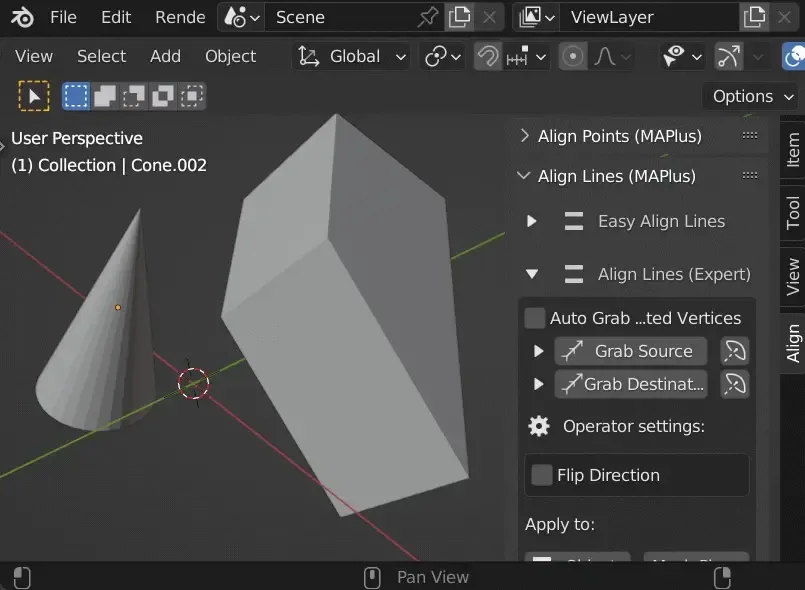
Expert Mode for each tool might seem scary, but it's really just a BUNCH of options that allow you to pick features in weird ways: Define a line that starts in the middle of a bunch of verts, and ends at the intersection point of a line/plane, for instance. Don't ask me why you'd need to do that, you're the expert on your own blend files! :D


What's New

1.1.0-rc.1 July 24th, 2024

This is a release candidate for Mesh Align Plus on the new extension system.


Permissions

This extension does not require special permissions.

Developer
BitByte
Rating
(4)
Version
1.1.0-rc.1
Updated
1 y
Published
July 24th, 2024
Downloads
37571
Size
88.2 KB
Compatibility
Blender 4.2 LTS and newer
Website
github.com/egtwobits/mesh_mesh_align_plus
Report Issues
github.com/egtwobits/mesh_mesh_align_plus/issues
License
GNU General Public License v2.0 or later
3D View Modeling Mesh Object User Interface
...or download and Install from Disk
  • 88.2 KB

Reviews

See all
  • 半价兔卷
  • v1.1.0-rc.1
  • 5 mo

绝绝对对的封神插件,建模崽的的绝对救星,第一次发现并使用就发出了痴汉的笑声 ‘ v ’

  • Ludwich
  • v1.1.0-rc.1
  • 1 y

If there was ever an alignment tool that needed to be seen as ESSENTIAL, this would be it. Absolutely worth the 5 stars, and only because there are no more!

  • LuckyChris
  • v1.1.0-rc.1
  • 1 y

Great job!

5.0

4 reviews
5
4
3
2
1
Rate this Add-on Report an issue
  • About
  • Privacy Policy
  • Terms of Service
About
  • Blender Foundation
  • Blender Institute
  • Blender Studio
  • License
  • Logo & Trademark
  • Credits
  • Privacy Policy
  • Code of Conduct
Organization
  • People
  • Jobs
Blender Network
Download
  • Latest Blender
  • Blender LTS
  • Previous Versions
  • Experimental Builds
  • Source Code
  • Requirements
  • Benchmark
  • Flamenco
Extensions
  • Add-ons
  • Themes
Developers
  • Get Started
  • Roadmap
  • Projects
  • Docs
  • Blog
  • Forum
  • YouTube
  • Python API
Blender Studio
  • Films
  • Training
  • Tools & Pipeline
Support
  • Manual
  • Community
  • FAQ
Get Involved
  • Documentation
  • Education
News
  • Press Releases
  • User Stories
Blender Conference
Follow Blender
Support Blender
  • Donate
  • One-time Donation
Artistic freedom starts with Blender The Free and Open Source 3D Creation Suite