 MAD (Microphone Audio Driver)
🎙️ Microphone Audio Driver
Version: 0.1.3 Author: F1dg3t
📌 Description
The Microphone Audio Driver addon allows you to drive any rig property (such as bone rotation, shape key values, or custom properties) in real-time using microphone input.
Perfect for:
- Reactive animations
- Voice-driven facial rigs
- Audio-visual performances
- Real-time feedback in scenes
⚙️ How to Use
1. Access the Addon Panel
- In the 3D Viewport, open the Sidebar (
Nkey) - Switch to the MAD tab
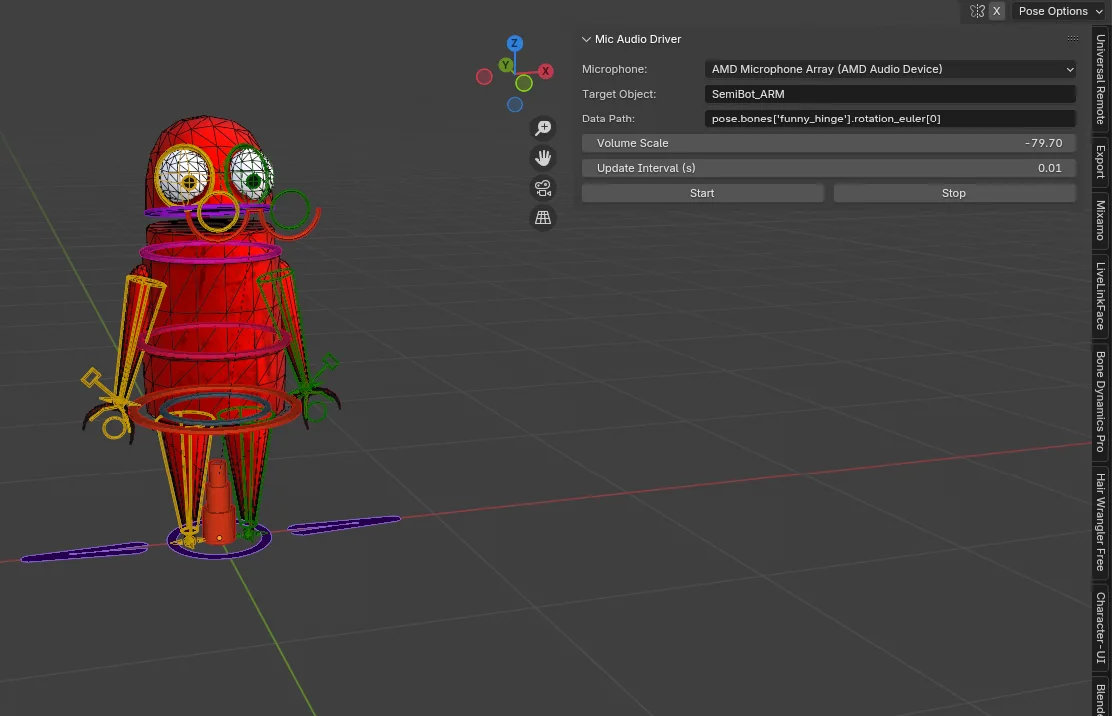
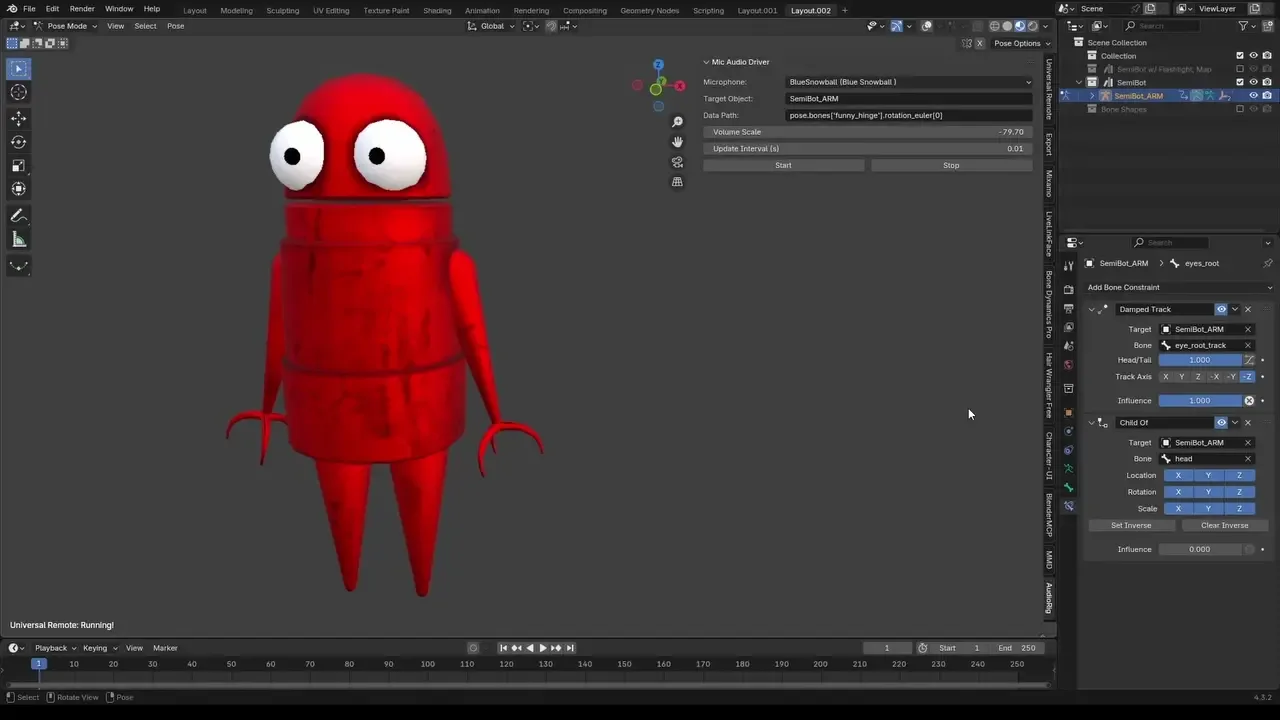
2. Configure Your Setup
- Microphone: Select your microphone (e.g.,
BlueSnoball,MicrophoneArray, etc.) - Target Object: Use the eyedropper to choose the object with the driven property
- Data Path: Enter the property path, such as:
pose.bones["funny_hinge"].rotation_euler[0]
- Volume Scale: Multiply the volume sensitivity
- Default Value: Baseline value when there's no sound
- Update Interval: Refresh rate in seconds (e.g.
0.05for 20 FPS updates)
3. Start Audio Driver
- Click Start Audio Driver to begin updating the property in real-time
- Watch your rig respond to your voice or environment
4. Stop Audio Driver
- Click Stop Audio Driver to release the microphone and stop updates
🛠️ Troubleshooting
- If nothing responds, check your microphone device is correctly selected.
- Make sure the data path is correct and the property is keyable. (Full data path is not required)
- Blender restricts some updates from threads — this addon safely queues UI updates via the main thread loop.
💻 MacOS Builds
- MacOS has been showing issues with platform specific sounddevice wheels, so a separate version can be found on GitHub Releases.
What's New
0.1.6 February 25th, 2026
MAD 0.1.6
Fixed – Microphone List Random Renaming (Windows)
Resolved an issue where microphone device names would:
- Change randomly when resizing the Blender window
- Change when hovering UI elements
- Display short corrupted names like
pwU*,0XI*,0eD* - Occasionally appear in a different order
Cause
On some Windows systems, the audio backend (WASAPI via PortAudio / sounddevice) can return unstable device descriptors if input devices are queried repeatedly.
Previously, MAD dynamically queried available microphones during every UI redraw. Because Blender redraws panels frequently (hovering, resizing, interacting), this resulted in repeated device enumeration calls — which could cause unstable or partially corrupted device names on affected systems.
This issue was specific to certain Windows configurations and did not affect macOS or Linux systems.
Solution
MAD now:
- Caches microphone devices during initialization
- Uses a stable device list for UI display
- Adds a manual Refresh Devices button for re-scanning inputs
This prevents:
- Random device renaming
- Corrupted device labels
- Device order instability
Windows Stability Improvements
Improved compatibility with:
- Virtual audio devices (Steam Streaming, OBS, VoiceMeeter, etc.)
- Systems with multiple audio interfaces
- Systems where WASAPI device enumeration may be unstable
No dependency updates were required for this fix.
macOS
No changes required.
macOS uses CoreAudio, which does not exhibit the device descriptor instability seen on some Windows systems.
The existing manual dependency installation workflow remains unchanged.
Internal Improvements
- Removed repeated
sd.query_devices()calls from the UI draw cycle - Added filtering to ignore malformed device names
- Improved EnumProperty stability
- Cleaner device index handling
Notes
If no devices appear:
- Ensure microphone permissions are granted
- Click Refresh Devices
- Restart Blender if audio devices were connected after launch
Works out of the Box - Bit confusing to set-up at first but once you understand it, then its Easy goin. No Hiccups afterwards.