Extensions
  • Home
  • Add-ons
  • Themes
  • Approval Queue
  • About
  • Upload Extension
  • Sign in
  • BLENDER.ORG

    • Download

      Get the latest Blender, older versions, or experimental builds.

    • What's New

      Stay up-to-date with the new features in the latest Blender releases.

    DEVELOPMENT

    • Roadmap

      See which projects are currently being worked on and what's next.

    • Documentation

      Guidelines, release notes and development docs.

    LEARNING & RESOURCES

    • Blender Studio

      Access production assets and knowledge from the open movies.

    • Manual

      Documentation on the usage and features in Blender.

    • Benchmark

      A platform to collect and share results of the Blender Benchmark.

    • Blender Conference

      The yearly event that brings the community together.

    DONATE

    • Development Fund

      Support core development with a monthly contribution.

    • One-time Donations

      Perform a single donation with more payment options available.

All Add-ons

Add-on Image Packer
Image Packer

Packs images into a single image.
Add-on by Quint-Vrolijk
About What's New Reviews Version History
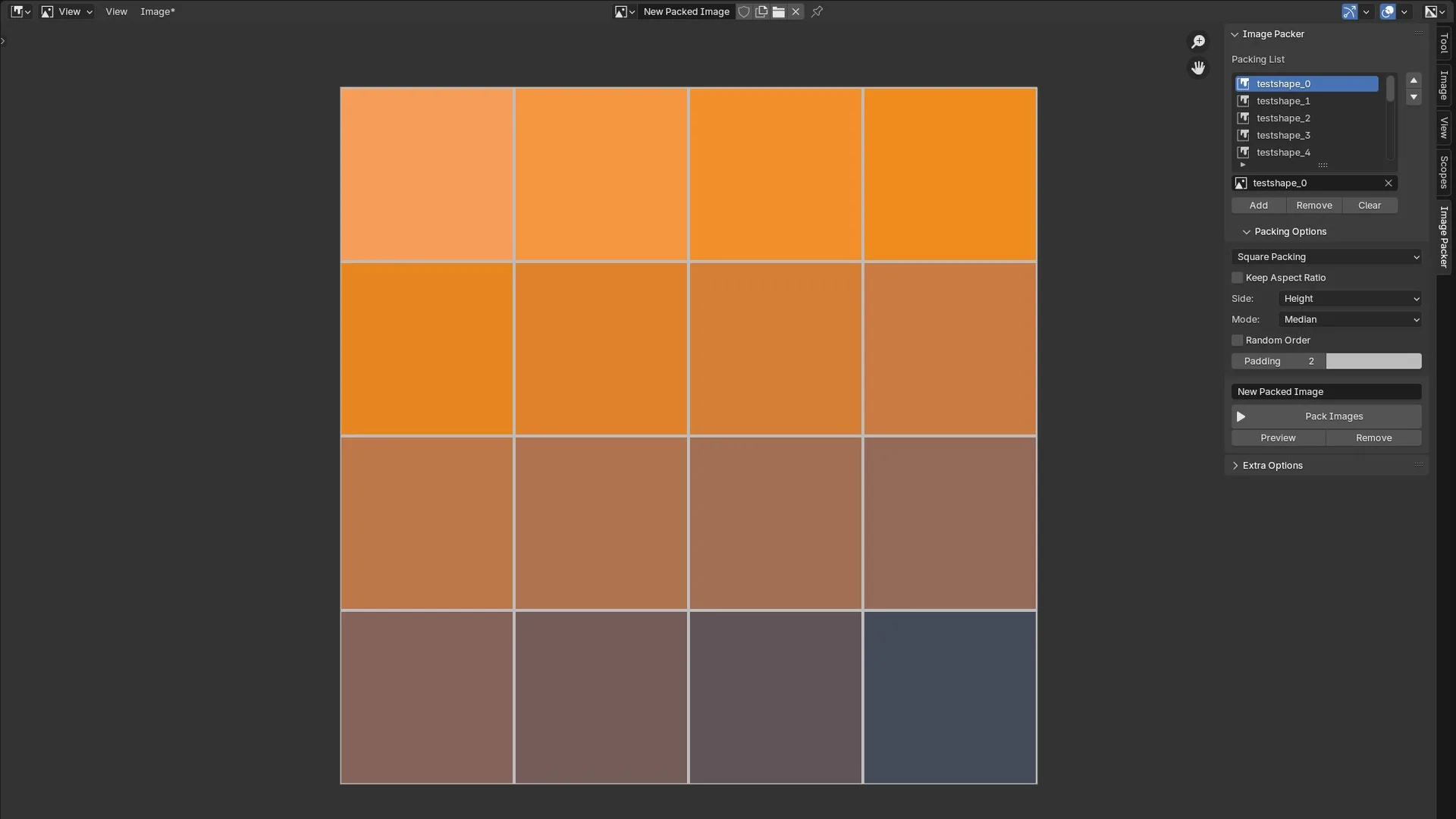
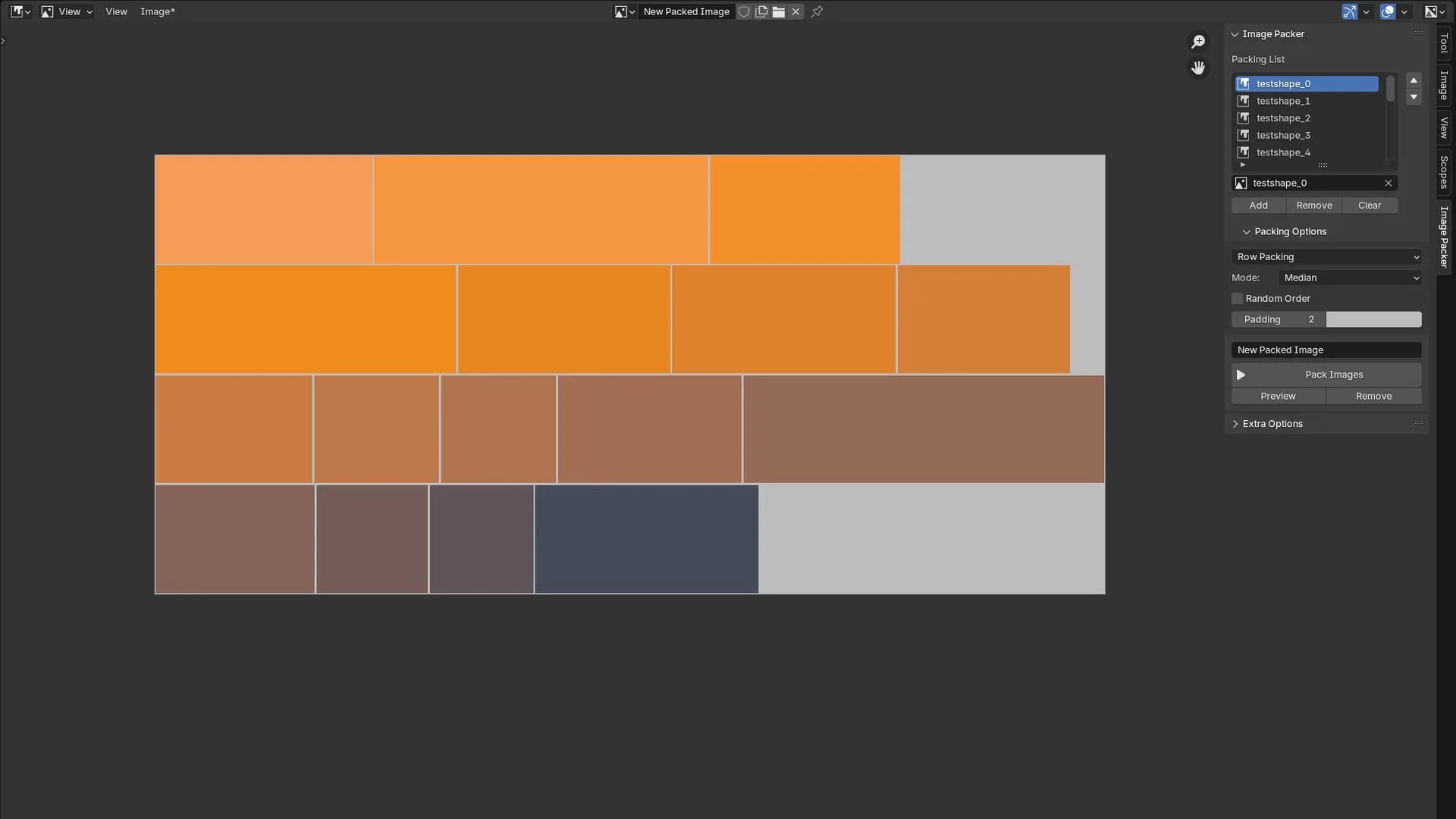
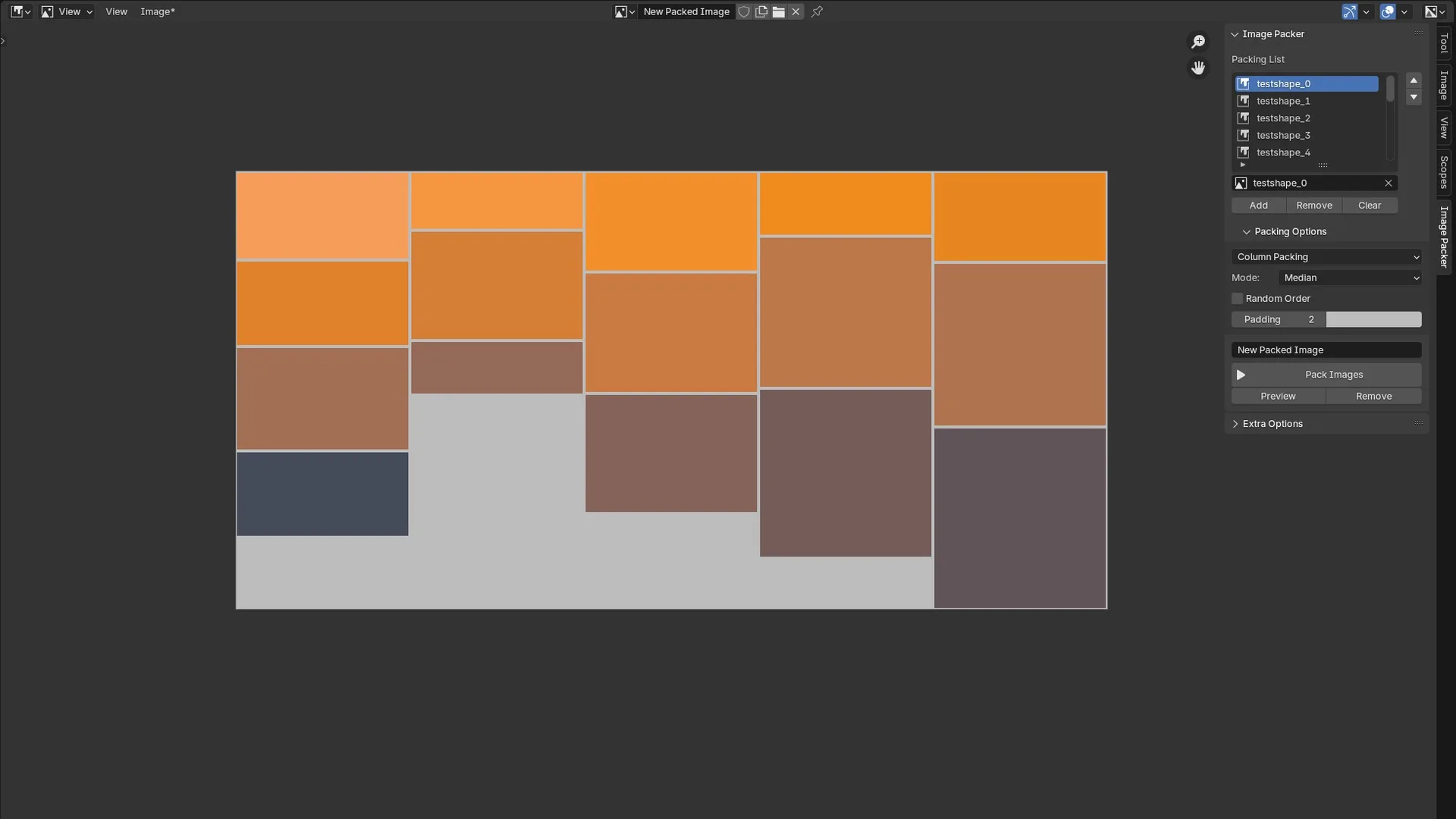
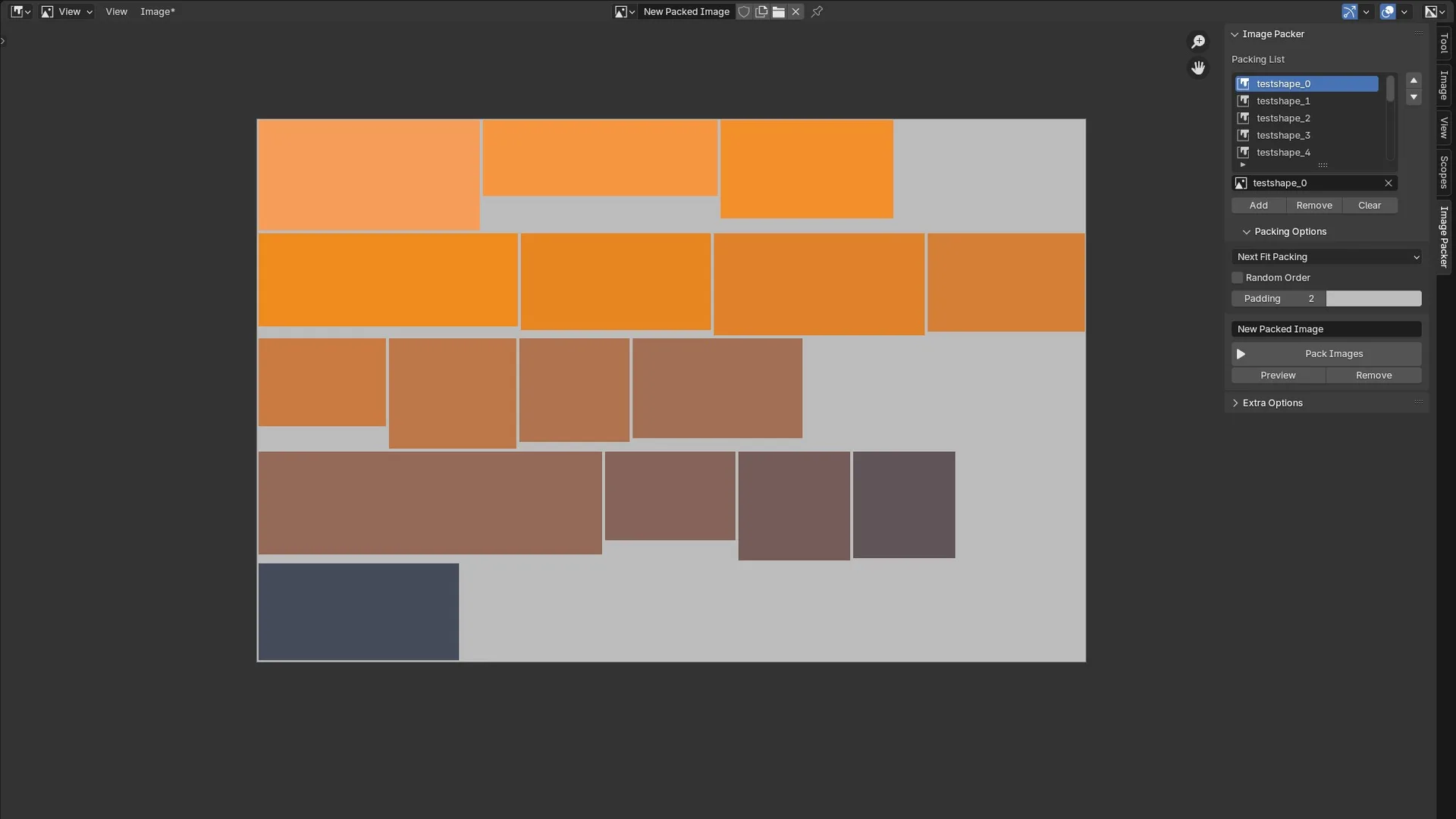
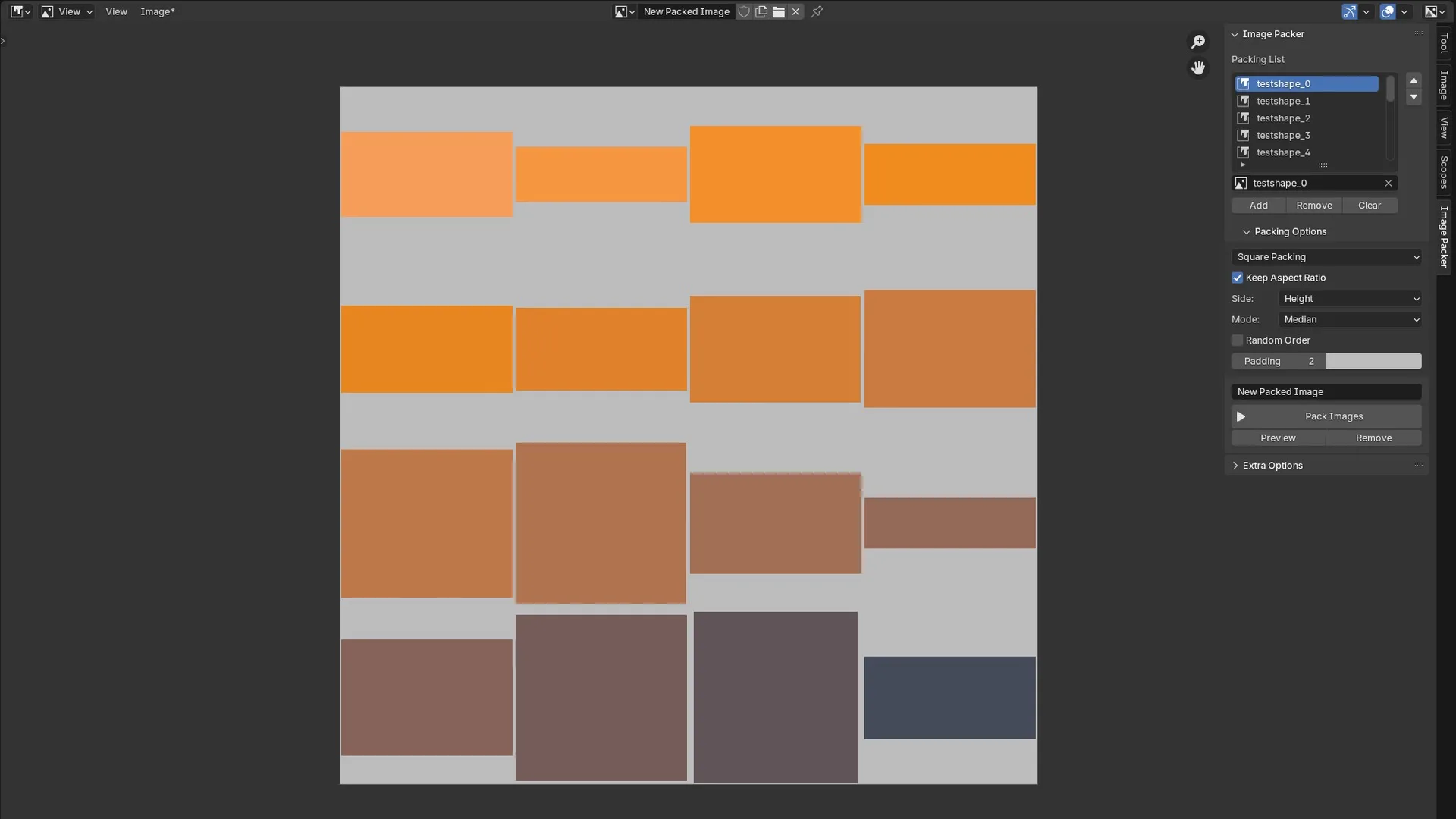
Square Packing (preserve aspect ratio) Square Packing Row Packing Column Packing Next Fit Packing

This Blender addon allows you to combine multiple images into a single image using different packing algorithms. You can also add padding to each image as needed. The Image Packer panel is only visible in the Image Editor area.

Packing Algorithms

Square Packing

  • Preserve the aspect ratio of original images or stretch them.
  • Scale image based on width or height (preserve aspect ratio).
  • Image size based on average/median/minimal/maximum side length or custom.
  • The final image has an aspect ratio of 1x1.

Row Packing

  • Scales all images to the same height.
  • Image height based on average/median/minimal/maximum height or custom.
  • The final image aspect ratio is the median ratio of all images.

Column Packing

  • Scales all images to the same width.
  • Image width based on average/median/minimal/maximum width or custom.
  • The final image aspect ratio is the median ratio of all images.

Next Fit Packing

  • Keeps the size of the images but may result in gaps between the rows.
  • The final image aspect ratio is the median ratio of all images

Extra Options

Beside the packing options you can also change:

  • Randomize the order of the images.
  • Add padding around the image.
  • Change background colour.
  • Delete unused images in the blend file.
  • Add all images in the blend file to the packing list.

What's New

1.0.7 February 6th, 2026

Added a button to add files directly from files

See all versions


Permissions

This extension does not require special permissions.

Developer
Quint-Vrolijk
Rating
(5)
Version
1.0.7
Updated
4 mo
Published
Sept. 2nd, 2024
Downloads
32707
Size
23.6 KB
Compatibility
Blender 4.2 LTS and newer
Report Issues
github.com/HerrWaffel/image-packer/issues
License
GNU General Public License v3.0 or later
Paint
...or download and Install from Disk
  • 23.6 KB

Reviews

See all
  • Gust-Rasoritor
  • v1.0.7
  • 2 mo

Managing high-res textures in Blender is always a headache, especially when trying to keep your file sizes under control without losing quality. I actually found this breakdown of lightroom mobile vs lightroom super helpful for understanding how different platforms handle heavy image processing and sync, which might give you some ideas for your own workflow. Definitely worth a quick look if you're tweaking your export settings.

  • 铃音
  • v1.0.6
  • 5 mo

Adding images can only be added one by one, which is more cumbersome. It would be good if you could add them in batches based on the selected grid body.

  • R_to_Reset
  • v1.0.6
  • 6 mo

Nicely made add-on! Simple but effective for when you need it.

5.0

5 reviews
5
4
3
2
1
Rate this Add-on Report an issue
  • About
  • Privacy Policy
  • Terms of Service
About
  • Blender Foundation
  • Blender Institute
  • Blender Studio
  • License
  • Logo & Trademark
  • Credits
  • Privacy Policy
  • Code of Conduct
Organization
  • People
  • Jobs
Blender Network
Download
  • Latest Blender
  • Blender LTS
  • Previous Versions
  • Experimental Builds
  • Source Code
  • Requirements
  • Benchmark
  • Flamenco
Extensions
  • Add-ons
  • Themes
Developers
  • Get Started
  • Roadmap
  • Projects
  • Docs
  • Blog
  • Forum
  • YouTube
  • Python API
Blender Studio
  • Films
  • Training
  • Tools & Pipeline
Support
  • Manual
  • Community
  • FAQ
Get Involved
  • Documentation
  • Education
News
  • Press Releases
  • User Stories
Blender Conference
Follow Blender
Support Blender
  • Donate
  • One-time Donation
Artistic freedom starts with Blender The Free and Open Source 3D Creation Suite