Extensions
  • Home
  • Add-ons
  • Themes
  • Approval Queue
  • About
  • Upload Extension
  • Sign in
  • BLENDER.ORG

    • Download

      Get the latest Blender, older versions, or experimental builds.

    • What's New

      Stay up-to-date with the new features in the latest Blender releases.

    DEVELOPMENT

    • Roadmap

      See which projects are currently being worked on and what's next.

    • Documentation

      Guidelines, release notes and development docs.

    LEARNING & RESOURCES

    • Blender Studio

      Access production assets and knowledge from the open movies.

    • Manual

      Documentation on the usage and features in Blender.

    • Benchmark

      A platform to collect and share results of the Blender Benchmark.

    • Blender Conference

      The yearly event that brings the community together.

    DONATE

    • Development Fund

      Support core development with a monthly contribution.

    • One-time Donations

      Perform a single donation with more payment options available.

All Add-ons

Add-on Delete Line Shortcut
Delete Line Shortcut

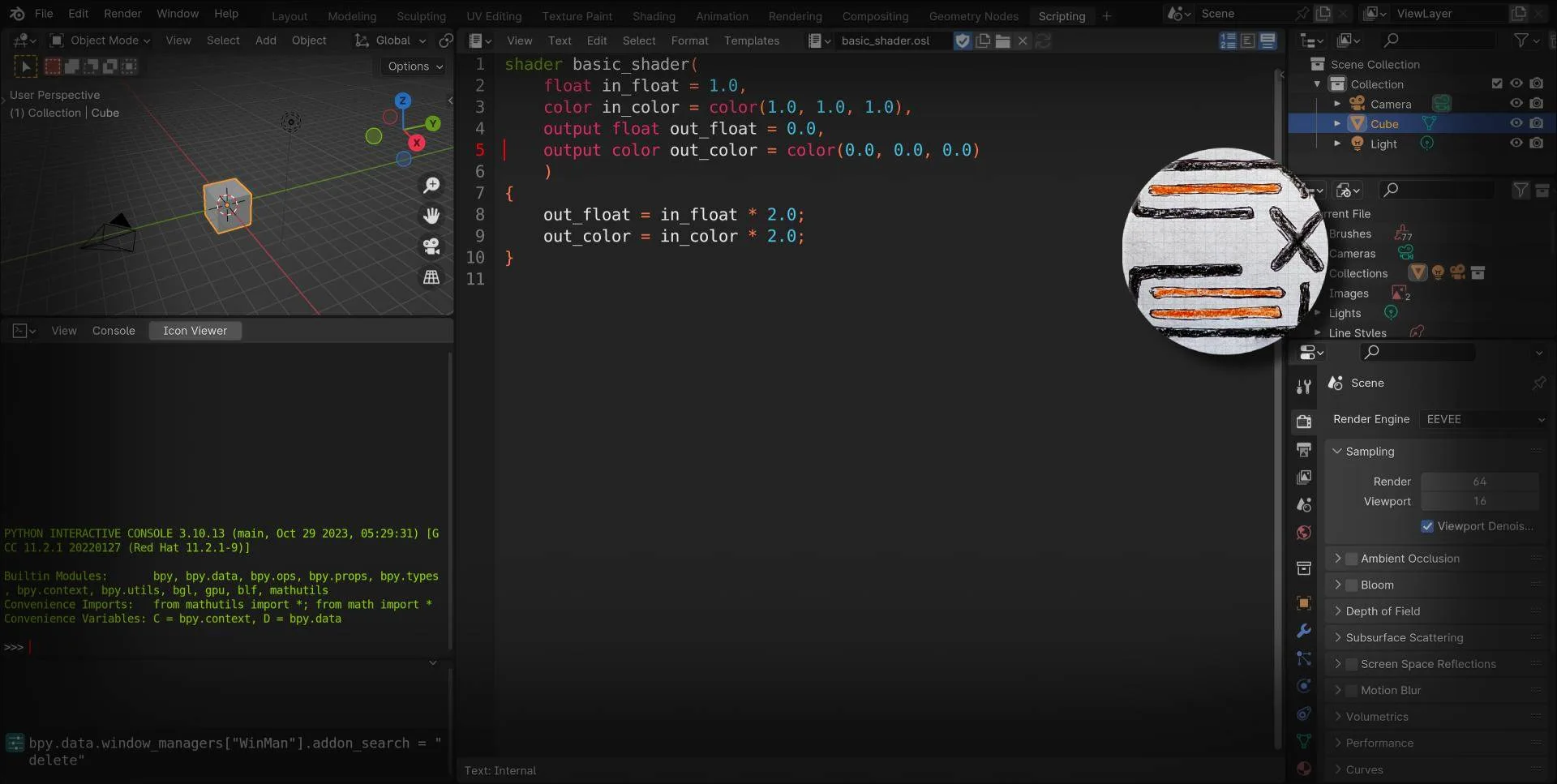
Shortcut to delete a line and copy its content.
Add-on by matej.zeman02
About What's New Permissions Reviews Version History
video Delete line in text editor - showcase

Delete line

Adds missing shortcut for deleting the line which behaves just like in the VS Code. So you can paste it afterwards.


Description

A small addon that adds the funcionality of deleting the current line in the text editor. And it is also cuting the content into the clipboard. This means you can then paste the deleted line wherever you want.

You do not need to select anything. Just press CTRL + SHIFT + BACKSPACE while in the text editor on some line. The shortcut can be changed in the preferences.

How it works?

The shortcut is then editable in the Blenders settings: "Edit > Preferences > Keymap > Text > Text global > Delete line". The way it works is mostly using Blenders built in functions:

  1. Adding newline character to the current line.

  2. Selecting the whole line.

  3. Cutting the selected content.

  4. Deleting the remaining newline character.


Video: Video showcase on youtube.


What's New

1.2.2 May 10th, 2024

Added clipboard permission to the manifest.toml.


Permissions

This extension requests the following permission:

  • Clipboard

    Add-on can read and write to the system clipboard.

Developer
matej.zeman02
Rating
(1)
Version
1.2.2
Updated
2 y
Published
March 21st, 2024
Downloads
8422
Size
15.4 KB
Compatibility
Blender 4.2 LTS and newer
Website
github.com/MatejZeman02/Delete-line-in-text-editor-Blender-addon
Report Issues
github.com/MatejZeman02/Delete-line-in-text-editor-Blender-addon
License
GNU General Public License v3.0 or later
Text Editor User Interface
...or download and Install from Disk
  • 15.4 KB

Reviews

See all
  • Stephen-Austin
  • v1.2.2
  • 1 y

Thank you! And I remapped it to ctrl/L, which is what I'm used to.

5.0

1 review
5
4
3
2
1
Rate this Add-on Report an issue
  • About
  • Privacy Policy
  • Terms of Service
About
  • Blender Foundation
  • Blender Institute
  • Blender Studio
  • License
  • Logo & Trademark
  • Credits
  • Privacy Policy
  • Code of Conduct
Organization
  • People
  • Jobs
Blender Network
Download
  • Latest Blender
  • Blender LTS
  • Previous Versions
  • Experimental Builds
  • Source Code
  • Requirements
  • Benchmark
  • Flamenco
Extensions
  • Add-ons
  • Themes
Developers
  • Get Started
  • Roadmap
  • Projects
  • Docs
  • Blog
  • Forum
  • YouTube
  • Python API
Blender Studio
  • Films
  • Training
  • Tools & Pipeline
Support
  • Manual
  • Community
  • FAQ
Get Involved
  • Documentation
  • Education
News
  • Press Releases
  • User Stories
Blender Conference
Follow Blender
Support Blender
  • Donate
  • One-time Donation
Artistic freedom starts with Blender The Free and Open Source 3D Creation Suite