 Custom Templates


The Freedom to Template
Blender allows you to save you own .blend file to use on startup.
This is great, but wouldn't it be nice to be able to create your own templates?
Custom Templates allows you to use your own .blend files as template options for new projects.
Here's a guide describing the features in details.
Features
| Description | Minimum Version |
|---|---|
Show templates in File > New menu and in the Splash Screen |
- |
Add from folder (lookup .blend files, with depth control) |
- |
| Add, remove, update, reorder templates from add-on preferences | - |
| Select new template | - |
| Use current file as template | - |
| Clear current templates | - |
| Import/Export templates list from/to JSON file | - |
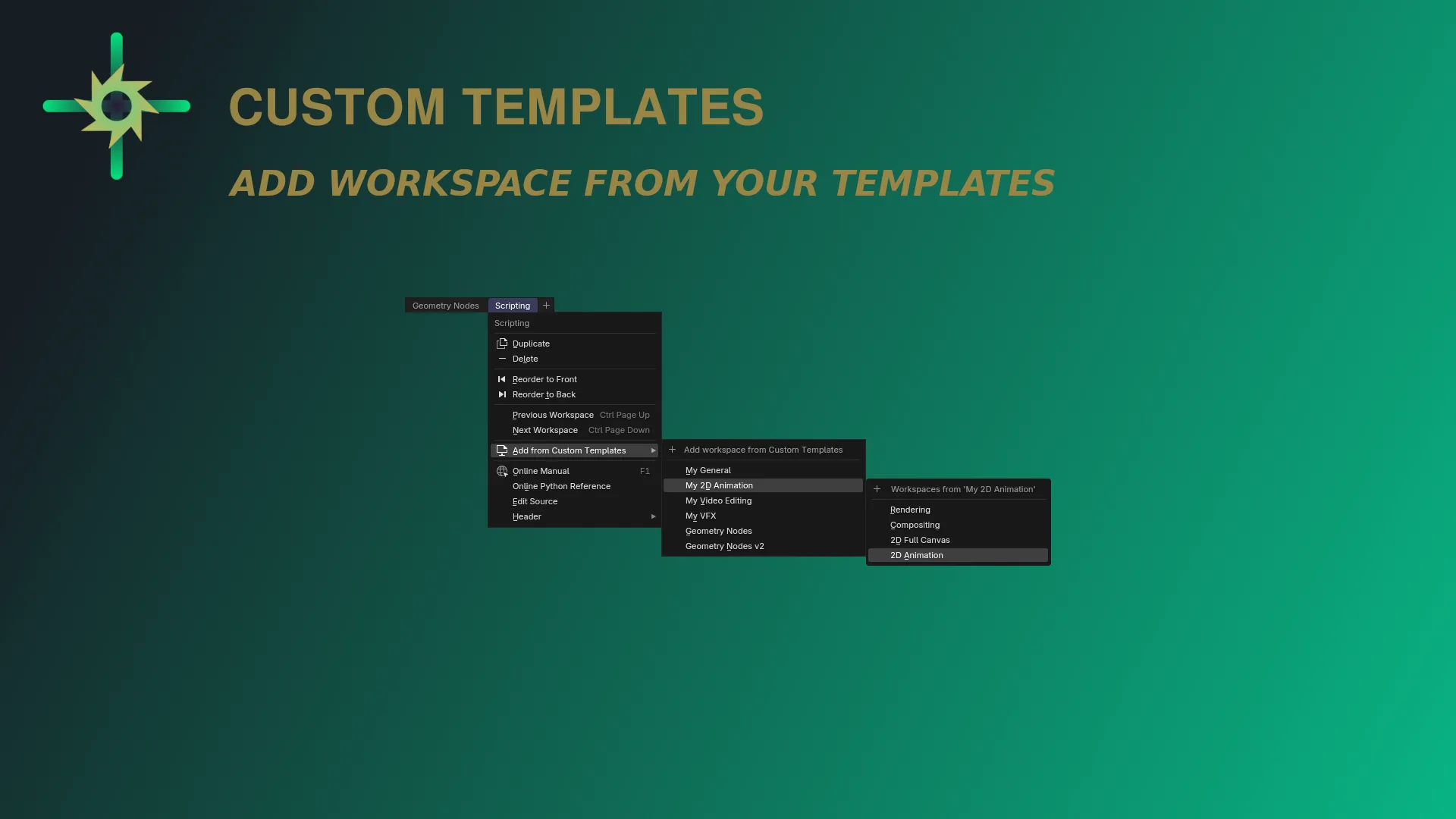
| Add a workspace from one of your templates | 1.4.0 |
| Support 5+ templates in the Splash Screen | 1.5.0 |
File > New > Start from... (activate from preferences) |
1.5.0 |
| Process your templates to ensure absolute paths for resources | 1.6.0 |
| Pick Splash Screen templates (template's blender icon button) | 1.6.0 |
| Assign icons to templates | 1.7.0 |
| Quickly open the source template file (from preferences) | 1.7.0 |
For more details checkout the project's Wiki.
Create your own templates or find the ones that best suit your needs.
Customize workspaces, preset your usual materials, define additional windows or anything else you would like to have from the beginning.
The only limit is your imagination!
Legacy Support
For Blender versions <4.2 you can refer to the legacy version instead.
Tested on all LTS versions from 2.83 to 3.6 (remember to use compatible templates).
Good to know
External resources in templates
Be aware that, by default, blender use relative paths for external resources.
This include textures, video, audio and any other possible file linked in the project.
Relative paths will not work when opening as a template.
This is due to the fact that templates initially has no path at all,
therefore resources would not be found.
To overcome this, you can either manually update your templates to only have absolute paths (i.e. using File > External Data > Make Paths Absolute on them), as well as leave that job to Custom Templates.
From version 1.6.0, you can easily batch-process your templates to ensure absolute paths for external resources, in one-click.
Make things easier from the start
What's New
1.7.0 June 6th, 2026
New Features
Template Icons!
Since Blender 5 default templates has dedicated icons now.
So, as suggested here by @NicCrimson, now you are also free to assign any icon to your templates.
A new icon picker, featuring ~1000 blender icons, provides a search filter and a default short selection of likely-suitable icons. By default, "File New" icon will be used for every template.
In the Extra section of preferences, you may hide icons at all.
Note: the list of icons features the latest list. Blender 4 will be skipping recent (v5) icons in the full list of the picker.
- Quick button to open any template file (from preferences)
Managing your templates, you may find yourself wanting to open some template's file.
Now using the pencil button you can easily open any template file, in the current Blender instance (just like doing File > Open).
- Blender 5 splash screen list now support length of 6
Now there are 6 templates, so the splash screen is now longer.
From now on, depending on your Blender major version, the splash screen will display the correct amount of templates, to better fit in the latest UI.
As since v1.5.0, you still can have virtually infinite more templates in the splash screen. A sub-menu will appear as the last element, if you exceed said limit.
Easy UI implementation of a rather tedious task. Only thing missing, is the option to have custom icons.
this is a game changer
SIMPLY PERFECTION! 100/10
I recommend to everyone who works on multiple-projects!