Extensions
  • Home
  • Add-ons
  • Themes
  • Approval Queue
  • About
  • Upload Extension
  • Sign in
  • BLENDER.ORG

    • Download

      Get the latest Blender, older versions, or experimental builds.

    • What's New

      Stay up-to-date with the new features in the latest Blender releases.

    DEVELOPMENT

    • Roadmap

      See which projects are currently being worked on and what's next.

    • Documentation

      Guidelines, release notes and development docs.

    LEARNING & RESOURCES

    • Blender Studio

      Access production assets and knowledge from the open movies.

    • Manual

      Documentation on the usage and features in Blender.

    • Benchmark

      A platform to collect and share results of the Blender Benchmark.

    • Blender Conference

      The yearly event that brings the community together.

    DONATE

    • Development Fund

      Support core development with a monthly contribution.

    • One-time Donations

      Perform a single donation with more payment options available.

All Add-ons

Add-on AutoCam
AutoCam

Intuitive camera tools, built for artists.
Add-on by RenderRides
About What's New Reviews Version History

AutoCam – Intuitive Camera Animation System for Blender

Built for artists, AutoCam simplifies cinematic camera animation in Blender. Record natural movements, generate clean, editable paths, and drive robust rigs, without interrupting your creative flow.


What’s New in 2.0

  • Rig Mode switch: Toggle between native Blender constraints (Simple) and AutoCam’s real-time evaluator (Dynamic).
  • Improved Tracking: Easier camera aiming with less manual tweaking.
  • One-Click Bake: Convert AutoCam rigs to plain keyframes for rendering/export.
  • UI Overhaul: Context-aware panels, clearer tooltips, and smart defaults.

Core Features

Feature What it does
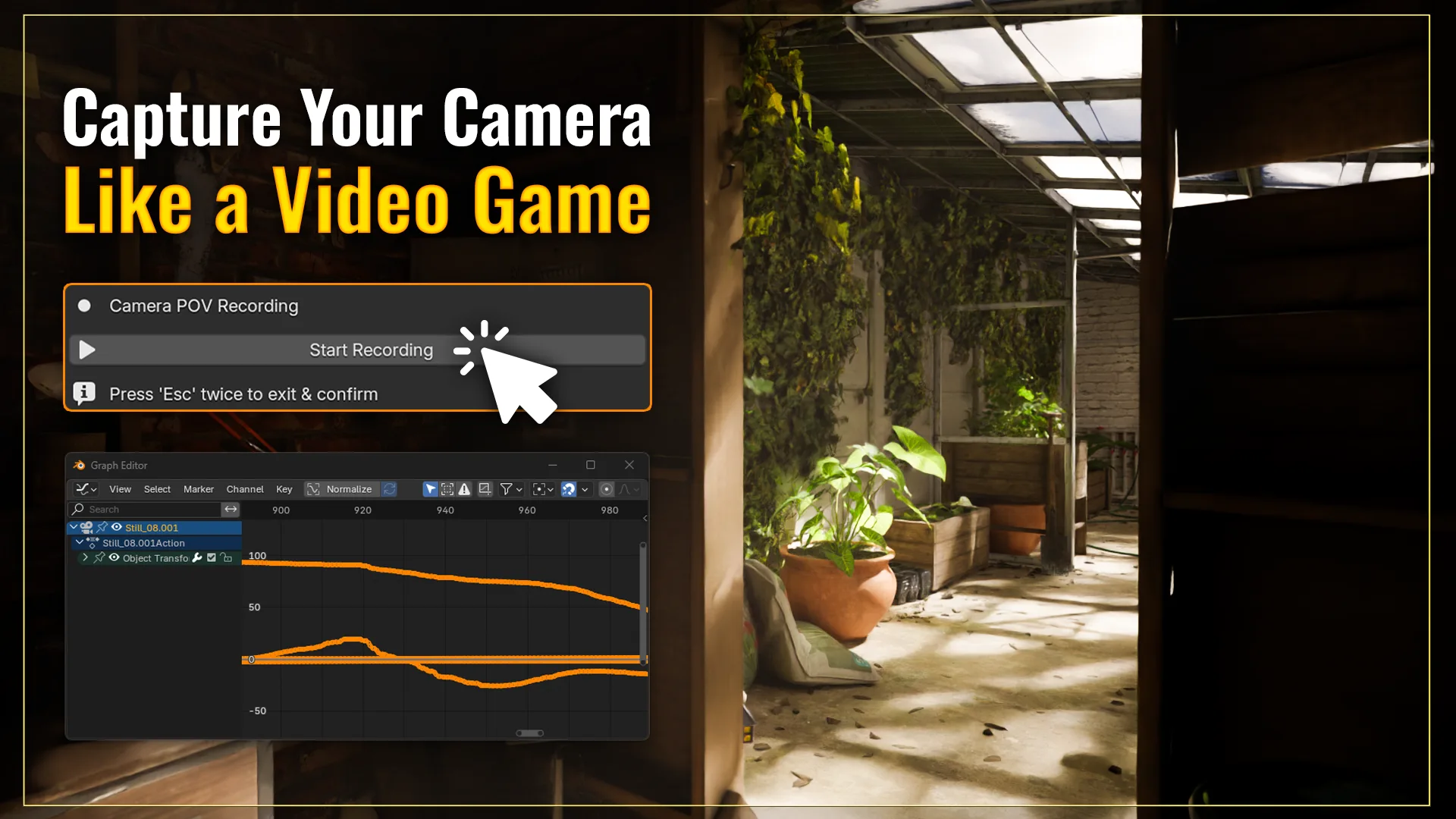
Realtime POV Recording Capture movement in real time with familiar WASD + mouse controls.
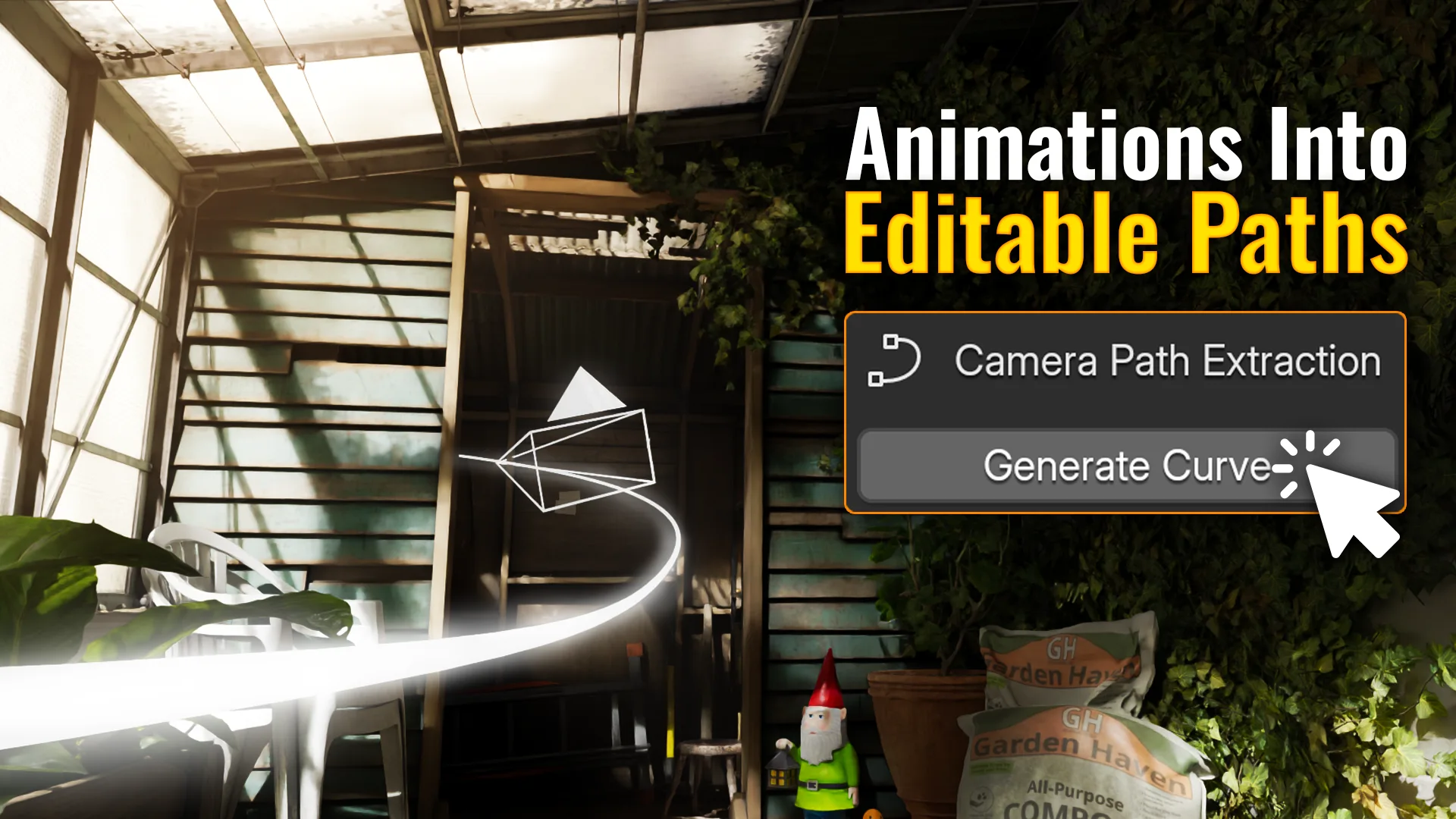
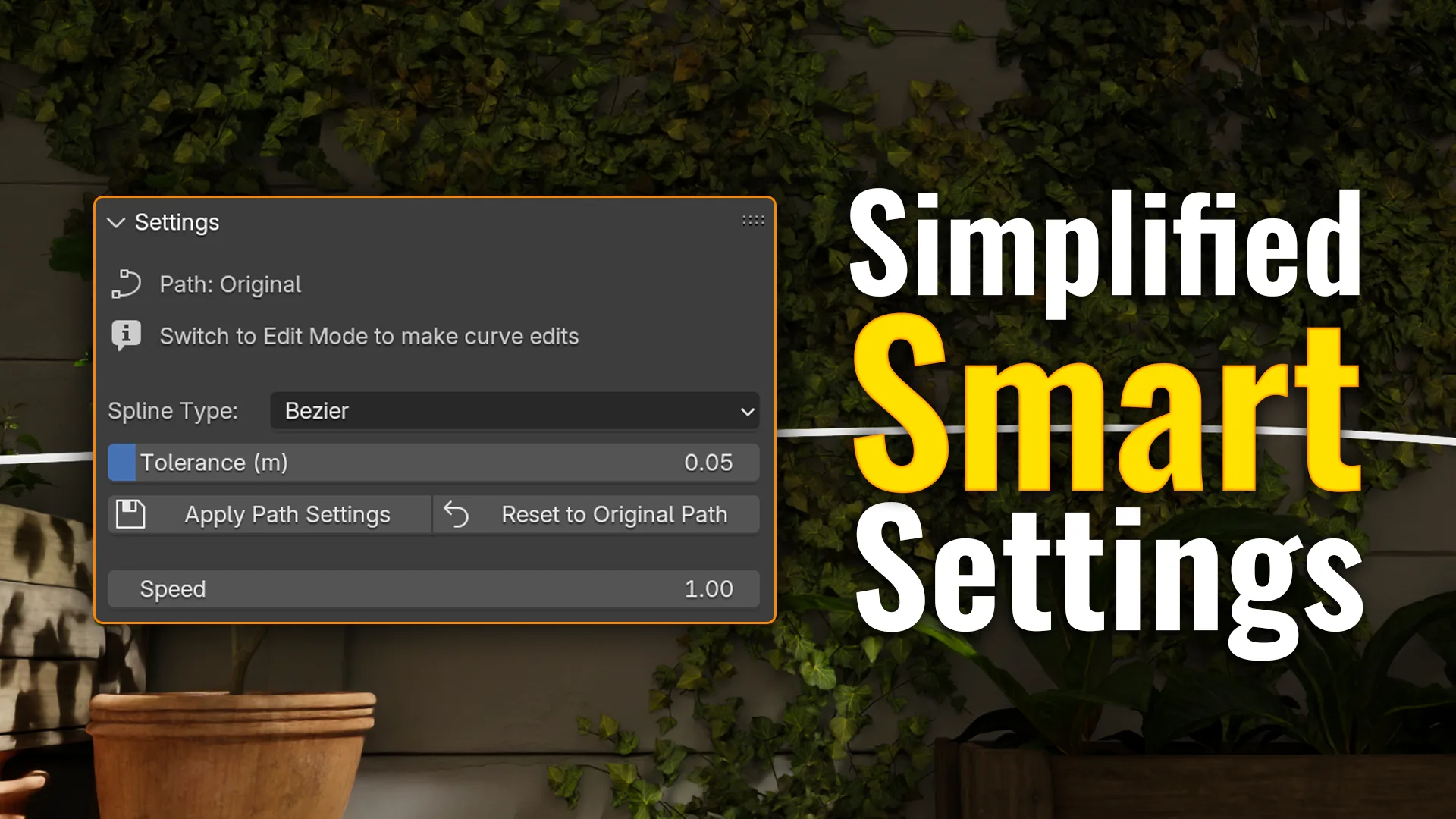
Camera-Path Extraction One-click conversion to clean Bezier, Poly, or NURBS curves — always editable.
One-Click Rig Builds a robust camera rig with tracking, damping, and target controls.
Rig Mode Switch Choose Simple (Blender constraints) or Dynamic (AutoCam evaluator) per shot.
Keyframable Speed Positive, zero, or negative values to play, pause, ramp, or reverse precisely.
Easy Cleanup Remove AutoCam data and restore camera state in one click to keep scenes tidy.

Who It’s For

  • 3D artists who need cinematic shots fast
  • Arch-viz creators building walkthroughs
  • Indie animators who prefer to stay in the creative flow
  • Motion designers working on product animations or visual showcases
  • Anyone who finds manual camera keyframing slow or intimidating

Requirements

Software Version
Blender 4.0+ (Windows / macOS / Linux)

Install via the Extensions path on Blender 4.2+.

Scenes from 1.x should continue to load; if something looks off, simply regenerate the rig.


Support

  • Documentation
  • 2.0 release demo
  • Support email
  • RenderRides website
  • Discord server

License

AutoCam is licensed under:

  • GPL-3.0-or-later (mandatory for Blender integration)

See the bundled gpl-3.0.txt for full terms.


Enjoying AutoCam? Consider supporting development on Gumroad: https://renderrides.gumroad.com/l/autocam


What's New

2.0.6 January 2nd, 2026

Fixed:

  • Path Extraction: Camera animation detection now works reliably with Blender 5.x layered actions and NLA-based animation.

Improved:

  • UI Cleanup: Removed placeholder Pro feature items for a cleaner, more focused Free experience.
  • Bake Settings: Made the popup more compact without losing functionality.

See all versions


Permissions

This extension does not require special permissions.

Developer
RenderRides
Rating
(5)
Version
2.0.6
Updated
5 mo
Published
June 15th, 2025
Downloads
27421
Size
65.8 KB
Compatibility
Blender 4.2 LTS and newer
Report Issues
github.com/AgnivD/AutoCam-Tracker/issues/new/choose
License
GNU General Public License v3.0 or later
Add Curve Animation Render Rigging Camera
...or download and Install from Disk
  • 65.8 KB

Reviews

See all
  • DragonEngine
  • v2.0.6
  • 1 mo

Works Perfectly

  • OrangeYo
  • v2.0.6
  • 2 mo

GOOD!

  • Dadu
  • v2.0.6
  • 3 mo

A lot of effort is done. Excelent addon.

5.0

5 reviews
5
4
3
2
1
Rate this Add-on Report an issue
  • About
  • Privacy Policy
  • Terms of Service
About
  • Blender Foundation
  • Blender Institute
  • Blender Studio
  • License
  • Logo & Trademark
  • Credits
  • Privacy Policy
  • Code of Conduct
Organization
  • People
  • Jobs
Blender Network
Download
  • Latest Blender
  • Blender LTS
  • Previous Versions
  • Experimental Builds
  • Source Code
  • Requirements
  • Benchmark
  • Flamenco
Extensions
  • Add-ons
  • Themes
Developers
  • Get Started
  • Roadmap
  • Projects
  • Docs
  • Blog
  • Forum
  • YouTube
  • Python API
Blender Studio
  • Films
  • Training
  • Tools & Pipeline
Support
  • Manual
  • Community
  • FAQ
Get Involved
  • Documentation
  • Education
News
  • Press Releases
  • User Stories
Blender Conference
Follow Blender
Support Blender
  • Donate
  • One-time Donation
Artistic freedom starts with Blender The Free and Open Source 3D Creation Suite